
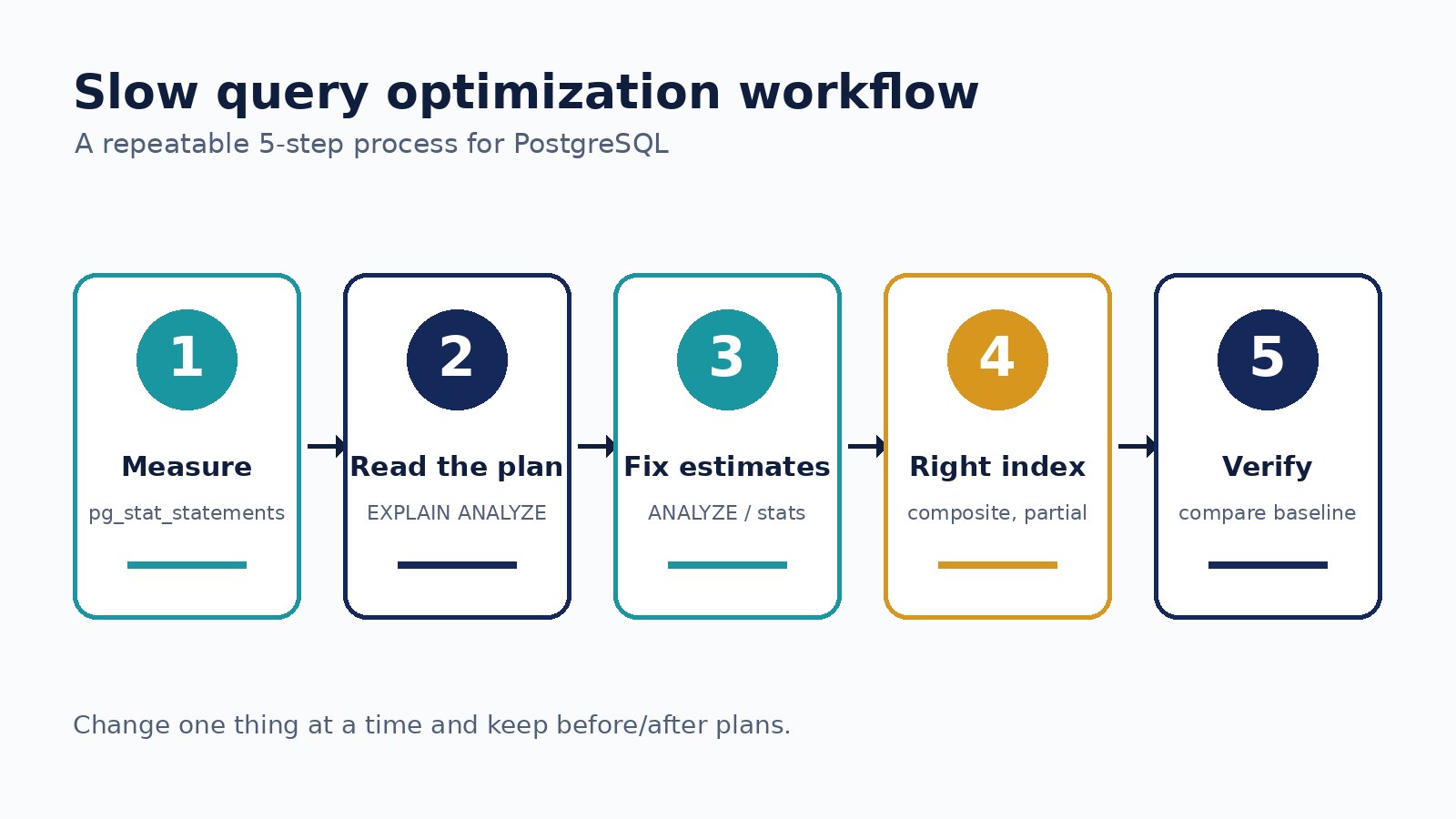
A page that used to load instantly now takes four seconds. The API logs point at one query. Someone suggests "just add an index", someone else suggests Redis, and a third person wants to rewrite it in raw SQL. Guessing like this sometimes works, but it often adds an index that is never used or a cache that hides the real problem. Slow PostgreSQL queries are much easier to fix when you follow the same process every time: measure, read the plan, find the expensive step, change one thing, and verify.
This guide walks through that process with examples you can apply to Laravel, Next.js, or ERP-style backends running on PostgreSQL.
Step 1: Find the Query That Actually Hurts
Before optimizing anything, confirm which query is slow and how much it costs overall. A query that takes 200 ms but runs 50,000 times an hour can matter more than a 3-second report that runs once a day.
The pg_stat_statements extension is the standard tool for this. Once it is enabled (it must be listed in shared_preload_libraries), you can rank queries by total time:
CREATE EXTENSION IF NOT EXISTS pg_stat_statements;

SELECT query,
       calls,
       round(total_exec_time::numeric, 1) AS total_ms,
       round(mean_exec_time::numeric, 1)  AS mean_ms,
       rows
FROM pg_stat_statements
ORDER BY total_exec_time DESC
LIMIT 10;
On PostgreSQL 12 and older the columns are named total_time and mean_time. You can also set log_min_duration_statement (for example to 500ms) so slow queries show up in the server log with their real parameters.
Write down the baseline: mean time, calls, and rows returned. Without a baseline you cannot prove the fix worked.
Step 2: Run EXPLAIN (ANALYZE, BUFFERS)
EXPLAIN shows the plan PostgreSQL intends to use. EXPLAIN ANALYZE actually runs the query and shows what happened. Adding BUFFERS shows how much data was read from cache or disk.
EXPLAIN (ANALYZE, BUFFERS)
SELECT o.id, o.total, c.name
FROM orders o
JOIN customers c ON c.id = o.customer_id
WHERE o.status = 'pending'
  AND o.created_at >= now() - interval '30 days'
ORDER BY o.created_at DESC
LIMIT 50;
Be careful: ANALYZE executes the statement. For an UPDATE or DELETE, wrap it in a transaction and roll back. Also use the same parameter values the application uses, because a plan for a rare status can look very different from a plan for a common one.
How to read the output
Read from the inside out. The most indented nodes run first and feed their parents.
Look at actual time and loops. A node with
actual time=0.05..0.08 loops=40000is small per loop but large in total.Compare estimated rows with actual rows. If the planner expected 10 rows and got 200,000, its decisions after that point are probably wrong.
Watch for warning signs:
Seq Scanon a large table with a selective filter,Rows Removed by Filterin the hundreds of thousands,Sort Method: external merge Disk, or aNested Loopwith a huge loop count.
Tools such as explain.depesz.com or explain.dalibo.com can make long plans easier to read, but the raw output contains everything you need.
Step 3: Fix Bad Row Estimates First
PostgreSQL chooses plans based on statistics. When those statistics are stale or too coarse, it can pick a sequential scan where an index would be better, or a nested loop where a hash join would be faster.
Run
ANALYZE orders;after large imports or bulk updates, and check that autovacuum is keeping up on busy tables.For skewed columns, raise the statistics target:
ALTER TABLE orders ALTER COLUMN status SET STATISTICS 500;then analyze again.For correlated columns (for example
cityandpostcode), extended statistics help the planner understand they are not independent:CREATE STATISTICS orders_city_zip (dependencies) ON city, postcode FROM orders;
Re-run EXPLAIN ANALYZE after each change. Sometimes fixing estimates alone produces a good plan.
Step 4: Add the Right Index, Not Just Any Index
An index helps when it matches how the query filters and sorts. For the example above, an index on status alone may still force PostgreSQL to sort thousands of rows. A composite index that matches the filter and the order is usually better:
CREATE INDEX CONCURRENTLY idx_orders_status_created
  ON orders (status, created_at DESC);
A few rules that save time:
Equality columns first, range or sort columns after.
(status, created_at)works forstatus = ? ORDER BY created_at; the reverse order is much less useful.Use partial indexes for hot subsets. If most queries only touch pending orders:
CREATE INDEX ... ON orders (created_at) WHERE status = 'pending';Use covering indexes when it helps.
INCLUDE (total)can allow an index-only scan, as long as the table is vacuumed often enough for the visibility map to be useful.Index foreign keys you join or delete on. PostgreSQL does not create these automatically.
Use
CONCURRENTLYin production so the build does not block writes. It cannot run inside a transaction block, which matters for some migration tools.
Every index also slows down writes and uses disk, so check pg_stat_user_indexes for indexes with idx_scan = 0 and remove the ones you truly do not need.
Step 5: Rewrite the Query When the Shape Is the Problem
Some queries cannot be rescued by indexes because of how they are written. Common patterns:
Functions on indexed columns
WHERE date(created_at) = '2026-10-01' cannot use a plain index on created_at. Rewrite it as a range:
WHERE created_at >= '2026-10-01'
  AND created_at <  '2026-10-02'
The same applies to lower(email); either use an expression index on lower(email) or store the normalized value.
Deep OFFSET pagination
OFFSET 100000 still reads and throws away 100,000 rows. Keyset pagination stays fast at any depth:
SELECT id, created_at, total
FROM orders
WHERE (created_at, id) < ($1, $2)
ORDER BY created_at DESC, id DESC
LIMIT 50;
Leading wildcards and SELECT *
LIKE '%term' cannot use a normal B-tree index; consider the pg_trgm extension with a GIN index, or full-text search. And selecting only the columns you need reduces I/O and makes index-only scans possible.
N+1 queries from the ORM
Sometimes the "slow query" is really the same fast query running hundreds of times. In Laravel, eager load with Order::with('customer'); in Prisma or other ORMs, use the equivalent include or join. The fix is in application code, not in PostgreSQL.
Step 6: Check Memory and Configuration Last
If the plan shows sorts or hashes spilling to disk, work_mem may be too low for that query. Raise it for the session or a specific role rather than globally, because each sort or hash node in each connection can use that much memory:
SET LOCAL work_mem = '64MB';Settings like random_page_cost (often lowered on SSD storage) and effective_cache_size influence plan choices too. Change them carefully and measure, because they affect every query on the server.
Step 7: Verify and Protect the Gain
Run EXPLAIN (ANALYZE, BUFFERS) again with realistic parameters, then compare against your baseline. Check that the improvement holds with a warm and a cold cache, and with production-sized data. A query that is fast on a 5,000-row staging table can behave differently on 50 million rows.
Then keep it from coming back:
Reset or snapshot
pg_stat_statementsand confirm the mean time dropped in production.Add the index in a migration with a comment explaining which query it serves.
Keep slow-query logging on so the next regression is visible early.
Only add a Redis cache once the query itself is reasonable; caching a bad query just delays the problem.
A Quick Checklist
Find the costly query with
pg_stat_statementsand record a baseline.Run
EXPLAIN (ANALYZE, BUFFERS)with real parameters.Locate the most expensive node and compare estimated vs actual rows.
Refresh or improve statistics if estimates are far off.
Add an index that matches the filter and sort order.
Rewrite query shapes that block index use.
Tune memory settings only where the plan shows a need.
Verify against the baseline and monitor in production.
Following the same steps every time turns query tuning from guesswork into a routine skill. Change one thing at a time, keep the plan output from before and after, and you will know exactly why the query got faster.