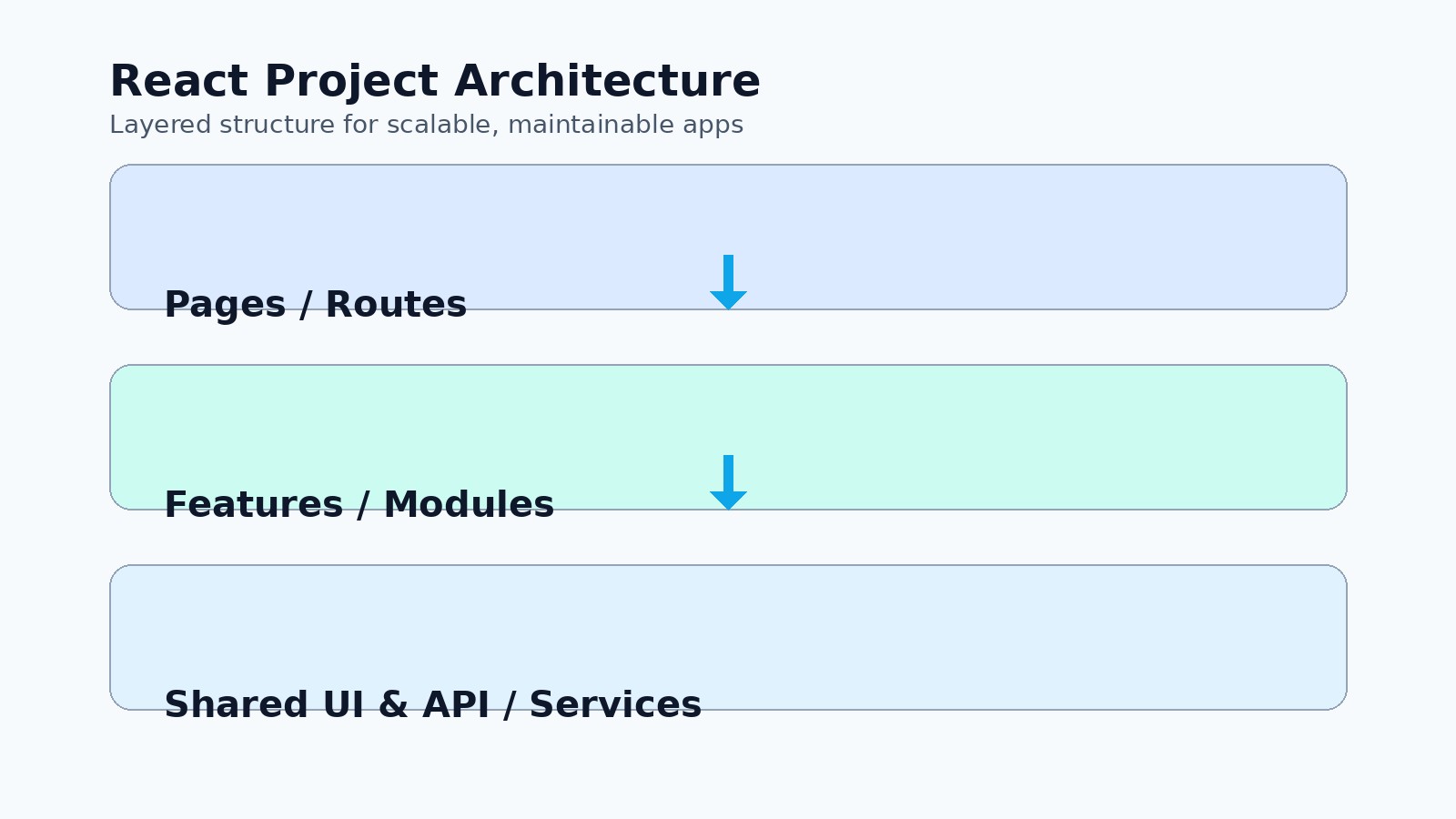
Most React apps start clean. Six months later you have a components folder with 200 files, a utils dump that imports everything, and nobody is sure whether a new screen belongs under pages, views, or features. Large React projects do not become messy because React is weak. They become messy because the team never agreed on structure, ownership, or which layers may import which.
This guide is a practical layout you can apply to a growing product: feature folders, clear layers, and a few rules that stop the mess from coming back. It works with Create React App, Vite, Next.js App Router, or a custom setup. The names change; the ideas do not.
Start With Features, Not File Types
Grouping by type (components/, hooks/, services/) feels tidy when you have ten files. At scale it forces every change to touch four distant folders, and related code stops living together. Prefer feature folders for anything that belongs to one product area:
src/
  app/                 # routes, providers, global layout
  features/
    auth/
    billing/
    listings/
    dashboard/
  shared/
    ui/                # Button, Modal, Input — no business rules
    lib/               # date, money, formatting helpers
    api/               # HTTP client, auth header helpers
    types/             # truly cross-cutting types only
  styles/
Inside a feature, keep everything that feature needs close:
features/listings/
  components/          # ListingCard, ListingFilters
  hooks/               # useListingsQuery, useListingForm
  api/                 # listingsApi.ts
  types.ts
  index.ts             # public exports only
Other parts of the app import from features/listings (the barrel), not from deep internal paths. That gives you a clear boundary and makes refactors safer.
Define a Dependency Rule and Enforce It
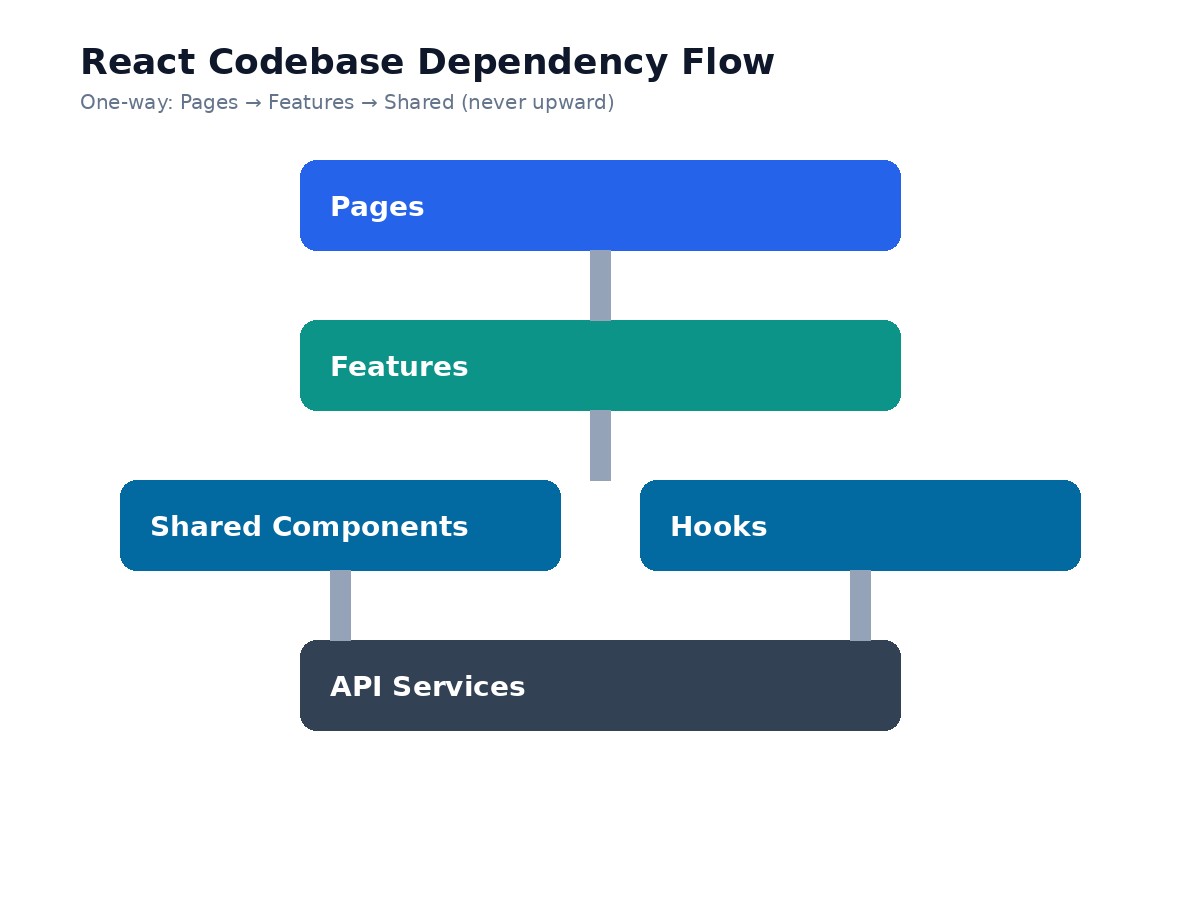
Structure without a dependency rule is just a prettier mess. Use this one-way flow:
App / pages may import features and shared code.
Features may import shared code and, carefully, other features only through their public
index.ts.Shared must never import a feature.
When shared UI starts importing useBillingStore, you have inverted the architecture. Put feature-specific UI back in the feature. Keep shared components dumb: props in, events out, no product knowledge.
If your team uses ESLint, add an import boundary plugin (for example eslint-plugin-import or eslint-plugin-boundaries) so violations fail CI instead of showing up in code review six weeks later.
Where State Should Live
Not every piece of state needs a global store. A useful default:
Server state (lists, detail pages, user profile): React Query, SWR, or a similar cache. Do not duplicate API responses into Redux "because we might need them".
URL state (filters, tabs, pagination): keep it in the query string so links are shareable and the back button works.
Local UI state (open modal, draft form fields):
useState/useReducerinside the component or a feature hook.Cross-feature client state (auth session flags, theme): a small store or context at the app root.
Most "Redux everywhere" codebases are compensating for missing server-state tools and unclear feature ownership. Prefer fewer global stores and more colocated hooks.
Pages Are Composition, Not Business Logic
Route-level components should wire things together, not implement the product. A page loads data, chooses layout, and renders feature components. Business rules live in feature hooks or small use-case functions.
// app/listings/page.tsx (Next.js-style)
export default function ListingsPage() {
  return (
    <PageShell title="Listings">
      <ListingFilters />
      <ListingGrid />
    </PageShell>
  );
}
If a page file drifts past ~100 lines of logic, extract a feature hook (useListingsPage) or move UI into feature components. Pages stay readable; features stay testable.
Shared UI Without a Design-System Trap
You do not need a full design system on day one. You do need a small shared UI kit so every screen does not invent its own button. Rules that keep it healthy:
Shared components accept visual variants and callbacks, not domain nouns like
listingorinvoice.Prefer composition (
Modal+ children) over megaprops.Colocate stories or simple usage examples next to the component if your team uses Storybook.
Promote a component to shared only after a second feature needs it. Premature sharing creates awkward APIs.
API Layer: One Place to Talk to the Backend
Scatter fetch calls across components and you will duplicate auth headers, error mapping, and base URLs. Put HTTP behind a thin API module per feature (or a shared client plus feature functions):
// features/listings/api/listingsApi.ts
export async function getListings(params: ListingQuery) {
  return apiClient.get<Listing[]>('/listings', { params });
}
Components and hooks call getListings, never raw URLs. When the backend renames a field, you fix one module instead of twenty screens.
Naming and Barrels That Age Well
Consistent names beat clever ones. Prefer ListingCard over Card2, useCreateListing over useMutation1. Export only what other modules need from index.ts. Internal helpers stay unexported so nobody reaches into the feature's private files.
Avoid deep relative imports like ../../../shared/ui/Button. Set up path aliases (@/features/..., @/shared/...) early. It is a small change that removes a surprising amount of friction.
A Lightweight Checklist Before You Add a Folder
Does this belong to one product area? Put it under
features/<name>.Is it reusable UI with no domain knowledge? Put it under
shared/ui.Is it a one-off page layout? Keep it near the route.
Would importing this create a cycle or force shared code to know about a feature? Redesign the boundary.
Can you delete the feature folder and know exactly what breaks? If not, the boundary is too leaky.
Conclusion
A large React project stays clean when related code lives together, dependencies only flow downward, and pages stay thin. Feature folders, a small shared UI kit, a clear API layer, and an enforced import rule will carry you further than endless debates about "the perfect architecture." Pick a structure, write it down in the repo README, wire ESLint to protect it, and revisit only when the product outgrows it — not when someone feels like renaming folders on a Friday.