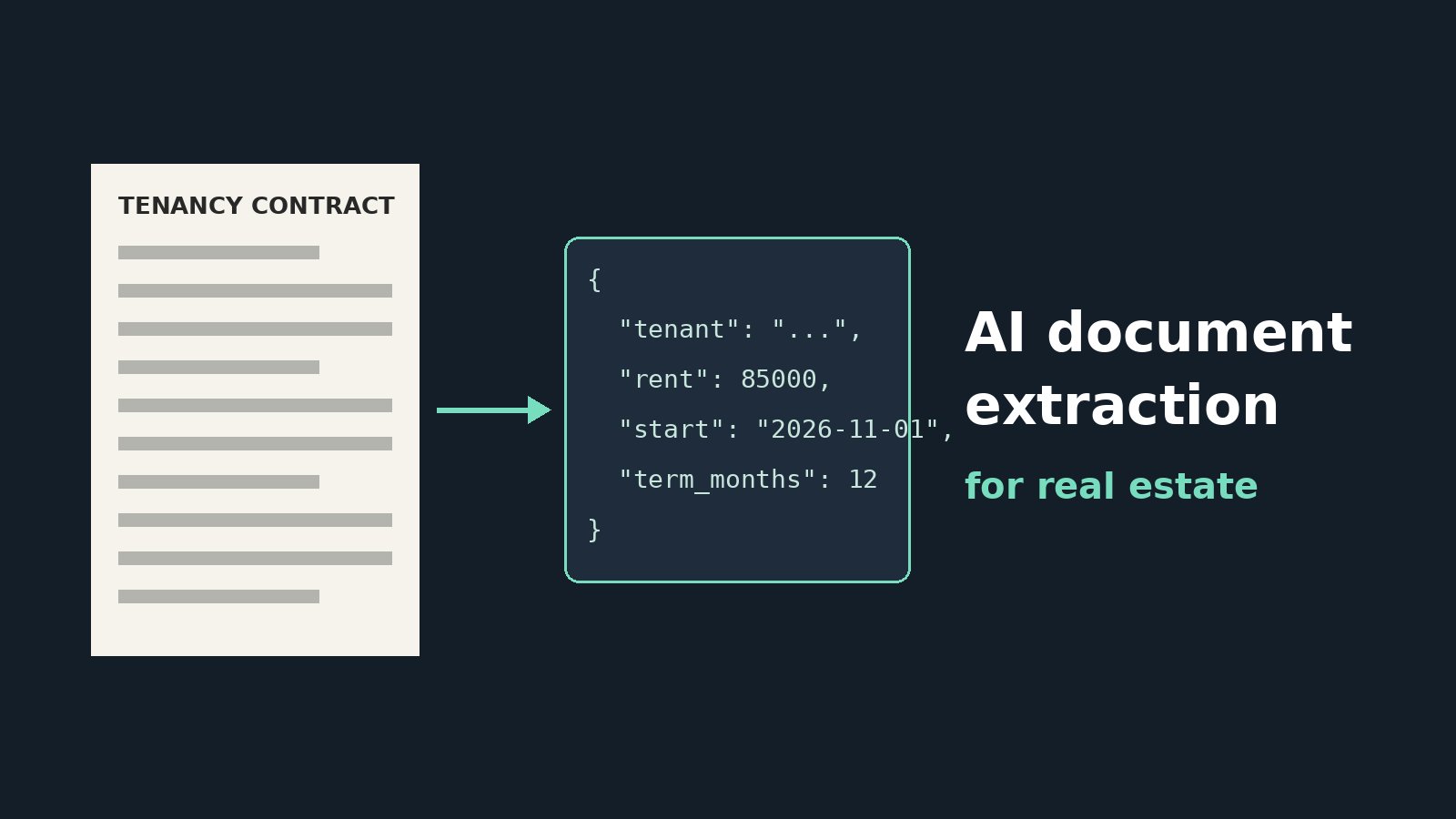
Real estate runs on documents: tenancy contracts, sale agreements, title deeds, ID copies, utility bills, service charge statements, handover forms, and inspection reports. Most arrive as scanned PDFs or phone photos, and someone on the team retypes the key details into a CRM or property management system. It is slow, boring, and error-prone. AI document extraction can turn those files into structured data in seconds, as long as you build it with accuracy, validation, and privacy in mind.
What AI Document Extraction Means
Document extraction takes an unstructured file and returns specific fields in a fixed format. For a tenancy contract, that might be tenant and landlord names, property address, unit number, annual rent, payment schedule, start and end dates, deposit, and notice period. Modern systems combine optical character recognition (OCR) or vision models to read the page with large language models that understand layout and wording, so they cope with different templates, languages, and handwriting far better than old rule-based tools.
High-Value Use Cases in Real Estate
- Lease onboarding: create tenancies, rent schedules, and renewal reminders directly from signed contracts.
- Tenant and buyer KYC: read ID documents and proof of address to pre-fill forms, with human verification.
- Service charge and utility bills: capture amounts and due dates for owners and accounting.
- Sale and off-plan paperwork: extract payment plans, milestones, and handover dates from developer agreements.
- Portfolio migration: digitize years of archived contracts when moving to a new system.
The Pipeline
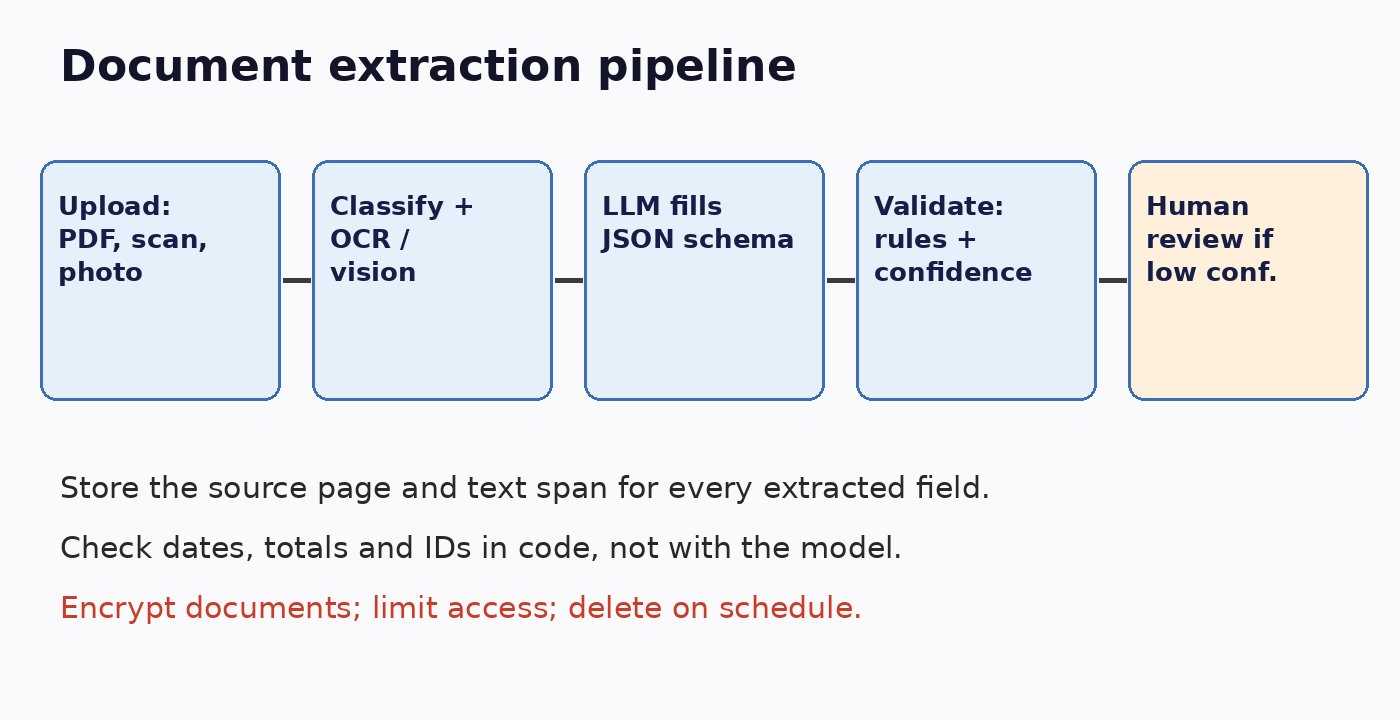
Step 1: Intake and Classification
Accept PDFs, scans, and photos from email, upload forms, or WhatsApp. Normalize them, for example by fixing rotation and splitting multi-document PDFs, then classify each document type. A tenancy contract, an ID card, and a utility bill need different schemas, so classification comes first.
Step 2: Read the Text
For digital PDFs, extract the embedded text directly. For scans and photos, use OCR or a vision-capable model. Keep page numbers and coordinates for every piece of text, because you'll need them later to show reviewers where each value came from.
Step 3: Extract Into a Strict Schema
Define a JSON schema per document type and ask the model to fill it using structured output. Instruct it to return null for anything not present, never to guess, and to include the source page and quoted text for each field. Grounding outputs in real source data is the same principle we used for grounding real estate AI answers in your listing database.
Step 4: Validate in Code
Don't trust the model to check itself. Validate with ordinary code:
- Dates parse correctly and the end date is after the start date.
- Rent, deposit, and installments are positive and add up to stated totals.
- ID numbers match the expected format and checksum where one exists.
- The property and unit match a record in your system.
- Required fields for the document type are present.
Combine validation results with model confidence to decide whether a document can be accepted automatically.
Step 5: Human Review Where It Matters
Route low-confidence or failed documents to a reviewer, showing each extracted field next to the highlighted region of the original page. Reviewers confirm or correct with one click. Over time, track which fields get corrected most and improve prompts or preprocessing for those.
Measure Accuracy Before Going Live
Build a test set of real, anonymized documents covering different templates, languages, and scan quality, with correct answers labeled by hand. Measure accuracy per field, not just overall; a 98 percent overall score can hide a 70 percent rate on rent amounts. Rerun the test whenever you change the prompt or model. Our guide on testing LLM features before production covers how to set up this kind of evaluation.
Privacy and Security
These documents contain some of the most sensitive data a business holds: ID numbers, signatures, financial details, and addresses.
- Encrypt documents at rest and in transit, and restrict access by role.
- Check where your AI provider processes and stores data, and whether it trains on it. Choose settings or providers that meet your local data protection rules.
- Store only the fields you need, and set retention periods for original files.
- Log who viewed or changed extracted data for auditing.
- Treat text inside documents as untrusted input; it must never change your system's instructions.
Keep Costs Predictable
Vision and long-context calls can get expensive at volume. Use embedded text instead of images when a PDF has it, send only the relevant pages, use smaller models for classification, and reserve larger models for difficult documents. More cost-saving tactics are in how to keep LLM API costs under control.
Launch Checklist
- Document types and schemas are defined.
- Every extracted field stores its source page and text.
- Business rules validate dates, amounts, and IDs in code.
- Low-confidence documents go to human review.
- Per-field accuracy is measured on a labeled test set.
- Encryption, access control, retention, and provider data terms are in place.
Conclusion
AI document extraction can remove hours of manual data entry from leasing, sales, and property management. The winning setup is simple: classify documents, extract into strict schemas with source references, validate with code, send uncertain cases to people, and protect the data carefully. Start with one document type, such as tenancy contracts, prove the accuracy, and expand from there.