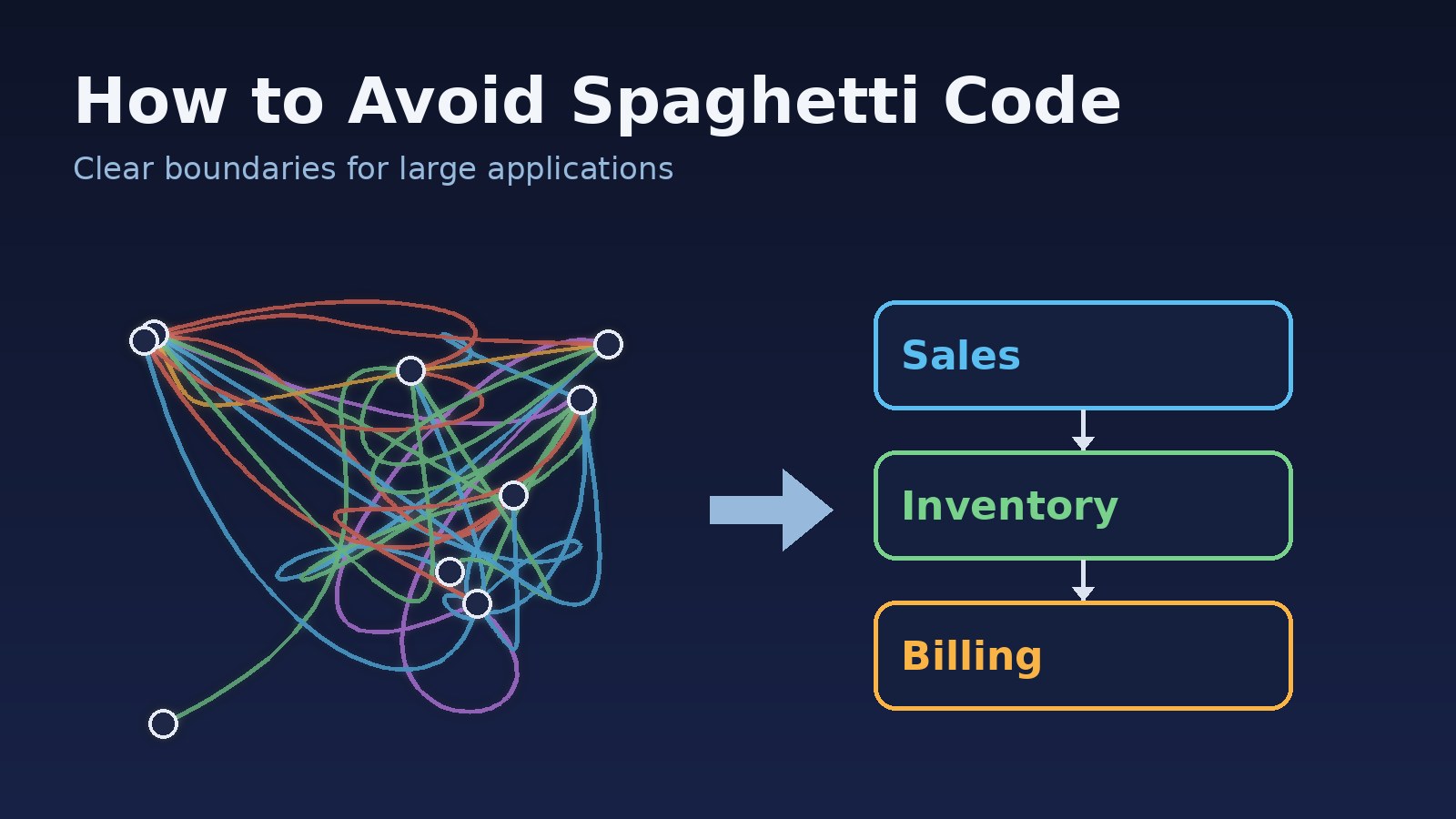
Almost nobody sets out to write spaghetti code. It grows one reasonable shortcut at a time: a quick query inside a controller, a helper that reaches into another module's tables, an event listener that quietly updates three other records. A year later, changing the discount logic breaks invoice PDFs and nobody can explain why.
This guide covers what spaghetti code really is in a large application, why it keeps appearing, and practical habits that keep Laravel, React/Next.js and ERP-style codebases untangled as they grow.
What Spaghetti Code Actually Looks Like
Spaghetti code is not just "ugly code". Messy formatting is cosmetic. Spaghetti is structural: the paths through the system are tangled, so following one feature means jumping across many unrelated files. Common signs:
- Everything can call everything. Sales code imports inventory models, inventory imports billing helpers, and billing imports sales.
- Hidden side effects. Saving a model triggers observers, listeners and jobs that change other data with no visible trail in the calling code.
- Business rules scattered across layers. Part of the pricing rule is in a controller, part in a Blade or JSX template, part in a SQL view.
- Shared mutable state. Global singletons, static caches or a giant React context that every component reads and writes.
- Fear of change. Developers copy a function instead of editing it because they cannot predict what else depends on it.
If several of these sound familiar, the article on signs your code structure is becoming unmaintainable is a useful companion checklist.
Why It Happens in Large Applications
The root cause is usually missing boundaries, not bad developers. When a codebase has no clear rules about which part owns what, every new feature takes the shortest path to the data it needs. Deadlines reward that shortcut, and code review rarely catches a single extra import. Multiply that by dozens of developers and hundreds of features and the dependency graph turns into a knot.
So the fix is mostly about making the right structure the easy path, and making the wrong path visible.
1. Organise Code by Business Area, Not Only by File Type
A folder per technical type (Controllers, Models, Services) works for small apps. In a large ERP it means one feature is spread across ten folders and nothing signals which pieces belong together. Grouping by business area gives each part of the system an owner and a natural boundary:
app/
  Modules/
    Sales/
      Actions/CreateOrder.php
      Models/Order.php
      Http/OrderController.php
      SalesService.php      // the module's public entry point
    Inventory/
      Actions/ReserveStock.php
      Models/StockItem.php
      InventoryService.php
    Billing/
      ...
The same idea applies to a Next.js frontend: a features/orders folder holding its components, hooks and API calls is easier to reason about than one huge components folder. The guide to structuring a Laravel project for large applications covers this layout in more depth.
2. Talk to Other Modules Through Their Public Entry Point
Folders alone do not stop tangling. The rule that matters is: a module does not touch another module's internals. Sales should not query the stock_items table or new up Inventory models. It asks Inventory through a small, deliberate interface.
// Before: Sales reaches straight into Inventory's data
public function store(Request $request)
{
    $item = StockItem::where('sku', $request->sku)->first();
    $item->reserved += $request->qty;   // Inventory rules bypassed
    $item->save();
    // ...create order
}

// After: Sales asks Inventory to do Inventory's job
public function store(StoreOrderRequest $request, CreateOrder $createOrder)
{
    $order = $createOrder->handle($request->validated());
    return new OrderResource($order);
}

class CreateOrder
{
    public function __construct(private InventoryService $inventory) {}

    public function handle(array $data): Order
    {
        return DB::transaction(function () use ($data) {
            $this->inventory->reserve($data['sku'], $data['qty']);
            return Order::create($data);
        });
    }
}
Now stock rules live in one place, the order flow reads top to bottom, and Inventory can change its tables without breaking Sales.
3. Keep Dependencies Pointing One Way
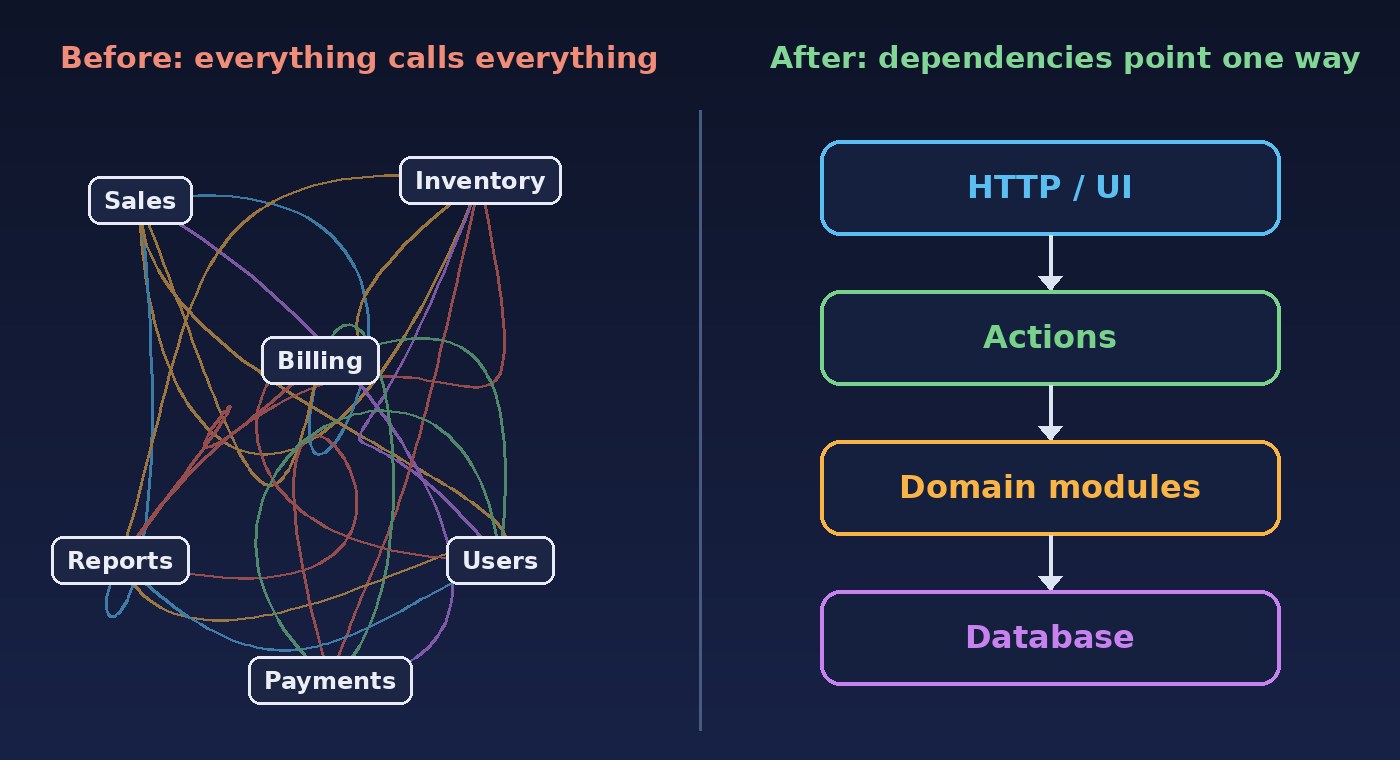
Circular dependencies are the core of spaghetti. If Sales depends on Billing and Billing depends on Sales, neither can be understood, tested or changed alone. Decide a direction and keep to it. A common layering is: HTTP and UI depend on application actions, actions depend on domain logic, and domain logic does not depend on controllers, requests or views.
When two modules genuinely need to react to each other, break the cycle with an event: Sales publishes OrderPlaced, and Billing listens. Sales no longer needs to know Billing exists. The key is to use events for real cross-module reactions, not to hide ordinary steps of a single workflow, which brings us to the next point.
4. Make Side Effects Visible
Model observers and chains of listeners are convenient, but when saving an order silently recalculates commissions, sends emails and updates stock, the flow becomes invisible. A good rule of thumb: the steps of one business operation should be readable in one place. Put them in an action or service method, inside a transaction where needed, and reserve events for "other parts of the system may want to know" notifications.
5. Avoid Shared Mutable State in the Frontend
React apps get tangled when one global store or context holds everything and any component can change any value. Prefer local state, keep server data in a data-fetching layer such as TanStack Query or SWR, and pass explicit props for the rest. Then a component's inputs tell you what it depends on.
// Tangled: the component depends on the whole app state
const { state, setState } = useAppContext();
const total = state.cart.items.reduce((s, i) => s + i.price * i.qty, 0);

// Untangled: explicit inputs, logic in a plain testable function
export function cartTotal(items: CartItem[]): number {
  return items.reduce((sum, i) => sum + i.price * i.qty, 0);
}

function CartSummary({ items }: { items: CartItem[] }) {
  return <p>Total: {cartTotal(items)}</p>;
}
6. Let Tools Enforce the Boundaries
Rules that live only in a wiki erode. Automated checks keep them honest in every pull request:
- PHP: tools such as Deptrac, or Pest architecture tests, can fail the build when a layer or module imports something it should not.
- JavaScript/TypeScript: ESLint's
no-restricted-importsrule can block imports from another feature's internal folders. - Database: treat each module's tables as private, and expose data to others through the module's service or a read model.
// Pest architecture test: domain code must not depend on HTTP
arch('domain stays framework-light')
    ->expect('App\Modules\Sales\Actions')
    ->not->toUse('Illuminate\Http\Request');
7. Refactor in Small, Continuous Steps
You rarely get permission for a big untangling rewrite, and big rewrites are risky anyway. Instead, apply the boy-scout approach: each time you touch a tangled area, move one rule into its proper module, replace one direct table access with a service call, or extract one hidden side effect into an explicit action. Back each step with a test so behaviour stays the same. Clear responsibilities, as described in the post on SOLID principles with production examples, make each of these moves easier.
A Quick Anti-Spaghetti Checklist
- Does every business rule have one obvious home?
- Can a module's tables and models change without breaking other modules?
- Are there any circular dependencies between modules or folders?
- Can you read the full flow of a key operation, like placing an order, in one or two files?
- Do frontend components declare their dependencies through props and hooks rather than a global grab-bag?
- Do automated checks fail when someone crosses a boundary?
Conclusion
Spaghetti code is what happens when a growing application has no boundaries to protect it. You avoid it by grouping code around business areas, letting modules talk only through deliberate entry points, keeping dependencies one-directional, making side effects visible, and letting tools enforce the rules. None of this needs a rewrite. Start with the next feature you touch, and the codebase gets a little straighter every week instead of more knotted.