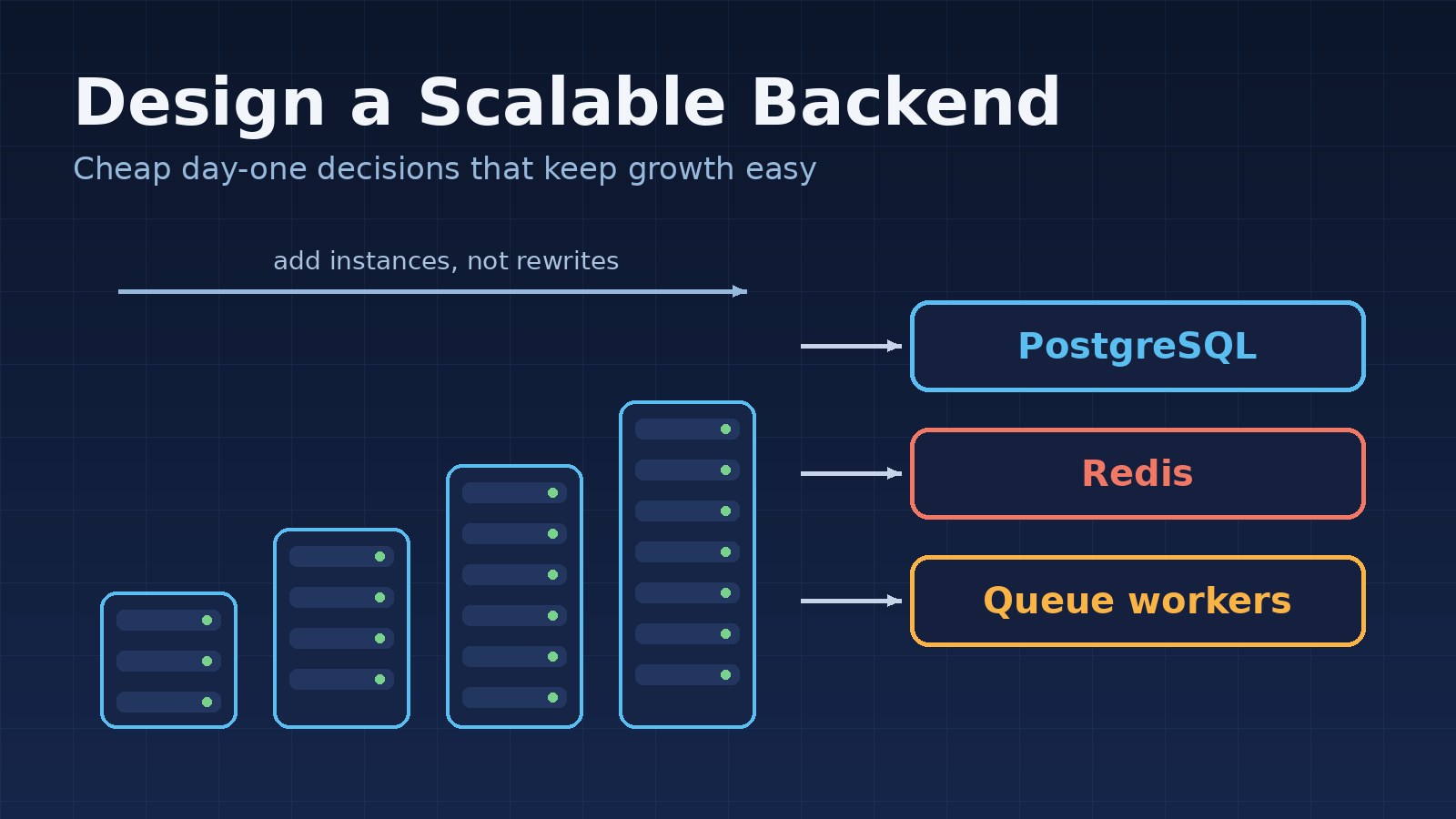
"Build it to scale" is advice every developer hears, and it is easy to get wrong in both directions. Some teams start a simple internal tool with Kubernetes, five microservices and an event bus, and spend months on infrastructure instead of features. Others ship a backend where every request writes to local disk, sessions live in memory and every report runs on the main database, and then discover that none of it survives a second server.
Designing a scalable backend from day one does not mean building for millions of users before you have ten. It means making a small number of cheap early decisions that keep the expensive options open. This guide covers those decisions, with examples from Laravel, PostgreSQL and Redis, and the things you can safely leave for later.
What "Scalable" Actually Means
Scalability is the ability to handle more load by adding resources, without rewriting the system. In practice a backend has to grow along several axes at once:
- Traffic: more requests per second, usually handled by running more app servers.
- Data: more rows and larger tables, which stresses queries and indexes.
- Work: more emails, imports, reports and integrations running in the background.
- Team and features: more developers and requirements touching the same codebase.
The last axis is often the one that hurts first. A backend that is fast but impossible to change is not scalable in any useful sense.
1. Keep the Application Stateless
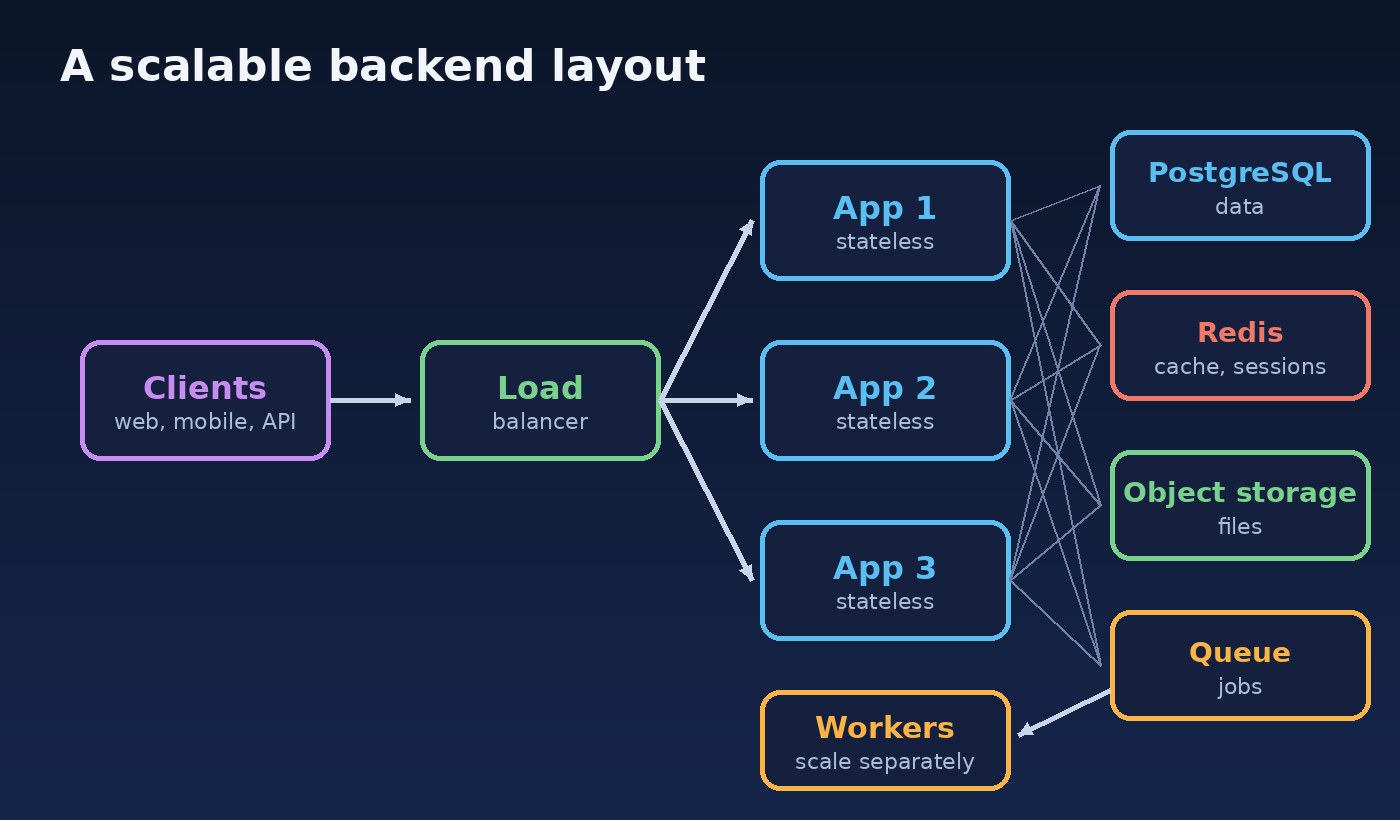
The single most valuable day-one decision is that any request can be served by any app server. If that is true, scaling traffic is mostly a matter of adding instances behind a load balancer. If it is not true, you will need sticky sessions and careful migrations before you can add the second server.
State usually leaks into the app server in three places: sessions, uploaded files and cache. Move all three out from the start, even if you only run one server today:
# .env: shared stores instead of the local machine
SESSION_DRIVER=redis
CACHE_STORE=redis
QUEUE_CONNECTION=redis
FILESYSTEM_DISK=s3
In code, always go through the storage abstraction rather than writing to a local path, so switching disks is configuration, not a refactor:
// Works the same on local disk, S3 or any compatible object store
$path = $request->file('invoice')->store("tenants/{$tenant->id}/invoices");

// Avoid: ties the file to one server
// move_uploaded_file($tmp, storage_path('app/invoices/'.$name));
2. Start With a Modular Monolith
For most new products, a single deployable application with clear internal modules is the most scalable starting point. One codebase and one database are easy to run, test and debug, and good module boundaries mean you can later extract a module into its own service if it genuinely needs different scaling. The comparison in monolith vs modular monolith vs microservices walks through that choice in detail.
What matters on day one is the boundary, not the deployment. Group code by business area (Sales, Inventory, Billing), let modules talk through a small public service or action class, and do not let one module query another module's tables directly. Those rules are what make a later split possible.
3. Design the Data Model Carefully
Code is easy to change; data with millions of rows is not. A little extra care in the schema pays off for years:
- Choose IDs deliberately. Use
bigintidentity columns or UUIDs from the start. Running out of a 32-bit integer key, or switching key types later, is a painful migration. - Use constraints. Foreign keys,
NOT NULL, unique indexes and check constraints stop bad data at the door, which matters more as more code paths write to the same tables. - Index for real access patterns. Add indexes for the filters and sorts your screens actually use, and check them with
EXPLAIN ANALYZE. The guide on optimizing a slow PostgreSQL query shows the process. - Decide on multi-tenancy now. If this is SaaS, put a
tenant_idon tenant-owned tables and enforce it everywhere. Retrofitting tenant isolation is one of the hardest changes there is.
CREATE TABLE orders (
    id          bigint GENERATED ALWAYS AS IDENTITY PRIMARY KEY,
    tenant_id   bigint      NOT NULL REFERENCES tenants(id),
    customer_id bigint      NOT NULL REFERENCES customers(id),
    status      text        NOT NULL CHECK (status IN ('draft','placed','paid','cancelled')),
    total_cents bigint      NOT NULL CHECK (total_cents >= 0),
    created_at  timestamptz NOT NULL DEFAULT now()
);

-- Matches the most common screen: a tenant's recent orders by status
CREATE INDEX orders_tenant_status_created_idx
    ON orders (tenant_id, status, created_at DESC);
4. Push Slow Work to Queues
A web request should do the minimum needed to answer the user. Sending emails, generating PDFs, calling third-party APIs and importing spreadsheets belong in background jobs. This keeps response times stable under load, and it lets you scale workers separately from web servers.
public function store(PlaceOrderRequest $request, PlaceOrder $placeOrder)
{
    $order = $placeOrder->handle($request->validated());

    // Fast response; the slow parts run on queue workers
    SendOrderConfirmation::dispatch($order)->afterCommit();
    SyncOrderToErp::dispatch($order)->afterCommit();

    return new OrderResource($order);
}
Two habits make queues safe at scale. First, make jobs idempotent, so a retried job does not send two emails or create two invoices; check a status or use a unique key before acting. Second, dispatch after the database transaction commits, so a worker never picks up a job for a row that was rolled back. If you are unsure whether something should be a queued job, a scheduled task or an event, see queue vs cron job vs event.
5. Add Caching Only Where You Measure a Need
Caching is powerful, but every cache adds a question about stale data. On day one, have Redis available and use it for sessions, queues and rate limiting. Add data caching later, for specific slow and frequently read results, with clear expiry and invalidation:
$settings = Cache::remember(
    "tenant:{$tenant->id}:settings",
    now()->addMinutes(10),
    fn () => $tenant->settings()->get()
);

// When settings change, drop the cached copy
Cache::forget("tenant:{$tenant->id}:settings");
6. Make the API Predictable
Clients multiply quickly: a web app, a mobile app, partner integrations. A few conventions keep the API easy to scale and evolve:
- Paginate every list endpoint from the first release. An endpoint that returns all rows works with 50 records and fails with 500,000. Cursor pagination stays fast on large tables.
- Return resources, not raw models, so database changes do not leak into the contract.
- Use idempotency keys for operations like payments, so client retries are safe.
- Rate limit public and expensive endpoints to protect the system from abuse and runaway clients.
7. Build In Observability Early
You cannot scale what you cannot see. From the first deployment, have structured logs with a request ID, error tracking, and basic metrics: request latency, error rate, queue length and slow queries. With those in place, a scaling problem shows up as a clear signal ("p95 latency on the orders endpoint doubled after the import feature") instead of a vague complaint that the app feels slow.
What You Can Safely Postpone
Good day-one design is also about what you do not build yet. These can usually wait until real load or real requirements justify them:
- Splitting into microservices.
- Database sharding and multi-region setups.
- Read replicas, until the primary database is actually busy.
- Event sourcing and CQRS, unless the domain clearly demands them.
- Complex container orchestration for a single small app.
Because the app is stateless, modular and well indexed, each of these remains an option you can add when the numbers say so.
A Day-One Checklist
- Can you run two app servers today without code changes?
- Are sessions, cache, queues and files stored outside the app server?
- Does every business area have a clear module boundary?
- Do key tables have proper keys, constraints and indexes for real queries?
- Is slow work handled by idempotent background jobs?
- Is every list endpoint paginated?
- Can you see latency, errors and queue length in one place?
Conclusion
A scalable backend is not the one with the most infrastructure. It is the one where growth is a series of small, boring steps: add an app server, add a queue worker, add an index, cache one hot query, extract one module. Keep the application stateless, keep modules separated, treat the data model with care and move slow work to queues. Those choices cost very little on day one, and they are exactly what lets the system grow without a rewrite.