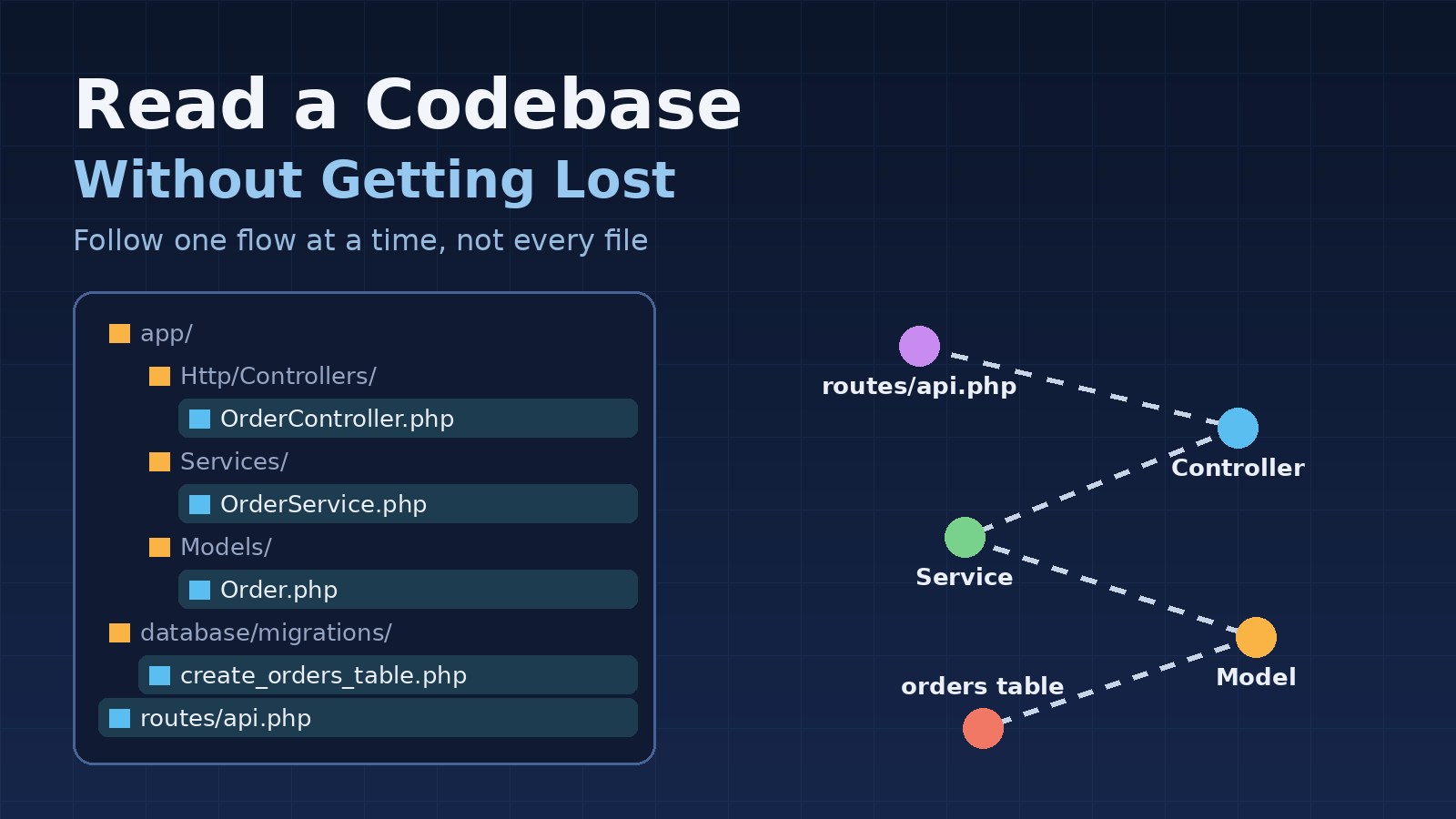
Opening an unfamiliar codebase can feel like being dropped into a city without a map. There are hundreds of folders, names that only make sense to the people who wrote them, and a bug ticket that needs fixing by Friday. The natural reaction is to start at the first file and read everything. That is also the fastest way to get lost.
Reading someone else's code is a skill, and like debugging it works best as a guided search rather than a page-by-page read. This post walks through a practical approach you can use on any project, with examples from Laravel, React/Next.js and PostgreSQL.
Start With a Question, Not With File One
You will never understand a large codebase all at once, and you don't need to. Pick a concrete question first: "What happens when a user submits an order?" or "Where is the invoice total calculated?" A question gives you a path through the code and a clear point where you can stop. Without one, every file looks equally important and nothing sticks.
Good first questions follow one real feature from the user's click to the database and back. Once you can trace one flow end to end, the rest of the system becomes much easier to place.
Get the Big Picture in the First Hour
Before reading any business logic, spend a little time on the parts that describe the whole system:
- The README and any docs folder. Even outdated docs tell you what the authors thought mattered.
- Dependency files such as
composer.jsonandpackage.json. They show the framework version, the main libraries and the scripts the team actually runs. - The folder structure. Is it organised by technical layer (controllers, models, services) or by feature (orders, billing, users)? That choice tells you where to look for everything else.
- Configuration and environment files such as
.env.example, which list the external services the app talks to: databases, queues, caches, mail and payment providers.
Most frameworks can also describe themselves. In Laravel, two commands give you a quick overview:
php artisan about                 # framework version, drivers, cache and queue setup
php artisan route:list --except-vendor   # every route and the controller that handles it
In a Next.js project, the app/ or pages/ directory plays the same role, because the folder names are the routes.
Find the Entry Points
Every request, job and command starts somewhere. Find those starting points and you have handles you can pull on:
- HTTP routes and their controllers or API route handlers.
- Queue jobs, scheduled tasks and event listeners, which often hide important logic that never appears in a route.
- Console commands and webhooks from outside systems.
- On the frontend, the page or screen components for the feature you care about.
Background work is easy to miss. If a record changes "by itself", the answer is usually a listener, an observer or a scheduled job, so it is worth listing these early.
Trace One Request End to End
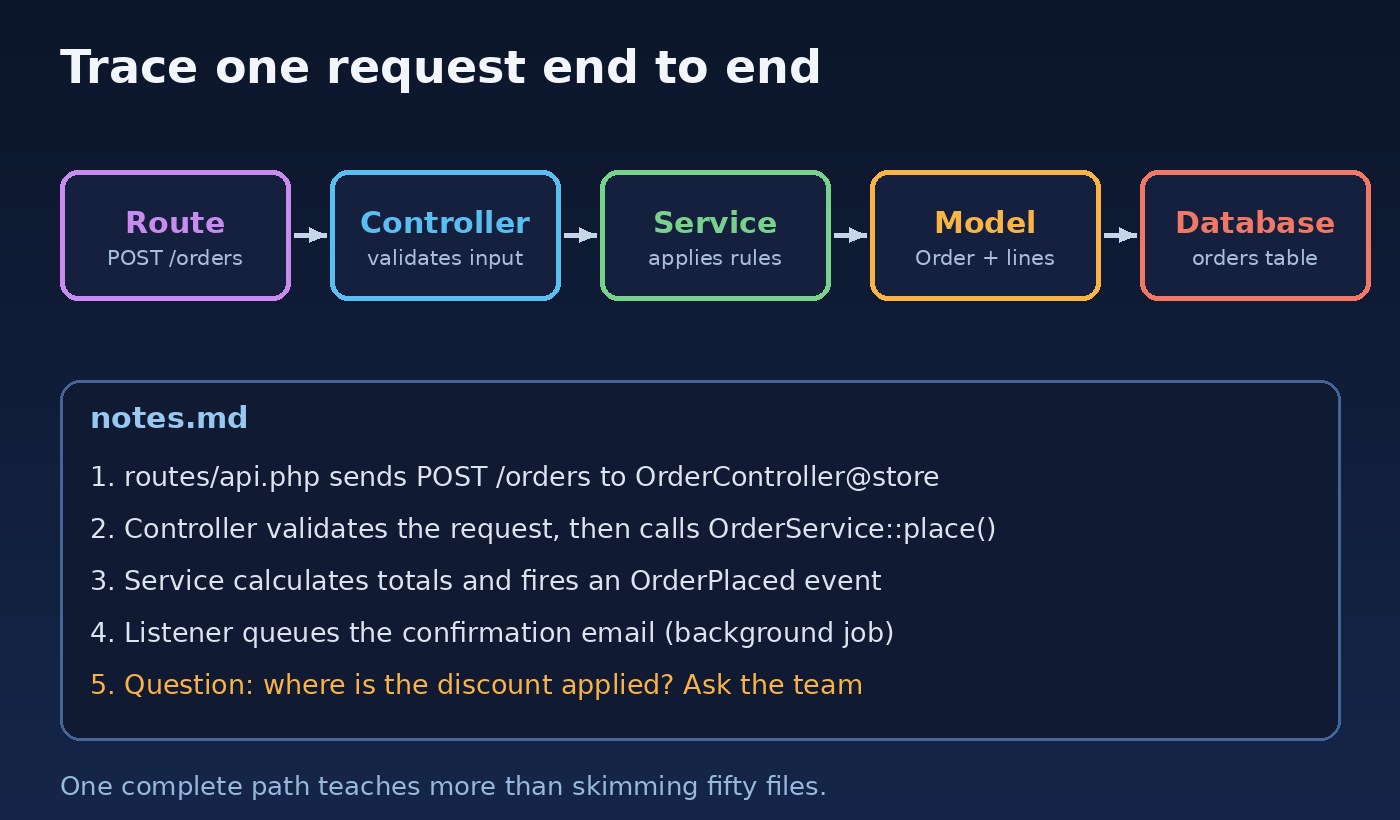
Now follow your question through the layers. Start at the route, open the controller, step into each service or action it calls, and finish at the query that touches the database. Write down each hop as you go. Your notes don't need to be pretty; a short list of file names and one-line descriptions is enough.
Fast search makes this much quicker. Instead of clicking through folders, search for the exact names you see along the way:
# Where is this route, class or event used?
rg "OrderSubmitted" app/
rg "calculateTotal" --type php

# Which files define or call it on the frontend?
rg "useOrderForm" src/
Your editor's "Go to definition" and "Find all references" do the same job with less typing. Use whichever keeps you moving.
Read the Data Model Early
Code changes often, but the data model tends to change slowly, and it explains a lot. Look at the migrations or the schema itself to see the main tables, their relationships and the constraints. A foreign key or a unique index often tells you a business rule more clearly than the code does.
-- PostgreSQL: list the columns of a table you keep seeing in the code
SELECT column_name, data_type, is_nullable
FROM information_schema.columns
WHERE table_name = 'orders'
ORDER BY ordinal_position;
In Laravel, php artisan model:show Order prints a model's attributes and relationships in one go. For ERP-style systems with many related tables, sketching the five or six core tables on paper is time well spent.
Let Git Tell You the Story
The history explains why the code looks the way it does. A few commands are especially useful:
# Who has worked on this project the most (good people to ask)
git shortlog -sn --no-merges

# Files that change most often: the busy, important parts of the system
git log --format=format: --name-only | grep -v '^$' | sort | uniq -c | sort -rn | head -20

# The full history of one file, including renames
git log --follow -p -- app/Services/OrderService.php

# Why was this line written? Ignore whitespace-only changes
git blame -w app/Services/OrderService.php
A strange line of code often makes sense once you read the commit message or the linked ticket behind it. That context stops you from "fixing" something that was deliberate.
Run It and Poke It
Reading only gets you so far. Get the project running locally and watch it work. Set a breakpoint in the controller you traced and step through a real request. Log the SQL a page runs. Open the browser's Network tab and compare what the frontend sends with what the API returns. Running the existing tests is also a cheap way to learn, because good tests show how the authors expected the code to be used.
The same tools that help you debug problems faster help you understand code faster, because both jobs are about seeing what the system really does.
Make Small, Safe Changes
A good way to test your understanding is to change something small and predict the result before you run it. Rename a label, add a log line, or write a test for a function you just read. If the result surprises you, your mental model was wrong, and you have found exactly what to read next.
Avoid large refactors in your first weeks. Code that looks messy may be handling cases you haven't seen yet. When you do need to improve it, the guide on refactoring legacy code without breaking production covers how to do it safely.
Write Down What You Learn
Keep a running notes file as you explore: the flows you traced, the terms the team uses, the parts that surprised you and the questions you still have. Notes turn hours of reading into something you can come back to, and they make your questions to teammates much sharper. "Is the discount applied in OrderService or in the InvoiceObserver?" gets a faster, better answer than "How does billing work?"
If the project has no architecture overview, a cleaned-up version of your notes can become one. That is a useful contribution in your first weeks, and the next new developer will thank you for it.
Common Traps to Avoid
- Reading top to bottom. Follow flows, not folder order.
- Trying to understand everything. Understand the parts your task touches, then widen gradually.
- Judging too early. Odd code often has a reason buried in its history.
- Never asking. Ten minutes with someone who knows the code can save a day of guessing. Ask specific questions after you have tried.
- Ignoring the conventions. If the project puts logic in services, follow that pattern even if you prefer another. The post on structuring large Laravel projects explains why consistent structure matters so much.
Conclusion
You don't get lost in a codebase because it is big. You get lost because you are reading it without a direction. Start with one question, get the big picture, find the entry points, trace a single flow end to end, and use the data model, git history and a running app to fill in the gaps. Keep notes, make small changes to test your understanding, and ask good questions. Do that for one flow at a time and an unfamiliar project starts to feel like familiar ground much sooner than you expect.