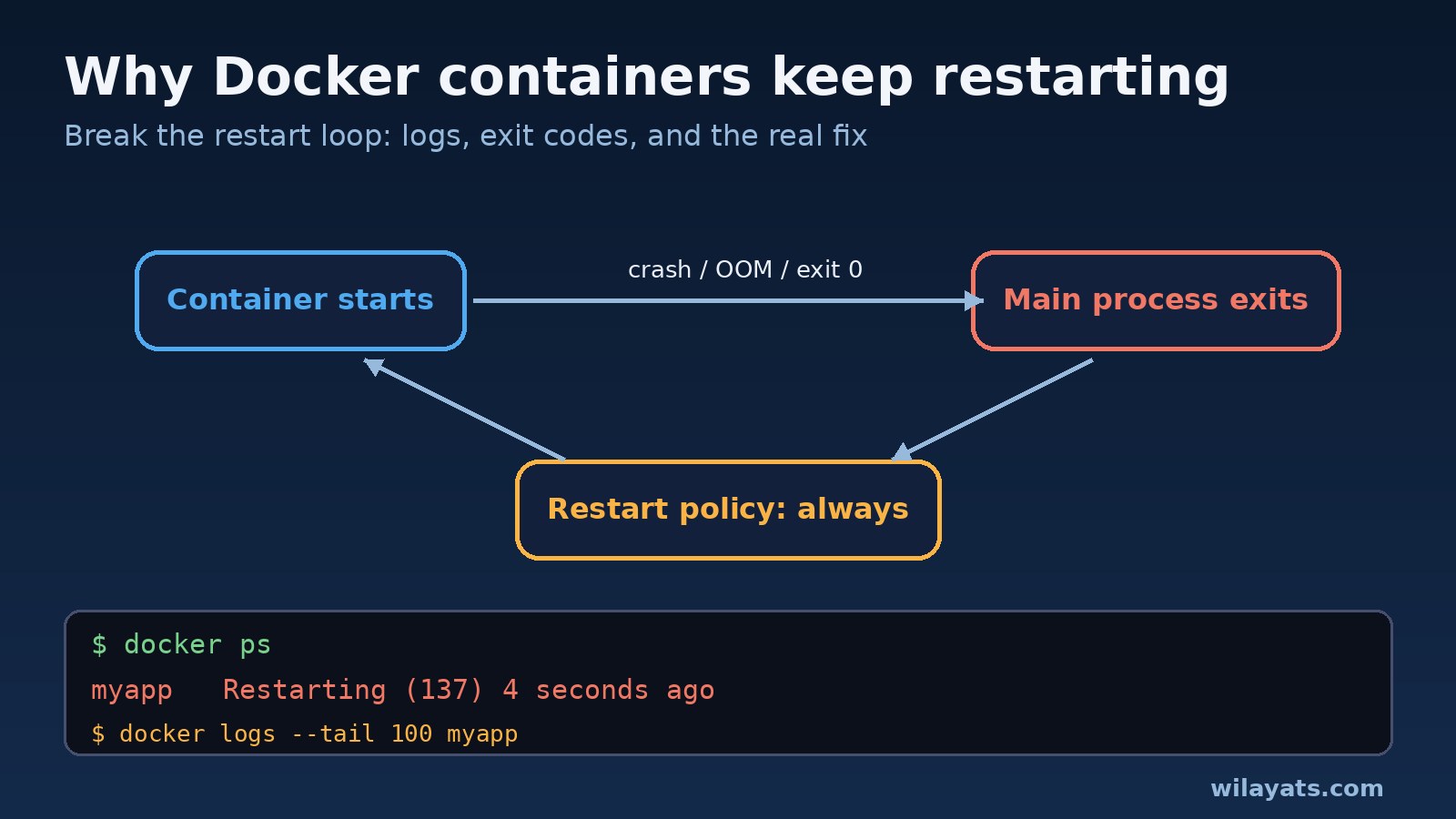
You run docker ps and the STATUS column says Restarting (1) 4 seconds ago. A few seconds later it says the same thing again. The container never stays up long enough for you to exec into it, and the app behind it is down. This is a Docker restart loop, and it is one of the most common problems on servers that run Docker or Docker Compose.
The good news: Docker is not the problem. A container restarts because its main process exits and a restart policy tells Docker to start it again. Find out why the process exits and you have the fix. This guide walks through the exact commands to do that, what each exit code means (including exit code 137), and how to stop it happening again.
Why a Docker Container Keeps Restarting
A container lives exactly as long as its main process (PID 1). When that process exits, for any reason, the container stops. If the container was started with --restart always, --restart unless-stopped or --restart on-failure, or with restart: always in a Compose file, Docker starts it again, waits a little longer each time, and the loop begins.
So the real question is always: why does the main process exit? In practice it is almost always one of these:
The application crashes on startup: a missing environment variable, a bad config file, a syntax error, or a dependency that is not installed in the image.
It cannot reach something it needs, like the database, Redis or another service, and exits instead of retrying.
It runs out of memory and the kernel kills it (exit code 137).
The command finishes normally. A script or a process that runs in the background ends, PID 1 exits with code 0, and
restart: alwaysstarts it again.Permission problems: a volume mounted with the wrong owner, or a non-root user that cannot write to a directory.
Step 1: Confirm the Restart Loop
Start by checking the status, the restart count and the last exit code:
docker ps -a --filter "name=myapp"
docker inspect myapp --format 'RestartCount={{.RestartCount}} ExitCode={{.State.ExitCode}} OOMKilled={{.State.OOMKilled}} Error={{.State.Error}}'
docker inspect myapp --format '{{.HostConfig.RestartPolicy.Name}}'
A climbing RestartCount confirms the loop. OOMKilled=true tells you right away that memory is the problem. The exit code points you at the rest.
Step 2: Read the Docker Logs
Docker keeps the logs of a container across restarts, so even if it only lives for two seconds the error message is usually there:
docker logs --tail 100 myapp
docker logs -f --timestamps myapp        # follow it through the next restart
docker compose logs --tail 100 myservice # for Compose projects
Look at the last lines before each restart. Messages like Error: Cannot find module, KeyError: 'DATABASE_URL', connection refused, permission denied or exec format error usually solve the case on their own. If the logs are empty, the process probably died before it could print anything, which points at the entrypoint, the command, or the image architecture.
Step 3: Decode the Exit Code
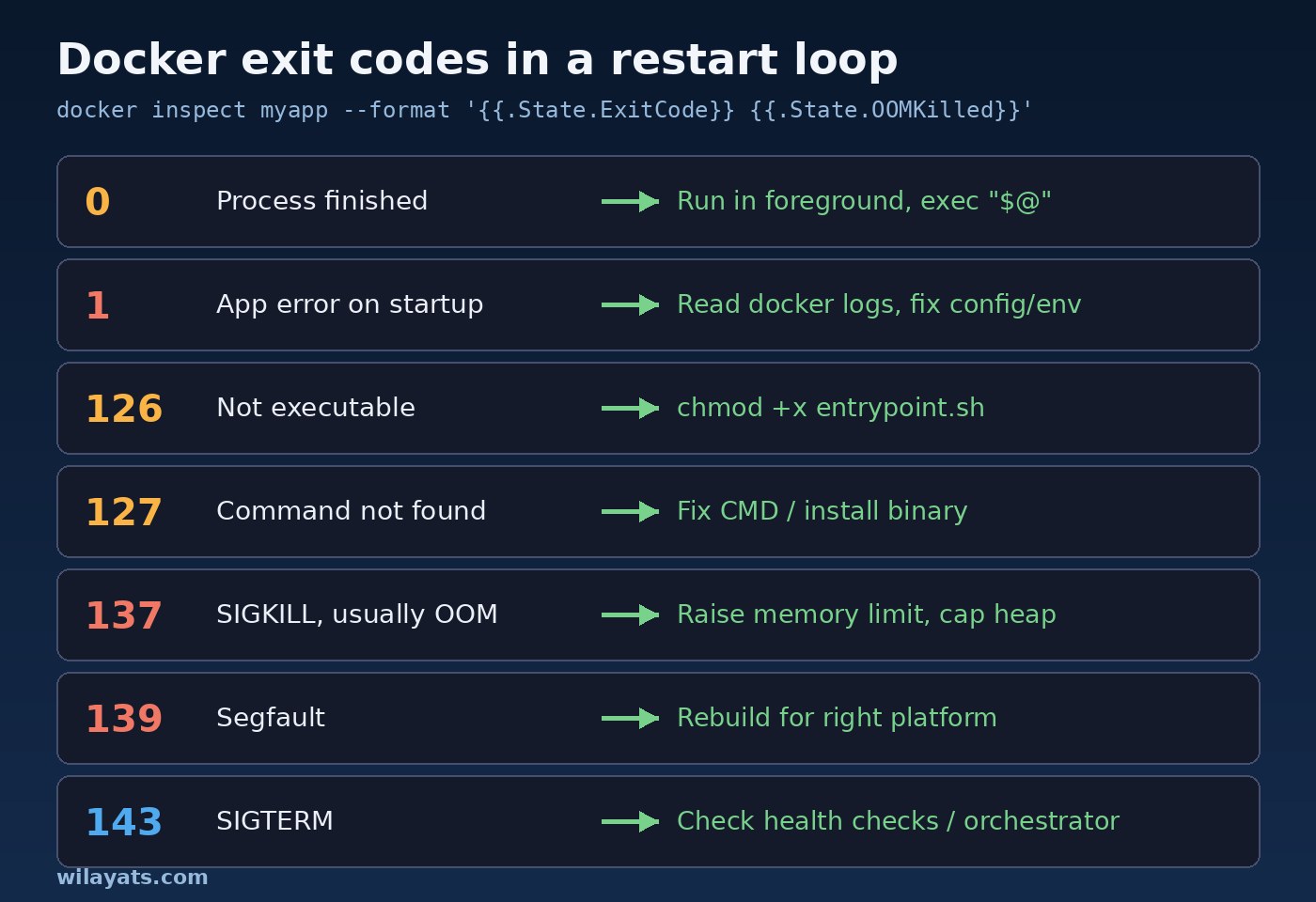
The exit code is the fastest clue you have. These are the ones you will see most often:
0: the process finished successfully. Your command is not long-running. Common causes are a shell script that ends, a service started in the background (
nginxwithoutdaemon off;,service php-fpm start), or a one-off job that should not have a restart policy.1: a generic application error. The logs will tell you which one.
126: the command was found but could not be executed, usually a missing execute bit on the entrypoint script.
127: command not found. A typo in
CMD, or a binary that is not in the image.137: the process got
SIGKILL(128 + 9). Usually the out-of-memory killer, sometimes adocker stopthat timed out.139: segmentation fault (128 + 11), often a native library built for the wrong platform.
143:
SIGTERM(128 + 15). Something asked the process to stop, for example an orchestrator replacing an unhealthy container.
Step 4: Stop the Loop and Debug Inside the Container
It is hard to debug something that restarts every few seconds. Turn the restart policy off first, then start the same image with a shell instead of its normal command:
docker update --restart=no myapp
docker stop myapp

# Run the same image interactively, bypassing the entrypoint
docker run --rm -it --entrypoint sh --env-file .env myimage:tag

# Inside the container, run the real command by hand and watch it fail
/app/entrypoint.sh
For Compose, you can do the same with docker compose run --rm --entrypoint sh myservice. Running the start command by hand shows the full error and lets you check files, env and permissions.
Step 5: Apply the Fix That Matches the Cause
Missing configuration or environment variables
Check what the container actually receives with docker inspect myapp --format '{{json .Config.Env}}'. Compare it with what the app expects, and make sure the .env file is in the folder Compose runs from.
Exit code 137 and out of memory
Confirm with docker inspect (OOMKilled=true) or dmesg | grep -i oom on the host, and watch usage with docker stats. Then either raise the limit or reduce what the app uses:
docker update --memory 1g --memory-swap 1g myapp

# docker-compose.yml
services:
  api:
    image: myimage:tag
    mem_limit: 1g
    environment:
      NODE_OPTIONS: "--max-old-space-size=768"
For Node.js, Java and similar runtimes, set the heap limit below the container limit so the runtime fails gracefully instead of being killed.
Dependency not ready yet
If the app exits because the database is not accepting connections yet, add a health check to the database and make the app wait for it:
services:
  db:
    image: postgres:16
    healthcheck:
      test: ["CMD-SHELL", "pg_isready -U app"]
      interval: 5s
      retries: 10
  api:
    image: myimage:tag
    depends_on:
      db:
        condition: service_healthy
    restart: unless-stopped
Even better, make the application retry its connections with a backoff. Databases restart in production too, and an app that crashes whenever the database blinks will end up in a restart loop again.
The process exits with code 0
Run the service in the foreground as PID 1. Use CMD ["nginx", "-g", "daemon off;"], php-fpm -F, or your app server directly, and end entrypoint scripts with exec "$@" so the real process replaces the shell and receives signals properly. If the container is a one-off task (a migration, a cron job), remove the restart policy instead.
Permissions and the wrong platform
Fix volume ownership with chown on the host or in the Dockerfile, and add RUN chmod +x /app/entrypoint.sh. If you see exec format error, the image was built for another CPU architecture (for example ARM on an Apple Silicon Mac); rebuild it with docker buildx build --platform linux/amd64.
How to Prevent Docker Restart Loops
Use
on-failure:5while you are still testing, so a broken container stops after a few tries instead of looping forever and filling your logs.Validate configuration at startup and print one clear error line for each missing value.
Set memory limits on purpose, based on what
docker statsshows under real load, and keep runtime heap limits below them.Add health checks and use
depends_onwithcondition: service_healthyfor services that need a database or a queue.Retry external connections with exponential backoff instead of exiting.
Alert when
RestartCountrises, so you hear about a restart loop before your users do.
FAQs
How do I stop a Docker container that keeps restarting?
Run docker update --restart=no <container> and then docker stop <container>. With Compose, use docker compose stop <service>. That stops the loop without deleting the container, so you can still read its logs.
Why does my container restart even though the logs show no error?
Check the exit code. Exit code 0 means the main process simply finished, usually because it ran in the background. Exit code 137 with no error in the logs usually means the kernel killed it for using too much memory.
Conclusion
A Docker container keeps restarting for one reason: its main process keeps exiting and the restart policy keeps bringing it back. Read the logs, check the exit code and the OOMKilled flag, turn the restart policy off while you debug, and run the image with a shell to reproduce the failure. Then fix the cause, whether that is a missing variable, an exit code 137 memory limit, a dependency that is not ready, or a process that runs in the background, and add health checks and sensible limits so the loop does not come back.