Your app worked fine yesterday. Today the logs are full of FATAL: sorry, too many clients already, pages time out and queue jobs fail. A PostgreSQL too many connections error means every connection slot on the server is taken, so PostgreSQL refuses new clients until some of the existing ones go away.
Restarting the database makes the error go away for a while, but it comes back because the real cause is almost always on the application side: too many processes, pools that are too big, or connections that never get closed. This guide shows how to confirm the problem, find out who is holding the connections, free them safely, and fix your Laravel, Node.js, Prisma or Docker setup so it does not happen again.
The Problem: PostgreSQL Too Many Connections
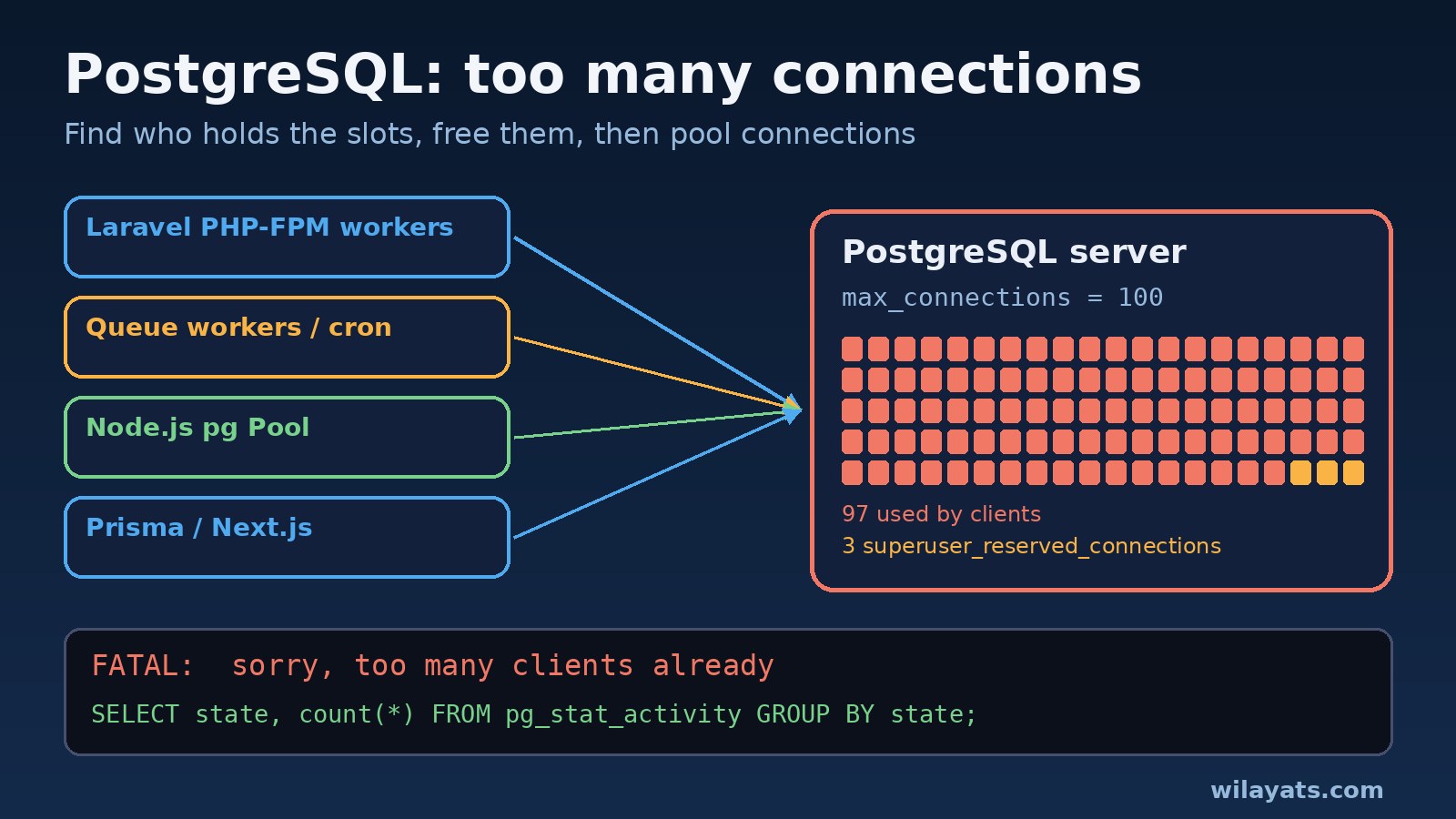
PostgreSQL starts a separate server process (a "backend") for every client connection. The max_connections setting caps how many can exist at the same time. The default is 100, and a few of those slots are held back for superusers through superuser_reserved_connections (default 3). Once all the normal slots are in use, the next connection attempt is rejected straight away. PostgreSQL does not queue it.
Each backend uses its own memory and CPU time, which is why raising max_connections to a huge number is not the fix. In most cases the server has plenty of capacity and the slots are simply held by idle or forgotten connections.
Symptoms: Error Messages You Will See
The most common message, in the PostgreSQL log and in your application:
FATAL: sorry, too many clients alreadyWhen only the reserved slots are left, a normal role gets this instead (PostgreSQL 15 and older):
FATAL: remaining connection slots are reserved for non-replication superuser connectionsPostgreSQL 16 and newer word it as remaining connection slots are reserved for roles with the SUPERUSER attribute, and there is also a variant for the new reserved_connections setting. Frameworks wrap the same error in their own format:
# Laravel / PHP PDO
SQLSTATE[08006] [7] connection to server at "127.0.0.1", port 5432 failed: FATAL:  sorry, too many clients already

# Node.js (pg / node-postgres)
error: sorry, too many clients already   (code: '53300')

# Prisma
Error: Too many database connections opened: FATAL: sorry, too many clients already
The SQLSTATE code for this condition is 53300 (too_many_connections). Other signs: the error appears in bursts at peak traffic, right after a deploy, or after you scale up the number of containers, PHP-FPM workers or queue workers.
Root Cause: Why PostgreSQL Runs Out of Connections
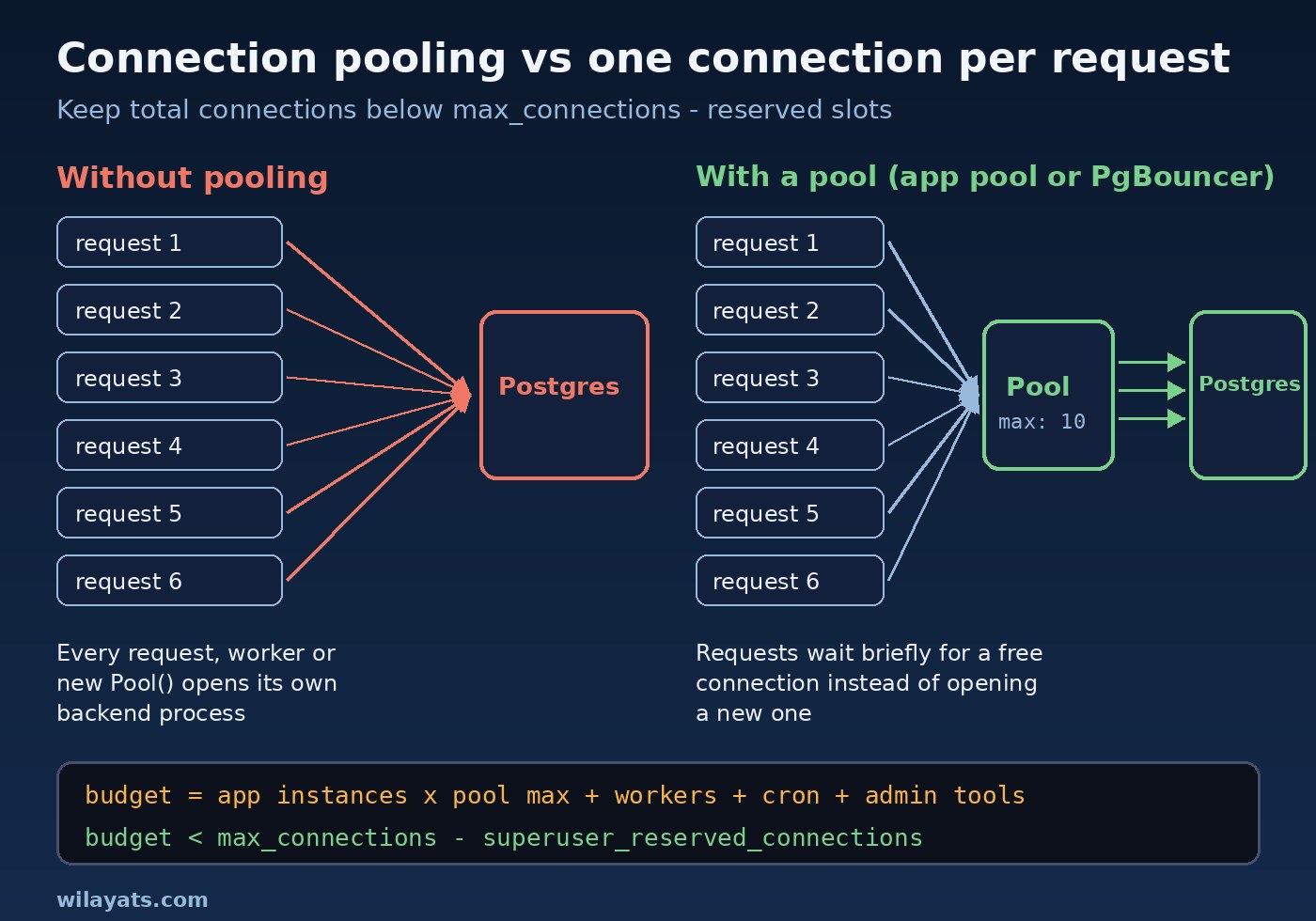
- Too many processes, each with its own connection. Every PHP-FPM worker, Laravel queue worker, Horizon process, cron job and Node.js instance opens at least one connection. Ten app containers with a pool of 20 each already need 200 slots.
- Pools that are too large or created too often. A
new Pool()created per request in Node.js, or severalPrismaClientinstances after hot reloads in Next.js, multiplies the number of connections. - Leaked connections. A client checked out from a pool and never released, usually because an exception skipped the
release()call. - Idle in transaction sessions. Code that opens a transaction, then waits on an HTTP call or a slow job, keeps the connection busy and holds locks at the same time.
- Persistent connections in PHP. With
PDO::ATTR_PERSISTENT, every PHP-FPM worker keeps its connection open between requests, sopm.max_childrenacross all servers becomes your connection count. - Long-running jobs and stuck queries. Slow queries keep connections busy longer, so the same traffic needs more of them at once. Fixing slow SQL and N+1 query problems often reduces connection pressure as well.
Step-by-Step Solution
1. Connect and check max_connections
If your app user is not a superuser, you can still get in with a superuser account through the reserved slots:
psql -h 127.0.0.1 -U postgres -d postgres

SHOW max_connections;
SHOW superuser_reserved_connections;
SELECT count(*) FROM pg_stat_activity WHERE backend_type = 'client backend';
If your application connects as the postgres superuser, the reserved slots do not protect you, because the app can use them too. Give the app its own non-superuser role.
2. Find out who is holding the connections
Group the sessions by state, user, application and client address. This one query usually tells you which service is the problem:
SELECT usename, application_name, client_addr, state, count(*)
FROM pg_stat_activity
WHERE backend_type = 'client backend'
GROUP BY usename, application_name, client_addr, state
ORDER BY count(*) DESC;
Look at the state column. Many idle connections from one host point at oversized pools or persistent connections. Any idle in transaction rows point at code that forgot to commit or roll back. Then list the oldest sessions:
SELECT pid, usename, application_name, state,
       now() - state_change AS in_state_for,
       left(query, 80) AS last_query
FROM pg_stat_activity
WHERE backend_type = 'client backend'
ORDER BY state_change
LIMIT 20;
3. Free connections safely with pg_terminate_backend
To get the app working again right now, end sessions that have been idle in a transaction for a long time. Never kill your own session, and check the list before running the terminate query:
SELECT pg_terminate_backend(pid)
FROM pg_stat_activity
WHERE state = 'idle in transaction'
  AND state_change < now() - interval '10 minutes'
  AND pid <> pg_backend_pid();
pg_cancel_backend(pid) only cancels the running query; pg_terminate_backend(pid) closes the whole connection and rolls back its open transaction. This is first aid, not the fix.
4. Add timeouts so idle sessions clean themselves up
Let PostgreSQL close sessions that sit inside an open transaction. ALTER SYSTEM writes to postgresql.auto.conf, and these settings only need a reload:
ALTER SYSTEM SET idle_in_transaction_session_timeout = '5min';
ALTER SYSTEM SET idle_session_timeout = '30min';   -- PostgreSQL 14+, use with care behind pools
SELECT pg_reload_conf();
Be careful with idle_session_timeout: it also closes idle connections that an application pool expects to reuse, so the pool must handle reconnects. You can also apply limits per role or database, so one service cannot take every slot:
ALTER ROLE app_worker CONNECTION LIMIT 30;
ALTER DATABASE reporting CONNECTION LIMIT 20;
5. Raise max_connections only if you need to
If the numbers show you genuinely need more slots, raise the limit moderately. max_connections requires a full restart, not just a reload:
ALTER SYSTEM SET max_connections = 200;
-- then restart the server, for example:
-- sudo systemctl restart postgresql
Watch memory after the change. Settings like work_mem apply per operation in each backend, so more connections means more possible memory use under load.
Code and Commands: Fixing Common Stacks
Laravel: persistent connections and workers
In config/database.php, make sure persistent connections are off unless you have sized for them, and close connections in long-running processes:
// config/database.php
'pgsql' => [
    'driver' => 'pgsql',
    'host' => env('DB_HOST', '127.0.0.1'),
    'port' => env('DB_PORT', '5432'),
    'database' => env('DB_DATABASE'),
    'username' => env('DB_USERNAME'),
    'password' => env('DB_PASSWORD'),
    'options' => [
        PDO::ATTR_PERSISTENT => false,
    ],
],

// In a long job that waits on external APIs, release the connection first
DB::disconnect();
Count your workers: PHP-FPM pm.max_children per server, plus every queue:work or Horizon process. If you run Redis-backed queues, see the Laravel queue Redis guide for sizing workers with Supervisor and Horizon.
Node.js: one shared pg Pool with a sensible max
// db.js - create the pool once and import it everywhere
const { Pool } = require('pg');

const pool = new Pool({
  connectionString: process.env.DATABASE_URL,
  max: 10,                        // per process, not per request
  idleTimeoutMillis: 30000,
  connectionTimeoutMillis: 5000,
});

async function getUser(id) {
  const client = await pool.connect();
  try {
    const { rows } = await client.query('SELECT * FROM users WHERE id = $1', [id]);
    return rows[0];
  } finally {
    client.release();             // always release, even on errors
  }
}

module.exports = { pool, getUser };
For single queries, pool.query() checks out and releases a client for you, which avoids leaks.
Prisma and Next.js: connection_limit and a single client
# .env
DATABASE_URL="postgresql://app:secret@db:5432/app?schema=public&connection_limit=5&pool_timeout=10"

// lib/prisma.ts - reuse one PrismaClient across hot reloads
import { PrismaClient } from '@prisma/client';

const globalForPrisma = globalThis as unknown as { prisma?: PrismaClient };
export const prisma = globalForPrisma.prisma ?? new PrismaClient();
if (process.env.NODE_ENV !== 'production') globalForPrisma.prisma = prisma;
In serverless deployments, each function instance can open its own pool, so keep connection_limit low and put a pooler in front of the database.
Docker: setting max_connections for the postgres image
# docker-compose.yml
services:
  db:
    image: postgres:16
    command: postgres -c max_connections=200 -c idle_in_transaction_session_timeout=300000
    environment:
      POSTGRES_PASSWORD: ${POSTGRES_PASSWORD}
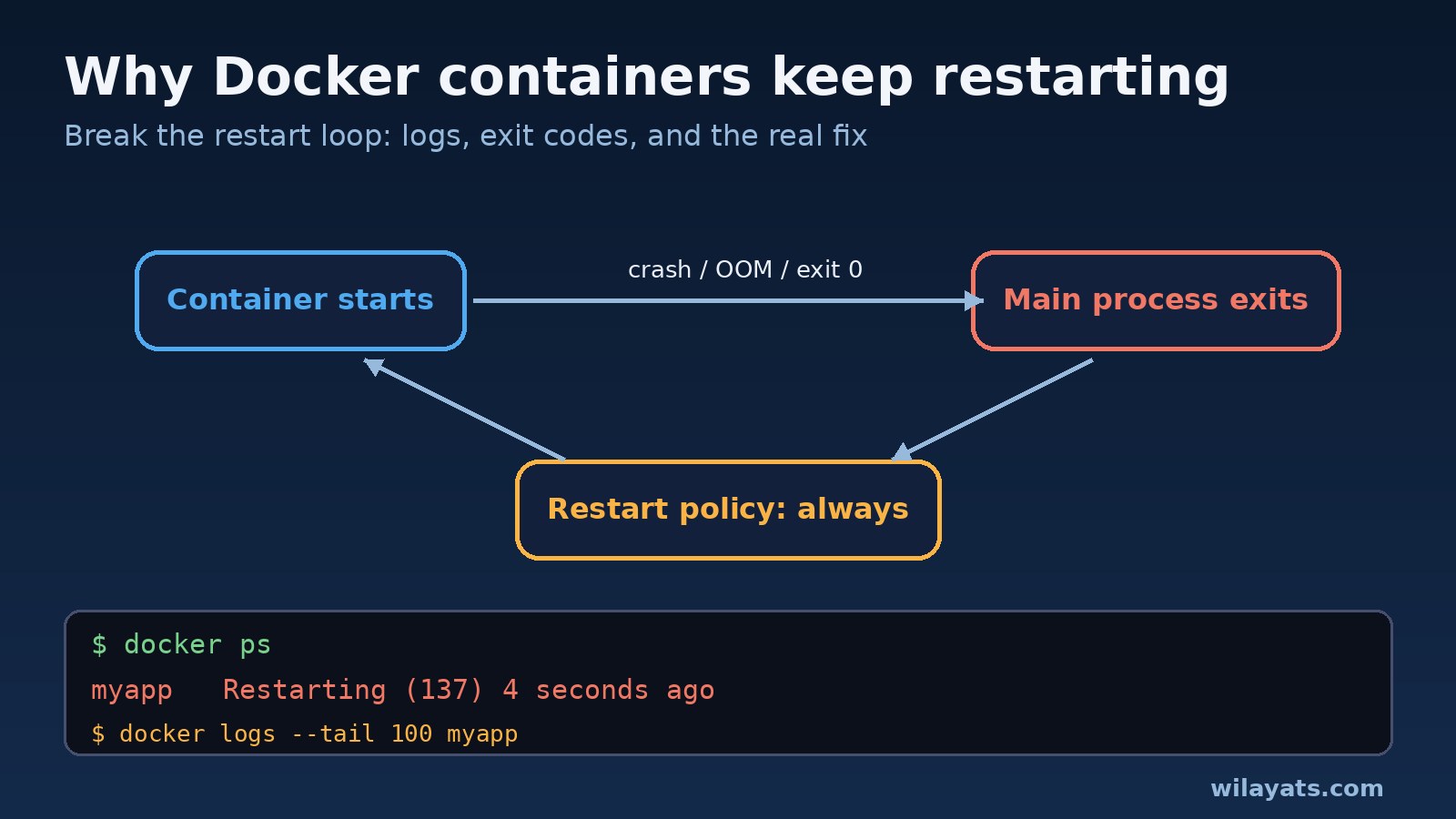
The value in milliseconds is 5 minutes. If the database container itself is unhealthy and looping, see why Docker containers keep restarting.
Connection pooling with PgBouncer
When you have many app instances, the cleanest fix is a dedicated connection pooler. PgBouncer sits between your apps and PostgreSQL, accepts many client connections and maps them onto a small number of real server connections, typically in transaction pooling mode. Your apps point at PgBouncer instead of PostgreSQL. Full PgBouncer setup deserves its own guide, so here is just the idea: app pools stay small, PgBouncer's server pool stays well below max_connections, and traffic spikes wait briefly in PgBouncer instead of failing.
Verification
- Run the grouped
pg_stat_activityquery again under normal traffic. The total should sit comfortably belowmax_connectionsminus the reserved slots. - Check that
idle in transactionsessions are gone or very short-lived. - Confirm settings with
SHOW max_connections;andSHOW idle_in_transaction_session_timeout;after the restart or reload. - Search the PostgreSQL log for
too many clientsafter your next deploy and peak period. - Run a short load test against a staging copy and watch the connection count while it runs.
Prevention: Keep max_connections and Connection Pooling Under Control
- Keep a connection budget. App instances × pool max + workers + cron + admin tools must stay below
max_connectionsminus reserved slots. Recalculate it whenever you scale. - Use one pool per process and keep it small. More connections rarely make queries faster.
- Set
application_namein each service's connection string sopg_stat_activityshows exactly who is connected. - Keep transactions short. Never wait on HTTP calls, emails or file uploads inside a transaction.
- Set
idle_in_transaction_session_timeoutand per-roleCONNECTION LIMITfor batch and reporting users. - Add a pooler such as PgBouncer once you run many app containers or serverless functions.
- Alert on connection usage, for example when used connections pass a threshold you choose, so you act before users see errors.
Connection problems often show up alongside other database issues. If inserts start failing with duplicate keys after an import, read how to fix PostgreSQL auto-increment sequence errors.
FAQs
What does "sorry, too many clients already" mean in PostgreSQL?
It means the number of open connections has reached max_connections, so PostgreSQL refuses new clients. Existing connections keep working; new ones fail until slots are freed.
What is the default max_connections in PostgreSQL?
The default is 100, with 3 slots reserved for superusers by superuser_reserved_connections. Managed services often set their own value based on instance size, so check it with SHOW max_connections;.
Should I just increase max_connections?
Only after you know why the slots are full. If idle or leaked connections are the cause, a higher limit only delays the error and adds memory pressure. Fix pool sizes and leaks first, then raise the limit moderately if your connection budget really needs it.
Does max_connections need a restart?
Yes. Changing max_connections requires a full PostgreSQL restart. Timeouts like idle_in_transaction_session_timeout only need SELECT pg_reload_conf();.
What is connection pooling and why does it help?
Connection pooling keeps a fixed set of open connections and lends them to requests as needed, instead of opening a new connection for every request. It can live in your app (pg Pool, Prisma) or in a separate pooler like PgBouncer, and it keeps the connection count stable during traffic spikes.
How do I kill idle connections in PostgreSQL?
Use pg_terminate_backend(pid) on rows from pg_stat_activity filtered by state and state_change, excluding pg_backend_pid(). For a lasting fix, set idle_in_transaction_session_timeout and correct the code that leaves connections open.
Conclusion
A PostgreSQL too many connections error is a capacity problem you can measure. Check max_connections, use pg_stat_activity to see who is holding the slots, free stuck sessions, then fix the source: oversized or duplicated pools, persistent PHP connections, leaked clients and long transactions. Add timeouts, a connection budget and connection pooling, and the error stops coming back every time you scale.