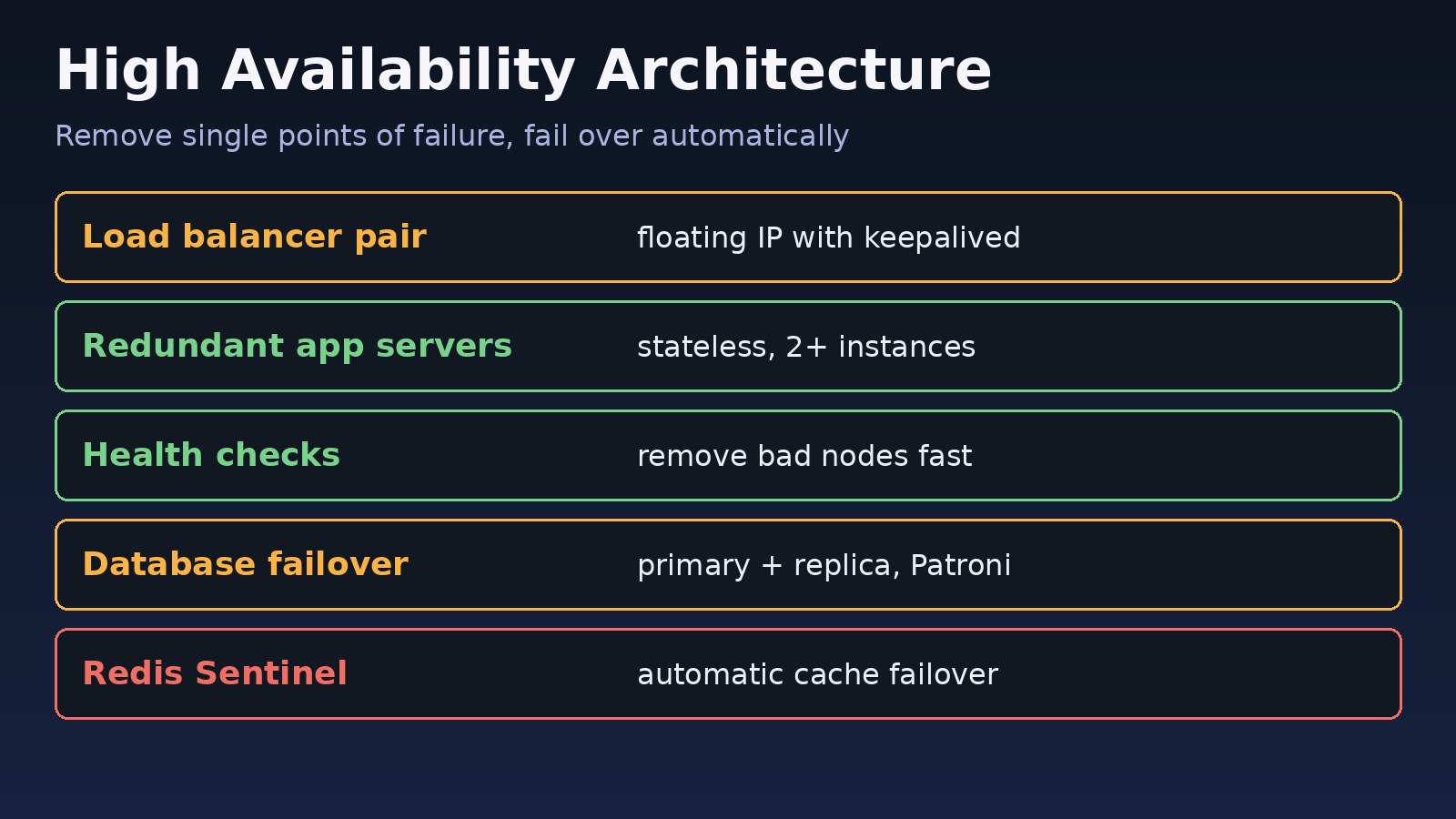
Your app runs on one server, one Nginx instance and one PostgreSQL database. It works fine until a disk fills up, a kernel update reboots the VM or the database process crashes, and then the whole product is down until someone wakes up and fixes it. A proper high availability architecture removes those single points of failure so that when one component dies, traffic moves to a healthy copy automatically. This guide walks through a practical failover design for teams running Laravel or Node.js apps behind Nginx with PostgreSQL and Redis, including real configuration you can adapt.
The Problem: One Failure Takes Down the Whole System
Most small and mid-size backends grow organically: one VM, then a bigger VM, then a separate database server. Each piece is a single point of failure. Scaling up, as covered in horizontal vs vertical scaling, makes a server faster but not more available. Availability comes from redundancy plus automatic detection and failover.
Symptoms of a System Without High Availability
- A single server reboot causes a full outage, and users see
502 Bad Gatewayor connection timeouts. - Deploys require downtime or a maintenance page.
- When the database host fails, recovery means restoring a backup by hand.
- Redis restarts log everyone out or drop queued jobs.
- Nobody knows a node is unhealthy until customers complain.
Typical errors during such an outage:
upstream timed out (110: Connection timed out) while connecting to upstream
connect() failed (111: Connection refused) while connecting to upstream
SQLSTATE[08006] [7] could not connect to server: Connection refused
Error: connect ECONNREFUSED 10.0.0.12:6379
Root Cause: Single Points of Failure and Manual Recovery
Outages like these share the same causes:
- No redundancy. Only one instance exists at a layer (load balancer, app, database, cache).
- Stateful app servers. Sessions or uploads stored on local disk, so a second server cannot take over.
- No health checks. Traffic keeps going to a dead node.
- Manual failover. A replica exists, but promoting it requires a human.
- Shared dependencies. Both servers sit on the same host, rack or availability zone.
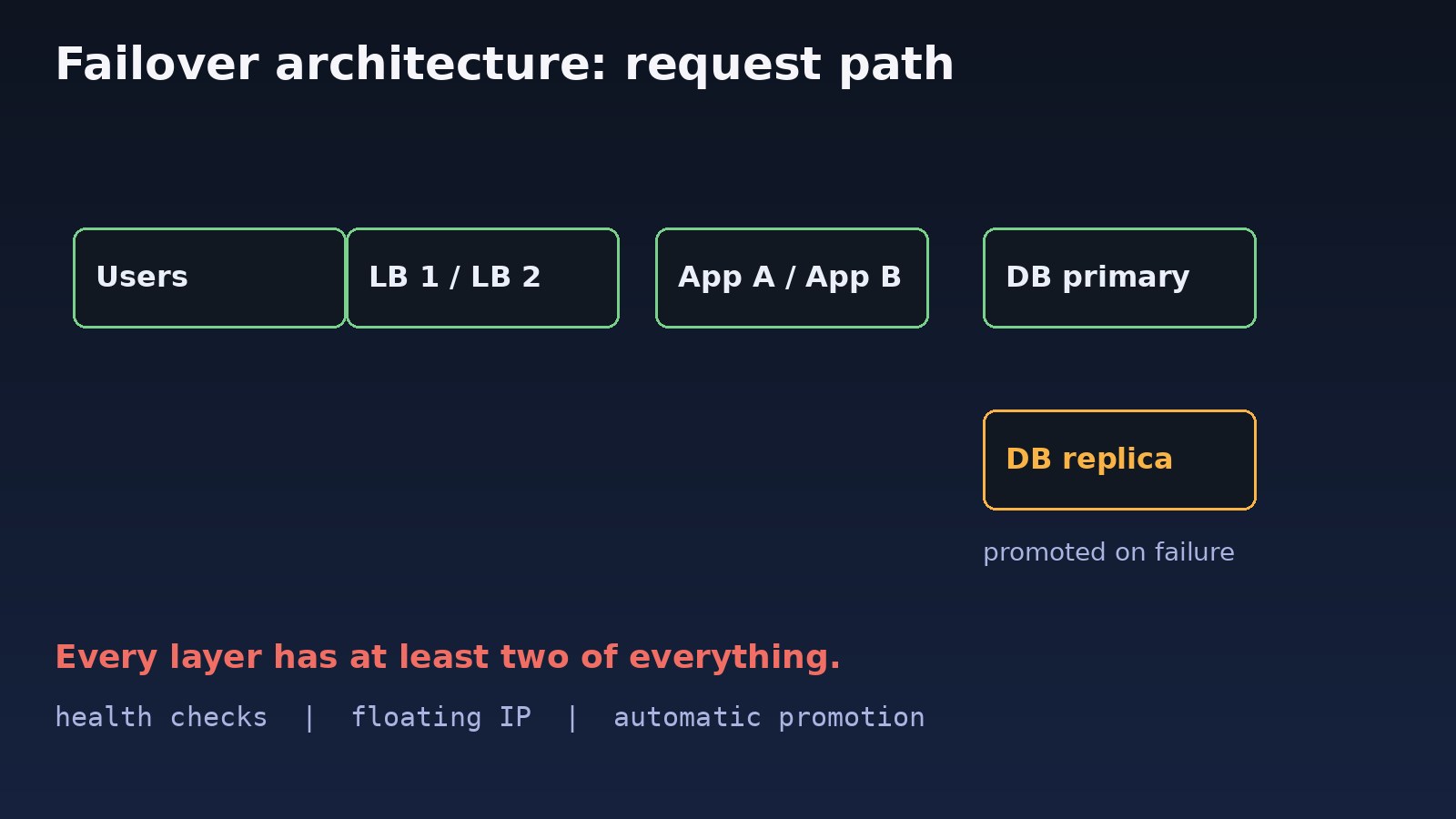
Step-by-Step: How to Design a High-Availability Architecture
Step 1: Define availability targets
Decide how much downtime is acceptable and how much data loss you can tolerate. Recovery Time Objective (RTO) is how fast you must recover; Recovery Point Objective (RPO) is how much data you can lose. These numbers decide whether you need synchronous replication, multiple zones or just a warm standby.
Step 2: Make app servers stateless and redundant
Run at least two application servers. Move sessions, cache and uploads off local disk so any server can handle any request. In Laravel, set these in .env:
SESSION_DRIVER=redis
CACHE_STORE=redis
QUEUE_CONNECTION=redis
FILESYSTEM_DISK=s3
Step 3: Put redundant servers behind a load balancer with health checks
Nginx can spread traffic and stop sending requests to a failing backend. Open-source Nginx uses passive checks with max_fails and fail_timeout:
upstream app_backend {
    least_conn;
    server 10.0.0.11:8080 max_fails=3 fail_timeout=10s;
    server 10.0.0.12:8080 max_fails=3 fail_timeout=10s;
    server 10.0.0.13:8080 backup;
    keepalive 32;
}

server {
    listen 80;
    location / {
        proxy_pass http://app_backend;
        proxy_next_upstream error timeout http_502 http_503 http_504;
        proxy_next_upstream_tries 2;
        proxy_connect_timeout 3s;
    }
    location = /health { proxy_pass http://app_backend; }
}
Add a lightweight health endpoint in the app that checks its own dependencies:
Route::get('/health', function () {
    try {
        DB::select('select 1');
        Cache::store('redis')->get('health');
        return response()->json(['status' => 'ok']);
    } catch (Throwable $e) {
        return response()->json(['status' => 'fail'], 503);
    }
});
Step 4: Remove the load balancer as a single point of failure
One Nginx box is still one point of failure. Use a managed cloud load balancer, or run two Nginx nodes sharing a floating virtual IP with keepalived (VRRP). If the master dies, the backup claims the IP within seconds.
# /etc/keepalived/keepalived.conf (on the MASTER; use state BACKUP and lower priority on the second node)
vrrp_script chk_nginx {
    script "/usr/bin/pgrep nginx"
    interval 2
    fall 2
    rise 2
}

vrrp_instance VI_1 {
    state MASTER
    interface eth0
    virtual_router_id 51
    priority 150
    advert_int 1
    virtual_ipaddress {
        10.0.0.100/24
    }
    track_script {
        chk_nginx
    }
}
Step 5: Add database failover
For PostgreSQL, run a primary with at least one streaming replica, and use a tool such as Patroni (with etcd) or repmgr to detect failure and promote a replica automatically. Point the app at a stable endpoint such as a virtual IP, HAProxy or PgBouncer rather than a specific host. Read replicas also spread read load, as explained in PostgreSQL read replicas vs sharding.
# Check replication on the primary
psql -c "SELECT client_addr, state, sync_state, replay_lag FROM pg_stat_replication;"

# On a replica: confirm it is in recovery
psql -c "SELECT pg_is_in_recovery();"

# Patroni cluster status
patronictl -c /etc/patroni/patroni.yml list

# Manual promotion (if not using Patroni)
pg_ctl promote -D /var/lib/postgresql/16/main
In Laravel you can split reads and writes so replicas take read traffic:
'pgsql' => [
    'driver' => 'pgsql',
    'read' => ['host' => ['10.0.0.21', '10.0.0.22']],
    'write' => ['host' => ['10.0.0.20']],
    'sticky' => true,
    // database, username, password...
],
Step 6: Make Redis highly available
Use Redis Sentinel (or a managed Redis with replicas) so a replica is promoted when the master fails. Clients connect to Sentinel to discover the current master.
# sentinel.conf
sentinel monitor mymaster 10.0.0.31 6379 2
sentinel down-after-milliseconds mymaster 5000
sentinel failover-timeout mymaster 60000

# Find the current master
redis-cli -p 26379 SENTINEL get-master-addr-by-name mymaster
Step 7: Spread across failure domains
Place redundant servers on different hosts and, in the cloud, in different availability zones. Two VMs on the same physical host fail together. Keep backups offsite and test restores; replication copies mistakes such as a dropped table instantly, so it is not a backup. For broader patterns, see how to design a distributed system that handles failures.
Step 8: Deploy without downtime
With two or more app servers, roll deploys one node at a time: take a node out of the pool, deploy, check /health, put it back. In Docker Compose or Kubernetes, health checks do the same job automatically.
services:
  app:
    image: myapp:latest
    deploy:
      replicas: 3
      update_config:
        parallelism: 1
        order: start-first
    healthcheck:
      test: ["CMD", "curl", "-f", "http://localhost:8080/health"]
      interval: 10s
      retries: 3
Verification: Test Your Failover Architecture
High availability you have never tested is a guess. Run controlled failure drills in staging first:
# 1. Kill one app server and keep requests running
while true; do curl -s -o /dev/null -w "%{http_code}\n" http://10.0.0.100/health; sleep 0.5; done
sudo systemctl stop php8.3-fpm   # on app node A

# 2. Stop Nginx on the keepalived master, confirm the VIP moves
sudo systemctl stop nginx
ip addr show eth0 | grep 10.0.0.100   # run on the backup node

# 3. Fail the database primary and watch promotion
patronictl -c /etc/patroni/patroni.yml failover

# 4. Fail the Redis master
redis-cli -h 10.0.0.31 DEBUG SLEEP 30
The health loop should show only a few failed requests during each switch, and the system should recover without anyone logging in. Record how long each failover took and compare it with your RTO.
Prevention: Keeping the System Highly Available
- Monitor every layer: node health, replication lag, Sentinel state, disk usage and error rates.
- Alert when redundancy is lost, not only when service is down; one dead node out of two means you are one failure from an outage.
- Run failover drills on a schedule and after major changes.
- Keep configuration in version control so a replacement node can be built quickly.
- Avoid hidden single points of failure: one DNS provider, one NAT gateway, one shared NFS mount.
- Write a runbook for manual failover in case automation itself breaks.
FAQs
What is a high availability architecture?
It is a system design where every critical component has a redundant copy, health checks detect failures, and traffic or roles move to healthy components automatically, so a single failure does not cause an outage.
What is the difference between failover architecture and load balancing?
Load balancing spreads traffic across healthy servers that are all active. Failover architecture switches a role, such as the database primary or a virtual IP, from a failed node to a standby. Most HA systems use both.
How many redundant servers do I need?
At least two of everything that serves traffic. Cluster managers that vote, such as etcd for Patroni or Redis Sentinel, need at least three members to avoid split-brain decisions.
Is a database replica the same as a backup?
No. A replica copies every change, including accidental deletes, within seconds. You still need regular backups and tested restores.
Can I build high availability on a small budget?
Yes. Two small app servers, a managed load balancer, a PostgreSQL primary with one replica and Redis Sentinel remove the main single points of failure without large infrastructure.



Comments
Join the discussion. Replies load on demand, up to 5 levels.
0 threads
No comments yet
Be the first to start the conversation.