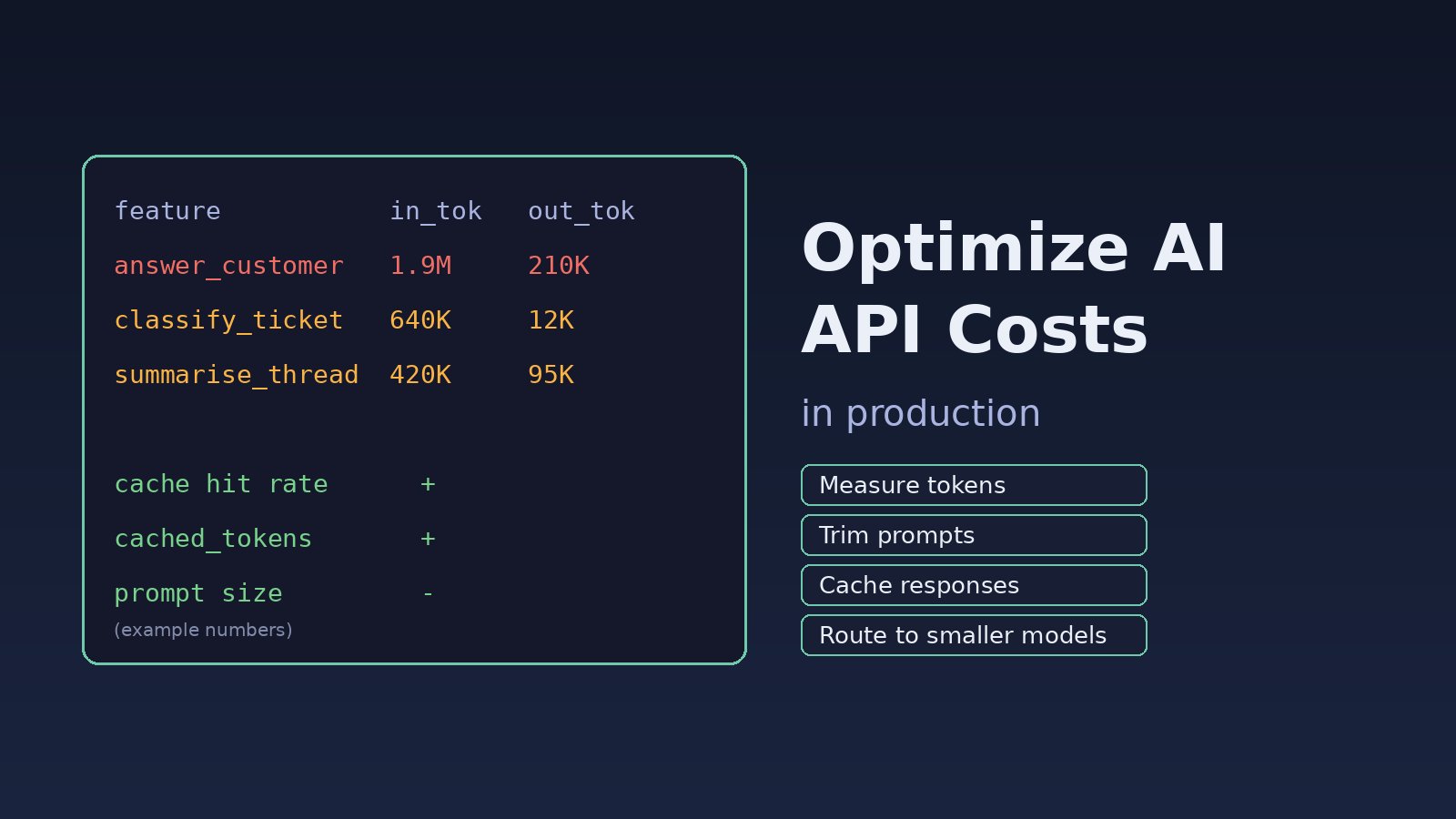
An AI feature that cost a few dollars in testing can turn into a painful monthly bill once real users arrive. LLM API cost optimization is mostly about finding where tokens are wasted: oversized prompts, repeated calls for the same answer, the most expensive model used for every task, and outputs with no length limit. This guide shows how to measure token usage per feature, then cut it with caching, prompt trimming, model routing and batching, without making answers worse.
Problem: AI API Costs Grow Faster Than Usage
Most providers bill per token, with input and output tokens priced separately and output usually costing more. Every request also re-sends the system prompt, conversation history and any retrieved documents. When a chat history grows with each turn, the cost of each new message grows too, so total spend rises faster than the number of users. Without per-feature tracking, nobody can tell which endpoint is responsible.
Symptoms
- The monthly invoice jumps while the number of active users barely changes.
- The provider's usage dashboard shows input tokens far higher than output tokens, often 10x or more.
- Requests start failing with
429andYou exceeded your current quota, please check your plan and billing details.(error codeinsufficient_quota) before the month ends. - Long conversations fail with
context_length_exceededbecause the full history is sent on every turn. - Logs show the same question, such as "What is your refund policy?", answered by the model hundreds of times a day.
- Background jobs (summaries, tagging, classification) run on the same top-tier model as the user-facing chat.
Root Cause: Where Token Usage Is Wasted
- Bloated prompts. Long system prompts, full chat histories and whole documents pasted in when a few paragraphs would do.
- No caching. Identical or near-identical requests always go to the model.
- One model for everything. Simple classification and extraction tasks run on the largest model.
- Unbounded output. No output token limit and prompts that invite long answers.
- Retry storms. Failed or timed-out requests are retried immediately and repeatedly, paying for the same work several times.
- No measurement. Usage isn't logged per feature, so the expensive path stays invisible.
If your cost problem shows up mainly as 429 errors, start with fixing LLM API rate limit errors, then come back to reduce the volume behind them.
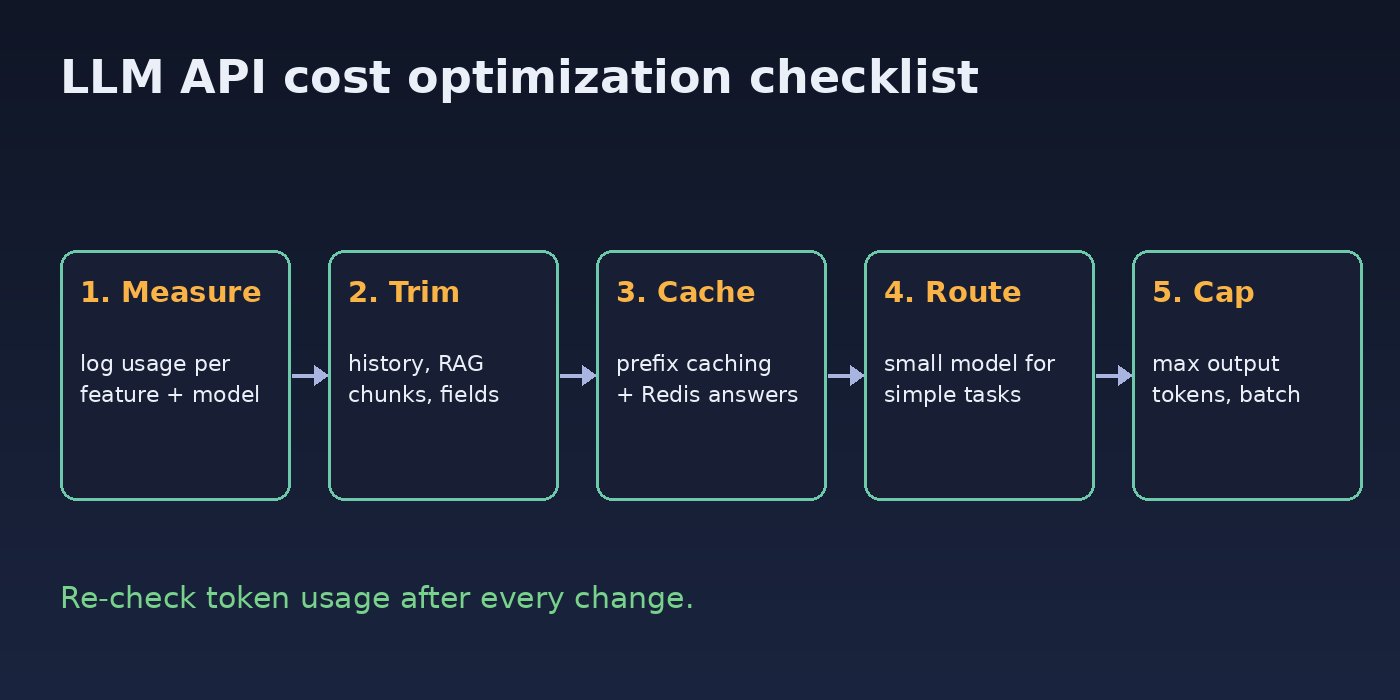
Step-by-Step Solution for LLM API Cost Optimization
Step 1: Log token usage for every request
Every chat completion response includes a usage object. Store it with the feature name, model and user so you can group costs later.
from openai import OpenAI
import json, time, logging

client = OpenAI()
log = logging.getLogger("llm_usage")

def chat(feature: str, model: str, messages: list, **kwargs):
    start = time.time()
    resp = client.chat.completions.create(model=model, messages=messages, **kwargs)
    u = resp.usage
    cached = getattr(u.prompt_tokens_details, "cached_tokens", 0) if u.prompt_tokens_details else 0
    log.info(json.dumps({
        "feature": feature,
        "model": model,
        "prompt_tokens": u.prompt_tokens,
        "cached_tokens": cached,
        "completion_tokens": u.completion_tokens,
        "ms": int((time.time() - start) * 1000),
    }))
    return resp
A simple PostgreSQL table works well for this. Once a day of data is in, this query shows where the tokens go:
SELECT feature, model,
       count(*)               AS calls,
       sum(prompt_tokens)     AS input_tokens,
       sum(cached_tokens)     AS cached_input,
       sum(completion_tokens) AS output_tokens
FROM llm_usage
WHERE created_at > now() - interval '1 day'
GROUP BY feature, model
ORDER BY input_tokens DESC;
Multiply the totals by your provider's current per-token prices to get cost per feature. Fix the top one or two rows first.
Step 2: Reduce token usage in prompts
Count tokens before sending, and trim old conversation turns instead of sending the whole history:
import tiktoken

enc = tiktoken.get_encoding("o200k_base")   # encoding used by GPT-4o family models

def count_tokens(messages):
    return sum(len(enc.encode(m["content"])) for m in messages)

def trim_history(system, history, budget=3000):
    kept = []
    for msg in reversed(history):           # keep the newest turns
        if count_tokens([system] + kept + [msg]) > budget:
            break
        kept.insert(0, msg)
    return [system] + kept
Other quick wins to reduce token usage:
- Replace old turns with a short running summary generated by a cheap model.
- In RAG, send the top three to five relevant chunks, not whole documents.
- Cut repeated instructions and examples from the system prompt; keep only what changes the output. The guide on writing system prompts for LLM apps covers this.
- Send IDs and the fields the model needs, not full JSON records with dozens of unused keys.
Step 3: Use provider prompt caching
Several providers discount input tokens when the start of a prompt matches a recent request. OpenAI applies this automatically to prompts of 1,024 tokens or more and reports it in usage.prompt_tokens_details.cached_tokens; Anthropic requires marking cacheable blocks with cache_control. Either way, caching only works on an identical prefix, so put stable content first:
- System prompt and fixed instructions
- Tool definitions and few-shot examples
- Retrieved documents that are shared across users
- The user's message and anything that changes per request, last
A timestamp or user name at the top of the system prompt breaks the prefix on every call. Check the cached_tokens column from Step 1 to confirm caching is happening.
Step 4: Add LLM caching for repeated questions
For answers that don't depend on the user, cache the full response in Redis. Normalise the input so trivial differences still hit the cache:
import hashlib, json, redis

r = redis.Redis(host="127.0.0.1", port=6379, decode_responses=True)

def cache_key(model, messages):
    norm = json.dumps(
        {"m": model, "msgs": [(x["role"], " ".join(x["content"].lower().split())) for x in messages]},
        sort_keys=True,
    )
    return "llm:" + hashlib.sha256(norm.encode()).hexdigest()

def cached_chat(feature, model, messages, ttl=86400, **kw):
    key = cache_key(model, messages)
    hit = r.get(key)
    if hit is not None:
        return hit
    text = chat(feature, model, messages, **kw).choices[0].message.content
    r.set(key, text, ex=ttl)
    return text
For FAQ-style traffic you can go further with semantic caching: store an embedding of each question and return a cached answer when a new question is very similar. Use a strict similarity threshold and only cache answers that aren't personal, or one user may see another user's data. When many requests miss the cache at once, protect the model the same way you would protect a database; see preventing Redis cache stampedes.
Step 5: Route simple tasks to smaller models
Classification, extraction, tagging and short summaries rarely need the largest model. Route by task, and keep the expensive model for hard reasoning:
MODEL_FOR_TASK = {
    "classify_ticket": "gpt-4o-mini",
    "extract_invoice_fields": "gpt-4o-mini",
    "summarise_thread": "gpt-4o-mini",
    "answer_customer": "gpt-4o",
}

def run_task(task, messages, **kw):
    return chat(task, MODEL_FOR_TASK.get(task, "gpt-4o-mini"), messages, **kw)
Test each switch against a set of saved real inputs before rolling it out, and compare the outputs side by side.
Step 6: Cap output tokens
Set an output limit on every call and ask for the format you need. Newer OpenAI models use max_completion_tokens; older ones accept max_tokens.
resp = chat(
    "classify_ticket",
    "gpt-4o-mini",
    [
        {"role": "system", "content": "Reply with one word: billing, technical, sales or other."},
        {"role": "user", "content": ticket_text},
    ],
    max_completion_tokens=5,
    temperature=0,
)
If you see finish_reason == "length" often, the limit is too low for that task; raise it for that feature only.
Step 7: Batch background work and stop retry storms
Jobs that don't need an instant answer, such as nightly summaries or bulk tagging, can go through a provider's batch API, which is billed at a discount in exchange for slower completion. For live calls, retry only on 429 and 5xx, with exponential backoff and a maximum attempt count, and set a client timeout so a hung request is not paid for twice.
# Laravel example: queue background AI jobs instead of calling inline
php artisan make:job SummariseTicket
php artisan queue:work redis --queue=ai --tries=3 --backoff=10,30,90
Verification
- Rerun the usage query from Step 1 and compare input tokens per call before and after each change.
- Check that
cached_tokensis non-zero for long, repeated prompts. - Track the Redis hit rate with
redis-cli INFO stats(keyspace_hitsandkeyspace_misses), or count hits in your own logs. - Run your saved test inputs through any feature you moved to a smaller model and review the differences.
- Compare the provider's daily usage graph for the week before and after the changes.
Prevention: Keep AI API Spend Under Control
- Set monthly budget alerts and hard limits in the provider dashboard, and use a separate API key or project per feature or environment.
- Add a per-user daily token quota in your app so one script or abusive user can't drain the budget.
- Fail a CI check when a prompt template grows past an agreed token budget.
- Review the top features by cost every month, and re-test cheaper models when providers release them.
- Document which features may use the expensive model and why.
For a broader look at balancing spend and answer quality, read how to keep LLM API costs under control.
FAQs
What is the fastest way to start LLM API cost optimization?
Log token usage per feature for a few days. In most apps one or two endpoints account for most of the spend, and trimming their prompts or caching their answers gives the biggest saving.
How do I reduce token usage without hurting answer quality?
Remove what the model doesn't use: old chat turns, unused JSON fields and duplicate instructions. Keep the relevant context, and test with saved real inputs after each change.
Is LLM caching safe for user-specific answers?
Only if the cache key includes everything that makes the answer personal, such as the user or tenant ID. For shared content like FAQs and documentation answers, a global cache is fine.
What is the difference between prompt caching and response caching?
Prompt caching is done by the provider and discounts repeated input prefixes, but the model still generates a new answer. Response caching is done by your app and skips the API call completely when the same request was answered before.
Does a smaller model always save money?
Per token, yes, but if it fails more often and you retry or fall back to the large model, the savings shrink. Measure success rate along with cost.



Comments
Join the discussion. Replies load on demand, up to 5 levels.
0 threads
No comments yet
Be the first to start the conversation.