You push a commit, open the pull request, and a red cross appears next to your checks. A github actions workflow failed status means at least one job in your workflow ended with a non-zero exit code, could not start, or was rejected before it ran. The fix is rarely guesswork: GitHub tells you which step failed and why, if you know where to look. This guide shows how to read the logs, find the real cause, fix the most common failures, and confirm the pipeline is green again.
The Problem: GitHub Actions Workflow Failed
A workflow is a YAML file in .github/workflows/ made of jobs, and each job is a list of steps that run on a runner. If any step returns a non-zero exit code, the step fails, the job fails, and the whole run is marked as failed. Failures can also happen before a single step runs: the YAML can be invalid, the runner label may not exist, or the token may lack permission. Because the summary page only shows a red icon, many developers rerun the job and hope. That wastes minutes and hides real bugs.
Symptoms of a CI Pipeline Failed Status
Run npm test
...
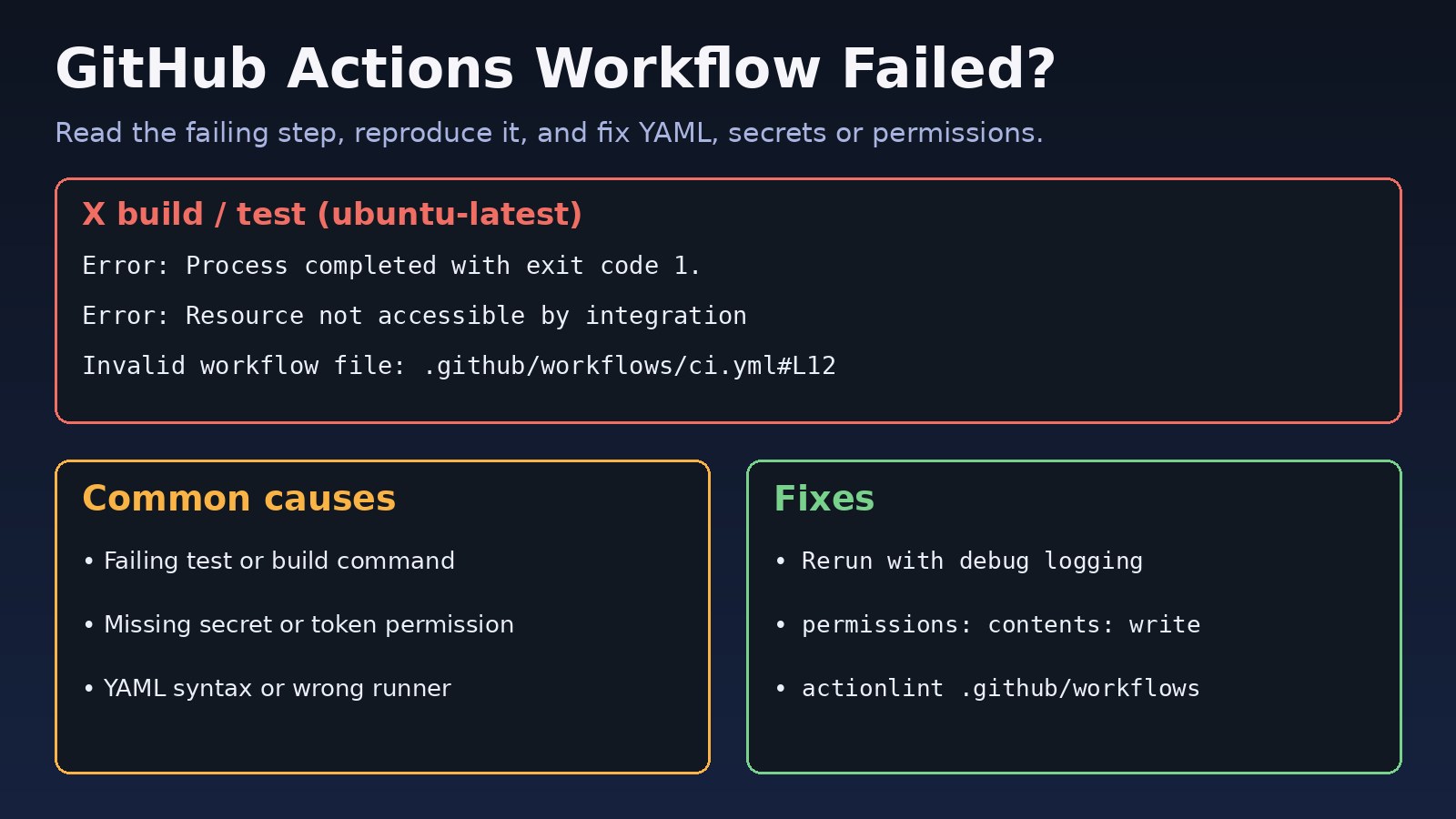
Error: Process completed with exit code 1.

Error: Resource not accessible by integration

Invalid workflow file: .github/workflows/ci.yml#L14
The workflow is not valid. .github/workflows/ci.yml (Line: 14, Col: 9): Unexpected value 'run'

Error: Input required and not supplied: token

This request was automatically failed because there were no enabled runners online to process the request

The job running on runner GitHub Actions 3 has exceeded the maximum execution time of 360 minutes.
Other signs you will see:
- A red cross on the commit or pull request with the check name, for example
build / test (ubuntu-latest). - The workflow never appears in the Actions tab after a push, which usually means the trigger or YAML is wrong.
- A job stays queued forever with Waiting for a runner to pick up this job.
- It passes locally but fails in CI, often because of a missing environment variable, a different Node or Python version, or a case-sensitive file path on Linux.
Root Cause: Why GitHub Actions Jobs Fail
1. A command in a step exits with an error
This is the most common cause. A test fails, a linter finds a problem, a build cannot compile, or a script uses set -e and stops at the first error. The message Process completed with exit code 1 is only the wrapper; the real error is a few lines above it.
2. Invalid workflow syntax
Wrong indentation, a run key at the wrong level, unquoted values with special characters like : or *, or an expression such as ${{ secrets.X }} in a place where it is not allowed.
3. Missing secrets or token permissions
Secrets are not passed to workflows triggered by pull requests from forks, and the default GITHUB_TOKEN may be read-only. Then pushing tags, commenting on pull requests or publishing packages fails with Resource not accessible by integration or 403.
4. Environment differences
The runner image changes over time. A tool version you did not pin, a missing system package, or a cache restored from an older dependency tree can break a job that worked last week.
5. Runner and resource problems
Wrong runs-on label, an offline self-hosted runner, timeouts, or a job killed for running out of memory or disk.
Step-by-Step Solution to Fix Failed Workflows
Step 1: Open the first failing step
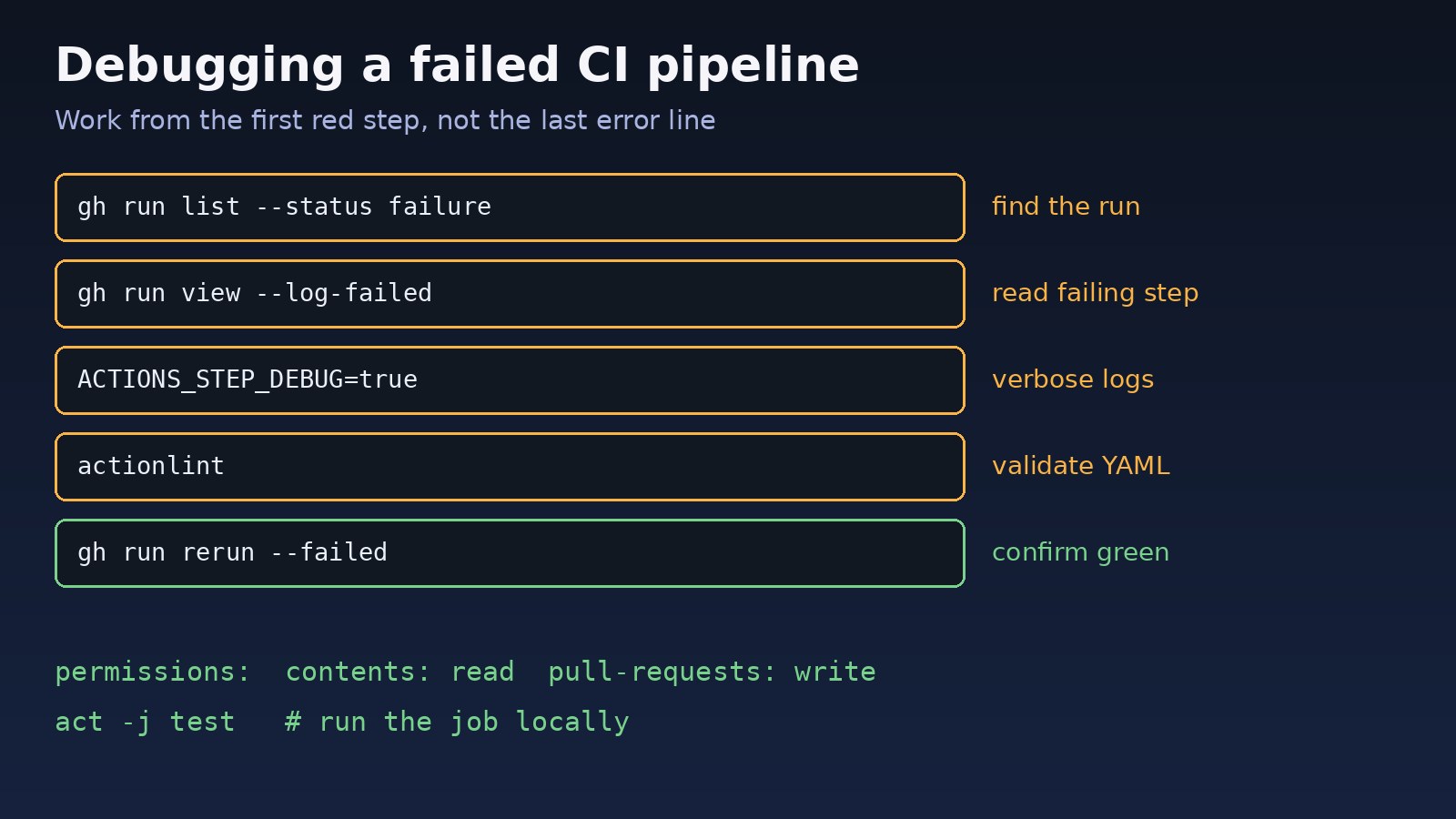
In the Actions tab, open the failed run, click the red job, and expand the first step marked with a red icon. Scroll up from Process completed with exit code to the first real error. From the terminal, the GitHub CLI is faster:
gh run list --status failure --limit 5
gh run view <run-id>                # shows jobs and the failing step
gh run view <run-id> --log-failed   # prints only the logs of failed steps
Step 2: Validate the workflow YAML
If the run shows Invalid workflow file or never starts, lint the file before pushing again:
# install actionlint (Go) or download a release binary
go install github.com/rhysd/actionlint/cmd/actionlint@latest
actionlint .github/workflows/*.yml

# a correct minimal job
jobs:
  test:
    runs-on: ubuntu-latest
    steps:
      - uses: actions/checkout@v4
      - uses: actions/setup-node@v4
        with:
          node-version: 20
          cache: npm
      - run: npm ci
      - run: npm test
Step 3: Fix permission and secret errors
Grant the token only what the job needs, at workflow or job level:
permissions:
  contents: write        # push commits or tags, create releases
  pull-requests: write   # comment on pull requests
  packages: write        # publish to GitHub Packages

env:
  API_URL: ${{ vars.API_URL }}
  DEPLOY_KEY: ${{ secrets.DEPLOY_KEY }}
Check that the secret name matches exactly (names are case-insensitive but typos are common), that it exists at repository, environment or organization level, and that the job declares environment: production if the secret is stored in an environment. For pull requests from forks, secrets are empty by design.
Step 4: Turn on GitHub Actions debug logging
Add a repository secret or variable ACTIONS_STEP_DEBUG set to true (and ACTIONS_RUNNER_DEBUG for runner diagnostics), or use Re-run jobs and tick Enable debug logging. You can also print context inside a step:
- name: Debug context
  run: |
    echo "ref=$GITHUB_REF event=$GITHUB_EVENT_NAME"
    node --version; npm --version
    df -h; free -m
    ls -la
Step 5: Reproduce the job locally
# run the same commands in the same order as CI
npm ci && npm test

# or run the workflow in Docker with act
act -l              # list jobs
act -j test         # run the 'test' job locally
When the failure is a Docker build inside CI, our guide on Docker build failed: common causes and solutions covers the build-side errors. If a test passes on some runs and fails on others, read how to debug flaky CI pipelines.
Step 6: Fix environment and runner issues
- Pin tool versions with
setup-node,setup-pythonorsetup-javainstead of relying on the image default. - Bust a bad cache by changing the cache key, for example including
hashFiles('**/package-lock.json'). - Set
timeout-minuteson long jobs so hangs fail quickly instead of after 6 hours. - For queued jobs, check that
runs-onmatches an existing label and that self-hosted runners are online under Settings, Actions, Runners.
Code/Commands: CI Pipeline Debugging Toolkit
# rerun only failed jobs, with debug logs
gh run rerun <run-id> --failed --debug

# watch a run live
gh run watch <run-id>

# download all logs for offline grep
gh run view <run-id> --log > run.log
grep -nE "error|Error|FAIL|exit code" run.log | head -40

# fail fast and show each command in bash steps
defaults:
  run:
    shell: bash -euxo pipefail {0}

# keep going in a matrix so one failure does not cancel the rest
strategy:
  fail-fast: false
  matrix:
    node: [18, 20]
If the failing step pushes back to the repository and Git reports an auth error, see how to fix git authentication failed on GitHub.
Verification
gh run rerun <run-id> --failed
gh run watch
gh run list --branch main --limit 3
# STATUS  TITLE           WORKFLOW  BRANCH  EVENT
# ✓ Fix test setup CI main push- Every job shows a green check, and the pull request checks pass.
- The step that failed now prints the expected output, not just a missing error.
- A fresh push (not only a rerun) passes, proving the fix is in the code and not a lucky cache.
Prevention
- Run
actionlintin a pre-commit hook or as the first CI job. - Pin action versions (
actions/checkout@v4or a commit SHA) and tool versions. - Declare minimal
permissionsexplicitly in every workflow. - Run the same script locally and in CI, for example
npm run ci, so the steps never drift. - Add
timeout-minutesandconcurrencygroups to avoid hung and duplicate runs. - Require status checks on protected branches so broken code never reaches main.
FAQs
Why does my GitHub Actions workflow fail with exit code 1?
Exit code 1 means a command in the step failed. Scroll up in the step log, or run gh run view --log-failed, to find the actual test, build or script error.
How do I debug GitHub Actions in more detail?
Set ACTIONS_STEP_DEBUG to true as a secret or variable, or rerun with debug logging enabled, then add steps that print versions and environment details.
What does Resource not accessible by integration mean?
The GITHUB_TOKEN lacks the permission for that API call. Add a permissions block such as contents: write or pull-requests: write.
Why does the CI pipeline fail but it works locally?
The runner has different tool versions, no local environment variables, a case-sensitive file system and a clean dependency install. Pin versions and use npm ci or the equivalent locally.
Why is my workflow not running at all?
The YAML is invalid, the file is not in .github/workflows/, the on: trigger does not match the event or branch, or Actions is disabled in the repository settings.



Comments
Join the discussion. Replies load on demand, up to 5 levels.
0 threads
No comments yet
Be the first to start the conversation.