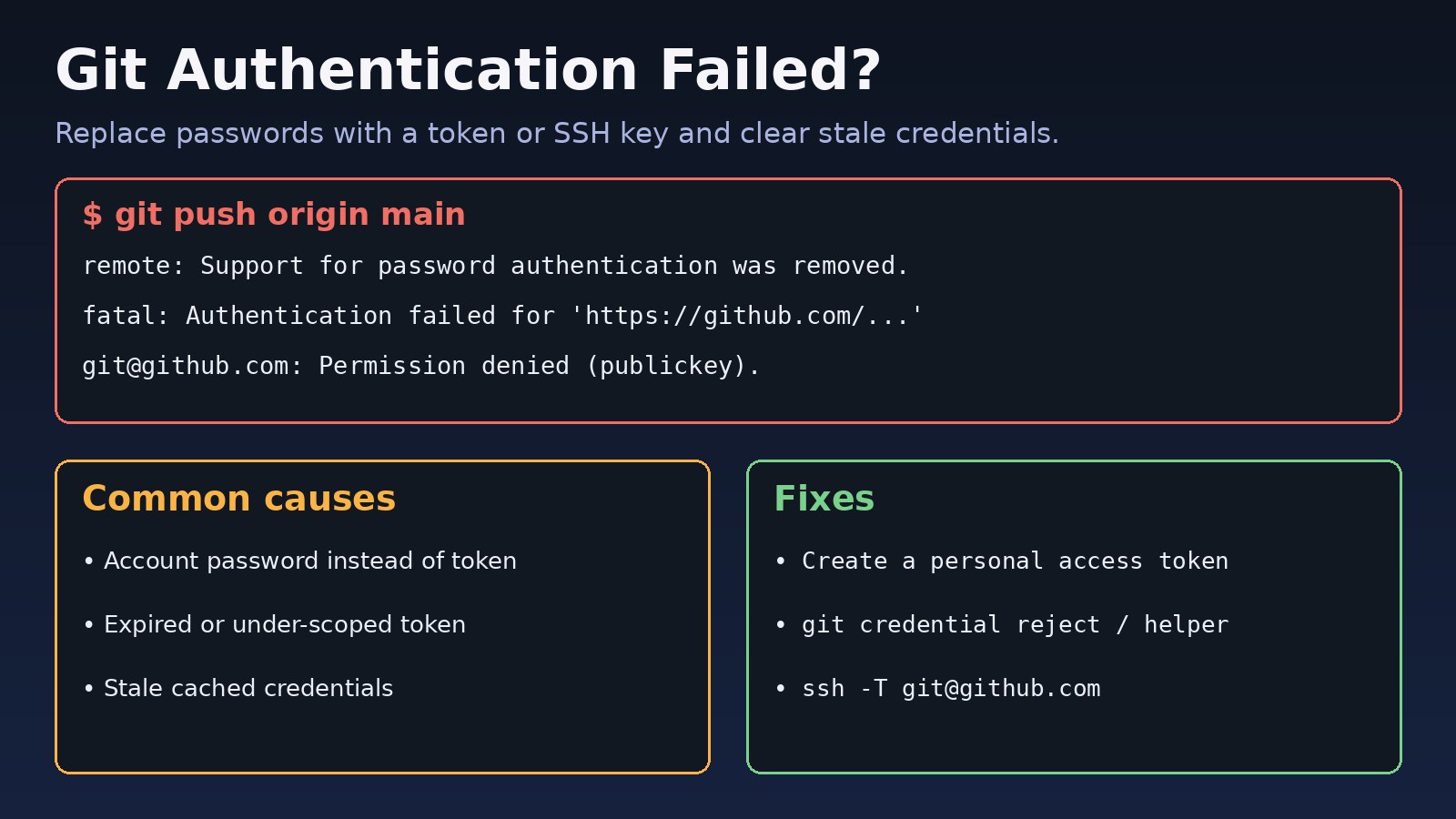
You run git push or git clone on a private repository and Git stops with fatal: Authentication failed for 'https://github.com/...' or Permission denied (publickey). A git authentication failed error means GitHub rejected the credentials Git sent: usually an account password where a personal access token is required, an expired token, or an SSH key GitHub does not know. This guide walks through finding which credential Git is using, replacing it, and confirming the fix.
The Problem: Git Authentication Failed on GitHub
GitHub stopped accepting account passwords for Git operations over HTTPS in 2021. Today you authenticate in one of two ways: over HTTPS with a personal access token (PAT) or a credential manager that handles OAuth for you, or over SSH with a key pair whose public half is added to your GitHub account. When Git sends anything else, or a credential that is expired, revoked or missing the right permissions, GitHub refuses and Git reports an authentication failure. The tricky part is that Git often reuses a cached credential silently, so the wrong secret keeps being sent even after you created a new one.
Symptoms of Git Credential Errors
$ git push origin main
remote: Support for password authentication was removed on August 13, 2021.
remote: Please see https://docs.github.com/... for information on currently recommended modes of authentication.
fatal: Authentication failed for 'https://github.com/acme/api.git/'

$ git clone https://github.com/acme/private-repo.git
remote: Repository not found.
fatal: repository 'https://github.com/acme/private-repo.git/' not found

$ git pull
[email protected]: Permission denied (publickey).
fatal: Could not read from remote repository.
Other signs:
- Git never prompts for a username or password; it fails immediately because a stored credential is reused.
remote: Write access to repository not grantedor a403on push, while clone and pull work.- It works on your laptop but fails on a server or CI runner that has no credentials.
- For private repositories, GitHub answers
Repository not foundinstead of an auth error, so a bad token looks like a wrong URL.
Root Cause: Why GitHub Rejects Your Credentials
1. Using your account password over HTTPS
Typing your GitHub password at the prompt no longer works. The password field must contain a personal access token.
2. Expired, revoked or under-scoped token
Tokens have expiry dates. A classic token needs the repo scope for private repositories (and workflow to push changes to GitHub Actions files). A fine-grained token must list the repository and grant Contents: Read and write to push. Organizations using SAML single sign-on also require the token to be authorized for that organization.
3. Stale credentials in a credential helper
macOS Keychain, Windows Credential Manager, Git Credential Manager or ~/.git-credentials keep returning an old password or token, so Git never asks for the new one.
4. SSH key missing, not loaded, or not on GitHub
With a [email protected]: remote, Git uses SSH. If no key is offered, the agent has no key loaded, or the public key is not added to your account, you get Permission denied (publickey).
5. Wrong account or wrong remote URL
You are authenticated as a different GitHub user who lacks access, or the remote points to a typo or an old repository name.
Step-by-Step Solution
Step 1: Check which protocol the remote uses
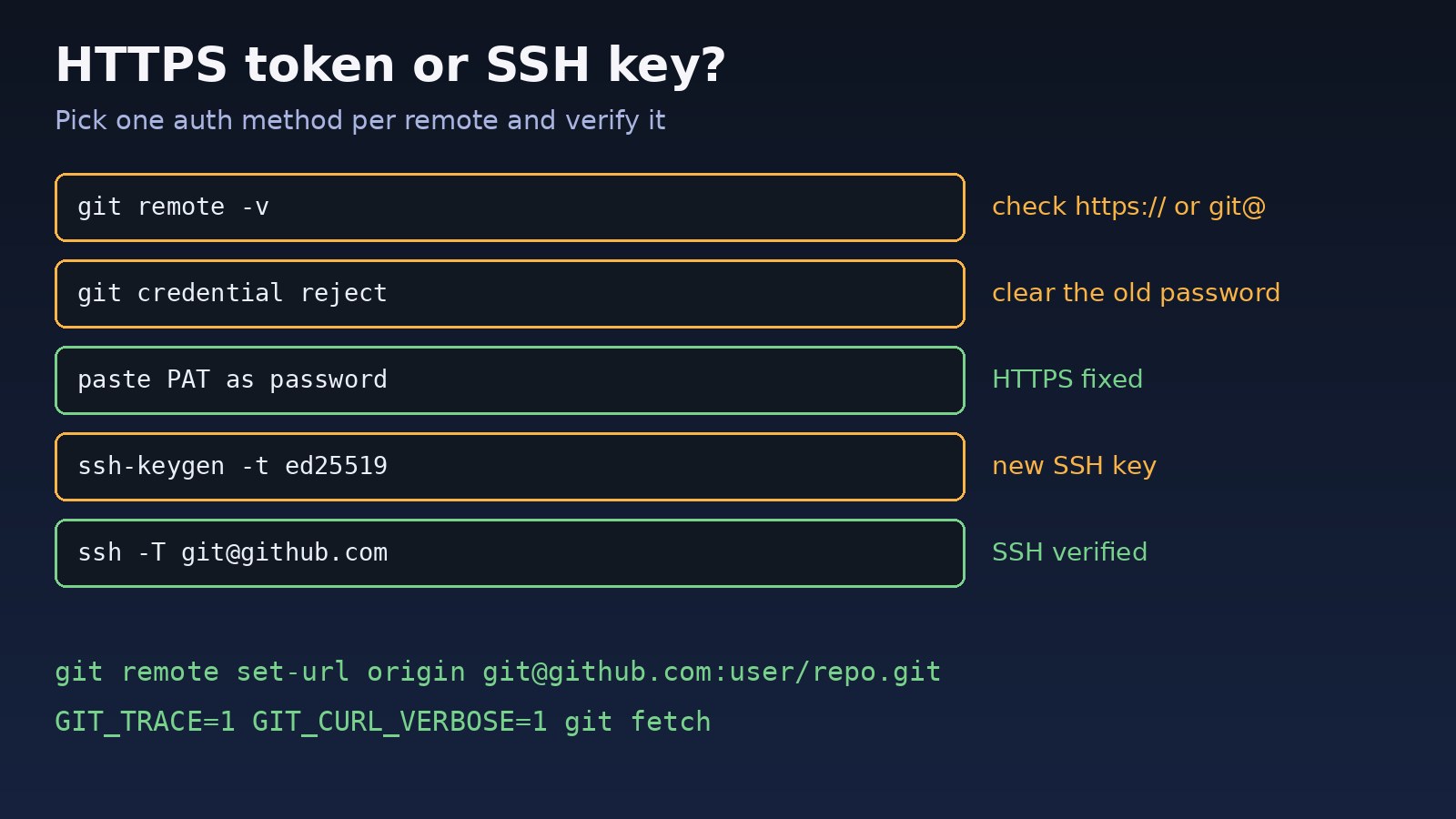
git remote -v
# origin  https://github.com/acme/api.git (fetch)   -> HTTPS: needs a token
# origin  [email protected]:acme/api.git (fetch)       -> SSH: needs a key
Step 2: See which credential helper is active
git config --show-origin --get-all credential.helper
# file:/home/dev/.gitconfig   store
# file:/etc/gitconfig         cache --timeout=3600
# macOS commonly shows: osxkeychain   Windows: manager
Step 3: Remove the stale credential
Tell every helper to forget the GitHub entry. This works the same on all platforms:
printf "protocol=https\nhost=github.com\n\n" | git credential reject

# if you use the plain-text store, also check the file
grep github.com ~/.git-credentials

# macOS: delete "github.com" in Keychain Access, or:
git credential-osxkeychain erase <<EOF
protocol=https
host=github.com
EOF
On Windows, open Credential Manager, then Windows Credentials, and remove entries starting with git:https://github.com.
Step 4: Create a GitHub personal access token
In GitHub go to Settings, Developer settings, Personal access tokens. Create a fine-grained token limited to the repositories you need with Contents: Read and write, or a classic token with the repo scope. Set an expiry date. If your organization uses SSO, click Configure SSO next to the token and authorize it.
Step 5: Push again and paste the token as the password
git push origin main
Username for 'https://github.com': your-github-username
Password for 'https://[email protected]': <paste the token>
Even better, install Git Credential Manager or the GitHub CLI so you sign in through the browser once and the token is stored securely:
gh auth login          # choose GitHub.com, HTTPS, login with a web browser
gh auth setup-git      # makes git use gh as the credential helper
gh auth status
Step 6: Or switch to SSH keys
ssh-keygen -t ed25519 -C "[email protected]"
eval "$(ssh-agent -s)"
ssh-add ~/.ssh/id_ed25519
cat ~/.ssh/id_ed25519.pub     # add this in GitHub: Settings > SSH and GPG keys

ssh -T [email protected]
# Hi your-github-username! You've successfully authenticated, but GitHub does not provide shell access.

git remote set-url origin [email protected]:acme/api.git
If you hit push errors after authentication succeeds, such as a rejected non-fast-forward push, see how to fix git push rejected non-fast-forward.
Code/Commands: Debugging Git Authentication
When the cause is still unclear, turn on tracing to see what Git sends and what GitHub answers:
GIT_TRACE=1 GIT_CURL_VERBOSE=1 git ls-remote https://github.com/acme/api.git 2>&1 | grep -Ei "< HTTP|authorization|credential"
# < HTTP/2 401   -> no or bad credential
# < HTTP/2 403   -> authenticated but no permission

ssh -vT [email protected] 2>&1 | grep -E "Offering|Authenticated|denied"

# use a specific key for GitHub
cat >> ~/.ssh/config <<EOF
Host github.com
  User git
  IdentityFile ~/.ssh/id_ed25519
  IdentitiesOnly yes
EOF

# non-interactive servers and CI: pass the token via environment, not the URL
git -c "http.extraHeader=Authorization: Basic $(printf 'x-access-token:%s' "$GH_TOKEN" | base64 -w0)" clone https://github.com/acme/api.git
Avoid embedding tokens in remote URLs such as https://[email protected]/...; they end up in .git/config, shell history and logs.
Verification
git ls-remote origin | head -3       # lists refs without error
git push --dry-run origin main      # confirms write access
ssh -T [email protected]               # for SSH remotes
gh auth status # if you use the GitHub CLI- No
Authentication failed,401,403orpublickeyerrors. - Git no longer prompts on every command, because the helper stored the new credential.
- The account named in
ssh -Torgh auth statusis the one with repository access.
Once you can push again, keep your history tidy: our guides on fixing a Git detached HEAD state and resolving divergent branches cover the next problems people usually meet.
Prevention
- Use Git Credential Manager, the OS keychain or
gh auth setup-gitinstead of the plain-textstorehelper. - Prefer fine-grained tokens limited to specific repositories, and set a calendar reminder before they expire.
- Use SSH keys with a passphrase and
ssh-agenton development machines. - In CI, use the platform's built-in token (for example
GITHUB_TOKENin GitHub Actions) or deploy keys rather than a personal token. - Never commit tokens or put them in remote URLs; rotate any token that leaked.
- Keep one auth method per remote so you know which credential is in play.
FAQs
What does git authentication failed mean?
GitHub rejected the credential Git sent. Over HTTPS that is usually a password or expired token; over SSH it means no accepted key was offered.
Why does GitHub say password authentication was removed?
GitHub requires a personal access token, OAuth via a credential manager, or SSH for Git operations. Paste a token where Git asks for the password.
Why does Git not ask for my password anymore?
A credential helper is returning a cached value. Run git credential reject for github.com or remove the entry from your keychain, then retry.
Why do I get Repository not found with a correct URL?
For private repositories GitHub hides their existence from unauthenticated or unauthorized users. Check the token's repository access and SSO authorization.
Should I use HTTPS or SSH with GitHub?
Both are secure. HTTPS with a credential manager is easiest behind strict firewalls; SSH avoids token expiry on your own machines. Pick one and configure it properly.



Comments
Join the discussion. Replies load on demand, up to 5 levels.
0 threads
No comments yet
Be the first to start the conversation.