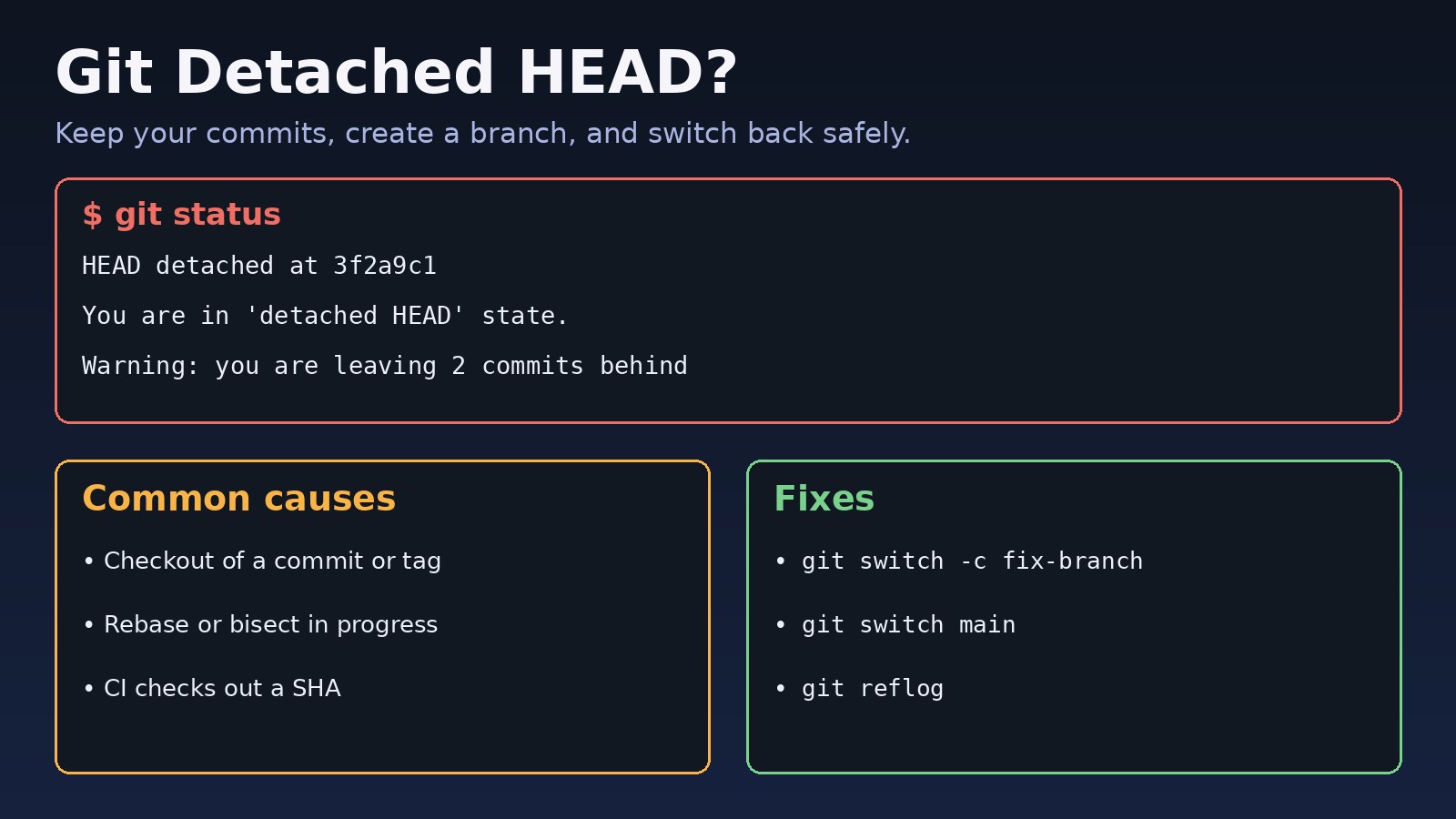
You ran git status and saw HEAD detached at 3f2a9c1, or Git warned that you are leaving commits behind when switching branches. A git detached head state is not an error by itself: it means HEAD points directly at a commit instead of a branch. The real risk is losing work you commit while detached. This guide explains why it happens, how to keep or recover those commits, and how to get back onto a normal branch safely.
The Problem: Git Detached HEAD State
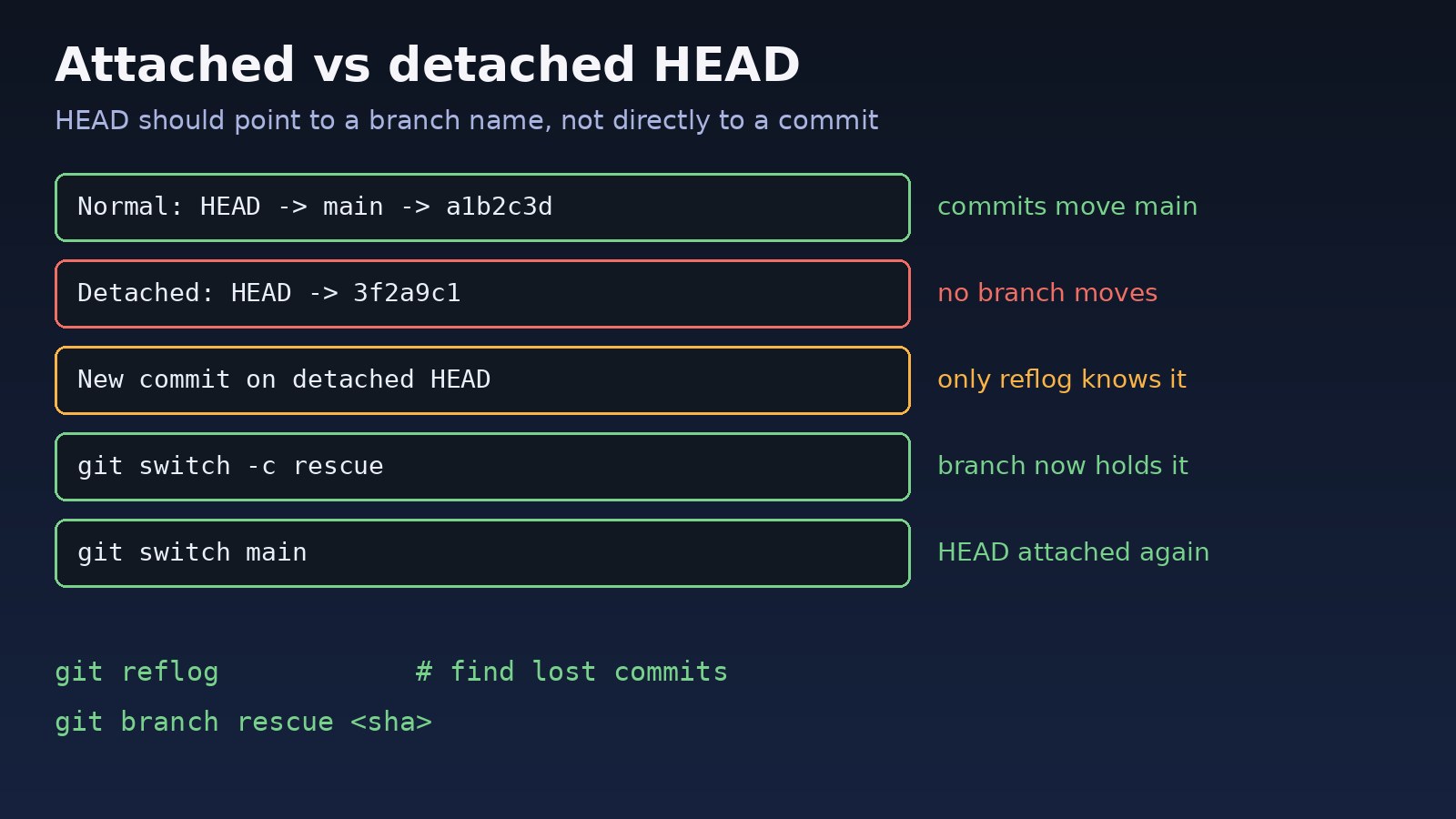
Normally HEAD is a symbolic reference to a branch, for example refs/heads/main. When you commit, the branch moves forward and HEAD follows it. In a detached HEAD state, HEAD stores a commit hash directly. You can still look around, build, test and even commit, but no branch name records the new commits. As soon as you check out something else, those commits are reachable only through the reflog, and Git's garbage collection eventually removes unreachable objects.
Symptoms of a Detached HEAD in Git
$ git status
HEAD detached at 3f2a9c1
nothing to commit, working tree clean

$ git checkout v2.4.0
Note: switching to 'v2.4.0'.

You are in 'detached HEAD' state. You can look around, make experimental
changes and commit them, and you can discard any commits you make in this
state without impacting any branches by switching back to a branch.
Other signs you may notice:
- Your shell prompt or IDE shows a commit hash such as
(3f2a9c1)instead of a branch name. git branchlists* (HEAD detached at 3f2a9c1)or* (no branch, rebasing main).git pushfails withfatal: You are not currently on a branch.- When switching away, Git prints
Warning: you are leaving 2 commits behind, not connected to any of your branches.
Root Cause: Why HEAD Becomes Detached
1. Checking out a commit hash, tag or remote branch
git checkout 3f2a9c1, git checkout v2.4.0 and git checkout origin/main all detach HEAD, because tags and remote-tracking branches are not local branches you can commit to.
2. An interrupted rebase, bisect or cherry-pick
During git rebase and git bisect, Git deliberately detaches HEAD while it replays or tests commits. If the operation stops on a conflict and you forget about it, you stay detached.
3. Submodules
git submodule update checks out the exact commit recorded by the parent repository, so submodules are detached by default.
4. CI/CD pipelines
Many CI systems, including GitHub Actions for pull requests, check out a specific SHA. Scripts that run git push or read the current branch name then fail.
Step-by-Step Solution: Detached HEAD Fix
Step 1: Confirm where HEAD points
git status
git log --oneline --graph --decorate -n 10
git branch -a --contains HEAD
If the last command lists no branch and you made commits, those commits exist only on the detached HEAD. Do not switch away yet.
Step 2: Check for an operation in progress
ls .git/rebase-merge .git/rebase-apply 2>/dev/null
git status   # look for "rebase in progress" or "You are currently bisecting"

git rebase --continue   # or: git rebase --abort
git bisect reset
Finishing or aborting the operation returns HEAD to your branch automatically. If a rebase stopped because of conflicts, the Git divergent branches guide covers rebase and merge choices in more detail.
Step 3: Save your work on a new branch
If you committed while detached and want to keep it, create a branch right where you are:
git switch -c fix/login-timeout
# older Git versions:
git checkout -b fix/login-timeout
HEAD is now attached to fix/login-timeout, and the commits are safe. You can merge or rebase that branch into main later.
Step 4: Git checkout branch to leave the detached state
If you were only looking around and made no commits, simply switch back:
git switch main
# or
git checkout main

# uncommitted changes you want to bring along:
git stash
git switch main
git stash pop
Step 5: Move an existing branch to the detached commit
If your commits should become the new tip of an existing branch, and the branch has no other new commits, point it at HEAD:
git branch -f main HEAD
git switch main
Only do this when you are sure nothing on main will be lost. Otherwise create a branch as in Step 3 and merge it.
Step 6: Recover commits after you already switched away
git reflog
# a1b2c3d HEAD@{0}: checkout: moving from 9e8d7c6 to main
# 9e8d7c6 HEAD@{1}: commit: fix login timeout
# 3f2a9c1 HEAD@{2}: checkout: moving from main to 3f2a9c1

git branch rescue-login-fix 9e8d7c6
git switch rescue-login-fix
The reflog keeps unreachable entries for a limited time (by default 30 days for unreachable commits), so recover them soon. If you only need to undo a commit rather than rescue it, see how to undo the last Git commit.
Code/Commands: Detached HEAD in Submodules and CI
# Submodules: attach to a branch before committing inside them
cd libs/shared
git switch main
git pull

# Make submodules follow a branch
git config -f .gitmodules submodule.libs/shared.branch main
git submodule update --remote --merge

# GitHub Actions: check out the branch instead of a SHA when you must push
- uses: actions/checkout@v4
  with:
    ref: ${{ github.head_ref || github.ref_name }}

# Push a detached commit to a remote branch explicitly
git push origin HEAD:refs/heads/fix/login-timeout
If the push is then rejected because the remote moved ahead, follow the Git push rejected non-fast-forward fix.
Verification
git status
# On branch fix/login-timeout

git symbolic-ref --short HEAD
# fix/login-timeout   (prints "fatal: ref HEAD is not a symbolic ref" when detached)

git log --oneline --decorate -n 3
git statusstarts withOn branch ..., notHEAD detached at.- Your commits appear in
git logon the branch you created or switched to. git push -u origin <branch>works without the "not currently on a branch" error.
Prevention
- Use
git switchfor branches andgit switch --detach <tag>only when you deliberately want to inspect old code. - To work on a remote branch, run
git switch feature-x, which creates a local tracking branch, instead ofgit checkout origin/feature-x. - To start work from a tag, create a branch immediately:
git switch -c hotfix/2.4.1 v2.4.0. - Show the branch in your shell prompt so a detached state is obvious.
- Finish or abort rebases and bisects before doing other work.
- In CI scripts, do not assume a branch name; read it from the pipeline variables.
FAQs
Is a git detached head state dangerous?
No. It is safe for viewing and testing old code. The only danger is committing while detached and then switching away without creating a branch, which leaves those commits unreachable.
How do I fix a detached HEAD without losing commits?
Run git switch -c new-branch-name before switching anywhere else. The new branch keeps the commits, and you can merge it into your main branch.
How do I recover commits made in detached HEAD after switching branches?
Find the commit hash with git reflog, then run git branch rescue <hash> to attach a branch to it.
Why does git checkout origin/main detach HEAD?
origin/main is a remote-tracking reference, not a local branch. Use git switch main or git checkout -b main --track origin/main instead.
Why are my Git submodules always in detached HEAD?
The parent repository records an exact commit for each submodule, and git submodule update checks out that commit. Switch to a branch inside the submodule before committing.



Comments
Join the discussion. Replies load on demand, up to 5 levels.
0 threads
No comments yet
Be the first to start the conversation.