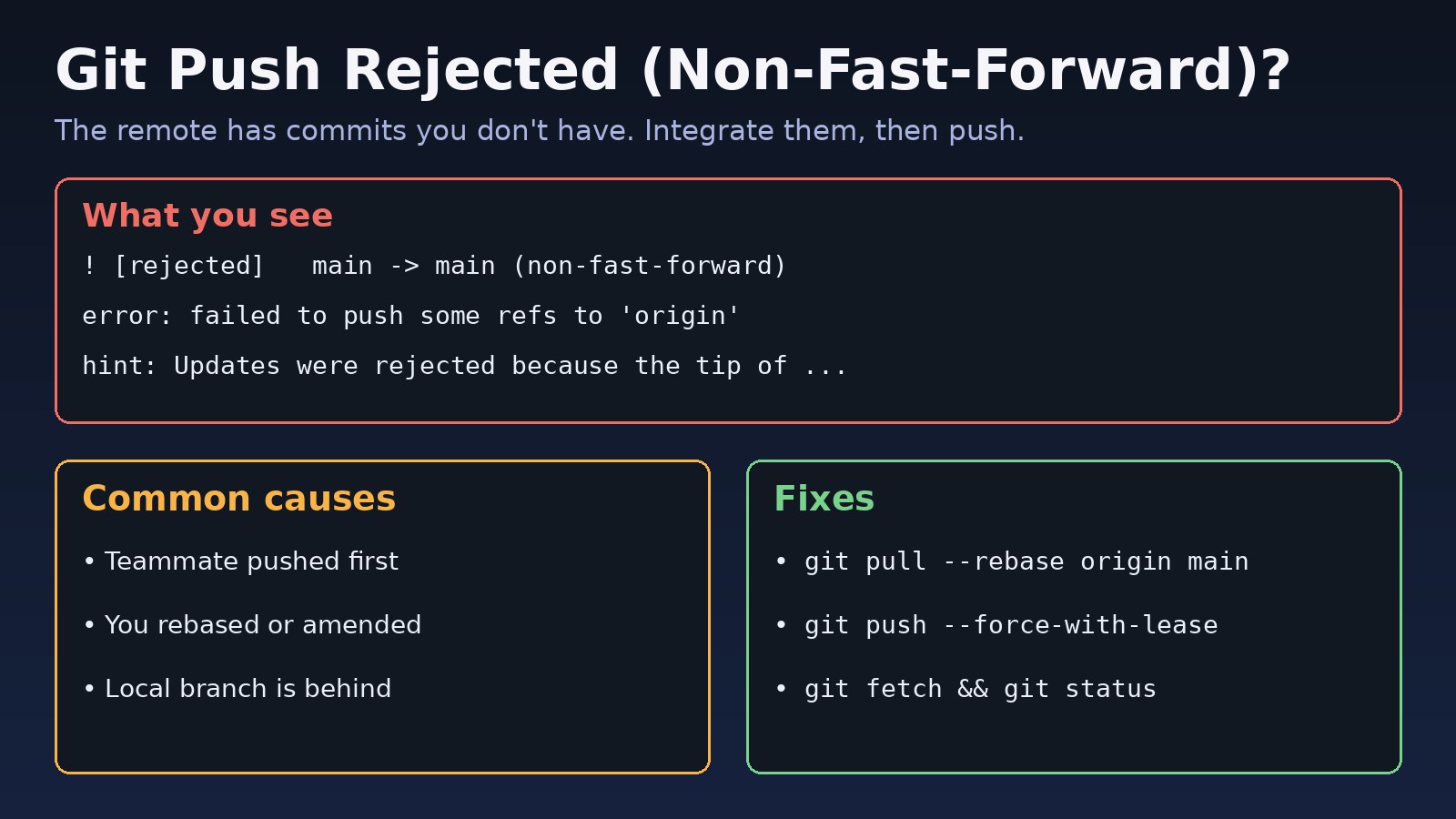
You run git push and Git refuses with ! [rejected] main -> main (non-fast-forward) and error: failed to push some refs. Nothing is broken and no work is lost. Git is protecting the remote branch from losing commits you do not have locally. This guide explains what a git push rejected non fast forward error really means, how to see exactly what differs between your branch and the remote, and how to fix it safely with rebase, merge or --force-with-lease.
The Problem: Git Push Rejected Non Fast Forward
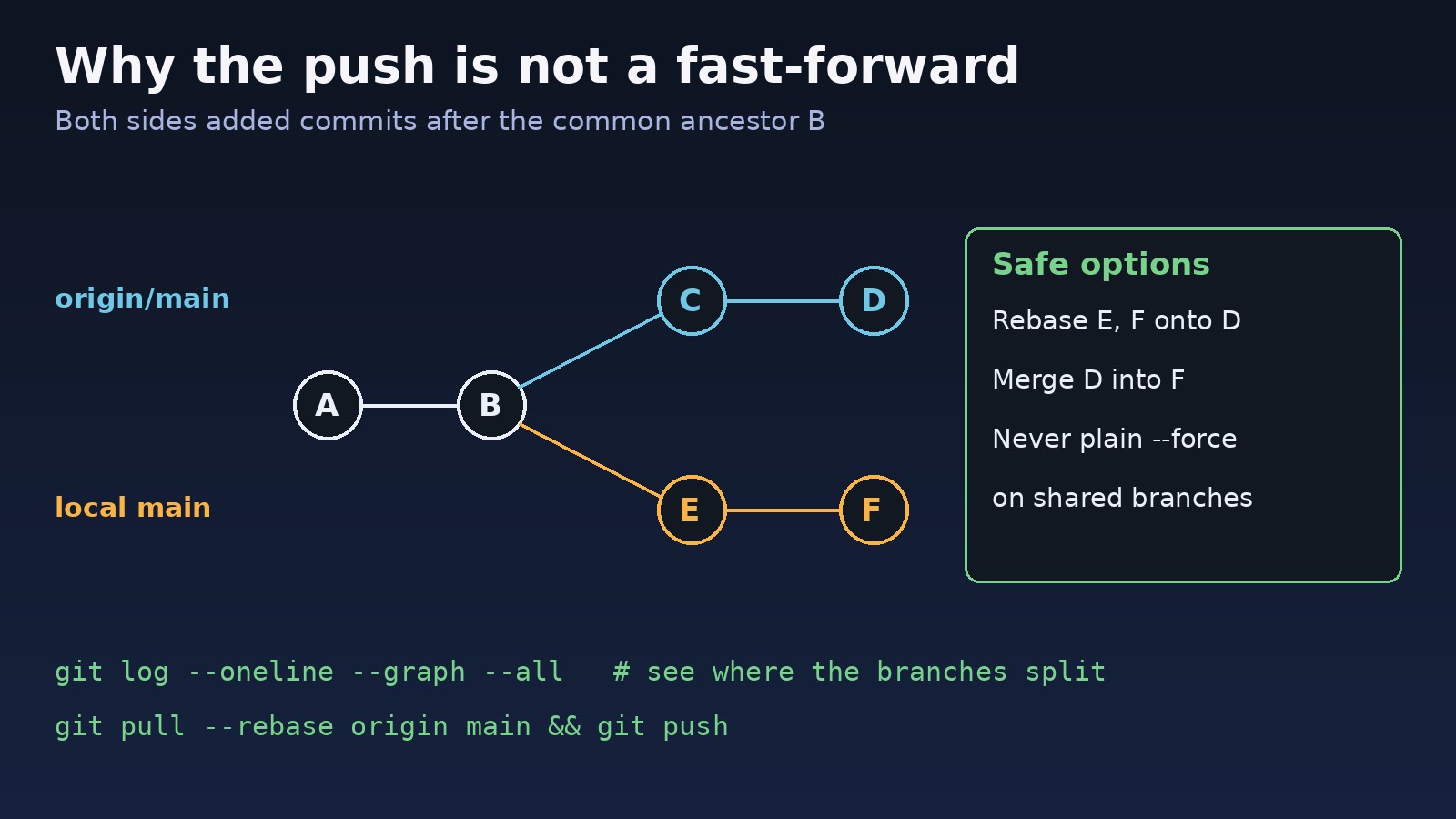
A push is a fast-forward when the remote branch tip is an ancestor of your local tip, so the remote can simply move its pointer forward to your latest commit. When the remote has commits that are not in your branch, moving the pointer to your commit would throw those commits away. Git rejects that push by default.
Symptoms
The most common output looks like this:
To github.com:acme/erp-api.git
 ! [rejected]        main -> main (non-fast-forward)
error: failed to push some refs to 'github.com:acme/erp-api.git'
hint: Updates were rejected because the tip of your current branch is behind
hint: its remote counterpart. If you want to integrate the remote changes,
hint: use 'git pull' before pushing again.
hint: See the 'Note about fast-forwards' in 'git push --help' for details.
Close variations of the same Git rejected error include:
! [rejected]        main -> main (fetch first)
hint: Updates were rejected because the remote contains work that you do not
hint: have locally.

! [rejected]        feature/login -> feature/login (stale info)

! [remote rejected] main -> main (protected branch hook declined)
remote: error: GH006: Protected branch update failed for refs/heads/main.
git statusshowsYour branch and 'origin/main' have divergedorYour branch is behind 'origin/main'after a fetch.- The push failed right after you ran
git commit --amend,git rebaseorgit reseton a branch you had already pushed. - A CI job or deploy script fails with
failed to push some refswhen it tries to push a version bump or changelog commit.
Root Cause: Why Git Rejects the Push
Every case comes down to the same thing: the remote branch contains commits your local branch does not. How that happened decides the right fix.
1. Someone else pushed first
A teammate (or a bot, or you from another machine) pushed to the same branch after your last pull. Your commits and theirs both start from the same parent, so the histories have diverged.
2. You rewrote history that was already pushed
Amending, rebasing, squashing or resetting a pushed branch creates new commit IDs. The old commits still exist on the remote, so from Git's point of view your branch no longer contains the remote tip.
3. Your local copy is stale
You never fetched, so origin/main in your repository is old. The (fetch first) variant means Git can see the remote has commits that do not exist in your local repository at all.
4. The branch is protected
The remote rejected variant comes from the server, not your local Git. GitHub, GitLab and Bitbucket can block direct pushes or force pushes to branches such as main. No local command fixes that; you need a pull request or a rule change.
Step-by-Step Solution
Step 1: Fetch and see what is different
Never fix this blind. Fetch first, then compare both sides:
git fetch origin
git status

# Commits on the remote that you don't have
git log --oneline HEAD..origin/main

# Your commits that the remote doesn't have
git log --oneline origin/main..HEAD

# Visual graph of where they split
git log --oneline --graph --decorate HEAD origin/main
If the first list is empty and the second is not, your local branch is simply ahead and a normal push should work. If both lists have commits, the histories diverged and you need to integrate.
Step 2: Rebase your commits on top of the remote (cleanest history)
For a normal "someone pushed before me" case, put your local commits on top of the remote ones:
git pull --rebase origin main
# or, in two steps
git fetch origin
git rebase origin/main

git push origin main
If there are conflicts, Git stops and lists the files. Fix each one, then continue:
git status                 # shows "both modified" files
# edit the files, remove <<<<<<< ======= >>>>>>> markers
git add path/to/file.php
git rebase --continue

# changed your mind? go back to where you started
git rebase --abort
Newer Git versions also ask you to choose a pull strategy if none is set. That is a related but separate message, covered in the Git pull divergent branches guide.
Step 3: Or merge the remote changes (keeps exact history)
If your team prefers merge commits, or the branch is shared and you do not want to rewrite your local commits:
git pull --no-rebase origin main
# resolve conflicts if any, then
git add .
git commit                 # completes the merge
git push origin main
Step 4: You rewrote your own branch? Use force-with-lease
After an amend or interactive rebase on your own feature branch, the rejection is expected and the remote should be replaced. Use --force-with-lease, not plain --force:
git fetch origin
git push --force-with-lease origin feature/login
--force-with-lease only overwrites the remote if it still points where your origin/feature/login says it does. If someone pushed in the meantime, the push fails with (stale info) instead of silently deleting their work. When you see stale info, fetch, review their commits with git log HEAD..origin/feature/login, and rebase onto them before pushing again.
Avoid force pushing shared branches like main or develop. If you need to undo a commit that is already on a shared branch, use git revert instead; the undo the last Git commit guide explains when to reset, revert or amend.
Step 5: Pushing to the wrong branch name
Sometimes the rejection happens because your local branch tracks a different remote branch than you think:
git branch -vv             # shows which remote branch each local branch tracks
git push origin HEAD:feature/login
git push -u origin feature/login   # set upstream for future pushes
Step 6: Protected branch rejected the push
For protected branch hook declined or GH006, push your work to a new branch and open a pull request:
git switch -c fix/invoice-rounding
git push -u origin fix/invoice-rounding
Step 7: Fix the error in CI pipelines
Jobs that commit and push (version bumps, generated docs) often hit failed to push refs because another job pushed first. Rebase right before pushing and retry once:
git config user.name "ci-bot"
git config user.email "[email protected]"
git add CHANGELOG.md
git commit -m "chore: update changelog [skip ci]"

for i in 1 2 3; do
  git pull --rebase origin main && git push origin HEAD:main && break
  echo "push rejected, retrying ($i)"; sleep 5
done
Also make sure the CI checkout has enough history for the rebase. With a very shallow clone, run git fetch --unshallow or increase the fetch depth if the rebase cannot find the common ancestor.
Code/Commands Examples for Failed to Push Refs
# Quick diagnosis
git fetch origin
git status -sb                         # e.g. ## main...origin/main [ahead 2, behind 3]
git rev-list --left-right --count origin/main...HEAD   # "3  2" = 3 behind, 2 ahead

# Safety net before risky changes
git branch backup/main-$(date +%Y%m%d-%H%M)

# Recover a commit you think you lost
git reflog
git branch rescue <commit-sha>

# Default to rebase on pull for this repo
git config pull.rebase true
If the push fails earlier with Permission denied (publickey) instead of a rejection, the problem is authentication, not history; see the SSH permission denied publickey guide.
Verification
git pushends with a line likea1b2c3d..e4f5a6b main -> mainand no[rejected].git statusshowsYour branch is up to date with 'origin/main'.git log --oneline -5 origin/maincontains both your commits and the remote commits that were there before.- The commit list on GitHub, GitLab or Bitbucket matches your local log.
Prevention
- Run
git pull --rebasebefore you start work and again before you push. - Work on short-lived feature branches and merge through pull requests instead of pushing directly to
main. - Only rewrite history on branches nobody else uses, and always push those with
--force-with-lease. - Set an alias so the safe option is the easy one:
git config --global alias.pushf "push --force-with-lease". - Protect
mainanddevelopon the server so accidental force pushes are blocked.
FAQs
What does non-fast-forward mean in Git?
It means the remote branch cannot just move forward to your commit, because it has commits your branch does not include. Accepting your push would drop them, so Git rejects it.
How do I fix failed to push some refs?
Run git fetch, check the differences with git log HEAD..origin/main, integrate them with git pull --rebase or a merge, resolve any conflicts, and push again.
Is it safe to use git push --force?
Plain --force overwrites whatever is on the remote, including other people's commits. Use --force-with-lease on your own branches, and do not force push shared branches.
Why is Git rejected even after I pulled?
Someone may have pushed again between your pull and your push, or you pulled a different branch from the one you are pushing to. Check git branch -vv, fetch again and repeat the rebase.
Will git pull --rebase lose my commits?
No. It replays your commits on top of the remote ones with new IDs. If something goes wrong, git rebase --abort returns you to the starting point, and git reflog lists every previous position of the branch.



Comments
Join the discussion. Replies load on demand, up to 5 levels.
0 threads
No comments yet
Be the first to start the conversation.