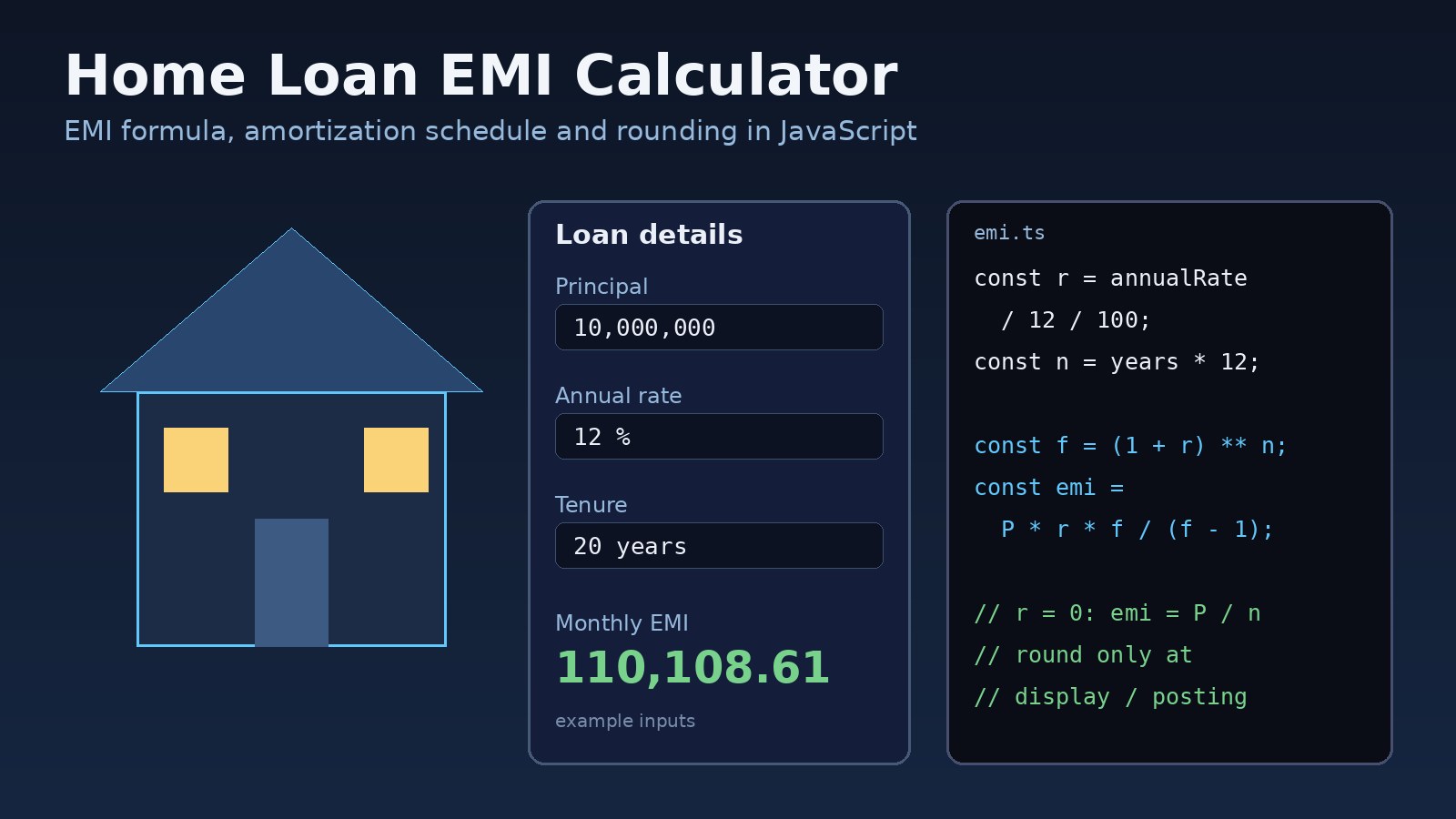
Almost every property portal and real estate CRM needs a home loan EMI calculator, and almost every first version gets a few numbers wrong. The monthly installment is a few rupees off the bank's quote, the amortization schedule doesn't end at exactly zero, or the page shows NaN when someone enters a 0% rate. This guide walks through the EMI formula, the common mistakes behind those bugs, and a tested JavaScript and TypeScript implementation you can drop into a React or Next.js page or a Laravel backend.
Problem: Why a Home Loan EMI Calculator Gives Wrong Numbers
An EMI (equated monthly installment) is a fixed monthly payment that covers both interest and principal, so the loan reaches zero after the last installment. The math is simple, but small implementation choices change the result: how you convert the annual rate, when you round, how you handle the final payment, and what you do when the rate changes partway through the loan.
For a buyer comparing financing options, a calculator that is off by a little looks untrustworthy, and one that is off by a lot leads to bad decisions. If you are also helping users decide whether to finance a purchase at all, pair it with a rent vs buy framework.
Symptoms
- The EMI is slightly different from the bank's quote or from a spreadsheet's
PMTresult. - The last row of the amortization schedule shows a small negative balance, or a few rupees left over.
- Total interest changes when you switch between showing rounded and unrounded values.
- The calculator returns
NaNorInfinityfor a 0% rate or an empty field. - Entering the rate as
12instead of0.12produces an absurd installment. - Numbers are wrong after a rate reset on a floating-rate loan because the calculator assumes the original rate for the whole tenure.
Root Cause: EMI Formula and Rounding Mistakes
The EMI formula
With principal P, monthly rate r (annual percentage divided by 12, then by 100) and number of monthly payments n:
EMI = P × r × (1 + r)^n / ((1 + r)^n − 1)

If r = 0:  EMI = P / n
This is the same calculation a spreadsheet's PMT(rate, nper, pv) function performs, which makes it a handy reference when you test your code.
Common causes of wrong results
- Wrong rate conversion: using the annual rate directly, or dividing by 100 twice.
- Rounding too early: rounding the monthly rate or each intermediate value, which compounds small errors over 240 or 300 months.
- No final-payment adjustment: once the EMI is rounded to paisa, the last installment must absorb the leftover difference.
- Division by zero: at 0% the formula becomes
0 / 0. - Different bank conventions: some lenders calculate interest on a daily balance, charge fees or insurance inside the installment, or use Islamic financing structures with their own schedules. A generic calculator gives an estimate, not the bank's official schedule.
Step-by-Step: Build the EMI Calculator in JavaScript
Step 1: Validate and normalize the inputs
Accept the annual rate as a percentage, the way users and banks quote it, and the tenure in years or months. Reject negative or missing values before doing any math.
export type LoanInput = {
  principal: number;      // e.g. 10_000_000
  annualRatePct: number;  // e.g. 12 for 12%
  months: number;         // e.g. 240 for 20 years
};

export function validate({ principal, annualRatePct, months }: LoanInput): string | null {
  if (!Number.isFinite(principal) || principal <= 0) return "Enter a loan amount above 0";
  if (!Number.isFinite(annualRatePct) || annualRatePct < 0) return "Enter a valid interest rate";
  if (!Number.isInteger(months) || months <= 0) return "Enter a tenure of at least 1 month";
  return null;
}
Step 2: Calculate the EMI without early rounding
export function calculateEmi({ principal, annualRatePct, months }: LoanInput): number {
  const r = annualRatePct / 12 / 100;
  if (r === 0) return principal / months;
  const f = (1 + r) ** months;
  return (principal * r * f) / (f - 1);
}
Step 3: Round once, to the currency's smallest unit
Keep full precision during the calculation and round only the value you show or post. Working in integer paisa (or cents) for the schedule avoids floating-point drift when you add up hundreds of rows.
const toMinor = (v: number) => Math.round(v * 100);   // rupees to paisa
const toMajor = (v: number) => v / 100;
Step 4: Generate the amortization schedule
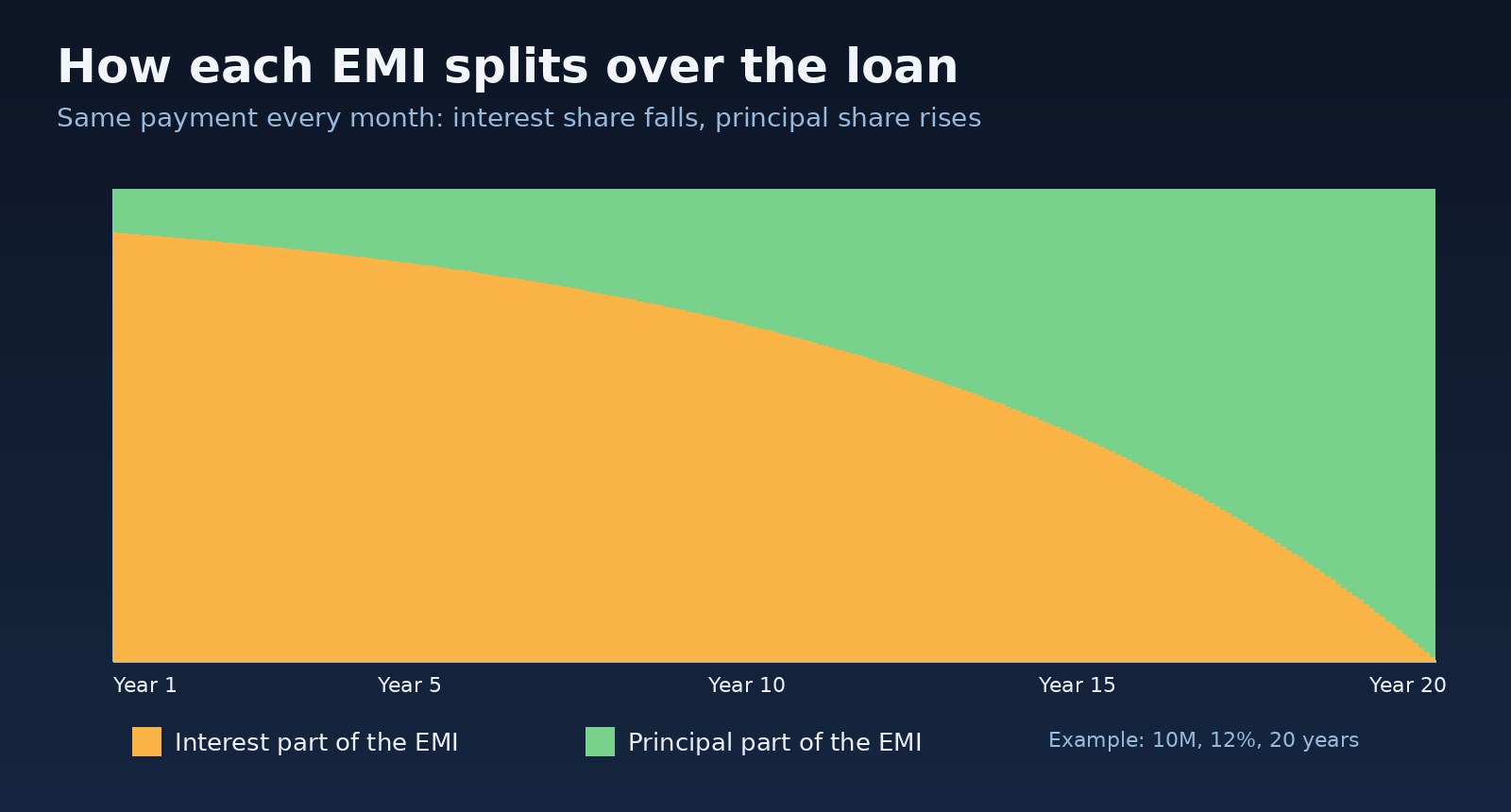
Each month, interest is the outstanding balance times the monthly rate, and the rest of the EMI reduces the principal. The final row pays off whatever balance remains, so the schedule always ends at exactly zero.
export type Row = { month: number; emi: number; interest: number; principal: number; balance: number };

export function amortizationSchedule(input: LoanInput): Row[] {
  const r = input.annualRatePct / 12 / 100;
  const emi = toMinor(calculateEmi(input));
  let balance = toMinor(input.principal);
  const rows: Row[] = [];

  for (let month = 1; month <= input.months; month++) {
    const interest = Math.round(balance * r);
    let principalPart = emi - interest;
    let payment = emi;

    if (month === input.months || principalPart > balance) {
      principalPart = balance;            // last payment absorbs the rounding difference
      payment = balance + interest;
    }

    balance -= principalPart;
    rows.push({
      month,
      emi: toMajor(payment),
      interest: toMajor(interest),
      principal: toMajor(principalPart),
      balance: toMajor(balance),
    });
    if (balance === 0) break;
  }
  return rows;
}
Step 5: Show totals users actually care about
export function summary(rows: Row[], principal: number) {
  const totalPaid = rows.reduce((s, r) => s + toMinor(r.emi), 0);
  return {
    totalPaid: toMajor(totalPaid),
    totalInterest: toMajor(totalPaid - toMinor(principal)),
  };
}

export const formatPkr = (v: number) =>
  new Intl.NumberFormat("en-PK", { style: "currency", currency: "PKR", maximumFractionDigits: 0 }).format(v);
Code Examples: React Component and Laravel API
Mortgage calculator in React or Next.js
The calculation is pure, so it runs the same on the server and in the browser. Mark the form as a Client Component because it uses state.
"use client";

import { useMemo, useState } from "react";
import { amortizationSchedule, calculateEmi, formatPkr, summary, validate } from "@/lib/emi";

export default function EmiCalculator() {
  const [principal, setPrincipal] = useState(10_000_000);
  const [rate, setRate] = useState(12);
  const [years, setYears] = useState(20);

  const input = { principal, annualRatePct: rate, months: years * 12 };
  const error = validate(input);

  const result = useMemo(() => {
    if (error) return null;
    const rows = amortizationSchedule(input);
    return { emi: calculateEmi(input), rows, ...summary(rows, principal) };
  }, [principal, rate, years, error]);

  return (
    <form className="emi-calculator" onSubmit={(e) => e.preventDefault()}>
      <label>Loan amount <input type="number" value={principal} onChange={(e) => setPrincipal(+e.target.value)} /></label>
      <label>Annual rate (%) <input type="number" step="0.01" value={rate} onChange={(e) => setRate(+e.target.value)} /></label>
      <label>Tenure (years) <input type="number" value={years} onChange={(e) => setYears(+e.target.value)} /></label>
      {error && <p role="alert">{error}</p>}
      {result && (
        <output>
          <p>Monthly EMI: {formatPkr(result.emi)}</p>
          <p>Total interest: {formatPkr(result.totalInterest)}</p>
          <p>Total paid: {formatPkr(result.totalPaid)}</p>
        </output>
      )}
    </form>
  );
}
For a long schedule, render the rows in a paginated list or let users download a CSV instead of putting 240 rows in the DOM at once.
The same EMI formula in PHP for Laravel
If your listing pages or CRM quotes are generated on the backend, keep one implementation there and return JSON to the frontend so both always agree.
// app/Services/EmiCalculator.php
namespace App\Services;

class EmiCalculator
{
    public function emi(float $principal, float $annualRatePct, int $months): float
    {
        $r = $annualRatePct / 12 / 100;
        if ($r == 0.0) {
            return $principal / $months;
        }
        $f = (1 + $r) ** $months;
        return $principal * $r * $f / ($f - 1);
    }
}

// routes/api.php
Route::get('/emi', function (Illuminate\Http\Request $request, App\Services\EmiCalculator $calc) {
    $data = $request->validate([
        'principal' => 'required|numeric|gt:0',
        'rate'      => 'required|numeric|gte:0',
        'months'    => 'required|integer|gt:0',
    ]);
    return ['emi' => round($calc->emi($data['principal'], $data['rate'], $data['months']), 2)];
});
Handling a rate reset on a floating-rate loan
Many home financing products in Pakistan are priced as a benchmark rate such as KIBOR plus a spread and are repriced periodically. When the rate changes, recalculate the EMI from the outstanding balance and the remaining months instead of the original loan amount:
const rows = amortizationSchedule({ principal: 10_000_000, annualRatePct: 12, months: 240 });
const afterYear1 = rows[11].balance;                 // balance after 12 payments
const newEmi = calculateEmi({ principal: afterYear1, annualRatePct: 14, months: 228 });
Show users clearly that the result is an estimate. If you are building listing tools around this, the same pattern of pure, testable functions works well for other property math, like the numbers in analyzing a rental property before you buy.
Verification
Check the code against an independent calculation before you ship it. With example inputs of 10,000,000 principal, 12% annual rate and 240 months:
// Spreadsheet (Excel, Google Sheets, LibreOffice)
=PMT(12%/12, 240, -10000000)        // 110,108.61

// Unit tests (Vitest or Jest)
import { expect, test } from "vitest";
import { amortizationSchedule, calculateEmi } from "./emi";

test("matches PMT", () => {
  expect(calculateEmi({ principal: 10_000_000, annualRatePct: 12, months: 240 })).toBeCloseTo(110108.61, 2);
});

test("first month split", () => {
  const [first] = amortizationSchedule({ principal: 10_000_000, annualRatePct: 12, months: 240 });
  expect(first.interest).toBe(100000);
  expect(first.principal).toBe(10108.61);
});

test("schedule ends at zero", () => {
  const rows = amortizationSchedule({ principal: 10_000_000, annualRatePct: 12, months: 240 });
  expect(rows.at(-1)!.balance).toBe(0);
  expect(rows).toHaveLength(240);
});

test("zero rate", () => {
  expect(calculateEmi({ principal: 1_200_000, annualRatePct: 0, months: 12 })).toBe(100000);
});
Run npx vitest run. The first month's interest of 100,000 is simply 1% of the 10,000,000 balance, which is an easy sanity check to do by hand. Also test the edge cases: a one-month loan, a very small principal, and a high rate.
Prevention
- Keep the calculation in one pure, unit-tested module and reuse it in the frontend, backend and PDF quotes.
- Use integer minor units (paisa) for schedules and totals, and round only for display or posting.
- Always let the final payment absorb the rounding difference.
- Label inputs clearly, for example "Annual rate (%)", and validate ranges on both client and server.
- Show a note that bank fees, insurance, daily-balance interest and Islamic financing structures can change the official schedule.
- Recalculate from the outstanding balance whenever a floating rate resets.
FAQs
What is the EMI formula for a home loan?
EMI = P × r × (1 + r)^n / ((1 + r)^n − 1), where P is the principal, r is the monthly rate (annual percentage ÷ 12 ÷ 100) and n is the number of monthly payments. At 0% interest, EMI = P / n.
Why is my EMI calculator a few rupees different from the bank?
Usually rounding, daily-balance interest, or fees and insurance included in the bank's installment. Compare against the bank's own schedule for the exact figure.
How do I build an amortization schedule in JavaScript?
Each month, multiply the outstanding balance by the monthly rate to get the interest, subtract it from the EMI to get the principal part, and reduce the balance. Work in integer paisa and let the last payment clear the remaining balance.
Should I use floating-point numbers for money?
Floats are fine for the formula itself, but store and add up schedule values as integers in the smallest currency unit, or use a decimal library, to avoid drift.
Does a mortgage calculator in JavaScript work in Next.js server components?
The calculation functions are pure, so they run on the server or the client. Only the interactive form needs "use client".
How do I calculate EMI after a rate change?
Use the outstanding balance at the reset date as the new principal, the new rate, and the remaining number of months.
Comments
Join the discussion. Replies load on demand, up to 5 levels.
0 threads
No comments yet
Be the first to start the conversation.