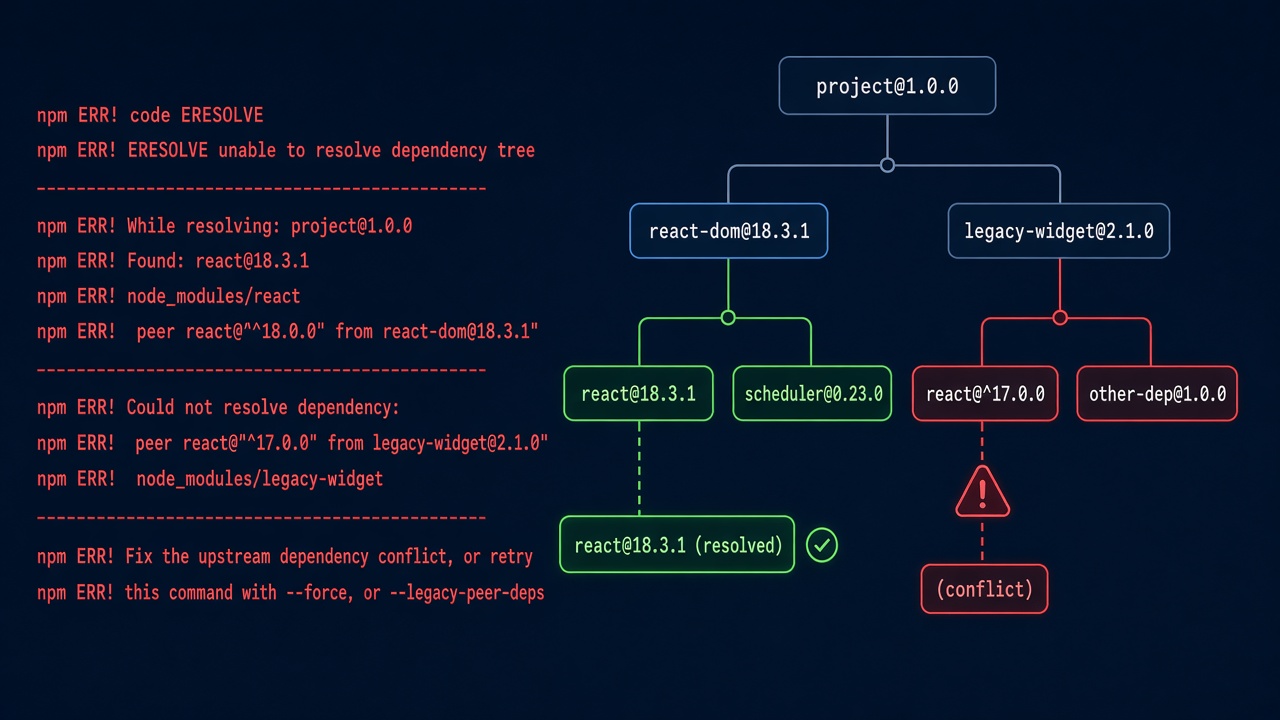
You run npm install in a React or Next.js project and it stops with npm ERR! code ERESOLVE followed by ERESOLVE unable to resolve dependency tree. The npm eresolve unable to resolve dependency tree error means npm could not find a set of package versions that satisfies every peer dependency in your project. This guide explains how to read the error, find the package that conflicts, and fix it properly instead of hiding it with flags.
Problem: npm ERESOLVE Unable to Resolve Dependency Tree
Since npm 7, peer dependencies are installed automatically and checked strictly. If package A says it needs react@^17 as a peer and your project uses react@18, npm refuses to build a tree that breaks that promise. npm 6 only printed a warning in the same situation, which is why older projects that installed fine for years start failing after a Node.js upgrade.
You typically hit it when upgrading React or Next.js, adding a UI library or ESLint plugin that hasn't caught up with the latest major version, or running npm ci in a fresh Docker build.
Symptoms
The full output usually looks like this:
npm ERR! code ERESOLVE
npm ERR! ERESOLVE unable to resolve dependency tree
npm ERR!
npm ERR! While resolving: [email protected]
npm ERR! Found: [email protected]
npm ERR! node_modules/react
npm ERR!   react@"^18.3.1" from the root project
npm ERR!
npm ERR! Could not resolve dependency:
npm ERR! peer react@"^17.0.0" from [email protected]
npm ERR! node_modules/some-legacy-widget
npm ERR!   some-legacy-widget@"^2.1.0" from the root project
npm ERR!
npm ERR! Fix the upstream dependency conflict, or retry
npm ERR! this command with --force or --legacy-peer-deps- A related variant,
ERESOLVE could not resolve, appears when an existing tree or lockfile conflicts with a new install. - Newer npm versions may only print
npm warn ERESOLVE overriding peer dependencyand continue; that is a warning, not this error. - The install works on a teammate's machine but fails in CI or in a
node:20Docker image because of a different npm version or missing lockfile.
Root Cause of the npm Dependency Conflict
Peer dependency ranges that don't overlap
A peer dependency is a package a library expects you to provide, such as react for a React component library or eslint for an ESLint plugin. When two packages declare peer ranges that can't both be met, or one doesn't accept the version you installed, there is no valid tree.
A library lagging behind a major release
The most common case: you upgrade to React 19 or a new Next.js major, and a date picker, chart wrapper or testing library still declares "react": "^17 || ^18".
Mixed npm versions and lockfiles
A package-lock.json created with --legacy-peer-deps or an older npm will fail when someone runs a plain npm install with npm 7 or later.
A local .npmrc setting
One developer may have legacy-peer-deps=true in their global ~/.npmrc, so the problem only shows up for everyone else.
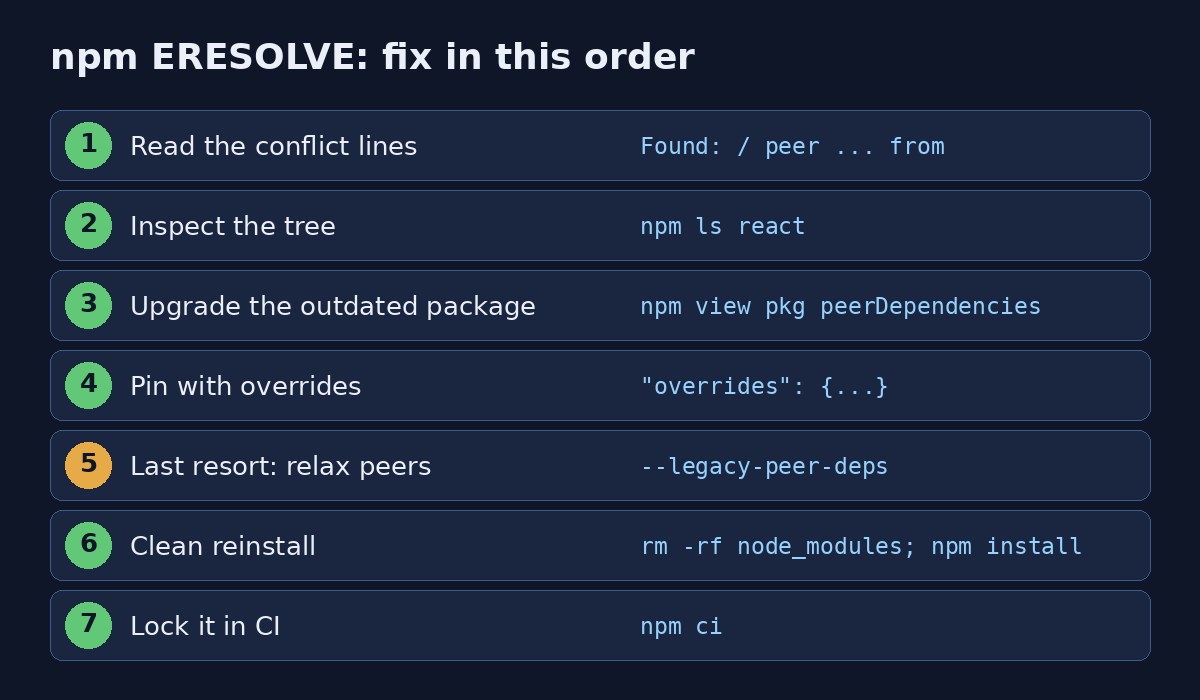
Step-by-Step Solution
Step 1: Read the two key lines
Look for Found: (what you have) and Could not resolve dependency: with peer ... from (who is complaining). In the example, [email protected] wants React 17 while the project has React 18. The full report is also saved; the error output ends with a path to eresolve-report.txt in the npm cache.
Step 2: Inspect the dependency tree
node -v && npm -v
npm ls react
npm explain react
npm view some-legacy-widget peerDependencies
npm view some-legacy-widget versions --json
npm explain shows every package that pulls in a dependency and why, which makes the conflicting branch obvious.
Step 3: Upgrade the package that is behind
The cleanest fix is a version of the conflicting library that supports your React or Next.js version.
npm view some-legacy-widget@latest peerDependencies
npm install some-legacy-widget@latest
# or align a whole family of packages
npm install next@latest react@latest react-dom@latest eslint-config-next@latest
If no compatible release exists, check the project's issues or changelog for a beta, or consider a maintained alternative.
Step 4: Downgrade to a matching version
If upgrading the library isn't possible, temporarily keep your framework on the version the library supports, for example npm install react@18 react-dom@18, until it catches up.
Step 5: Use overrides when you know the version works
npm 8.3+ supports overrides in package.json. It tells npm which version to use for a nested dependency, even if its declared range disagrees. Test the app after doing this.
{
  "dependencies": {
    "react": "^18.3.1",
    "react-dom": "^18.3.1",
    "some-legacy-widget": "^2.1.0"
  },
  "overrides": {
    "some-legacy-widget": {
      "react": "$react",
      "react-dom": "$react-dom"
    }
  }
}
The $react syntax reuses the version from your own dependencies, so the override stays in sync when you upgrade.
Step 6: Use --legacy-peer-deps as a last resort
npm install --legacy-peer-deps
# project-wide, so CI and teammates behave the same
echo "legacy-peer-deps=true" >> .npmrc
This restores npm 6 behaviour: peer dependencies aren't installed or validated. It unblocks you, but real incompatibilities become runtime errors instead. Prefer it over --force, which accepts broken trees more aggressively and can fetch conflicting copies.
Step 7: Clean reinstall
rm -rf node_modules package-lock.json
npm cache verify
npm install
Only delete the lockfile when you intend to regenerate it; commit the new one afterwards.
Code and Commands Examples
Dockerfile for a Next.js app
Copy .npmrc together with the manifests, otherwise a setting that works locally is missing inside the image:
FROM node:20-alpine AS deps
WORKDIR /app
COPY package.json package-lock.json .npmrc ./
RUN npm ci
Laravel projects with Vite
The same error appears in Laravel apps when running npm install for Vite plugins. Align vite, laravel-vite-plugin and @vitejs/plugin-react versions:
npm ls vite
npm install vite@latest laravel-vite-plugin@latest @vitejs/plugin-react@latest
If a Next.js upgrade also surfaces runtime issues, see how to fix the Next.js hydration error. For failures that only happen in pipelines, read how to debug flaky CI pipelines.
Verification
npm ls --all >/dev/null && echo "tree OK"
npm ls react
rm -rf node_modules && npm ci
npm run build && npm test
npm ls exits non-zero and prints invalid or ERR! lines if the tree is still inconsistent. A clean npm ci and a successful build mean the fix will also work in CI and Docker.
Prevention
- Commit
package-lock.jsonand usenpm ciin CI and Dockerfiles. - Pin Node and npm with an
enginesfield and an.nvmrcso everyone resolves the same way. - Commit any required
.npmrcsettings instead of relying on global configs. - Upgrade framework families together (React with react-dom, Next.js with eslint-config-next).
- Check
npm view <pkg> peerDependenciesbefore adding a library. - Document every
overridesentry and remove it once upstream supports your version.
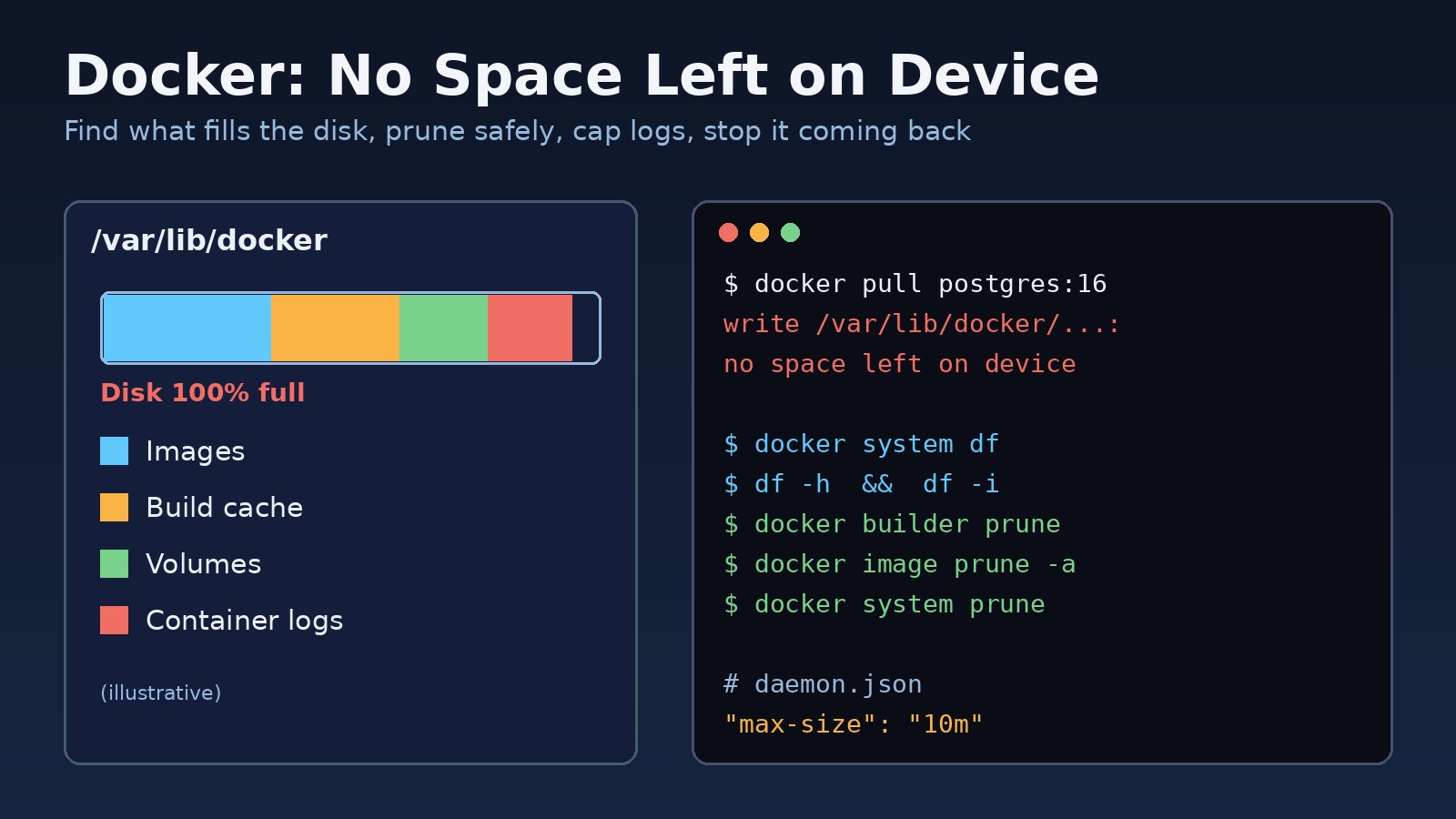
If the install then runs out of disk inside Docker, see Docker no space left on device.
FAQs
What does npm eresolve unable to resolve dependency tree mean?
npm couldn't find versions that satisfy every package's peer dependency requirements, so it stopped instead of installing an inconsistent tree.
Is it safe to use --legacy-peer-deps?
It is safe as a temporary workaround if you test the app, because it only skips peer checks. It can hide real incompatibilities, so prefer upgrading or overrides.
What is the difference between --force and --legacy-peer-deps?
--legacy-peer-deps ignores peer dependencies entirely. --force keeps resolving them but overrides conflicts and protections, which can produce a tree with conflicting copies. Choose --legacy-peer-deps if you must pick one.
How do I find which peer dependency causes the npm dependency conflict?
Read the peer ... from line in the error, then run npm explain <package> and npm view <package> peerDependencies.
Why does npm install work locally but fail in CI?
Usually a different npm version, a global .npmrc with legacy-peer-deps=true on your machine, or a lockfile that wasn't committed.
Does yarn or pnpm avoid the ERESOLVE error?
They report unmet peer dependencies differently, often as warnings, but the incompatibility still exists. Switching package managers doesn't fix the conflict.
Comments
Join the discussion. Replies load on demand, up to 5 levels.
0 threads
No comments yet
Be the first to start the conversation.