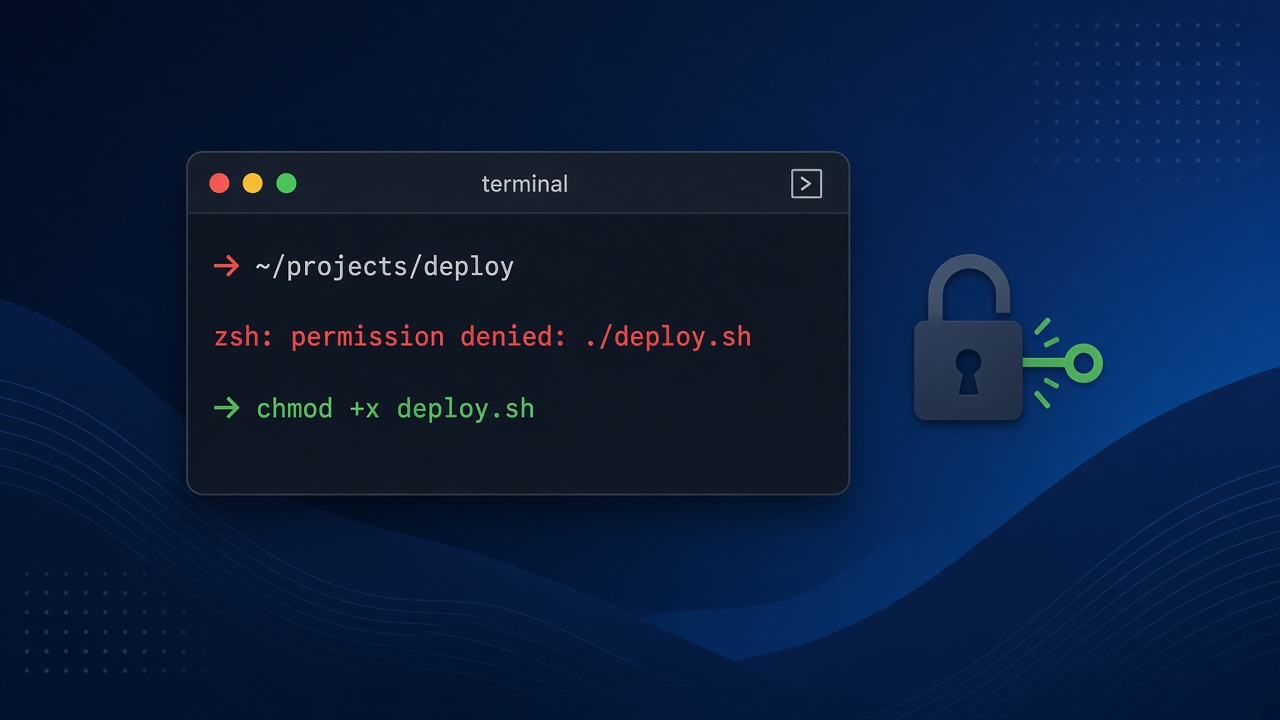
You run ./deploy.sh or a project's helper script in the macOS Terminal and get zsh: permission denied: ./deploy.sh instead of output. The zsh permission denied error means the kernel refused to execute or open the path you gave the shell. Most of the time the file simply isn't marked executable, but ownership, macOS quarantine flags, noexec mounts, bad shebangs and macOS privacy controls can produce the same message. This guide walks through each cause in order, with the exact commands to diagnose and fix it.
Problem: Zsh Permission Denied When Running a Script
Since macOS Catalina, zsh is the default login shell, so this is the message most Mac developers see. When you type a path such as ./scripts/setup.sh, zsh asks the kernel to execute that file. If the kernel returns EACCES, zsh prints permission denied followed by the path. The shell itself isn't broken; it is reporting what the operating system decided.
It shows up constantly in day-to-day work: a freshly cloned Laravel repo with a deploy.sh, a Next.js project with a Husky hook, a Docker entrypoint you are testing locally, or a downloaded CLI binary.
Symptoms
zsh: permission denied: ./deploy.shwhen running a script by path.zsh: permission denied: /usr/local/bin/sometoolfor a downloaded binary.zsh: permission denied: ./srcor similar when the path is actually a directory.zsh: permission denied: /Users/you/.zshrcor errors while opening a new Terminal tab.bash script.shworks, but./script.shfails, which is a strong hint the execute bit is missing.- Related messages:
Operation not permitted(usually macOS privacy or extended attributes) andbad interpreter: /bin/bash^M(Windows line endings).
Root Cause of Shell Script Permission Errors
The file is not executable
Unix permissions have read (r), write (w) and execute (x) bits for the owner, group and others. To run ./file directly, you need the x bit. Files created by editors, downloaded from a browser, extracted from some ZIP archives or committed to Git without mode 100755 usually come without it.
You don't own the file
Running something once with sudo (for example sudo npm install) leaves files owned by root. Your user then can't read, write or execute them, and zsh reports permission denied.
You tried to execute a directory or a non-script file
Typing a folder name with ./, or trying to run a .env or .txt file, fails the same way.
macOS quarantine and extended attributes
Files downloaded through a browser get a com.apple.quarantine attribute. Gatekeeper may block them, and depending on the macOS version you see either a dialog or Operation not permitted/permission denied in the terminal.
The volume is mounted noexec
External drives, some network shares, and bind mounts inside Linux containers can be mounted with noexec. Nothing on them can be executed, regardless of chmod.
Broken shebang or interpreter
If the first line points to an interpreter that isn't executable, or contains a Windows \r, execution fails before your script runs.
macOS privacy protection (TCC)
Folders such as Desktop, Documents, Downloads and iCloud Drive are protected. If Terminal doesn't have access, commands report Operation not permitted.
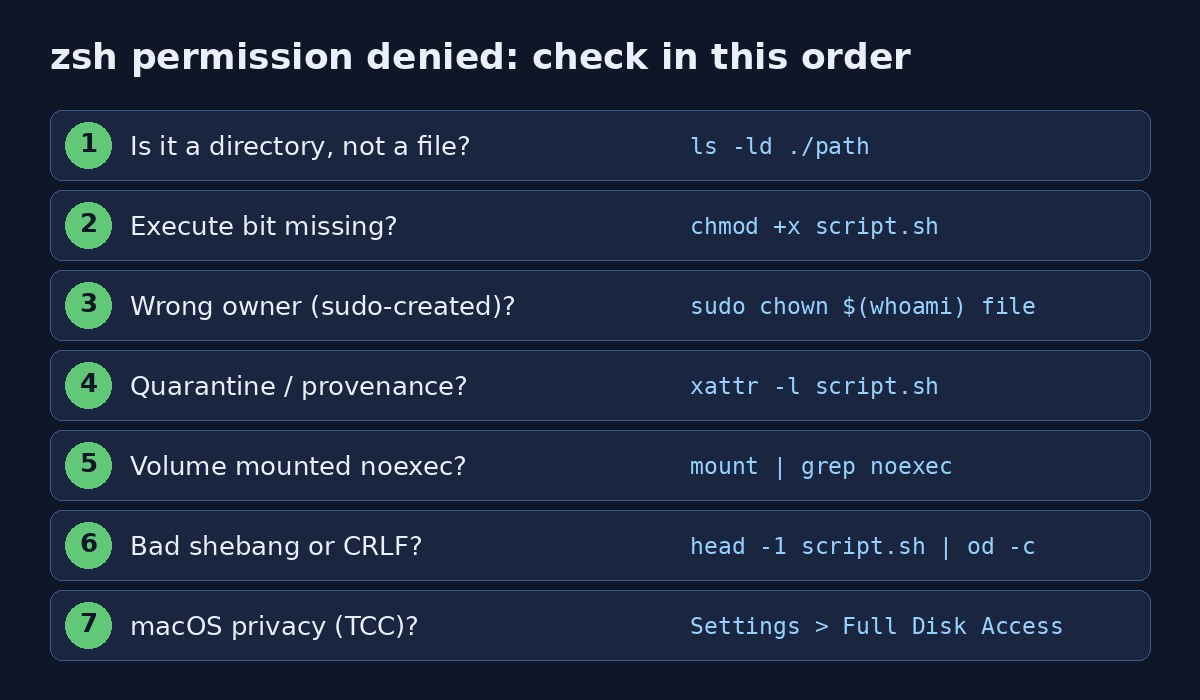
Step-by-Step Solution
Step 1: Check what the path actually is
ls -ld ./deploy.sh
file ./deploy.sh
Output like -rw-r--r-- 1 you staff 812 ... deploy.sh shows a regular file with no x bits. A leading d means it is a directory, so you meant cd, not to run it.
Step 2: Make the script executable with chmod (chmod executable mac)
This is the fix for the majority of cases.
chmod +x deploy.sh      # add execute for owner, group and others (respecting umask)
chmod u+x deploy.sh     # only for your user
chmod 755 deploy.sh     # rwxr-xr-x, the usual mode for scripts
./deploy.sh
Avoid chmod 777. It makes the file writable by every user and fixes nothing that 755 doesn't.
Step 3: Fix ownership after sudo
ls -l deploy.sh                 # owner shows as root?
sudo chown "$(whoami)":staff deploy.sh
# whole project directory, e.g. after sudo npm install
sudo chown -R "$(whoami)":staff ~/projects/my-app
Step 4: Remove the quarantine attribute
xattr -l ./tool
xattr -d com.apple.quarantine ./tool
# or clear all extended attributes recursively in a folder you trust
xattr -cr ./downloaded-cli
Only do this for files from a source you trust; quarantine exists to stop unsigned downloads from running silently.
Step 5: Check for a noexec mount
mount | grep -i noexec
df -h .    # which volume is this directory on?
If the volume is noexec, either move the script to your home directory or run it through its interpreter: bash ./deploy.sh or sh ./deploy.sh. Running via the interpreter only needs read permission, not execute.
Step 6: Fix the shebang and line endings
head -1 deploy.sh | od -c | head -2   # look for \r before \n
sed -i '' 's/\r$//' deploy.sh          # strip CRLF (BSD sed on macOS)
# a portable shebang:
#!/usr/bin/env bash
Step 7: Grant Terminal access in macOS privacy settings
If the message is Operation not permitted in Desktop, Documents or Downloads, open System Settings, then Privacy & Security, then Full Disk Access (or Files and Folders), and enable your terminal app (Terminal, iTerm2 or VS Code). Restart the terminal afterwards.
Step 8: Fix a permission denied error on .zshrc
ls -l ~/.zshrc ~/.zprofile ~/.zsh_history
sudo chown "$(whoami)":staff ~/.zshrc ~/.zprofile ~/.zsh_history
chmod 644 ~/.zshrc ~/.zprofile
chmod 600 ~/.zsh_history
# compinit "insecure directories" warnings
compaudit | xargs chmod g-w,o-w
Code and Commands Examples for Real Projects
Commit the executable bit to Git
So teammates and CI don't hit the same error after cloning:
git update-index --chmod=+x scripts/deploy.sh
git commit -m "Make deploy script executable"
git ls-files -s scripts/deploy.sh   # mode should read 100755
Also check git config core.fileMode. If it is false, Git ignores local mode changes and you must use update-index.
Husky and npm script hooks in React/Next.js projects
chmod +x .husky/pre-commit .husky/commit-msg
chmod +x node_modules/.bin/*   # if a local CLI binary lost its x bit
Laravel and artisan helpers
chmod +x artisan vendor/bin/sail
./vendor/bin/sail up -d
Docker entrypoint scripts
A script that is fine on your Mac can still fail inside a container with exec ./entrypoint.sh: permission denied. Set the mode in the image instead of relying on the host:
COPY --chmod=755 docker/entrypoint.sh /usr/local/bin/entrypoint.sh
ENTRYPOINT ["/usr/local/bin/entrypoint.sh"]
If the container then keeps exiting, see how to fix a Docker container that keeps restarting.
Verification
ls -l deploy.sh        # expect -rwxr-xr-x
test -x deploy.sh && echo "executable"
xattr -l deploy.sh     # no com.apple.quarantine
./deploy.sh; echo "exit code: $?"
An exit code of 0 with your script's normal output confirms the fix. Open a new Terminal tab as well to make sure .zshrc loads without errors.
Prevention
- Commit scripts with mode
100755and verify withgit ls-files -s. - Don't use
sudofornpm,composerorbrew; fix ownership once instead. - Add a
.gitattributesrule like*.sh text eol=lfso Windows contributors can't introduce CRLF. - Use
COPY --chmodin Dockerfiles for entrypoints. - Keep project folders out of iCloud-synced Desktop/Documents, or give your terminal Full Disk Access.
- In README files, document
bash scripts/setup.shas a fallback that doesn't depend on the execute bit.
Permission errors over SSH are a different problem with different causes; if you see Permission denied (publickey), follow the SSH permission denied publickey guide. And if writes fail with disk errors instead, check Docker no space left on device.
FAQs
Why do I get zsh permission denied on Mac even with sudo?
sudo doesn't add an execute bit. If the file isn't executable, is on a noexec volume or is blocked by macOS privacy protection, sudo ./script.sh fails too. Fix the mode with chmod +x instead of reaching for sudo.
What is the difference between chmod +x and chmod 755?
chmod +x adds execute permission to the existing mode (filtered by your umask). chmod 755 sets the full mode to rwxr-xr-x regardless of what it was before.
How do I fix shell script permission denied without chmod?
Run it through the interpreter: bash script.sh, sh script.sh or zsh script.sh. This only needs read permission.
Why does a script work in bash but not in zsh?
Usually it doesn't: bash script.sh skips the execute check, while ./script.sh requires it. Both shells report the same kernel error for a non-executable file.
Why does chmod return Operation not permitted on macOS?
The file belongs to another user, has an immutable flag (check ls -lO and clear it with chflags nouchg), or sits in a location protected by System Integrity Protection or privacy controls.
Is chmod 777 safe for fixing zsh permission denied?
No. It gives every user write access to the file. Use 755 for scripts and 644 for config files.
Comments
Join the discussion. Replies load on demand, up to 5 levels.
0 threads
No comments yet
Be the first to start the conversation.