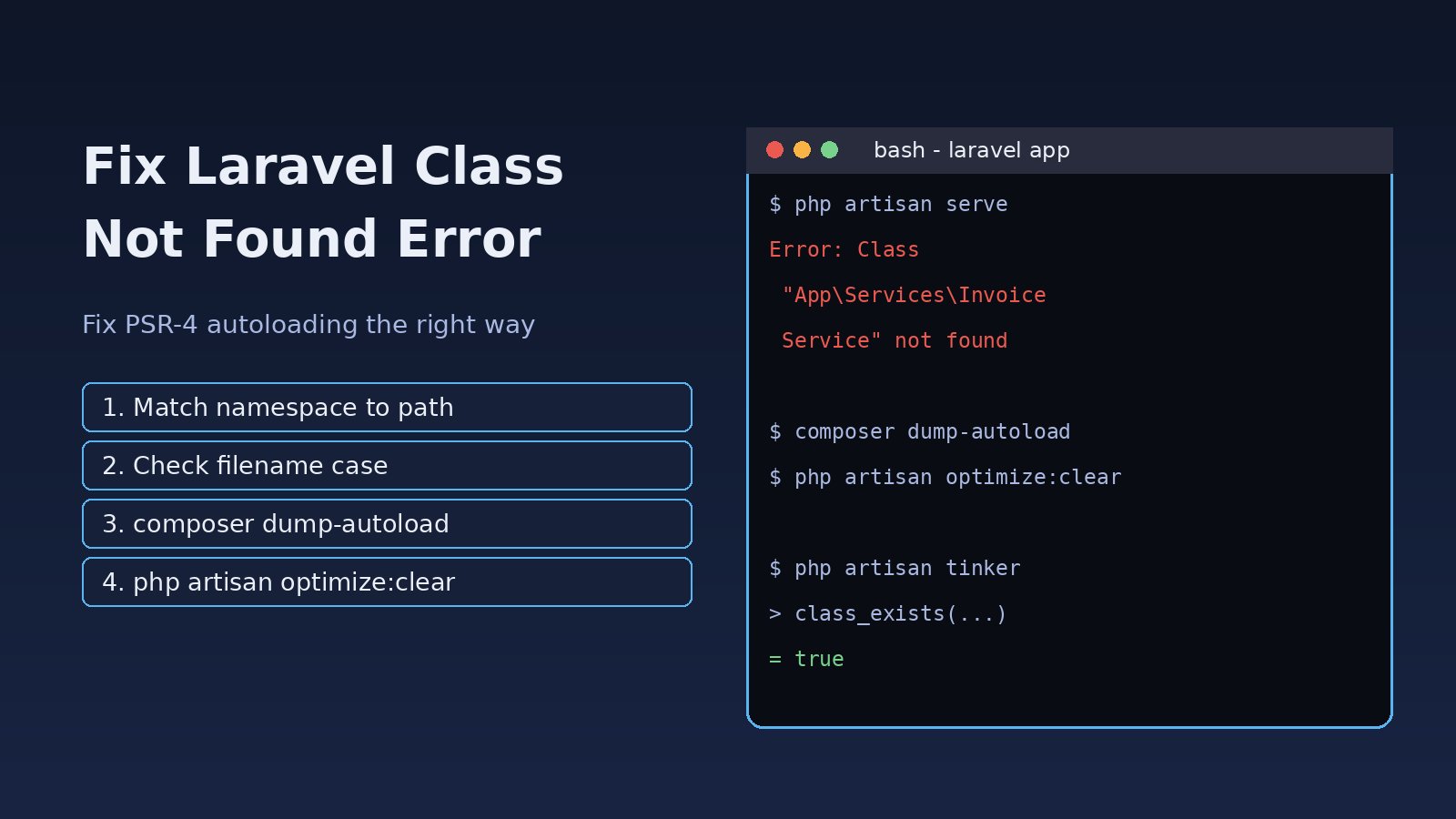
You deploy a change, open the page and Laravel throws Error: Class "App\Services\InvoiceService" not found. Locally everything worked, or it worked five minutes ago before you moved a file. A Laravel class not found error almost always means Composer's autoloader cannot map the class name you used to a real file on disk. This guide walks through the exact causes, from namespace typos and case-sensitive filenames on Linux to stale Composer and Laravel caches, and gives a step-by-step fix you can run on any server.
Problem: What the Laravel Class Not Found Error Means
Laravel does not load PHP files by itself. It relies on Composer's autoloader (vendor/autoload.php), which follows the PSR-4 rules in composer.json. For a Laravel app the default mapping looks like this:
"autoload": {
    "psr-4": {
        "App\\": "app/",
        "Database\\Factories\\": "database/factories/",
        "Database\\Seeders\\": "database/seeders/"
    }
}
So the class App\Services\InvoiceService must live in app/Services/InvoiceService.php, and that file must declare namespace App\Services; and class InvoiceService. When PHP asks the autoloader for a class and no file matches, you get the class not found error. Nothing is wrong with the class code itself; the name and the location simply do not line up, or the autoloader is working from outdated information.
Symptoms of a Laravel Autoload Error
You will usually see one of these messages in the browser, in storage/logs/laravel.log or in the terminal:
Error: Class "App\Services\InvoiceService" not found
Class "App\Http\Controllers\Admin\ReportController" does not exist
Class "Database\Seeders\RoleSeeder" does not exist
In ProviderRepository.php: Class "Barryvdh\Debugbar\ServiceProvider" not found
PHP Fatal error:  Uncaught Error: Class "Redis" not found
Typical patterns:
- It works on Windows or macOS but fails on the Ubuntu server.
- It starts right after you renamed or moved a file, or created a class manually instead of with
php artisan make:*. - It appears after
composer install --no-devin production, pointing at a package such as Debugbar or Telescope. php artisanitself crashes, so you cannot even runoptimize:clear.
If the message instead says Target class [...] does not exist, that comes from the service container resolving a controller or binding; see how to fix Laravel target class does not exist, since the fixes overlap.
Root Cause: Why Composer Cannot Find the Class
1. Namespace does not match the folder
The file is in app/Services/Billing/InvoiceService.php but declares namespace App\Services;, or the other way round. PSR-4 requires the namespace path to mirror the directory path exactly.
2. Case-sensitive filenames on Linux
Windows and the default macOS filesystem are case-insensitive, Linux is not. app/services/invoiceService.php will be found locally as App\Services\InvoiceService but fail on the server. Git on case-insensitive systems also often ignores a case-only rename, so the wrong name reaches production.
3. Class name and filename differ
The file InvoiceService.php contains class InvoicesService. PSR-4 expects exactly one class per file with a matching name.
4. Missing or wrong use statement
Inside a namespaced file, new InvoiceService() without an import resolves to the current namespace, for example App\Http\Controllers\InvoiceService, which does not exist.
5. Stale autoload or optimized classmap (Composer class error)
If production runs composer install --optimize-autoloader or composer dump-autoload -o, Composer builds a classmap of the files that existed at that moment. New classes added afterwards are missing until you regenerate it. The same applies to custom folders added to composer.json without running dump-autoload.
6. Cached Laravel config, services or packages
bootstrap/cache/config.php, services.php and packages.php can still reference a provider or class you removed, or a dev package that is no longer installed.
7. Dev dependency used in production
A package installed with --dev is skipped by composer install --no-dev. If a provider or facade from it is registered manually, the class is missing in production.
8. Missing PHP extension
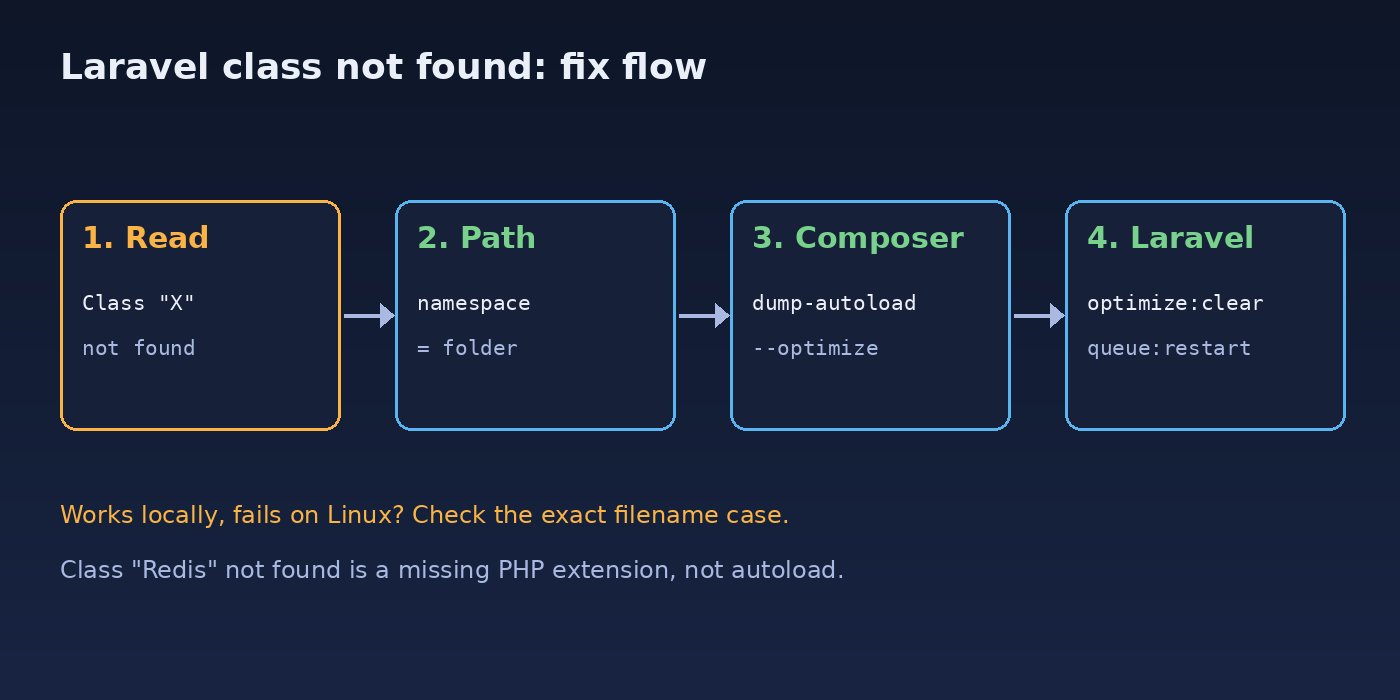
Class "Redis" not found or Class "ZipArchive" not found are not autoload problems at all. They mean the PHP extension (phpredis, zip) is not installed or not enabled for the PHP version that runs your app.
Step-by-Step Solution to Fix Laravel Class Not Found
Step 1: Read the exact class name
Copy the fully qualified name from the error and turn it into the expected path. App\Services\InvoiceService becomes app/Services/InvoiceService.php. Check that the file exists with exactly that case:
ls -la app/Services/
find app -iname "invoiceservice.php"
If find -iname shows the file but with different capitalization, that is your bug.
Step 2: Check the namespace and class declaration
head -n 15 app/Services/InvoiceService.php
grep -rn "class InvoiceService" app/
The file should start like this:
<?php

namespace App\Services;

class InvoiceService
{
    // ...
}
Step 3: Fix the case of the file or folder in Git
On macOS or Windows, a plain rename that only changes letter case may not be recorded. Use git mv in two steps so Git tracks it:
git mv app/services app/services_tmp
git mv app/services_tmp app/Services
git mv app/Services/invoiceService.php app/Services/InvoiceService.php
git commit -m "Fix PSR-4 case for InvoiceService"
Step 4: Add or correct the use statement
<?php

namespace App\Http\Controllers;

use App\Services\InvoiceService;

class InvoiceController extends Controller
{
    public function __construct(private InvoiceService $invoices) {}
}
Step 5: Regenerate the Composer autoloader
This fixes most Laravel autoload errors, especially after moving files or adding new PSR-4 folders:
composer dump-autoload
# production, optimized classmap:
composer dump-autoload --optimize --no-dev
Composer prints warnings such as Class App\Services\InvoiceService located in ./app/services/InvoiceService.php does not comply with psr-4 autoloading standard. Skipping. Read those lines carefully: they point straight at the mismatched file.
Step 6: Clear Laravel's cached files
php artisan optimize:clear
# Laravel 8 and older:
php artisan config:clear && php artisan cache:clear && php artisan route:clear && php artisan view:clear
If artisan itself fails because a cached provider is missing, delete the generated cache files manually. They are rebuilt automatically:
rm -f bootstrap/cache/config.php bootstrap/cache/services.php bootstrap/cache/packages.php bootstrap/cache/routes-*.php
composer dump-autoload
Step 7: Handle dev-only packages in production
If the missing class belongs to a dev package, do not register it unconditionally. Rely on package auto-discovery, or register it only in local environments:
// app/Providers/AppServiceProvider.php
public function register(): void
{
    if ($this->app->environment('local') && class_exists(\Barryvdh\Debugbar\ServiceProvider::class)) {
        $this->app->register(\Barryvdh\Debugbar\ServiceProvider::class);
    }
}
Alternatively, move the package from require-dev to require if production really needs it.
Step 8: Install missing PHP extensions
For Class "Redis" not found on Ubuntu, install the extension for the PHP version in use and restart PHP-FPM:
php -v
sudo apt install php8.3-redis php8.3-zip
sudo systemctl restart php8.3-fpm
php -m | grep -i -E "redis|zip"
Step 9: Rebuild Docker images and restart workers
In Docker, the autoloader inside the image is what counts. Make sure the Dockerfile runs composer install (or dump-autoload) after copying the application code, then rebuild. Long-running processes such as queue workers and Octane keep old code in memory, so restart them after a deploy:
docker compose build app && docker compose up -d
php artisan queue:restart
php artisan octane:reload   # if you use Octane
If a restart also surfaces Allowed memory size exhausted while Composer runs, that is a separate Composer memory limit problem rather than an autoload issue.
Verification
Confirm that PHP can now load the class through the same autoloader Laravel uses:
php -r "require 'vendor/autoload.php'; var_dump(class_exists('App\\Services\\InvoiceService'));"
# expected: bool(true)

php artisan tinker --execute="dump(app(App\Services\InvoiceService::class));"
composer dump-autoload 2>&1 | grep -i "does not comply" || echo "PSR-4 OK"
Then reload the page or rerun the command that failed and check storage/logs/laravel.log for new errors. Test on the server (or in the container) where the error appeared, not just locally.
Prevention
- Create classes with
php artisan make:controller,make:model,make:joband similar commands so the namespace and path are always correct. - Run
composer dump-autoload --optimize --strict-psrin CI. With--strict-psr(Composer 2.4+) PSR-4 violations fail the build instead of only printing a warning. - Run tests in a Linux container in CI so case-sensitivity bugs fail before deploy.
- Keep the deploy order consistent:
composer install --no-dev --optimize-autoloader, thenphp artisan optimize, then restart queue workers. A clear Laravel project structure also makes misplaced classes easier to spot. - Never commit
bootstrap/cache/*.phporvendor/; build them on each environment. - Track required PHP extensions in
composer.json(for example"ext-redis": "*") so Composer fails early when one is missing.
FAQs
Why do I get Laravel class not found only on the production server?
Usually because Linux filesystems are case-sensitive and your local machine is not, or because production uses an optimized classmap built before the class existed. Check the exact file case and run composer dump-autoload -o on the server.
Does composer dump-autoload fix every Laravel autoload error?
It fixes stale autoload data, but not a wrong namespace, wrong filename or missing use statement. If Composer reports that a file does not comply with PSR-4, fix the file first and then run it again.
How do I fix a Composer class error for a package?
Run composer install so vendor/ matches composer.lock, check whether the package is in require-dev while production uses --no-dev, and clear bootstrap/cache/packages.php and services.php.
Why does php artisan crash with class not found?
A cached provider list or config file references a class that no longer exists. Delete the files in bootstrap/cache/ (except .gitignore), run composer dump-autoload, and artisan will start again.
What is the difference between class not found and target class does not exist?
Class not found is a PHP error raised when the autoloader cannot find a file. Target class does not exist is raised by Laravel's container when it tries to resolve a class, often a controller string in routes. Both are usually namespace or autoload problems.
Is Class "Redis" not found an autoload problem?
No. The Redis class comes from the phpredis extension. Install the extension for your PHP version and restart PHP-FPM, or set REDIS_CLIENT=predis and install the predis/predis package.



Comments
Join the discussion. Replies load on demand, up to 5 levels.
0 threads
No comments yet
Be the first to start the conversation.