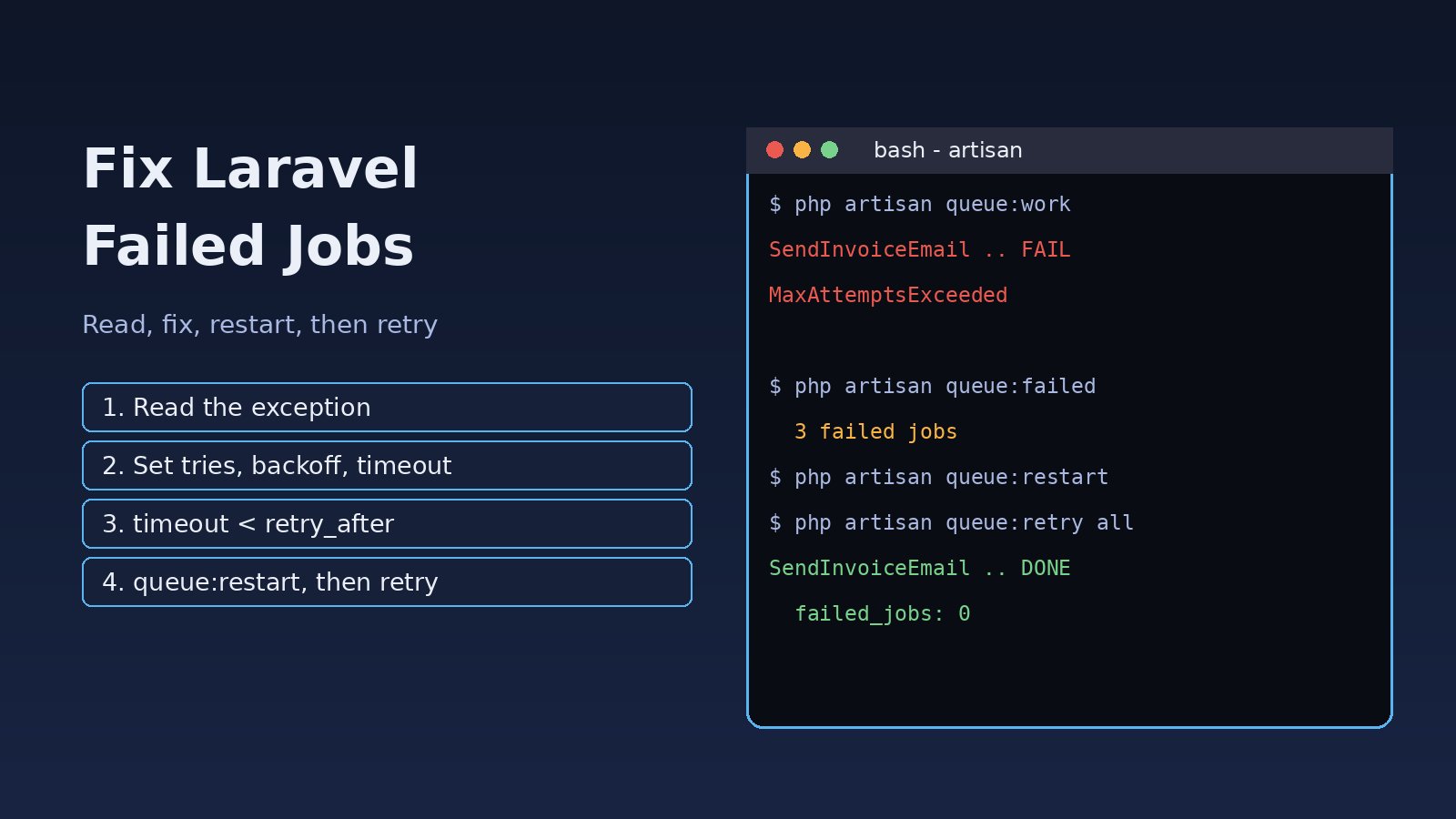
Your queue worker is running, jobs are being dispatched, but orders are not processed, emails are not sent and the failed_jobs table keeps growing. Laravel failed jobs are jobs that threw an exception, ran out of attempts or timed out, and Laravel moved them aside so the worker could continue. This guide shows how to read why a job failed, how to fix the common causes, and how to retry failed jobs safely in Laravel 10, 11 and 12.
Problem: What Laravel Failed Jobs Are
A queued job runs inside a worker started with php artisan queue:work. If the job throws an exception, Laravel releases it back to the queue and tries again until it reaches its allowed number of attempts. When the last attempt fails, Laravel calls the job's failed() method (if it has one), writes the job payload and the exception to the failed_jobs table and stops retrying it.
So a failed job is not lost. It is parked with its full exception, waiting for you to fix the cause and retry it. The problem is that many teams never look at that table until a customer complains.
Symptoms of Failed Laravel Queue Jobs
These are the messages you usually see in the worker output, storage/logs/laravel.log or the exception column:
  2026-11-15 13:02:11 App\Jobs\SendInvoiceEmail ........ 3s FAIL

Illuminate\Queue\MaxAttemptsExceededException:
App\Jobs\SendInvoiceEmail has been attempted too many times.

Illuminate\Queue\TimeoutExceededException:
App\Jobs\GenerateReport has timed out.

Illuminate\Database\Eloquent\ModelNotFoundException:
No query results for model [App\Models\Order].
Other signs:
php artisan queue:failedshows a long list of the same job class.- Jobs run twice, or a job fails with "attempted too many times" even though it only ran once in your logs.
- A job works when you run it in Tinker but fails in the worker.
- Jobs failed after a deploy, and old workers are still running old code.
Root Cause: Why Laravel Jobs Fail
1. A normal exception inside handle()
Most failed jobs are plain bugs or bad data: a null value, an API that returns 500, a validation rule the data no longer passes. The Laravel job exception is saved in the exception column with its stack trace, so the fix starts there.
2. Timeout and retry_after in the wrong order
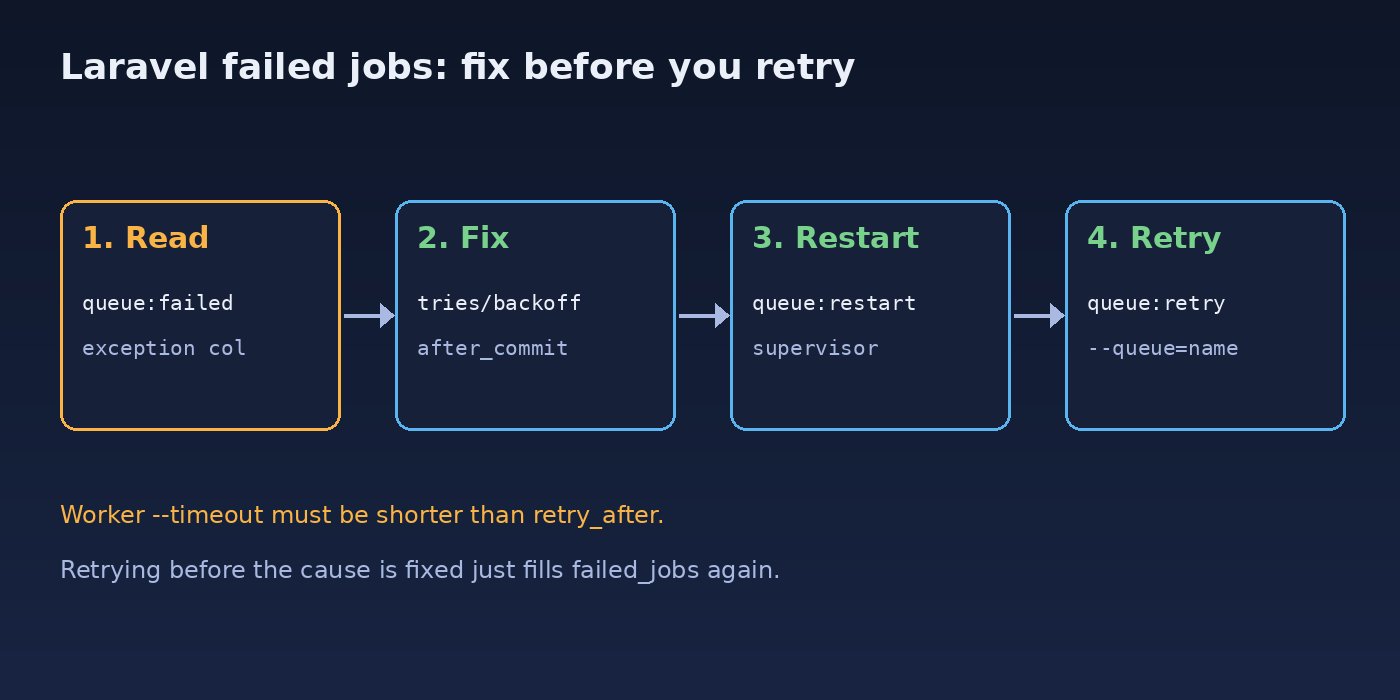
Each queue connection in config/queue.php has a retry_after value (90 seconds by default). If a job is still running after that time, the queue hands it to another worker. If your worker --timeout is longer than retry_after, the same job can run twice and then fail with MaxAttemptsExceededException. The worker timeout should always be a few seconds shorter than retry_after.
3. Too few attempts or no backoff
If neither the job nor the worker sets tries, a job that fails once on a short network error is marked failed right away. If it retries with no delay, all attempts can hit the same outage within a second.
4. Missing models with SerializesModels
Jobs that use SerializesModels store only the model ID. When the job runs, Laravel loads the model again. If the record was deleted, or the job was dispatched inside a database transaction that had not committed yet, you get ModelNotFoundException.
5. Old code in long-running workers
queue:work boots the app once and keeps it in memory. After a deploy, workers keep running the old classes until they restart, so new jobs can fail with missing methods or changed constructor arguments.
6. Connection problems
If Redis or the database is not reachable, jobs fail or the worker crashes. For Redis-specific errors, see how to fix Redis connection refused.
Step-by-Step Solution to Fix Laravel Failed Jobs
Step 1: Make sure failed jobs are stored
New Laravel 11 and 12 apps include the failed_jobs table in the default migrations. Older apps may need it:
# Laravel 11 and 12
php artisan make:queue-failed-table

# Laravel 10 and older
php artisan queue:failed-table

php artisan migrate
Check that config/queue.php points to it:
'failed' => [
    'driver' => env('QUEUE_FAILED_DRIVER', 'database-uuids'),
    'database' => env('DB_CONNECTION', 'mysql'),
    'table' => 'failed_jobs',
],
Step 2: Read the exception for each failed job
php artisan queue:failed

# Read the newest exceptions directly (MySQL and PostgreSQL)
SELECT uuid, queue, failed_at, LEFT(exception, 300) AS error
FROM failed_jobs
ORDER BY failed_at DESC
LIMIT 10;
Group the failures by job class and by the first line of the exception. Ten thousand failed jobs usually come from one or two real causes.
Step 3: Set tries, backoff and timeout on the job
Give each job clear retry rules instead of relying on worker defaults:
<?php

namespace App\Jobs;

use App\Models\Order;
use Illuminate\Contracts\Queue\ShouldQueue;
use Illuminate\Foundation\Queue\Queueable;
use Illuminate\Support\Facades\Log;
use Throwable;

class SendInvoiceEmail implements ShouldQueue
{
    use Queueable;

    public $tries = 5;            // total attempts
    public $maxExceptions = 3;    // stop early after 3 real exceptions
    public $timeout = 60;         // seconds per attempt
    public $backoff = [10, 30, 60, 120];
    public $deleteWhenMissingModels = true;

    public function __construct(public Order $order) {}

    public function handle(): void
    {
        // send the invoice
    }

    public function failed(?Throwable $exception): void
    {
        Log::error('Invoice email failed', [
            'order_id' => $this->order->id,
            'error' => $exception?->getMessage(),
        ]);
    }
}
In Laravel 10 and older, use the Dispatchable, InteractsWithQueue, Queueable, SerializesModels traits instead of the single Queueable trait. The properties work the same way.
Step 4: Fix timeout and retry_after
// config/queue.php
'redis' => [
    'driver' => 'redis',
    'connection' => env('REDIS_QUEUE_CONNECTION', 'default'),
    'queue' => env('REDIS_QUEUE', 'default'),
    'retry_after' => 120,
    'block_for' => null,
    'after_commit' => true,
],

# Worker timeout must be shorter than retry_after
php artisan queue:work redis --queue=high,default --tries=3 --timeout=100 --memory=512
Setting after_commit to true makes Laravel wait until the open database transaction commits before it pushes the job. That removes most ModelNotFoundException errors on new records. You can also do it per dispatch with SendInvoiceEmail::dispatch($order)->afterCommit();.
Step 5: Decide when a job should fail on purpose
Not every error should be retried. A missing customer email will not fix itself after 60 seconds. Fail fast for permanent errors and release for temporary ones:
public function handle(PaymentGateway $gateway): void
{
    if (! $this->order->customer?->email) {
        $this->fail('Order has no customer email.');
        return;
    }

    try {
        $gateway->capture($this->order);
    } catch (GatewayUnavailableException $e) {
        $this->release(60); // try again in 60 seconds
    }
}
Step 6: Restart workers after every deploy
php artisan queue:restart

# Supervisor example: /etc/supervisor/conf.d/laravel-worker.conf
[program:laravel-worker]
command=php /var/www/app/artisan queue:work redis --tries=3 --timeout=100
autostart=true
autorestart=true
numprocs=2
user=www-data
stopwaitsecs=130
redirect_stderr=true
stdout_logfile=/var/www/app/storage/logs/worker.log
stopwaitsecs should be longer than your longest job, so Supervisor does not kill a job in the middle. For the full Redis worker setup, read our Laravel queue Redis setup and troubleshooting guide.
Code and Commands: How to Retry Failed Jobs
Only retry after the cause is fixed and workers are restarted, or the jobs will simply fail again.
# Retry one job by its UUID
php artisan queue:retry 9f2c1d7e-5b1a-4c3e-8d2f-6a7b8c9d0e1f

# Retry several jobs
php artisan queue:retry 9f2c1d7e-... 3a4b5c6d-...

# Retry all failed jobs from one queue
php artisan queue:retry --queue=emails

# Retry everything
php artisan queue:retry all

# Delete one failed job, or all of them
php artisan queue:forget 9f2c1d7e-5b1a-4c3e-8d2f-6a7b8c9d0e1f
php artisan queue:flush

# Remove failed jobs older than 48 hours
php artisan queue:prune-failed --hours=48
When queue retry failed again
If a retried job lands back in failed_jobs, the cause is still there. Compare the new exception with the old one. A common case is a job that is retried with an old payload, for example a constructor argument that was renamed in the latest release. In that case, dispatch a fresh job with the right data instead of retrying the old one.
Jobs that hit external APIs
For jobs that call a rate-limited API, use job middleware so the job waits instead of burning attempts:
use Illuminate\Queue\Middleware\ThrottlesExceptions;
use Illuminate\Queue\Middleware\WithoutOverlapping;

public function middleware(): array
{
    return [
        new WithoutOverlapping($this->order->id),
        (new ThrottlesExceptions(5, 5 * 60))->backoff(1),
    ];
}

public function retryUntil(): \DateTime
{
    return now()->addHour();
}
When a job uses retryUntil(), the time limit decides when it fails, not the number of tries. This works well with throttling, because each release counts as an attempt.
Verification
- Run one job in the foreground and watch the result:
php artisan queue:work --once -v. - Check that
php artisan queue:failedstops growing after the fix. - Confirm workers restarted:
sudo supervisorctl statusshould show a new uptime after deploy. - In Horizon, check the Failed Jobs page and the wait time per queue.
- Add a feature test that the job is pushed with the right data:
use App\Jobs\SendInvoiceEmail;
use Illuminate\Support\Facades\Queue;

public function test_invoice_job_is_dispatched(): void
{
    Queue::fake();

    $order = Order::factory()->create();
    $this->post(route('orders.complete', $order))->assertOk();

    Queue::assertPushed(SendInvoiceEmail::class, fn ($job) => $job->order->is($order));
}
Prevention
- Set
$tries,$backoffand$timeouton every job that talks to the network. - Keep worker
--timeoutshorter thanretry_after, and Supervisorstopwaitsecslonger than both. - Use
after_commitso jobs never run before their data exists. - Make jobs idempotent, so a retry does not charge a customer twice. Our guide on preventing duplicate transactions shows the pattern.
- Run
php artisan queue:restartin every deploy script. - Alert on the size of
failed_jobs, or use thefailed()method to notify your team. - Schedule
queue:prune-failedso the table does not grow forever.
FAQs
Where does Laravel store failed jobs?
By default in the failed_jobs database table, configured under the failed key in config/queue.php. Each row stores the connection, queue, payload, exception and failure time.
How do I retry Laravel failed jobs?
Use php artisan queue:retry with a job UUID, --queue=name, or all. Fix the cause and restart workers first.
Why does queue retry failed jobs land back in failed_jobs?
The bug, bad data or outage that caused the first failure is still there, or the stored payload no longer matches your current job class. Read the new exception before retrying again.
What causes "has been attempted too many times"?
The job used all its attempts, often because the worker timeout is longer than retry_after, so the job is picked up again while it is still running. It can also happen when a worker is killed in the middle of a job.
How do I see the full Laravel job exception?
Read the exception column of the failed_jobs table, check storage/logs/laravel.log, or open the job in Horizon's Failed Jobs page.
Should I delete failed jobs?
Only after you have fixed the cause and retried what matters. Use queue:forget for single jobs and queue:prune-failed for old ones.



Comments
Join the discussion. Replies load on demand, up to 5 levels.
0 threads
No comments yet
Be the first to start the conversation.