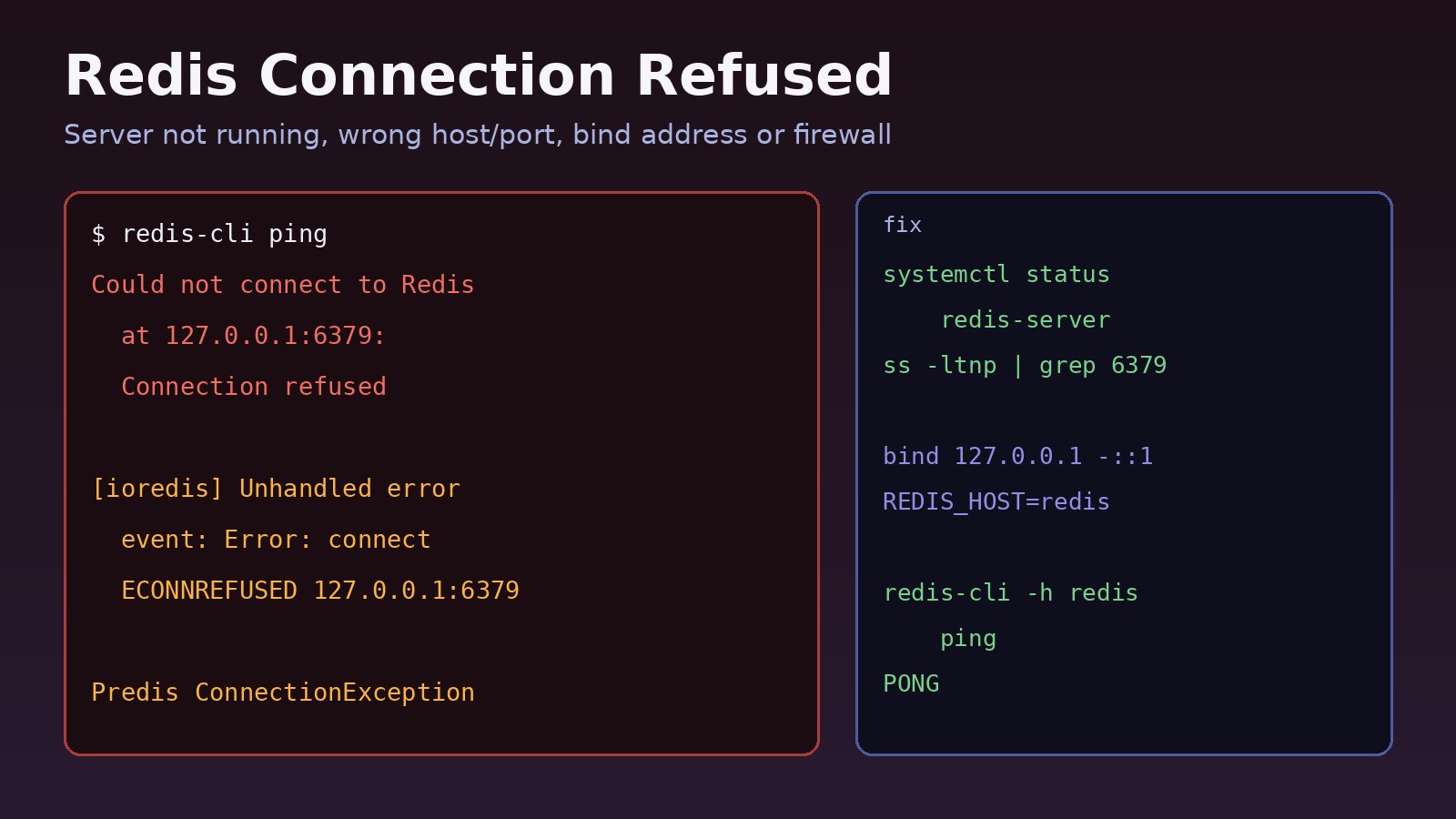
Your Laravel app throws Connection refused [tcp://127.0.0.1:6379], your Node.js service logs Error: connect ECONNREFUSED 127.0.0.1:6379, or redis-cli ping answers with Could not connect to Redis at 127.0.0.1:6379: Connection refused. A redis connection refused error means the client reached the target machine, but nothing accepted the connection on that IP and port. Either Redis isn't running, it's listening on a different address or port, or your app is pointing at the wrong host. This guide shows how to find which one it is and fix it on Linux servers, Docker Compose setups, and local machines.
Problem: Redis Connection Refused
Redis is a TCP server that listens on port 6379 by default. Clients such as phpredis, Predis, ioredis, node-redis and redis-cli open a TCP connection to host:port. When the operating system on that host has no process listening there, it answers the connection attempt with a reset, and the client reports "connection refused".
That detail matters. "Connection refused" is different from a timeout. A refusal comes back almost instantly and usually means no listener on that address. A timeout (ETIMEDOUT, Connection timed out) usually means a firewall or cloud security group is silently dropping packets. Knowing which one you have cuts the search in half.
Because Redis often backs sessions, cache, queues and rate limiting, a refused connection can take down logins, slow every page that relies on cache, and stop queue workers from picking up jobs.
Symptoms of a Redis Connection Issue
The message depends on the client, but they all point to the same thing:
# redis-cli
Could not connect to Redis at 127.0.0.1:6379: Connection refused

# Laravel with Predis
Predis\Connection\ConnectionException: Connection refused [tcp://127.0.0.1:6379]

# Laravel with phpredis
RedisException: Connection refused

# Node.js with ioredis
[ioredis] Unhandled error event: Error: connect ECONNREFUSED 127.0.0.1:6379

# Node.js with node-redis
Error: connect ECONNREFUSED 127.0.0.1:6379

# Python redis-py
redis.exceptions.ConnectionError: Error 111 connecting to localhost:6379. Connection refused.
Other signs you'll see at the same time:
- Laravel queue workers stop processing and
php artisan queue:workexits with the same exception. - Users get logged out or see 500 errors if
SESSION_DRIVER=redisorCACHE_STORE=redis. - The error started after a server reboot, a Redis upgrade, an edit to
redis.conf, or moving the app into Docker. - It works from the Redis host itself but fails from the app server, or the other way around.
Root Cause: Why Redis Refuses the Connection
Redis server not running
The most common cause. The service isn't enabled at boot, it crashed, or it refuses to start because of a bad config line, a permission problem on its data or log directory, or not enough memory. If Redis isn't running, every client gets refused.
Redis listening on a different address or port
The bind directive in redis.conf controls which interfaces Redis listens on. The default on most packages is bind 127.0.0.1 -::1, which only accepts local connections. If your app runs on another server and connects to the Redis server's private IP, it will be refused. A changed port, or a setup that only uses a Unix socket (port 0 with unixsocket), has the same effect.
The client points to the wrong host
Wrong values in REDIS_HOST, REDIS_PORT or REDIS_URL, a stale Laravel config cache, or using localhost inside a Docker container. Inside a container, 127.0.0.1 is the container itself, not the host and not the Redis container.
A firewall rejecting the port
Most firewalls drop packets (giving a timeout), but a REJECT rule in iptables or nftables returns a refusal. If Redis is listening and still refused from outside, check the firewall on the Redis host.
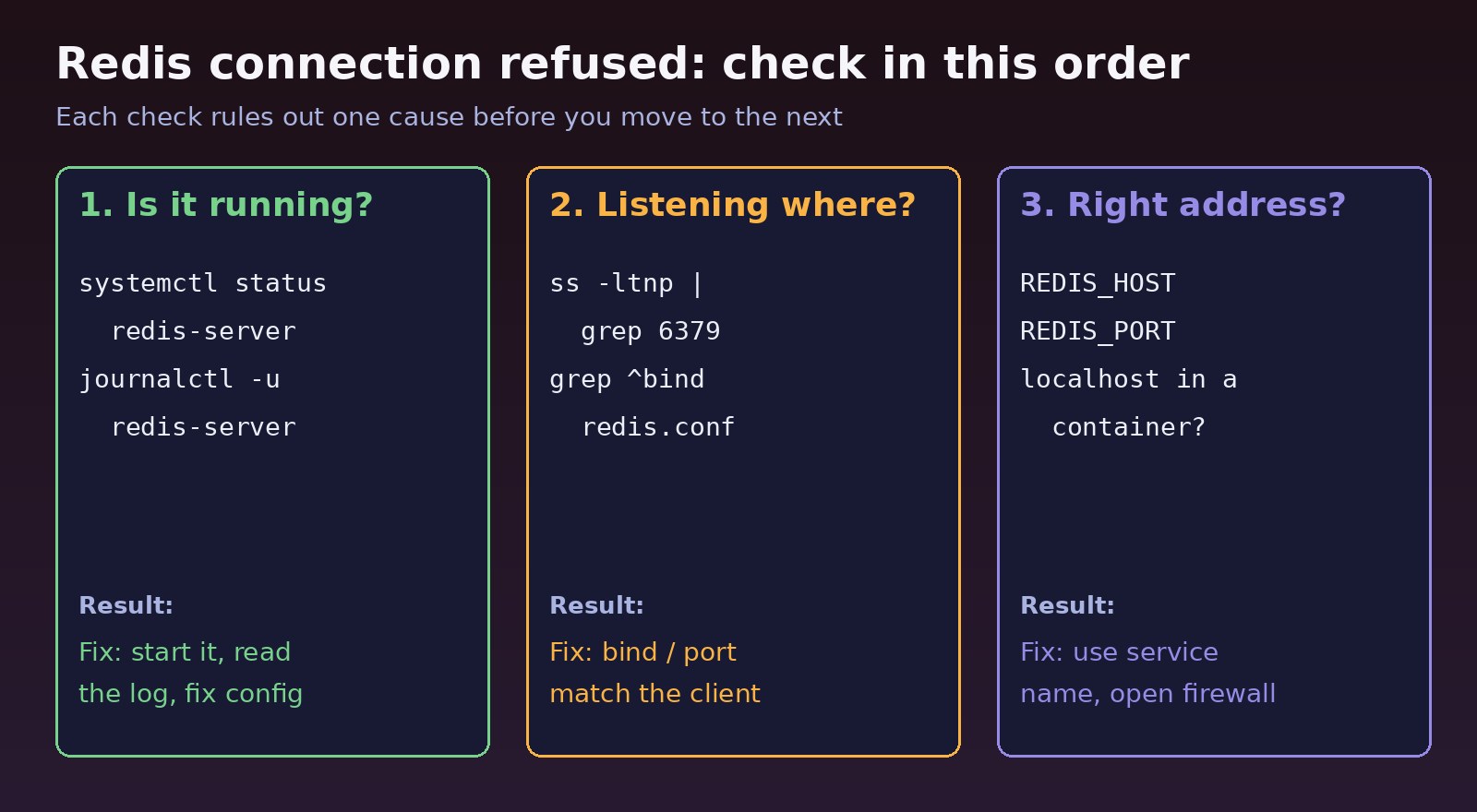
Step-by-Step Solution
Step 1: Check whether the Redis server is running
On Ubuntu and Debian the service is called redis-server; on RHEL, Rocky, AlmaLinux and Fedora it is usually redis.
sudo systemctl status redis-server     # Debian/Ubuntu
sudo systemctl status redis            # RHEL family
# look for: Active: active (running)

pgrep -a redis-server                  # is the process there at all?
redis-cli ping                         # PONG means it's reachable locally
If it's stopped, start it and enable it at boot:
sudo systemctl start redis-server
sudo systemctl enable redis-server

# macOS with Homebrew
brew services start redis

# WSL without systemd
sudo service redis-server start
Step 2: If Redis won't start, read the log
A failed start always leaves a reason in the journal or the Redis log file:
sudo journalctl -u redis-server --no-pager -n 50
sudo tail -n 50 /var/log/redis/redis-server.log

# run in the foreground with the same config to see the error directly
sudo -u redis redis-server /etc/redis/redis.conf
Typical causes are a typo in redis.conf (Redis prints *** FATAL CONFIG FILE ERROR *** with the line number), wrong ownership of /var/lib/redis or /var/log/redis, or a port already used by another process. Fix the reported line, then run sudo systemctl restart redis-server.
Step 3: Check which address and port Redis listens on
sudo ss -ltnp | grep redis
# LISTEN 0 511 127.0.0.1:6379 0.0.0.0:* users:(("redis-server",pid=812,fd=6))

grep -E '^(bind|port|protected-mode|unixsocket)' /etc/redis/redis.conf

redis-cli CONFIG GET bind
redis-cli CONFIG GET port
If Redis only listens on 127.0.0.1 and your app is on another machine, add the server's private IP to bind and protect it with a password:
# /etc/redis/redis.conf
bind 127.0.0.1 -::1 10.0.0.5
port 6379
protected-mode yes
requirepass use-a-long-random-password

sudo systemctl restart redis-server
sudo ss -ltnp | grep 6379   # now shows 10.0.0.5:6379 too
Never bind Redis to 0.0.0.0 on a public IP without a password and a firewall. An open Redis instance on the internet is a well-known attack target. If you see DENIED Redis is running in protected mode instead of a refusal, Redis is reachable but rejecting unauthenticated remote clients; set a password and keep protected mode on.
Step 4: Fix the Redis host in Docker Compose
In Docker Compose, containers reach each other by service name on the project network. Your app must connect to redis, not localhost:
services:
  app:
    build: .
    environment:
      REDIS_HOST: redis
      REDIS_PORT: 6379
    depends_on:
      redis:
        condition: service_healthy
  redis:
    image: redis:7-alpine
    healthcheck:
      test: ["CMD", "redis-cli", "ping"]
      interval: 5s
      timeout: 3s
      retries: 5
Then confirm from inside the app container:
docker compose ps
docker compose logs redis --tail 50
docker compose exec app sh -c 'nc -zv redis 6379'
docker compose exec redis redis-cli ping
The depends_on health condition stops the app from starting before Redis accepts connections, which avoids refusals right after docker compose up. If the Redis container itself keeps exiting, see why Docker containers keep restarting. If your app runs in Docker but Redis runs on the host, use host.docker.internal (add extra_hosts: ["host.docker.internal:host-gateway"] on Linux) and make sure Redis binds to an address the container can reach.
Step 5: Fix the Laravel Redis configuration
# .env
REDIS_CLIENT=phpredis
REDIS_HOST=127.0.0.1
REDIS_PASSWORD=null
REDIS_PORT=6379

# clear cached config so the new values are used
php artisan config:clear
php artisan cache:clear

# test from Laravel
php artisan tinker
>>> Illuminate\Support\Facades\Redis::connection()->ping();
If you changed .env but still see the old host in the error, a cached config (php artisan config:cache in your deploy) is still loaded. Restart queue workers after the fix with php artisan queue:restart, because long-running workers keep the old config in memory. For queue-specific problems after Redis is back, see Laravel Queue Redis setup and troubleshooting.
Step 6: Fix the Node.js client configuration
// ioredis
const Redis = require('ioredis');
const redis = new Redis({
  host: process.env.REDIS_HOST || '127.0.0.1',
  port: Number(process.env.REDIS_PORT) || 6379,
  password: process.env.REDIS_PASSWORD || undefined,
});
redis.on('error', (err) => console.error('Redis error:', err.message));

// node-redis v4+
const { createClient } = require('redis');
const client = createClient({ url: process.env.REDIS_URL || 'redis://127.0.0.1:6379' });
client.on('error', (err) => console.error('Redis error:', err.message));
await client.connect();
Always attach an error listener. Without it, ioredis prints Unhandled error event and node-redis can crash the process on the first refusal. Managed Redis services often require TLS on a different port; use rediss:// in the URL when the provider requires it.
Step 7: Check the firewall on the Redis host
sudo ufw status
sudo ufw allow from 10.0.0.10 to any port 6379 proto tcp   # app server only

sudo iptables -L INPUT -n --line-numbers | grep 6379
sudo firewall-cmd --list-all                               # RHEL family
Verification
Test from the same place your app runs, not just from the Redis host:
redis-cli -h 10.0.0.5 -p 6379 -a "$REDIS_PASSWORD" ping    # PONG
redis-cli -h 10.0.0.5 INFO server | grep -E 'redis_version|uptime'
nc -zv 10.0.0.5 6379                                       # succeeded

systemctl is-enabled redis-server                          # enabled
php artisan tinker --execute="dump(Illuminate\Support\Facades\Redis::connection()->ping());"
Reboot the server once if you can, and confirm Redis comes back and your app reconnects on its own.
Prevention
- Enable the service at boot with
systemctl enable redis-server, and add a healthcheck plusrestart: unless-stoppedto the Redis service in Docker Compose. - Keep Redis host, port and password in environment variables, and clear or rebuild Laravel's config cache on every deploy.
- Bind Redis only to the interfaces you need, keep
protected-mode yes, set a password and limit port 6379 to your app servers in the firewall. - Configure client retries: ioredis reconnects by default, and node-redis supports a
reconnectStrategy. Decide whether your app should fail fast or fall back when Redis is down. - Monitor Redis with a simple
redis-cli pingcheck and watch memory use, since running out of memory can get the process killed. Use Redis where it fits; see when you should and shouldn't use Redis caching.
FAQs
What does redis connection refused mean?
The client reached the host but no process accepted the connection on that IP and port. Redis is either not running, listening on another address or port, or the client is pointing at the wrong host.
How do I check if the Redis server is not running?
Run sudo systemctl status redis-server (or redis on RHEL-based systems) and redis-cli ping. If the service isn't active (running) or ping fails locally, Redis is down. Check journalctl -u redis-server for the reason.
Why does Redis work locally but refuse remote connections?
By default Redis binds to 127.0.0.1, so it only accepts local connections. Add the server's private IP to bind, set a password, and allow port 6379 only from your app servers.
Why do I get ECONNREFUSED 127.0.0.1:6379 in Docker?
Inside a container, 127.0.0.1 is the container itself. Use the Compose service name, such as REDIS_HOST=redis, and add a healthcheck so the app waits for Redis.
How do I fix a Redis connection issue in Laravel after changing .env?
Run php artisan config:clear so Laravel reads the new values, then php artisan queue:restart so workers pick them up. Test with Redis::connection()->ping() in Tinker.
Is connection refused the same as a Redis timeout?
No. A refusal comes back immediately and usually means nothing is listening. A timeout usually means a firewall or security group is dropping packets, so check network rules instead.



Comments
Join the discussion. Replies load on demand, up to 5 levels.
0 threads
No comments yet
Be the first to start the conversation.