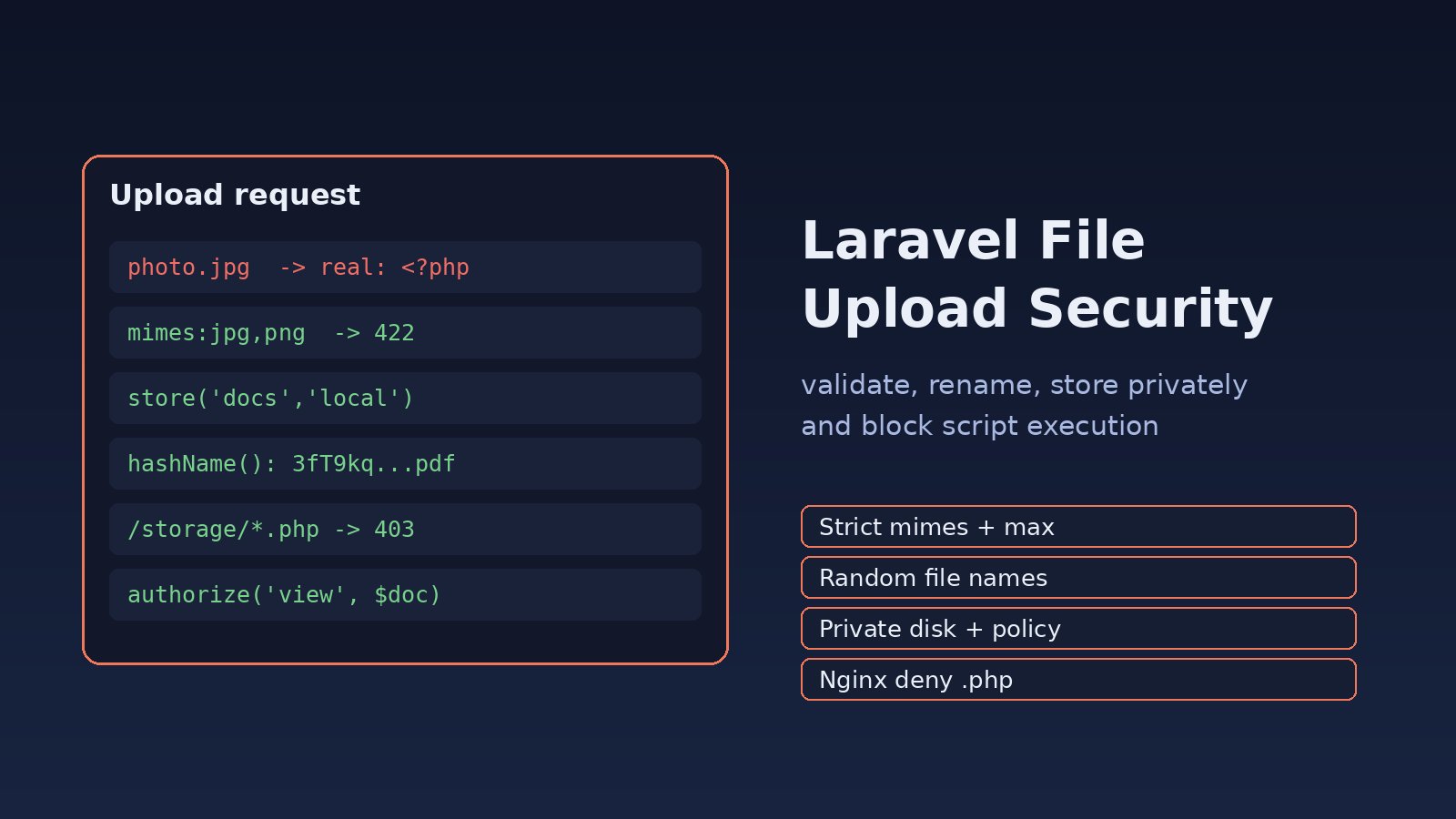
An avatar form that accepts any file, keeps the original name and saves it under public/ is one of the easiest ways to lose a Laravel server. Someone uploads shell.php renamed to photo.jpg, finds the URL, and runs code as the web user. Good laravel file upload security comes down to a few habits: strict validation, random file names, private storage, controlled downloads and a web server that never executes anything in the upload folder. This guide walks through each step with real Laravel and Nginx code.
Problem: Uploaded Files Are Trusted Too Much
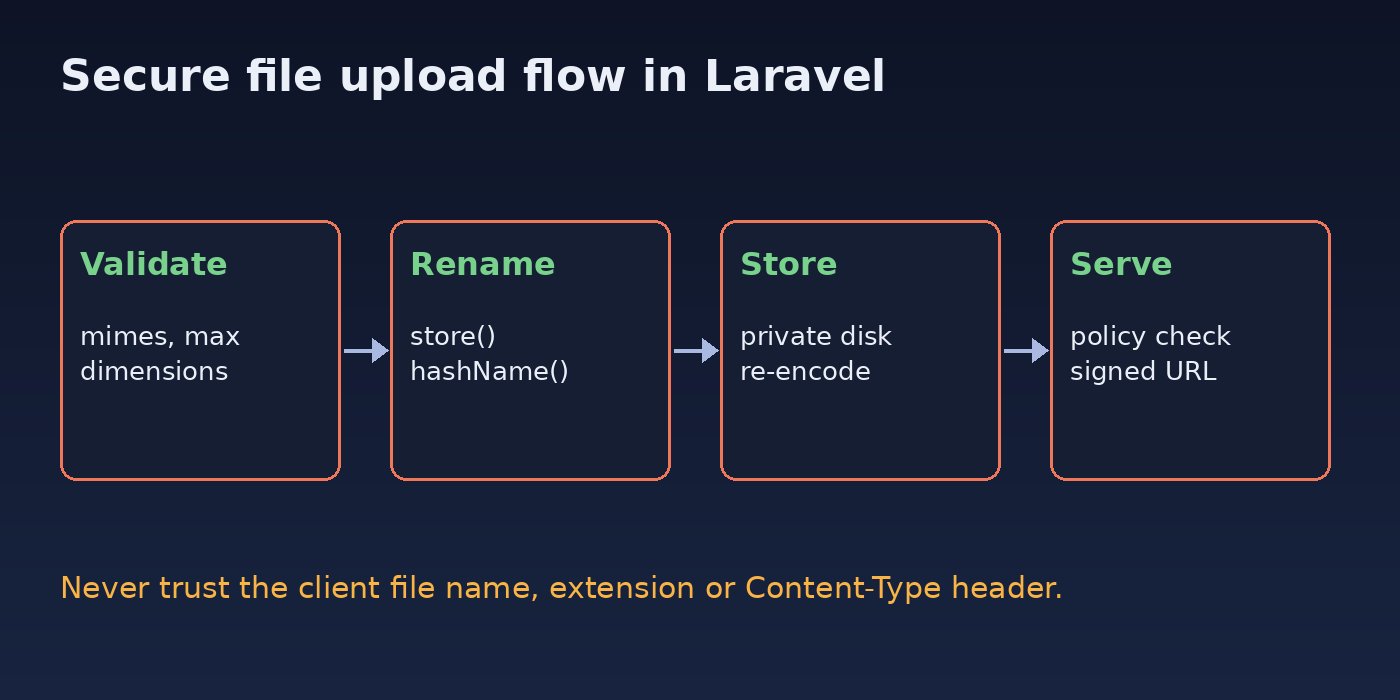
Most upload bugs come from trusting data the browser controls. The original file name, the extension and the Content-Type header are all chosen by the client. A typical vulnerable controller looks like this:
// Vulnerable: trusts the client name and stores in a public folder
public function store(Request $request)
{
    $file = $request->file('document');
    $file->move(public_path('uploads'), $file->getClientOriginalName());

    return back();
}
There is no validation, the name can contain ../ or .php, and the file lands in a folder Nginx serves directly. If PHP-FPM is configured to run any .php path under the web root, that upload is now a remote code execution bug. It is a classic case of broken access control and insecure design rather than a framework flaw.
Symptoms of Insecure File Uploads
- Files keep the user's original name, such as
invoice (1).pdfortest.php.jpg, on disk. - Uploads live under
public/uploadsand anyone with the URL can open them, including other customers' documents. - The form accepts
.svg,.htmlor.pharfiles when it only needs images or PDFs. - Large uploads fail with
413 Request Entity Too Largefrom Nginx or Laravel'sThe avatar failed to upload.message, which shows size limits were never planned. - Requesting
https://example.com/uploads/test.phpreturns PHP output or a 500 error instead of a 403 or 404.
Root Cause
Insecure uploads usually combine three mistakes. First, the app validates nothing, or only checks the extension. Second, it stores files inside the public web root with a predictable or user-supplied name. Third, the web server is willing to execute scripts or serve active content such as HTML and SVG from that folder. Fixing just one helps; fixing all three closes the hole.
Step-by-Step Solution for Laravel File Upload Security
Step 1: Validate the File Type, Size and Content
Validate every upload with a Form Request or $request->validate(). The mimes rule checks the MIME type Laravel guesses from the file contents, not only the extension, and max is measured in kilobytes.
// app/Http/Requests/StoreDocumentRequest.php
public function rules(): array
{
    return [
        'document' => ['required', 'file', 'mimes:pdf,jpg,jpeg,png', 'max:5120'], // 5 MB
    ];
}
For images, the fluent File rule reads well and supports dimension checks:
use Illuminate\Validation\Rules\File;

'avatar' => [
    'required',
    File::image()
        ->max(2 * 1024) // 2 MB
        ->dimensions(fn ($rule) => $rule->maxWidth(4000)->maxHeight(4000)),
],
Keep the allow-list as short as the feature needs. Avoid svg unless you sanitize it, because SVG files can carry JavaScript. Since Laravel 11 the image rule excludes SVG by default, so do not add allow_svg casually.
Step 2: Never Use the Client File Name
Let Laravel generate the name. store() uses hashName(), which produces a random 40-character name with an extension based on the detected MIME type.
$path = $request->file('document')->store('documents', 'local');
// e.g. documents/3fT9kq...Zp.pdf

Document::create([
    'user_id'       => $request->user()->id,
    'path'          => $path,
    'original_name' => Str::limit($request->file('document')->getClientOriginalName(), 200),
    'mime'          => $request->file('document')->getMimeType(),
    'size'          => $request->file('document')->getSize(),
]);
Save the original name in the database only for display, and escape it when you show it. Never pass it to storeAs() or move().
Step 3: Store Uploads Outside the Public Web Root
Use a private disk. In Laravel 11 and later the local disk points to storage/app/private; in older versions it points to storage/app. Neither is served by Nginx. Only truly public assets, such as product photos, belong on the public disk, and even then only after validation. If the app cannot write there, see how to fix Laravel storage permission denied errors instead of loosening permissions to 777.
Step 4: Serve Private Files Through an Authorized Route
Downloads should go through a controller that checks the user can see that file.
// routes/web.php
Route::get('/documents/{document}/download', [DocumentController::class, 'download'])
    ->middleware(['auth', 'throttle:60,1']);

// app/Http/Controllers/DocumentController.php
public function download(Document $document)
{
    $this->authorize('view', $document); // DocumentPolicy

    return Storage::disk('local')->download($document->path, $document->original_name);
}
For S3, use Storage::disk('s3')->temporaryUrl($path, now()->addMinutes(5)) after the same policy check, and keep the bucket private.
Step 5: Re-encode Images to Strip Hidden Payloads
A file can be a valid JPEG and still carry extra data or EXIF metadata such as GPS location. Re-encoding the image with GD or Imagick produces a clean file. With Intervention Image 3:
use Intervention\Image\ImageManager;
use Intervention\Image\Drivers\Gd\Driver;

$manager = new ImageManager(new Driver());
$image   = $manager->read($request->file('avatar')->getRealPath());
$image->scaleDown(width: 1200);

$name = 'avatars/'.Str::random(40).'.jpg';
Storage::disk('public')->put($name, (string) $image->toJpeg(85));
Step 6: Block Script Execution in Upload Folders
Even with validation, make the web server refuse to run code from upload paths. In Nginx, place this regex location before your general location ~ \.php$ block, because regex locations are matched in order:
location ~* ^/(storage|uploads)/.*\.(php|phtml|phar|php\d)$ {
    deny all;
}

location ~ \.php$ {
    include snippets/fastcgi-php.conf;
    fastcgi_pass unix:/run/php/php8.3-fpm.sock;
}
Also add add_header X-Content-Type-Options nosniff; so browsers do not guess a different type for uploaded files. Then test and reload:
sudo nginx -t && sudo systemctl reload nginxStep 7: Set Size Limits in PHP and Nginx
Laravel's max rule only runs after PHP has accepted the request. Match the limits in every layer so large files are rejected early and with a clear message:
# /etc/php/8.3/fpm/php.ini
upload_max_filesize = 10M
post_max_size = 12M

# nginx server block
client_max_body_size 12M;sudo systemctl restart php8.3-fpmStep 8: Scan Files and Rate Limit the Endpoint
For ERP or HR systems where users upload documents that others open, scan files with ClamAV in a queued job, and rate limit the upload route with throttle middleware.
sudo apt install clamav clamav-daemon
sudo systemctl enable --now clamav-daemon
clamdscan --fdpass /var/www/app/storage/app/private/documents/3fT9kq.pdf// In a queued job
$result = Process::run(['clamdscan', '--fdpass', '--no-summary', Storage::disk('local')->path($path)]);
if ($result->exitCode() === 1) { // 1 means a virus was found
Storage::disk('local')->delete($path);
$document->update(['status' => 'rejected']);
}Verification: Test Your Secure File Upload
Try to upload a PHP file disguised as an image. Laravel should answer with HTTP 422:
echo '<?php phpinfo(); ?>' > shell.php
curl -s -o /dev/null -w "%{http_code}\n" \
  -H "Accept: application/json" -H "Authorization: Bearer $TOKEN" \
  -F "[email protected];filename=photo.jpg;type=image/jpeg" \
  https://example.com/api/avatar
# expected: 422
Then confirm the web server refuses scripts in upload paths, and that private documents need a login:
curl -I https://example.com/storage/test.php             # expected: 403
curl -I https://example.com/documents/15/download        # expected: 302 to login or 401
ls storage/app/private/documents | head                   # random names only
Finally, upload a file larger than your limit and check that users see a validation message instead of a raw 413 page.
Prevention Checklist
- Use an allow-list of extensions and MIME types per field, never a block-list.
- Always store with
store()or a random name, never the client name. - Keep sensitive files on a private disk and serve them through a policy-checked route.
- Deny script execution for
/storageand/uploadsin Nginx. - Re-encode images and strip metadata before making them public.
- Keep PHP and Laravel patched; see recent PHP security vulnerabilities.
- Add upload tests to CI that send a disguised PHP file and an oversized file.
FAQs
Is the mimes rule enough for a secure image upload?
It is a good start because it checks content, not just the extension, but it is not enough on its own. Combine it with random names, private storage, re-encoding for images and an Nginx rule that blocks script execution.
What is the difference between mimes and mimetypes in Laravel file validation?
mimes:jpg,png takes extensions and maps them to MIME types. mimetypes:image/jpeg,image/png takes MIME types directly. Both rely on the type detected from the file contents.
Should I use the public disk for user uploads?
Only for files that are meant to be public, such as product images. Invoices, ID scans, contracts and payroll files belong on a private disk and should be served through an authorized controller or a short-lived signed URL.
Why do I get "The file failed to upload" in Laravel?
That message usually means PHP rejected the file before Laravel saw it, most often because it is larger than upload_max_filesize or post_max_size. Raise the limits in php.ini and client_max_body_size in Nginx together.
Can SVG uploads be dangerous?
Yes. SVG is XML and can contain scripts that run when the file is opened in a browser from your domain. Block SVG unless you sanitize it with a dedicated library and serve it with a safe content type.



Comments
Join the discussion. Replies load on demand, up to 5 levels.
0 threads
No comments yet
Be the first to start the conversation.