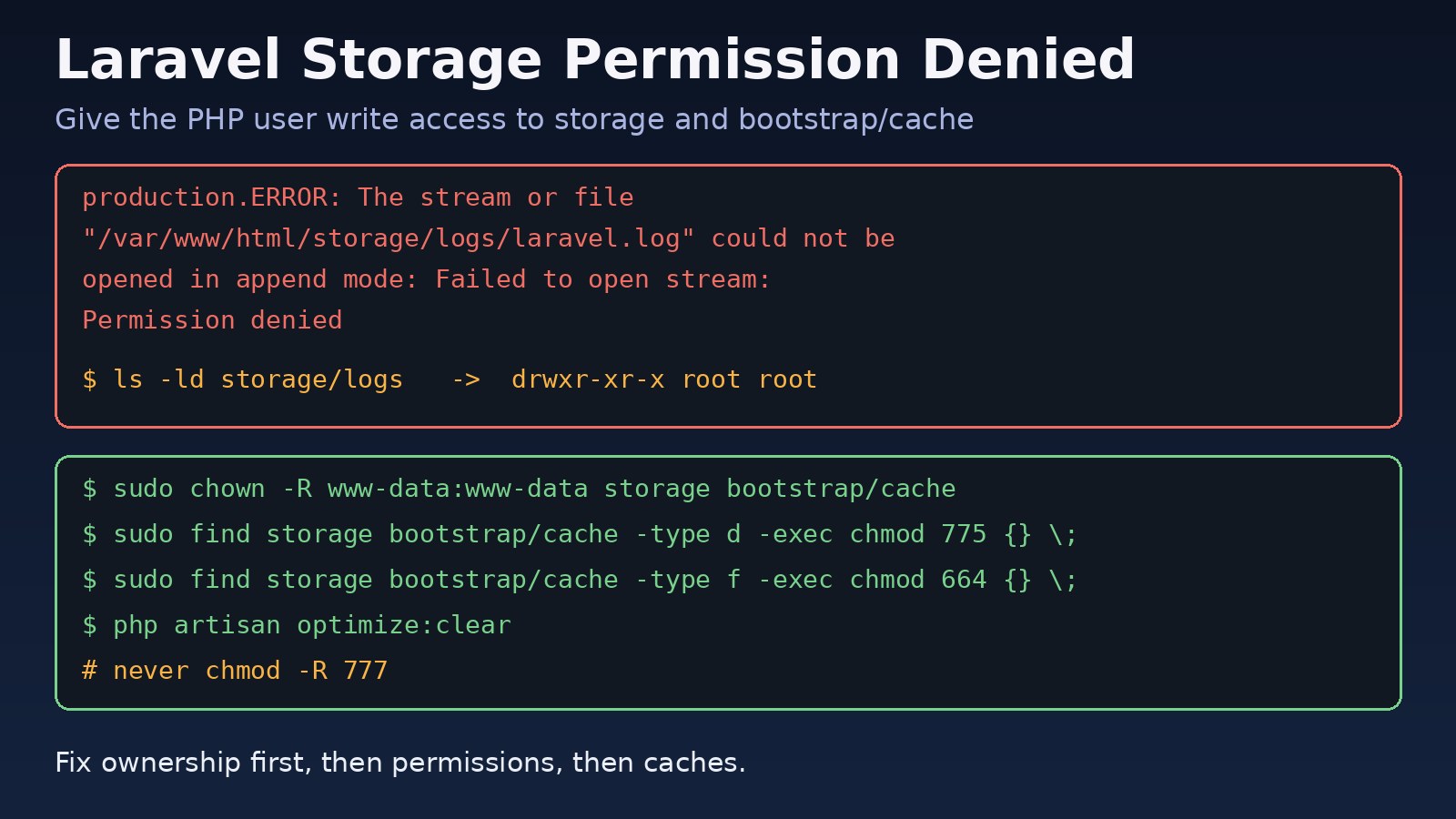
You deploy a Laravel app, open it in the browser and get a blank 500 page, or the log shows Permission denied for storage/logs/laravel.log. The laravel storage permission denied error means the user that runs PHP (usually www-data, nginx or apache) cannot write to storage/ or bootstrap/cache/. This guide explains why it happens on plain Linux servers, Docker containers and SELinux hosts, and how to fix it without falling back to chmod 777.
Problem: Laravel Storage Permission Denied
Laravel writes to the filesystem on almost every request. It appends to logs in storage/logs, stores compiled Blade views in storage/framework/views, keeps file sessions in storage/framework/sessions, writes file cache entries to storage/framework/cache, and writes package, service, config and route caches to bootstrap/cache. If the PHP process cannot write to any of these paths, the request fails.
The problem usually appears right after a deployment, a git clone as root, a composer install run with sudo, a Docker bind mount, or an artisan command executed as a different user than PHP-FPM.
Symptoms
The most common message, found in storage/logs/laravel.log (if it can be written), the PHP-FPM log or the browser when APP_DEBUG=true, is:
The stream or file "/var/www/html/storage/logs/laravel.log" could not be opened in append mode: Failed to open stream: Permission deniedOther variations you may see:
file_put_contents(/var/www/html/storage/framework/views/....php): Failed to open stream: Permission deniedwhen Blade compiles a view.file_put_contents(/var/www/html/storage/framework/sessions/...): Failed to open stream: Permission denied, often followed by random logouts or 419 errors.The /var/www/html/bootstrap/cache directory must be present and writable.duringcomposer installorphp artisan package:discover.Unable to create the "cache" directoryorFailed to clear cache. Make sure you have the appropriate permissions.fromphp artisan cache:clear.- Uploads to
storage/app/publicfail, or the file is saved but returns 403/404 through thepublic/storagesymlink. - Nginx shows a generic 500 page, or a 502 Bad Gateway from Nginx if PHP-FPM workers crash while handling the error.
Root Cause
Linux grants write access based on the owner, group and mode of each directory and file. Laravel needs the PHP runtime user to have write permission on storage and bootstrap/cache, recursively. The common ways this breaks:
Files owned by root or the deploy user
If you cloned the repository or ran composer install as root, every directory is root:root with mode 755. PHP-FPM running as www-data can read but not write.
Laravel cache permissions after running artisan as another user
Running sudo php artisan config:cache, view:cache or a queue worker as root creates cache files owned by root. Later, PHP-FPM tries to overwrite them and fails. The same happens when a cron job or Supervisor worker runs as a different user from the web server and creates today's log file first, for example laravel-2026-10-28.log with the daily log channel.
Restrictive umask
A umask of 022 means new files are created as 644 and directories as 755, so group members cannot write even when ownership is correct.
Docker UID mismatch
With a bind mount like ./:/var/www/html, files keep the host UID (often 1000), while PHP-FPM inside the container runs as www-data (UID 33 on Debian-based images, 82 on Alpine). The container user is not the owner and is not in the group.
SELinux or AppArmor
On RHEL, Rocky, AlmaLinux and Fedora, SELinux can deny writes even when the mode is 775. The audit log shows an AVC denial for httpd_t or php-fpm writing to a file labelled httpd_sys_content_t.
Step-by-Step Solution
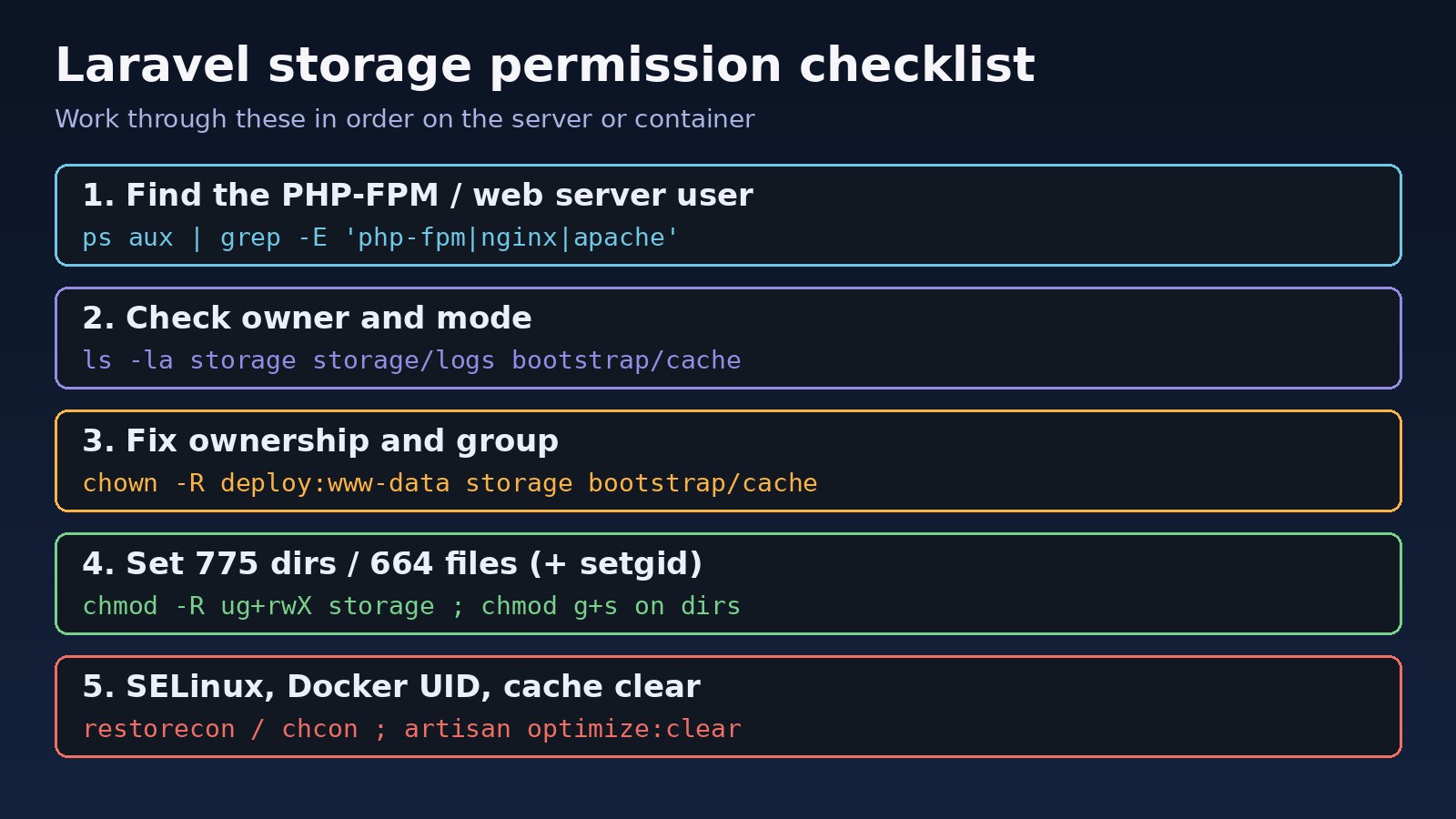
Step 1: Find the user PHP runs as
ps -eo user,group,cmd | grep -E 'php-fpm|nginx|apache|httpd' | grep -v grep
grep -E '^(user|group)' /etc/php/*/fpm/pool.d/www.conf
On Ubuntu and Debian this is normally www-data. On RHEL-family systems it is often apache or nginx. Use whatever the PHP-FPM pool reports, not what you assume.
Step 2: Inspect current ownership and modes
cd /var/www/html
ls -ld storage storage/logs storage/framework/* bootstrap/cache
ls -la storage/logs | head
namei -l /var/www/html/storage/logs/laravel.log
namei -l walks every directory in the path, which helps catch a parent directory that blocks traversal.
Step 3: Fix ownership
The simplest option on a single-purpose server is to give the web user ownership of the writable directories only:
sudo chown -R www-data:www-data storage bootstrap/cacheIf a deploy user (for example deploy) also needs to run artisan and git, keep the deploy user as owner and make www-data the group:
sudo usermod -aG www-data deploy
sudo chown -R deploy:www-data storage bootstrap/cache
Log out and back in so the new group membership applies to your shell.
Step 4: chmod storage folder correctly
Directories need 775 and files 664 so both owner and group can write. Adding the setgid bit on directories makes new files inherit the group:
sudo find storage bootstrap/cache -type d -exec chmod 2775 {} \;
sudo find storage bootstrap/cache -type f -exec chmod 664 {} \;
Avoid chmod -R 777 storage. It hides the real problem and lets any local user or compromised process write files that PHP will later execute or include, such as compiled views.
Step 5: Use ACLs when several users must write
When cron, Supervisor queue workers and PHP-FPM run as different users, default ACLs keep permissions consistent for new files:
sudo apt install acl   # Debian/Ubuntu, if setfacl is missing
sudo setfacl -R -m u:www-data:rwX -m u:deploy:rwX storage bootstrap/cache
sudo setfacl -dR -m u:www-data:rwX -m u:deploy:rwX storage bootstrap/cache
getfacl storage/logs
Step 6: Clear Laravel caches as the right user
sudo -u www-data php artisan optimize:clear
sudo -u www-data php artisan config:cache
sudo -u www-data php artisan view:cache
Running artisan as the web user prevents new root-owned cache files. Queue workers should also run as that user; see how to configure them in Laravel queues with Redis.
Step 7: Fix SELinux contexts (RHEL family)
getenforce
sudo ausearch -m avc -ts recent | grep -i storage
sudo semanage fcontext -a -t httpd_sys_rw_content_t "/var/www/html/storage(/.*)?"
sudo semanage fcontext -a -t httpd_sys_rw_content_t "/var/www/html/bootstrap/cache(/.*)?"
sudo restorecon -Rv /var/www/html/storage /var/www/html/bootstrap/cache
Do not disable SELinux to work around this; labelling the writable paths is enough.
Step 8: Fix Docker volume ownership
For a production image, set ownership during the build:
# Dockerfile (php-fpm, Debian based)
COPY --chown=www-data:www-data . /var/www/html
RUN chmod -R ug+rwX /var/www/html/storage /var/www/html/bootstrap/cache
USER www-data
For local development with bind mounts, match the container user to your host UID instead of changing host files to UID 33:
# Dockerfile
ARG UID=1000
ARG GID=1000
RUN usermod -u ${UID} www-data && groupmod -g ${GID} www-data

# build with your host ids
docker compose build --build-arg UID=$(id -u) --build-arg GID=$(id -g)
A quick one-off fix inside a running container:
docker compose exec -u root app chown -R www-data:www-data storage bootstrap/cacheCode/Commands Examples
Laravel log file permissions
If the daily log channel creates files that other users cannot write, set the file mode in config/logging.php:
'daily' => [
    'driver' => 'daily',
    'path' => storage_path('logs/laravel.log'),
    'level' => env('LOG_LEVEL', 'debug'),
    'days' => 14,
    'permission' => 0664,
],
Deployment script snippet
#!/usr/bin/env bash
set -euo pipefail
APP=/var/www/html
cd "$APP"
git pull --ff-only
composer install --no-dev --optimize-autoloader
sudo chown -R deploy:www-data storage bootstrap/cache
sudo find storage bootstrap/cache -type d -exec chmod 2775 {} \;
sudo find storage bootstrap/cache -type f -exec chmod 664 {} \;
sudo -u www-data php artisan migrate --force
sudo -u www-data php artisan optimize
Storage symlink for public uploads
php artisan storage:link
ls -l public/storage   # should point to ../storage/app/public
If uploads return 403, check that Nginx can traverse every parent directory of storage/app/public (execute bit on each directory) and that the symlink target exists.
Verification
sudo -u www-data test -w storage/logs && echo "logs writable"
sudo -u www-data test -w storage/framework/views && echo "views writable"
sudo -u www-data test -w bootstrap/cache && echo "bootstrap/cache writable"
sudo -u www-data php artisan tinker --execute="logger('permission test');"
tail -n 2 storage/logs/laravel.log- Each
test -wprints its message. - The log line
local.DEBUG: permission test(or your environment name) appears. - The home page and a form submission return 200 or 302, not 500.
- On SELinux hosts,
ls -Z storageshowshttpd_sys_rw_content_t.
Prevention
- Never run
composer,gitorartisanas root on the server; use the deploy user or the web user. - Run queue workers, the scheduler cron and PHP-FPM as the same user, or share a group with setgid directories.
- Bake ownership into your Docker image with
COPY --chownand run the container as a non-root user. - Add the ownership and chmod lines to your deployment script so every release is consistent.
- Set
'permission' => 0664on file log channels shared by several users. - Keep
storageout of Git except for the.gitignoreplaceholders, so clones do not overwrite runtime files.
Broken session storage from these permissions is a common hidden cause of CSRF failures, covered in How to Fix Laravel 419 Page Expired Error.
FAQs
Why does laravel storage permission denied appear only after deployment?
Deployment tools and manual git pull or composer install often run as root or a deploy user, which resets ownership. Add the chown and chmod commands to the deploy script and run artisan as the web user.
Is chmod 777 on the storage folder safe?
No. It lets every user on the system write files that Laravel later loads, including compiled Blade views. Use correct ownership with 775/664 or ACLs instead.
How do I fix Laravel cache permissions after running artisan as root?
Run sudo chown -R www-data:www-data storage bootstrap/cache, then sudo -u www-data php artisan optimize:clear. From then on, run artisan commands as the web user.
Which folders does Laravel need to write?
Only storage/ (logs, framework cache, sessions, views, app files) and bootstrap/cache/. The rest of the project can stay read-only for the web user.
Why does the error continue in Docker after I ran chown on the host?
The container sees numeric UIDs. If PHP-FPM inside runs as UID 33 or 82 and the host files belong to UID 1000, ownership still does not match. Align the UID in the image or chown inside the container.
chmod storage folder fixed it but the error came back the next day. Why?
With the daily log channel, a cron or queue worker running as another user can create the new day's log file first. Run all processes as one user, or set 'permission' => 0664 with a shared group.



Comments
Join the discussion. Replies load on demand, up to 5 levels.
0 threads
No comments yet
Be the first to start the conversation.