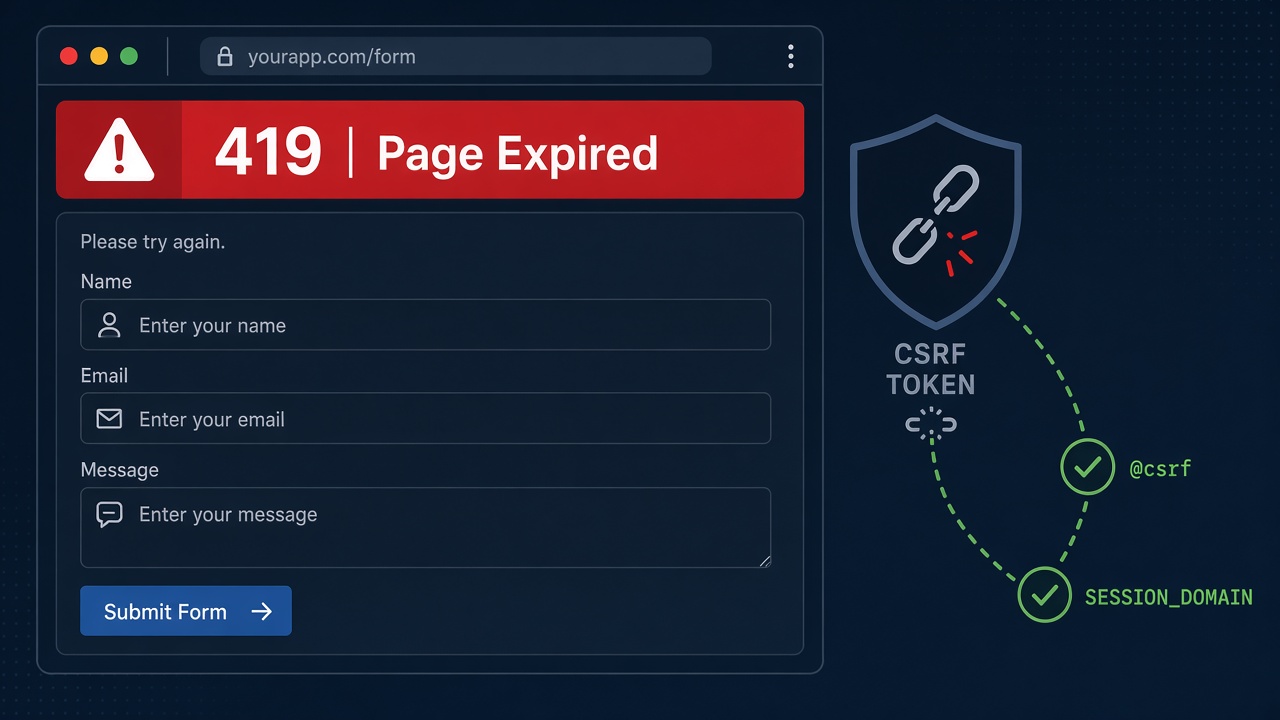
You submit a Laravel login, checkout or admin form and get a plain page that says 419 | Page Expired. The laravel 419 page expired error means Laravel's CSRF protection rejected the request: the token in the form did not match the one stored in the session, or no session cookie was present at all. This guide shows how to find the cause and fix it for Blade forms, Axios/SPA calls, Livewire, Inertia, Docker and multi-domain setups.
Problem: Laravel 419 Page Expired
Laravel protects state-changing routes (POST, PUT, PATCH, DELETE) with the VerifyCsrfToken middleware. Every form must send an _token field (or an X-XSRF-TOKEN / X-CSRF-TOKEN header) that matches the value stored in the current session. When the comparison fails, Laravel aborts with HTTP 419 and the "Page Expired" view.
Developers often see it right after changing .env, putting the app behind HTTPS or a reverse proxy, switching session drivers, or shipping a React/Next.js front end that talks to a Laravel API on another subdomain.
Symptoms
- Browser shows
419 | Page Expiredafter submitting a form. - Logs contain
Illuminate\Session\TokenMismatchExceptionorCSRF token mismatch. - Login works once, then fails after leaving the tab open.
- Axios or fetch returns status 419 with a JSON message about the CSRF token.
- The form works on
localhostbut fails on the staging domain or after enabling HTTPS. - Opening the same form in two tabs and submitting the older one fails.
Root Cause: CSRF Token Mismatch and Session Issues
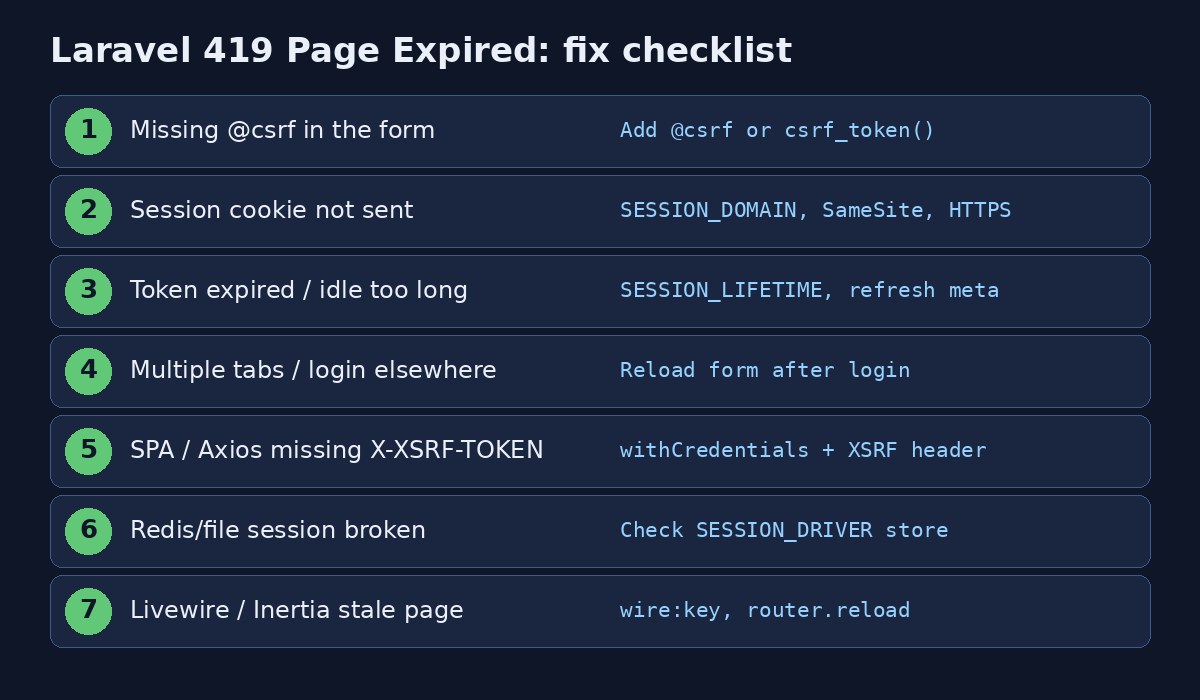
Missing CSRF field
A hand-written <form method="POST"> without @csrf (or {{ csrf_field() }}) sends no token. Laravel rejects it every time.
Session cookie not stored or not sent
If the session cookie never reaches the browser, Laravel creates a new empty session on every request and the token never matches. Common reasons: wrong SESSION_DOMAIN, SameSite blocking the cookie, Secure cookie over plain HTTP, or the app URL not matching the host the browser uses.
Laravel session expired
After SESSION_LIFETIME minutes of inactivity (default 120), the session is gone. Submitting an old page still has the old token in the HTML, so the new session rejects it.
Multiple sessions / regenerated session
Logging in regenerates the session id. A form rendered before login, or left open in another tab, carries a stale token.
SPA / cross-origin requests
Front ends on a different origin must send cookies (credentials: 'include' / withCredentials: true) and the X-XSRF-TOKEN header decoded from the XSRF-TOKEN cookie. Missing either causes 419.
Broken session store
File permissions on storage/framework/sessions, a down Redis/Memcached instance, or a misconfigured database session table mean Laravel cannot persist the token.
Step-by-Step Fix
Step 1: Confirm it is a CSRF / session problem
tail -n 50 storage/logs/laravel.log | grep -i csrf
php artisan route:list --path=login
# in Chrome DevTools > Application > Cookies, look for the session cookie name from config/session.php
Step 2: Put @csrf in every Blade form
<form method="POST" action="{{ route('login') }}">
    @csrf
    <input type="email" name="email">
    <input type="password" name="password">
    <button type="submit">Log in</button>
</form>
For AJAX from Blade, either read the meta tag or the cookie:
{{-- layouts/app.blade.php --}}
<meta name="csrf-token" content="{{ csrf_token() }}">

<script>
axios.defaults.headers.common['X-CSRF-TOKEN'] =
  document.querySelector('meta[name="csrf-token"]').content;
</script>
Step 3: Fix session cookie settings
In .env, match the domain the browser actually uses, and enable secure cookies when you serve HTTPS:
APP_URL=https://app.example.com
SESSION_DRIVER=file
SESSION_LIFETIME=120
SESSION_DOMAIN=.example.com
SESSION_SECURE_COOKIE=true
SESSION_SAME_SITE=lax
Then clear config cache so the new values apply:
php artisan config:clear
php artisan cache:clear
php artisan view:clear
Behind Nginx or a load balancer that terminates TLS, make sure Laravel knows the request was HTTPS (TrustProxies and URL::forceScheme('https') if needed); otherwise it may set cookies without the Secure flag while the browser only sends them over HTTPS, or the opposite.
Step 4: Fix SPA / Axios / Sanctum calls
For a first-party SPA with Laravel Sanctum cookie authentication:
// axios
axios.defaults.withCredentials = true;
axios.defaults.withXSRFToken = true; // axios 1.6+
// or manually:
axios.defaults.xsrfCookieName = 'XSRF-TOKEN';
axios.defaults.xsrfHeaderName = 'X-XSRF-TOKEN';

await axios.get('/sanctum/csrf-cookie');
await axios.post('/login', { email, password });
Set SANCTUM_STATEFUL_DOMAINS and SESSION_DOMAIN to include your front-end host. Cross-site front ends that cannot share cookies should use token auth instead of session CSRF.
If your React front end also hits CORS errors while fixing 419, see CORS error with React and Laravel.
Step 5: Repair the session store
# file driver
ls -la storage/framework/sessions
sudo chown -R www-data:www-data storage bootstrap/cache
sudo chmod -R ug+rwx storage bootstrap/cache

# redis driver
redis-cli ping
php artisan tinker --execute="config('session.driver'); cache()->store('redis')->put('t',1,10);"

# database driver
php artisan session:table   # if the migration is missing
php artisan migrate
Storage permission problems often show up as random 419s; a fuller walkthrough is in related Laravel permission posts on this site when you hit storage/logs write failures.
Step 6: Handle long-lived forms and Livewire
Refresh the token periodically on pages users leave open:
setInterval(async () => {
  const { data } = await axios.get('/csrf-token'); // return csrf_token() from a route
  document.querySelector('meta[name="csrf-token"]').content = data.token;
}, 10 * 60 * 1000);
For Livewire, avoid full-page caches of components that embed tokens, and ensure you are on a maintained Livewire version. After login, redirect with a fresh GET so the next form is rendered with the new session.
Code and Commands Examples
Exclude a webhook from CSRF only when the endpoint verifies its own signature:
// bootstrap/app.php (Laravel 11+)
->withMiddleware(function (Middleware $middleware) {
    $middleware->validateCsrfTokens(except: [
        'stripe/webhook',
    ]);
});

// or app/Http/Middleware/VerifyCsrfToken.php on older apps
protected $except = [
    'stripe/webhook',
];
Never put login, admin or payment forms in $except.
Quick local reproduction: open the form, delete the session cookie in DevTools, submit; you should get 419. Put the cookie back and include @csrf, and it should succeed.
After changing auth-related settings, rotate any exposed API keys; see API key rotation. Role mistakes after a failed login are covered in Laravel role-based permissions.
Verification
php artisan config:show session
# submit a form while watching Network:
# - request includes _token or X-XSRF-TOKEN
# - response Set-Cookie refreshes the session cookie
# - status is 200/302, not 419- Blade forms include a hidden
_tokenfield in the page source. - Browser stores a session cookie for your domain with the expected
Secure/SameSiteflags. - A form left open for a few minutes still works within
SESSION_LIFETIME, or shows a clear re-login path after expiry. - SPA login:
/sanctum/csrf-cookiethenPOST /loginreturns 204/200 without 419.
Prevention
- Use
@csrf(or form components that include it) on every state-changing Blade form. - Keep
APP_URL,SESSION_DOMAINand HTTPS settings in sync across environments. - Prefer
SameSite=laxunless you have a documented cross-site need. - Monitor 419 rates in your APM or access logs after deploys that touch sessions or domains.
- Document Sanctum stateful domains for every front-end host your team uses.
- Do not disable CSRF globally to "make it work"; fix the cookie and token path instead.
FAQs
What does laravel 419 page expired mean?
Laravel rejected the request because the CSRF token did not match the session (or the session was missing). It is not a generic "page timed out in the browser" error.
Is 419 the same as a CSRF token mismatch?
Yes. Laravel maps TokenMismatchException to HTTP 419 and the Page Expired view.
Why does it work on localhost but fail in production?
Usually SESSION_DOMAIN, SESSION_SECURE_COOKIE or HTTPS/proxy trust differs. Production often serves over HTTPS with a real domain while local uses localhost without those constraints.
How do I fix laravel session expired forms?
Increase SESSION_LIFETIME if appropriate, refresh the CSRF meta token on long-lived pages, and redirect users to a fresh form after login.
Can I disable CSRF for my whole API?
Session-based browser apps need CSRF. Token-based APIs (Passport, Sanctum token guard, plain API tokens) typically use the api middleware group without CSRF. Do not exempt cookie-authenticated routes.
Does clearing cookies fix 419 permanently?
Only for that browser session. If the underlying domain, Secure flag or missing @csrf remains, the error will return.



Comments
Join the discussion. Replies load on demand, up to 5 levels.
0 threads
No comments yet
Be the first to start the conversation.