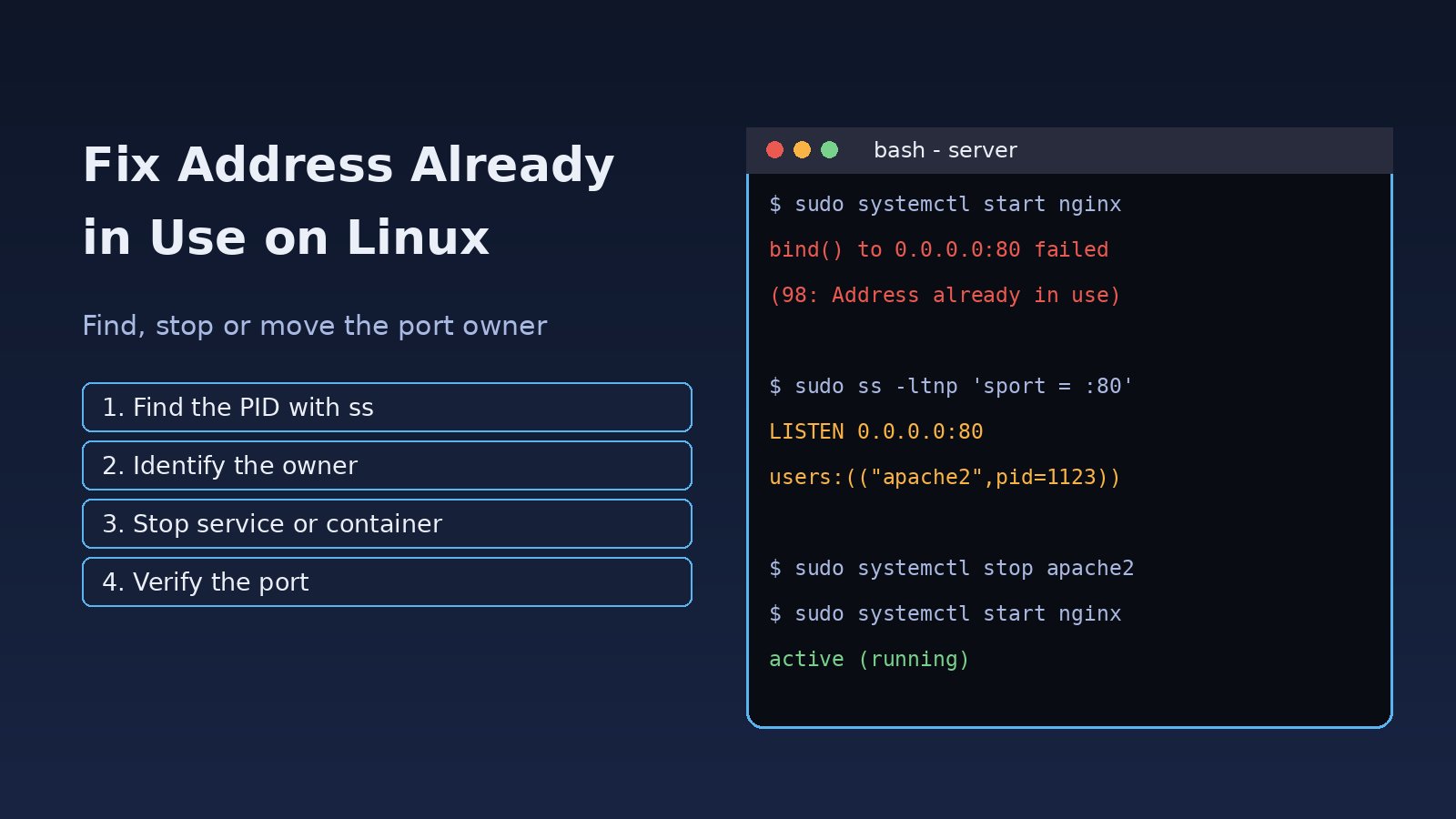
You start Nginx, a Next.js dev server, a Laravel app or a Python service and it dies right away with a bind error. The address already in use linux error means another socket is already listening on the same IP address and port, so the kernel refuses to give that port to your new process. The fix is almost always quick once you know which process holds the port and why it is still there. This guide shows how to find it with ss, lsof and fuser, stop it the right way, handle Docker and systemd conflicts, and understand when TIME_WAIT and SO_REUSEADDR matter.
Problem: Address Already in Use on Linux
Every TCP or UDP server calls bind() to claim an address and port, then listen() to accept connections. Linux allows only one listening socket per address and port combination unless both sockets explicitly opt in to sharing. When a second program tries to bind the same pair, the system call fails with EADDRINUSE, error number 98, and each runtime reports it in its own words. The port is not broken. Something already owns it: an old copy of your app, a system service, a container, or a socket still closing.
Symptoms
The message depends on the software, but they all mean the same thing:
- Nginx:
nginx: [emerg] bind() to 0.0.0.0:80 failed (98: Address already in use) - Node.js, React or Next.js:
Error: listen EADDRINUSE: address already in use :::3000 - Python (Flask, Django, socket code):
OSError: [Errno 98] Address already in use - Laravel
php artisan servemoving to port 8001 on its own, or PHP's built-in server printingFailed to listen on 127.0.0.1:8000 (reason: Address already in use) - Redis:
Could not create server TCP listening socket *:6379: bind: Address already in use - PostgreSQL:
could not bind IPv4 address "127.0.0.1": Address already in usefollowed by a hint that another postmaster may be running on port 5432 - Docker:
Bind for 0.0.0.0:8080 failed: port is already allocatedorfailed to bind host port for 0.0.0.0:80: address already in use - A systemd unit stuck in a restart loop, with the bind failed message repeated in
journalctl
Root Cause
1. Another process is already listening on the port
This is the usual case. Apache and Nginx both want port 80, a distro package started its own Redis or PostgreSQL next to the one you installed manually, or a second terminal is still running npm run dev.
2. An old copy of your own app did not exit
Closing a terminal tab, a crashed editor, or Ctrl+Z (which suspends instead of stopping) can leave the old process alive and holding the port. Child processes started by nodemon, pm2 or a watcher can also survive their parent.
3. A Docker container publishes the same host port
When you run -p 80:80 or ports: "5432:5432", Docker binds that port on the host through docker-proxy or iptables rules. A host Nginx or PostgreSQL on the same port then cannot start, and the reverse also fails.
4. Sockets in TIME_WAIT after a restart
After a TCP connection closes, the side that closed first keeps it in TIME_WAIT for about 60 seconds on Linux. If your server restarts quickly and does not set SO_REUSEADDR, the new bind() can fail until those entries expire. Most mature servers set this option, but small custom scripts often do not.
5. The same port configured twice
Two listen 80; directives with conflicting options in different Nginx files, a listen [::]:80 together with an IPv4 socket that already covers both stacks, or a systemd socket unit that already owns the port can make a single program fight itself.
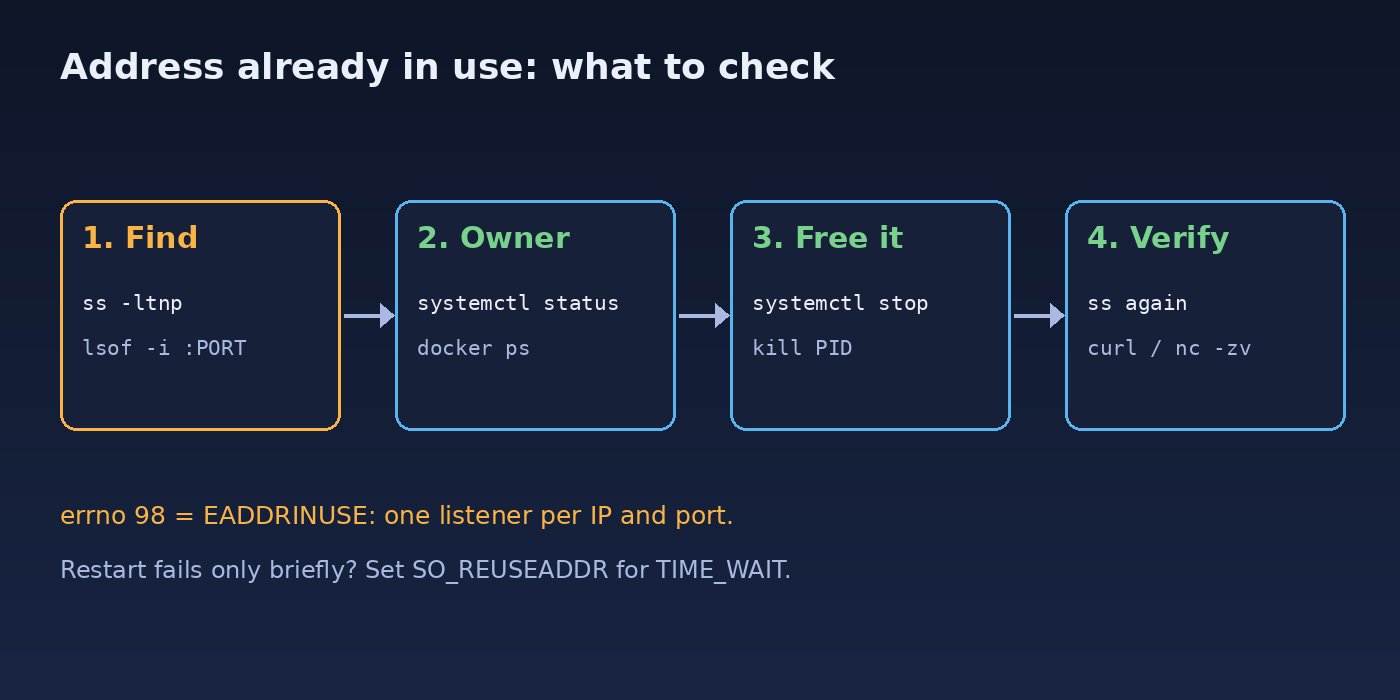
Step-by-Step Solution for Port Already in Use
Step 1: Find which process is using the port
Use ss, which ships with every modern distro. Run it with sudo, otherwise processes owned by other users are hidden:
sudo ss -ltnp 'sport = :80'
# State   Recv-Q  Send-Q  Local Address:Port  Peer Address:Port  Process
# LISTEN  0       511     0.0.0.0:80          0.0.0.0:*          users:(("apache2",pid=1123,fd=4))
The flags mean listening sockets (-l), TCP (-t), numeric ports (-n) and process info (-p). Add -u for UDP. You can also use lsof:
sudo lsof -i :3000 -sTCP:LISTEN
# COMMAND   PID   USER  FD  TYPE  DEVICE  SIZE/OFF NODE NAME
# node    48211  dev   23u IPv6  512301       0t0  TCP *:3000 (LISTEN)
For a deeper look at these tools, see how to find which process is using a port.
Step 2: Identify who owns that process
Before killing anything, check what the PID actually is and whether a service manager will just restart it:
ps -o pid,ppid,user,etime,cmd -p 48211
systemctl status 1123        # shows the unit that owns a PID
docker ps --format '{{.Names}}  {{.Ports}}' | grep ':80->'
Step 3: Stop it the right way
If the port belongs to a system service, stop and disable it with systemd instead of killing it, or it will come back on the next boot or restart:
sudo systemctl stop apache2
sudo systemctl disable apache2     # only if you no longer need it
sudo systemctl restart nginx
If it is a leftover dev process, send a normal termination signal first and use -9 only if it ignores that:
kill 48211            # SIGTERM, lets the app clean up
kill -9 48211         # SIGKILL, last resort
sudo fuser -k 3000/tcp   # kill whatever holds TCP port 3000
fuser -k is handy but blunt. It kills every process using that port, so check the owner first on shared servers.
Step 4: Fix Docker port conflicts
If a container holds the port, stop it or change its host port mapping. Keep the container port the same and only change the left side:
docker ps --filter publish=5432
docker stop old-postgres
# docker-compose.yml: map host 5433 to container 5432
#   ports:
#     - "5433:5432"
The full Docker side of this problem is covered in how to fix Docker port already allocated.
Step 5: Bind failed on restart? Handle TIME_WAIT
If ss shows no listener but your custom server still fails right after a restart, check for TIME_WAIT sockets on that port:
ss -tan state time-wait '( sport = :9000 )'Do not tune kernel settings for this. The correct fix is to set SO_REUSEADDR in your server before calling bind(), as shown in the next section.
Step 6: Or simply move to another port
In development it is often fine to run on a different port: PORT=3001 npm run dev, next dev -p 3001, or php artisan serve --port=8001. In production, decide which service should own the port and reconfigure the other one.
Code/Commands Examples
Python: set SO_REUSEADDR before bind
import socket

s = socket.socket(socket.AF_INET, socket.SOCK_STREAM)
s.setsockopt(socket.SOL_SOCKET, socket.SO_REUSEADDR, 1)
s.bind(("0.0.0.0", 9000))
s.listen()
socketserver.TCPServer users can set allow_reuse_address = True on the class. Note that SO_REUSEADDR on Linux lets you bind over TIME_WAIT sockets, but it does not let two programs listen on the same port at once. That needs SO_REUSEPORT, which both processes must set.
Node.js: handle EADDRINUSE clearly
const http = require('http');
const port = process.env.PORT || 3000;
const server = http.createServer((req, res) => res.end('ok'));

server.on('error', (err) => {
  if (err.code === 'EADDRINUSE') {
    console.error(`Port ${port} is already in use. Run: sudo ss -ltnp 'sport = :${port}'`);
    process.exit(1);
  }
  throw err;
});
server.listen(port);

// Close the server on Ctrl+C or a stop signal so the port is freed
for (const sig of ['SIGINT', 'SIGTERM']) {
  process.on(sig, () => server.close(() => process.exit(0)));
}
Nginx: test the config before restarting
sudo nginx -t
sudo grep -rn "listen" /etc/nginx/sites-enabled/ /etc/nginx/conf.d/
sudo ss -ltnp 'sport = :80' or 'sport = :443'
If Nginx starts but your site still fails, the upstream app may be the one that could not bind. That usually shows up as 502 Bad Gateway in Nginx.
Redis and PostgreSQL: check for a second instance
systemctl list-units --type=service | grep -Ei 'redis|postgres'
sudo ss -ltnp 'sport = :6379' or 'sport = :5432'
pg_lsclusters          # Debian/Ubuntu: shows clusters and their ports
One-line helper for your shell
# add to ~/.bashrc or ~/.zshrc
port() { sudo ss -ltnp "sport = :$1"; }
# usage: port 3000
Verification
- Run
sudo ss -ltnp 'sport = :PORT'and confirm the expected program is now the only listener. - Check the service:
systemctl status nginxshould showactive (running)with no bind errors injournalctl -u nginx -n 50. - Test the port:
curl -I http://127.0.0.1:80ornc -zv 127.0.0.1 3000. - For Docker,
docker psshould show the mapping you intended, such as0.0.0.0:5433->5432/tcp. - Restart the service once more to confirm it binds cleanly every time, not only after a long wait.
Prevention
- Keep a simple port map for each server or project so two services are never assigned the same port.
- Run long-lived services under systemd, pm2 or Docker instead of in an open terminal, so they are stopped cleanly.
- Stop dev servers with
Ctrl+C, notCtrl+Z. Usejobsandfgto find suspended ones. - Do not install the same service from both the distro package and Docker on one host unless they use different ports.
- Set
SO_REUSEADDRin custom servers and close the listening socket onSIGTERM. - Read ports from environment variables (
PORT,APP_PORT,DB_PORT) so a conflict is a config change, not a code change. - Run
nginx -tor your app's config check in deployment scripts before a restart.
FAQs
How do I fix port already in use on Linux quickly?
Run sudo ss -ltnp 'sport = :PORT' to get the PID, then stop that service with systemctl stop or end the process with kill PID. If you only need a free port in development, start your app on another port.
Why does bind failed still happen after I killed the process?
Either a service manager restarted it, a child process still holds the socket, or the port is in TIME_WAIT. Check ss again, look at systemctl status, and set SO_REUSEADDR in custom servers.
What does errno 98 mean?
Error 98 is EADDRINUSE on Linux: the address and port you asked to bind are already in use by another socket.
Is it safe to use kill -9 or fuser -k?
They work, but they skip cleanup. Databases such as PostgreSQL and Redis should be stopped with systemctl stop to avoid recovery on the next start. Use kill -9 only when a normal stop does not work.
Why does ss show nothing but I still get address already in use?
Run it with sudo so you can see other users' processes, include UDP with -u if the service uses UDP, and check whether a container network namespace or a systemd socket unit holds the port.



Comments
Join the discussion. Replies load on demand, up to 5 levels.
0 threads
No comments yet
Be the first to start the conversation.