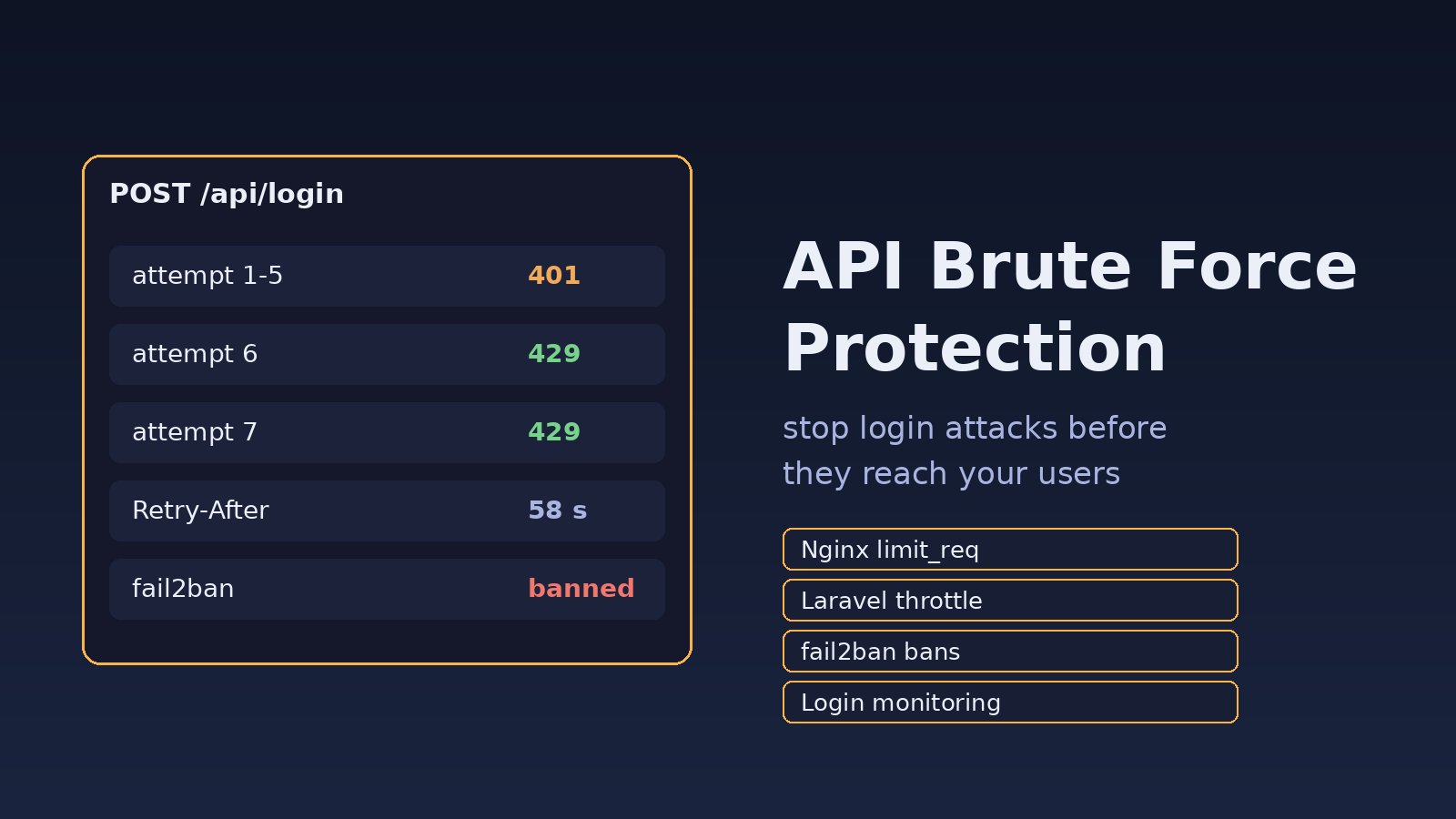
Your login endpoint returns 401 a few thousand times an hour, the access log is full of POST /api/login from a handful of IPs, and a customer reports a password reset they never asked for. That is a brute-force or credential-stuffing attack, and the fix is api brute force protection in layers: rate limits at Nginx, per-account throttling in the app, temporary bans for repeat offenders, and monitoring so you notice the next wave. This guide walks through each layer with real Laravel, Nginx, Node.js and fail2ban configuration.
Problem: Your Login API Accepts Unlimited Password Guesses
A browser login form at least makes an attacker load a page. A JSON API does not. Tools can fire thousands of POST requests with leaked email and password pairs, and if every request gets a fresh answer, the attacker is limited only by bandwidth. Mobile apps and SPAs built on React or Next.js make this worse, because the token endpoint is easy to find in the client bundle. If you want the general background on attack types first, read the best ways to prevent brute force attacks; this post focuses on locking down the API itself.
Symptoms of a Brute-Force Attack on Your API
- A sudden spike of
401 Unauthorizedor422 Unprocessable Contentresponses on/api/login,/oauth/tokenor/api/password/email. - Many different email addresses tried from the same IP, or the same email tried from many IPs (credential stuffing through proxies).
- CPU climbs on the app server, because every attempt runs a deliberately slow bcrypt or Argon2 password hash check.
- Users receive unexpected OTP codes or password reset emails.
- Successful logins for real accounts from unusual countries right after a burst of failures.
A quick way to confirm is to count login requests per IP in the Nginx access log:
sudo awk '$7 ~ /\/api\/login/ {print $1}' /var/log/nginx/access.log \
  | sort | uniq -c | sort -rn | head -20
Root Cause: No Limits Anywhere in the Request Path
Brute force works when nothing in the chain counts attempts. The usual gaps are:
- No API rate limiting at the reverse proxy, so every request reaches PHP or Node.
- Throttling by IP only, which a botnet or rotating proxy pool gets around easily.
- Throttling by email only, which lets one IP spray one password across thousands of accounts.
- Wrong client IP. Behind a load balancer or Cloudflare, the app sees the proxy address, so either everyone shares one bucket or nobody is limited.
- Forgotten endpoints. Login is limited, but password reset, OTP verification, and the token refresh route are not.
- Error messages that leak whether an email exists, which lets attackers build a list of valid accounts first.
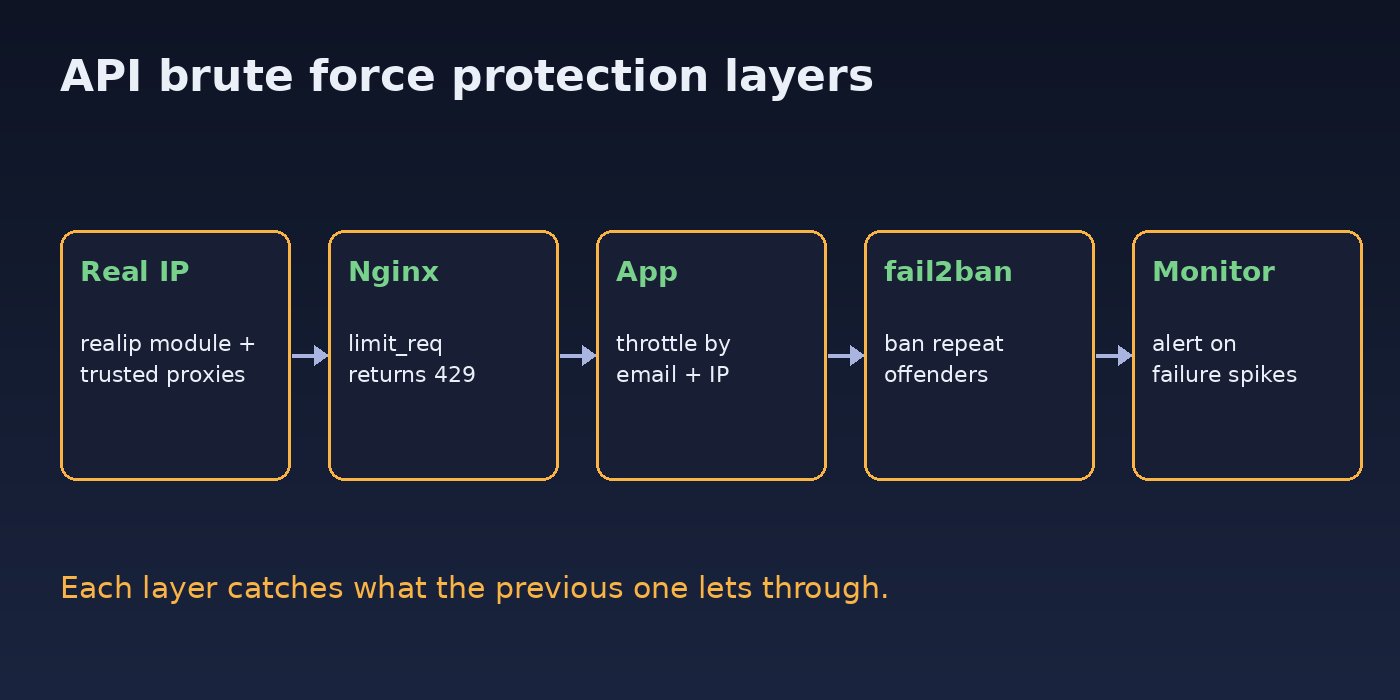
Step-by-Step API Brute Force Protection
Step 1: Get the real client IP first
Every limit below keys on the client IP, so fix that before anything else. In Nginx behind a load balancer, use the realip module and trust only your proxy range:
# /etc/nginx/conf.d/realip.conf
set_real_ip_from 10.0.0.0/8;        # your load balancer subnet
real_ip_header   X-Forwarded-For;
real_ip_recursive on;
In Laravel 11 and later, trust the proxy in bootstrap/app.php so $request->ip() returns the visitor, not the balancer:
->withMiddleware(function (Middleware $middleware) {
    $middleware->trustProxies(at: ['10.0.0.0/8']);
})
Never trust X-Forwarded-For from everyone (*) on a server that is reachable directly, because an attacker can then set any IP they like in that header and dodge your limits.
Step 2: Add API rate limiting in Nginx
Nginx can reject floods before they cost you a PHP worker or a password hash. Define a zone in the http block and apply it only to authentication routes:
# http { ... }
limit_req_zone $binary_remote_addr zone=login:10m rate=10r/m;

# server { ... }
location = /api/login {
    limit_req zone=login burst=5 nodelay;
    limit_req_status 429;
    proxy_pass http://app_upstream;
}
Without limit_req_status 429, Nginx answers rejected requests with 503 Service Unavailable, which confuses clients and monitoring. When the limit triggers you will see lines like this in error.log:
[error] 1234#1234: *5678 limiting requests, excess: 5.960 by zone "login", client: 203.0.113.7, server: api.example.com, request: "POST /api/login HTTP/1.1"Keep this limit generous. Its job is to stop floods, not to decide when an account is under attack. Offices that share one public IP can trip a tight IP limit during a busy morning.
Step 3: Throttle by account and IP in Laravel
The application knows which account is targeted, so it should own the smarter limit. Define a named limiter in AppServiceProvider::boot() with two buckets: one for the email and IP pair, and a wider one per IP:
use Illuminate\Cache\RateLimiting\Limit;
use Illuminate\Http\Request;
use Illuminate\Support\Facades\RateLimiter;
use Illuminate\Support\Str;

public function boot(): void
{
    RateLimiter::for('login', function (Request $request) {
        $email = Str::lower((string) $request->input('email'));

        return [
            Limit::perMinute(5)->by($email.'|'.$request->ip()),
            Limit::perMinute(30)->by('ip:'.$request->ip()),
        ];
    });
}
Attach it to the routes in routes/api.php, including the ones people forget:
Route::middleware('throttle:login')->group(function () {
    Route::post('/login', [AuthController::class, 'login']);
    Route::post('/password/email', [PasswordResetController::class, 'send']);
    Route::post('/otp/verify', [OtpController::class, 'verify']);
});
When a bucket is full, Laravel returns 429 Too Many Requests with the message Too Many Attempts. and a Retry-After header. Use a shared cache store such as Redis for the limiter so the count is the same across every app server; the file or array drivers give each server its own count. If you issue tokens with Sanctum, the same throttle sits in front of the token route described in this Laravel Sanctum authentication guide.
Step 4: Add login attack prevention for failed attempts only
The middleware counts every request. For a lockout that counts only failures and resets after a successful login, use the RateLimiter facade inside the controller:
public function login(Request $request)
{
    $request->validate(['email' => 'required|email', 'password' => 'required']);

    $key = 'login-fail:'.Str::lower($request->email);

    if (RateLimiter::tooManyAttempts($key, 10)) {
        $seconds = RateLimiter::availableIn($key);
        return response()->json([
            'message' => "Too many failed attempts. Try again in {$seconds} seconds.",
        ], 429);
    }

    if (! Auth::attempt($request->only('email', 'password'))) {
        RateLimiter::hit($key, 900); // count resets after 15 minutes
        return response()->json(['message' => 'Invalid credentials.'], 401);
    }

    RateLimiter::clear($key);
    // issue token or session here
}
Note the single Invalid credentials. message for both a wrong password and an unknown email. The password reset endpoint should do the same and always reply with a neutral message such as "If that account exists, we sent a link". Prefer a temporary cool-down over a permanent lock: permanent lockouts let an attacker lock your real users out on purpose.
Step 5: Rate limit a Node.js or Next.js API with Redis
For an Express or Next.js backend, the same idea is a fixed-window counter in Redis. INCR is atomic, so it stays correct with many instances:
import Redis from "ioredis";
const redis = new Redis(process.env.REDIS_URL);

export async function loginLimiter(req, res, next) {
  const ip = req.ip;
  const email = String(req.body?.email || "").toLowerCase();
  const key = `rl:login:${email}:${ip}`;

  const count = await redis.incr(key);
  if (count === 1) await redis.expire(key, 60);

  if (count > 5) {
    const ttl = await redis.ttl(key);
    res.set("Retry-After", String(ttl));
    return res.status(429).json({ message: "Too many attempts. Try again later." });
  }
  next();
}
In Express, set app.set("trust proxy", 1) when you run behind exactly one proxy, otherwise req.ip is the proxy address. Clients that hit a 429 should back off rather than retry instantly; the pattern is covered in exponential backoff for API retries.
Step 6: Ban repeat offenders with fail2ban
fail2ban ships with an nginx-limit-req filter that reads the "limiting requests" lines above and blocks the IP at the firewall. Enable it in /etc/fail2ban/jail.local:
[nginx-limit-req]
enabled  = true
port     = http,https
logpath  = /var/log/nginx/error.log
findtime = 600
maxretry = 10
bantime = 3600sudo systemctl restart fail2ban
sudo fail2ban-client status nginx-limit-reqStep 7: Make every guess count less
- Offer two-factor authentication, and require it for admin and finance roles in ERP systems.
- Keep password hashing on bcrypt or Argon2 with Laravel's defaults; never switch to a fast hash to save CPU under attack.
- Add a CAPTCHA or proof-of-work challenge only after several failures, so normal users rarely see it.
- Block passwords that appear in known breach lists at sign-up; Laravel's
Password::defaults()->uncompromised()rule checks the Have I Been Pwned range API.
Verification: Prove the Limits Work
Fire a short burst of bad logins from a test machine against staging and watch the status codes change:
for i in $(seq 1 8); do
  curl -s -o /dev/null -w "%{http_code}\n" -X POST https://staging.example.com/api/login \
    -H "Content-Type: application/json" -H "Accept: application/json" \
    -d '{"email":"[email protected]","password":"wrong-password"}'
done
You should see 401 for the first five attempts, then 429. Check the headers on a limited response with curl -i and confirm Retry-After is present. Then confirm a correct login from another IP still works, that the Nginx error log shows limiting requests for floods, and that fail2ban-client status nginx-limit-req lists the test IP after enough hits. Unban it with sudo fail2ban-client set nginx-limit-req unbanip 203.0.113.7.
Prevention: Keep Login Attacks Visible
- Log every failed login with timestamp, email, IP and user agent, and alert when failures per minute jump well above your normal level.
- Alert on many distinct emails from one IP, and on one email from many IPs.
- Review every new public endpoint that accepts a secret: login, OTP, reset, invite codes, API keys, coupon codes.
- Put rate-limit tests in your feature test suite so a refactor can't silently drop the
throttlemiddleware. - Pair brute-force defences with proper authorization checks; a valid login should still only reach the user's own data, as covered in how to prevent broken access control.
FAQs
What is the best api brute force protection for a small project?
Start with Laravel's throttle middleware or an equivalent Redis counter keyed by email and IP, return 429 with Retry-After, and use generic error messages. Add Nginx limits and fail2ban once you have a server you control.
Is API rate limiting by IP enough?
No. Credential stuffing usually spreads across many IPs, so you also need per-account limits and monitoring. IP limits are still useful for stopping floods cheaply at the proxy.
Should I lock accounts after failed logins?
Use temporary cool-downs that grow after repeated failures rather than a permanent lock, which attackers can abuse to deny service to real users. Notify the user by email when their account sees many failures.
Which status code should a rate-limited login return?
429 Too Many Requests with a Retry-After header. Avoid 403 or 503, because clients and monitoring treat those as permission or availability problems.
How does login attack prevention work behind Cloudflare?
Restore the visitor IP from the CF-Connecting-IP header, trusting it only from Cloudflare's published IP ranges, and consider Cloudflare's own rate limiting rules in front of your origin as an extra layer.



Comments
Join the discussion. Replies load on demand, up to 5 levels.
0 threads
No comments yet
Be the first to start the conversation.