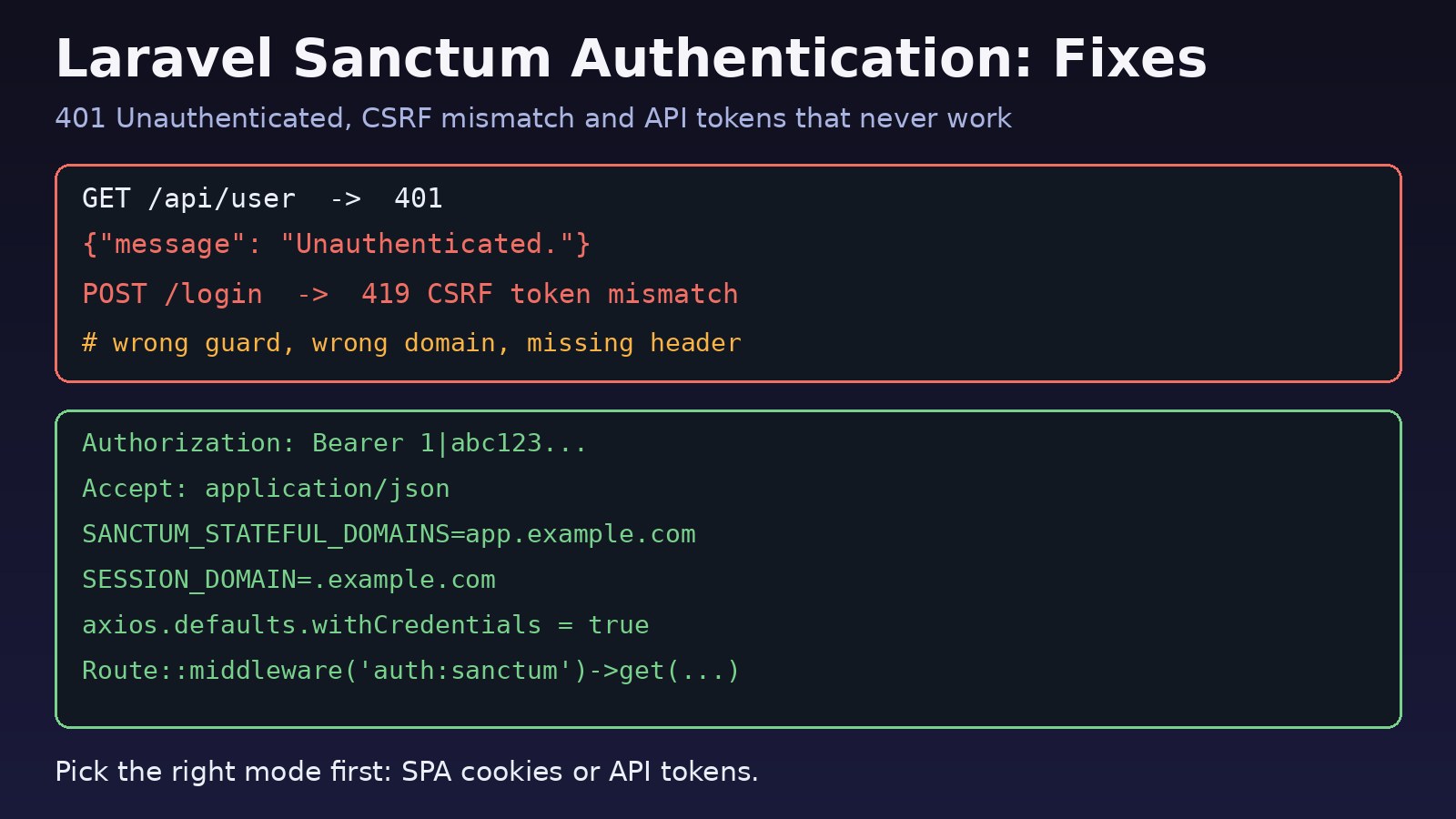
You install Sanctum, protect a route with auth:sanctum, send a request, and get back {"message":"Unauthenticated."}. Or the login works in Postman but your React or Next.js frontend keeps getting a 401 or a 419. Laravel sanctum authentication is simple once it works, but it has two separate modes (cookie-based SPA auth and API tokens), and most bugs come from mixing them up or missing one config value. This guide walks through the common problems and how to fix each one.
The Problem: Sanctum Returns 401 Unauthenticated
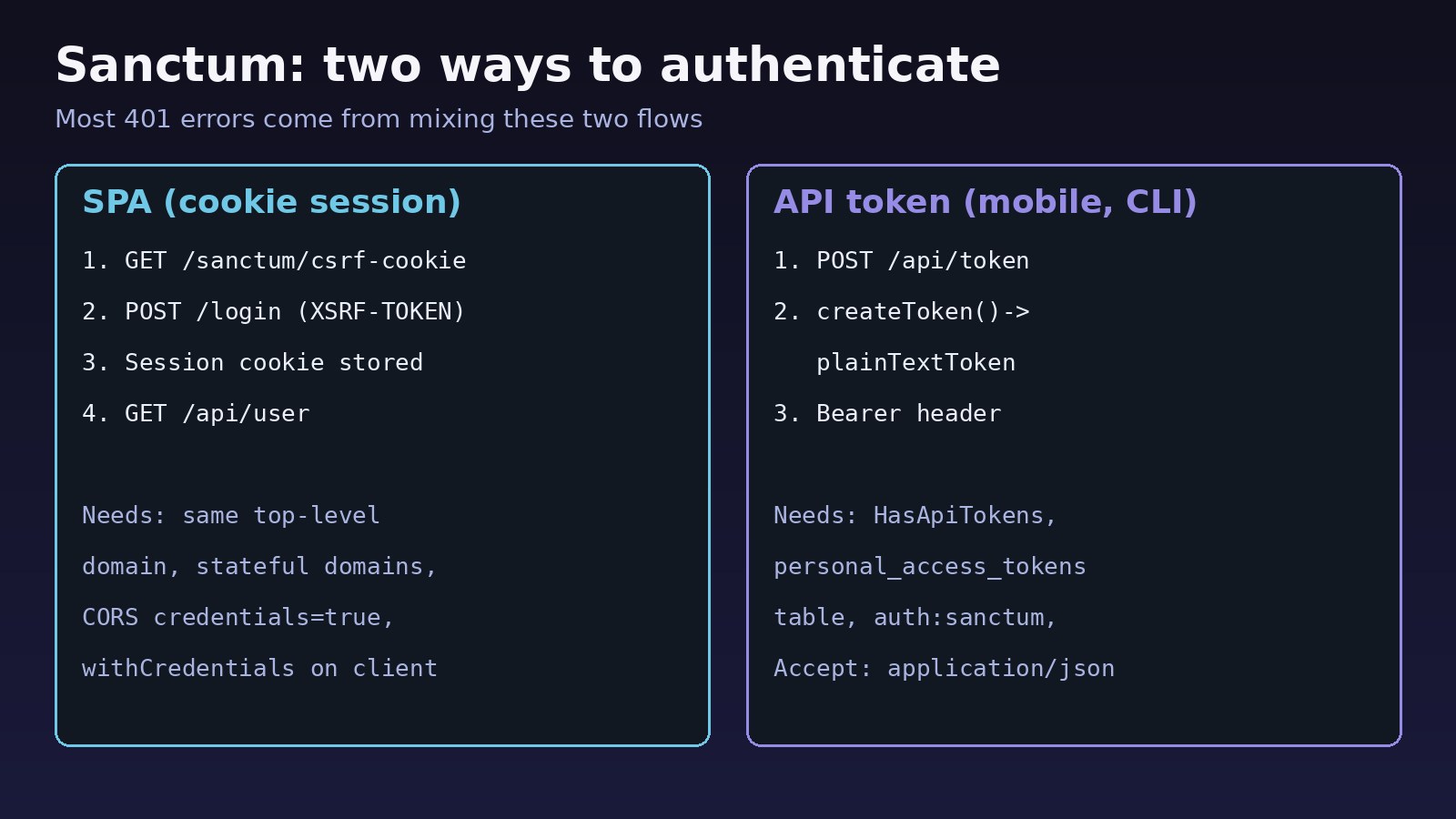
Sanctum gives a Laravel app two ways to authenticate requests:
- SPA authentication: a first-party frontend on the same top-level domain logs in with a normal session cookie, protected by CSRF.
- API tokens: mobile apps, CLI tools and third parties send a personal access token in the
Authorization: Bearerheader.
The auth:sanctum guard checks the session first and then the bearer token. If neither one is valid for that request, you get a 401. The job is to find out which mode you meant to use and which piece of it is missing.
Symptoms
GET /api/userreturns401with{"message":"Unauthenticated."}right after a successful login.POST /loginfrom the SPA fails with419andCSRF token mismatch.- The browser shows a CORS error such as
The value of the 'Access-Control-Allow-Credentials' header in the response is '' which must be 'true'. - An API request without the JSON header throws
Route [login] not definedinstead of returning a 401. - The Laravel API token works on your laptop but every request returns 401 on the production server.
- Tokens stop working after a while, or
$request->user()isnullinside a protected route.
Root Cause of Sanctum Unauthenticated Errors
In almost every case, one of these is true:
- Wrong mode. The frontend is calling the API without a token and without a session cookie, or it sends a token to a route that only has session middleware.
- Stateful domain not configured. Sanctum only treats a request as an SPA request when its
OriginorReferermatchesSANCTUM_STATEFUL_DOMAINS. If it does not match, the session cookie is ignored. - Cookies not sent. CORS does not allow credentials, the client does not set
withCredentials, orSESSION_DOMAINdoes not cover both the frontend and the API. - Header problems. The
Authorizationheader is missing, malformed, or stripped by the web server, orAccept: application/jsonis missing. - Model or guard setup. The user model lacks
HasApiTokens, the route usesauth:apiorauthinstead ofauth:sanctum, or the config is cached with old values.
Step-by-Step Solution for Laravel Sanctum Authentication
Step 1: Confirm Sanctum is installed and the routes use the right guard
On Laravel 11 and later, php artisan install:api installs Sanctum, publishes its migration and creates routes/api.php. On older versions, install the package and run the migration yourself.
# Laravel 11+
php artisan install:api

# Laravel 9 / 10
composer require laravel/sanctum
php artisan vendor:publish --provider="Laravel\Sanctum\SanctumServiceProvider"
php artisan migrate

# Check the guard on your routes
php artisan route:list --path=api -v
Protected routes must use the sanctum guard:
// routes/api.php
use Illuminate\Http\Request;
use Illuminate\Support\Facades\Route;

Route::middleware('auth:sanctum')->group(function () {
    Route::get('/user', fn (Request $request) => $request->user());
    Route::apiResource('orders', OrderController::class);
});
If a route says auth:api, Laravel uses the api guard from config/auth.php, which is a Passport or token driver, not Sanctum.
Step 2: Fix Laravel API token authentication (mobile, CLI, third parties)
The user model needs the HasApiTokens trait, and the personal_access_tokens table must exist.
// app/Models/User.php
use Laravel\Sanctum\HasApiTokens;

class User extends Authenticatable
{
    use HasApiTokens, HasFactory, Notifiable;
}
Issue a token on login and return the plain text value once. It looks like 3|kL9x...; the client must send the whole string, including the number and the pipe.
// routes/api.php
use App\Models\User;
use Illuminate\Support\Facades\Hash;
use Illuminate\Validation\ValidationException;

Route::post('/token', function (Request $request) {
    $request->validate([
        'email' => 'required|email',
        'password' => 'required',
        'device_name' => 'required',
    ]);

    $user = User::where('email', $request->email)->first();

    if (! $user || ! Hash::check($request->password, $user->password)) {
        throw ValidationException::withMessages(['email' => ['The provided credentials are incorrect.']]);
    }

    return ['token' => $user->createToken($request->device_name, ['orders:read'])->plainTextToken];
});
Then test it with curl. Always send Accept: application/json so Laravel returns a JSON 401 instead of trying to redirect to a login route:
curl -i https://api.example.com/api/user \
  -H "Accept: application/json" \
  -H "Authorization: Bearer 3|kL9xYourFullTokenHere"
Step 3: Make sure the Authorization header reaches PHP
If the token works locally but not on the server, the web server may be dropping the header. Laravel's default public/.htaccess has a rule for this; check it was not removed in a custom Apache config:
# public/.htaccess (Apache)
RewriteCond %{HTTP:Authorization} .
RewriteRule .* - [E=HTTP_AUTHORIZATION:%{HTTP:Authorization}]
For Nginx with PHP-FPM, the standard include fastcgi_params; passes request headers, but a proxy in front (a load balancer, CDN or a second Nginx) must not strip them. A quick debug route shows what PHP receives:
// Temporary: remove after testing
Route::get('/debug-auth', fn (Request $r) => [
    'authorization' => $r->header('Authorization'),
    'bearer' => $r->bearerToken() ? 'present' : 'missing',
]);
Step 4: Configure SPA authentication for React or Next.js
For a first-party SPA, do not store tokens in localStorage. Use the cookie flow. The frontend and API must share a top-level domain, for example app.example.com and api.example.com. Set these values in .env:
SANCTUM_STATEFUL_DOMAINS=app.example.com,localhost:3000
SESSION_DOMAIN=.example.com
SESSION_DRIVER=database
SESSION_SECURE_COOKIE=true
FRONTEND_URL=https://app.example.com
Include the port for local development (localhost:3000), and no scheme. Then make sure the stateful middleware runs on API routes:
// Laravel 11+: bootstrap/app.php
->withMiddleware(function (Middleware $middleware) {
    $middleware->statefulApi();
})

// Laravel 9 / 10: app/Http/Kernel.php, 'api' group
\Laravel\Sanctum\Http\Middleware\EnsureFrontendRequestsAreStateful::class,
Allow credentials in CORS. With credentials, allowed_origins cannot be *:
// config/cors.php
'paths' => ['api/*', 'sanctum/csrf-cookie', 'login', 'logout'],
'allowed_origins' => [env('FRONTEND_URL', 'http://localhost:3000')],
'supports_credentials' => true,
If you are still seeing CORS errors after this, the full checklist is in how to fix CORS errors between React and Laravel.
Step 5: Call csrf-cookie before login from the frontend
The SPA must request /sanctum/csrf-cookie first. That sets the XSRF-TOKEN cookie, which axios sends back as the X-XSRF-TOKEN header automatically.
// api.js
import axios from 'axios';

export const api = axios.create({
  baseURL: 'https://api.example.com',
  withCredentials: true,
  withXSRFToken: true, // axios 1.6+
  headers: { Accept: 'application/json' },
});

export async function login(email, password) {
  await api.get('/sanctum/csrf-cookie');
  await api.post('/login', { email, password });
  const { data } = await api.get('/api/user');
  return data;
}
With fetch, use credentials: 'include' and set the X-XSRF-TOKEN header yourself from the decoded cookie. If login returns 419, see how to fix the Laravel 419 page expired error; if users are logged out too soon, read how to fix Laravel session expired problems.
Step 6: Clear cached config and check token expiry
Changes to .env do nothing while the config is cached:
php artisan config:clear
php artisan route:clear
php artisan config:cache   # in production, after fixing .env
Tokens do not expire by default. If expiration in config/sanctum.php is set (in minutes), older tokens start returning 401. Check it and prune old rows:
// config/sanctum.php
'expiration' => 60 * 24 * 7, // 7 days, or null for no expiry

# Remove tokens expired for more than 24 hours
php artisan sanctum:prune-expired --hours=24
Step 7: Check token abilities
If authentication works but an action returns 403, the token may not have the needed ability. Check it in the controller or with the ability middleware:
if (! $request->user()->tokenCan('orders:write')) {
    abort(403, 'Token lacks orders:write');
}
Verification
- Token flow: the curl request in Step 2 returns
200with the user JSON, and a request with a wrong token returns a JSON401. - SPA flow: in the browser DevTools Network tab,
/sanctum/csrf-cookiereturns204and setsXSRF-TOKENand the session cookie;/loginsendsX-XSRF-TOKEN;/api/usersends theCookieheader and returns200. - Check the database:
SELECT id, tokenable_id, name, last_used_at FROM personal_access_tokens ORDER BY id DESC LIMIT 5;showslast_used_atupdating when the token is used. - Run
php artisan config:show sanctum(Laravel 10.30+) to see the stateful domains Laravel is actually using.
Prevention
- Choose one mode per client: cookie SPA auth for your own web frontend, tokens for mobile apps and integrations.
- Keep
SANCTUM_STATEFUL_DOMAINS,SESSION_DOMAINandFRONTEND_URLper environment, and add them to your deployment checklist. - Write feature tests with
Sanctum::actingAs($user, ['orders:read'])so guard changes are caught in CI. - Give tokens the smallest set of abilities, set an expiry, and schedule
sanctum:prune-expired. - Never log full tokens; rotate and revoke them like any other secret, as covered in API key rotation.
FAQs
Why does Sanctum return 401 Unauthenticated after login?
For an SPA, the session cookie is not being sent or accepted: the frontend domain is missing from SANCTUM_STATEFUL_DOMAINS, SESSION_DOMAIN is wrong, or withCredentials and supports_credentials are not set. For a token client, the Authorization: Bearer header is missing or incomplete.
Should I use Laravel API tokens or SPA cookies for a React app?
If the React or Next.js app is your own and runs on the same top-level domain, use SPA cookie authentication. It keeps the credential in an HttpOnly cookie. Use Laravel API tokens for mobile apps, other domains and server-to-server calls.
Why do I get "Route [login] not defined" with Sanctum?
The request did not ask for JSON, so Laravel tried to redirect an unauthenticated user to a route named login. Send Accept: application/json, or define a login route for web users.
Do Sanctum tokens expire?
Not by default. Set expiration in config/sanctum.php, or pass an expiry date as the third argument to createToken(), to make them expire.
How do I log out with Sanctum?
For tokens, call $request->user()->currentAccessToken()->delete(). For SPA sessions, call Auth::guard('web')->logout(), then invalidate the session and regenerate the CSRF token.
Is laravel sanctum authentication different from Passport?
Yes. Passport is a full OAuth2 server for third-party clients. Sanctum is a lighter package for first-party SPAs and simple personal access tokens, and it is the right fit for most Laravel APIs that do not need OAuth2.



Comments
Join the discussion. Replies load on demand, up to 5 levels.
0 threads
No comments yet
Be the first to start the conversation.