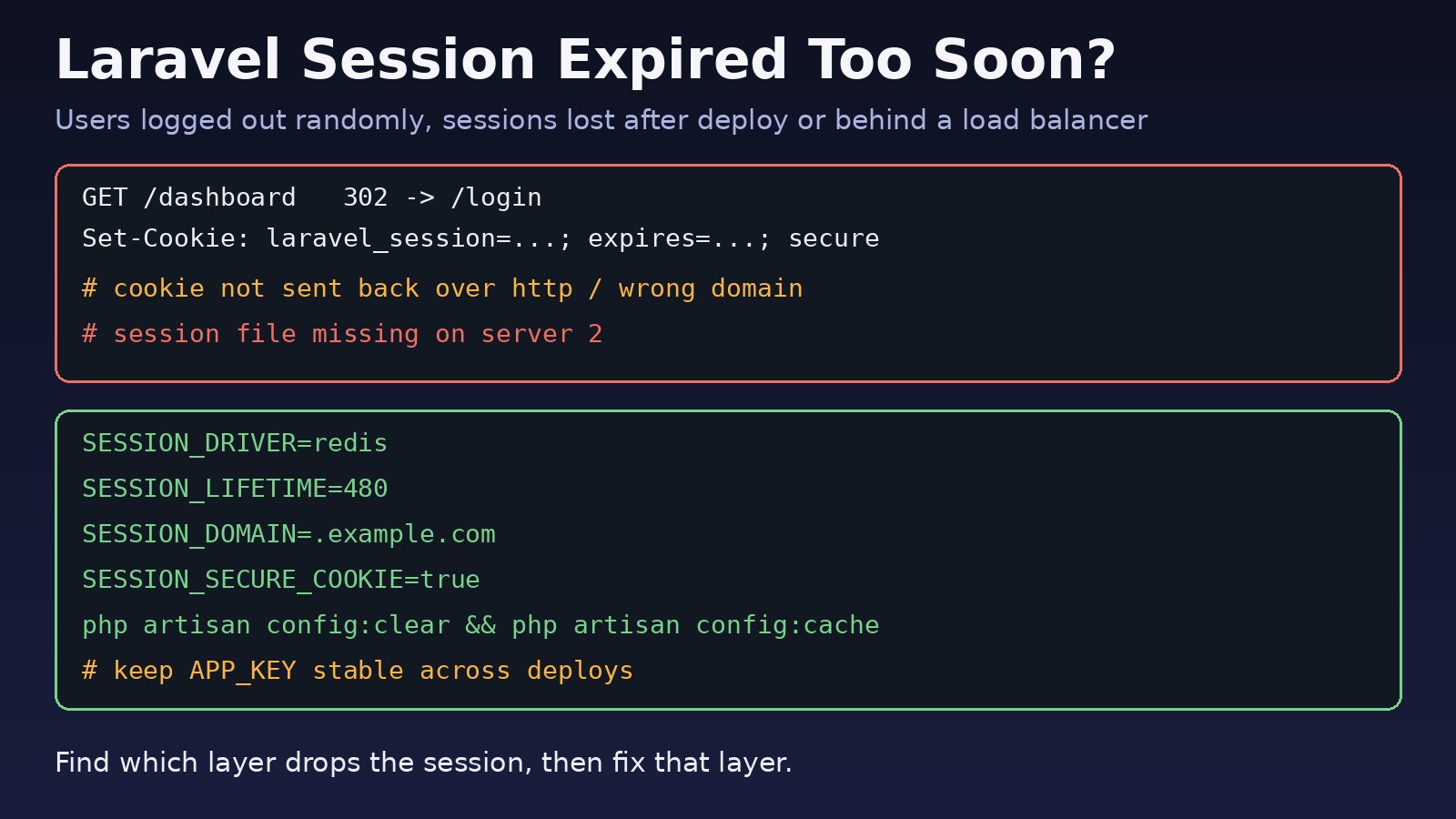
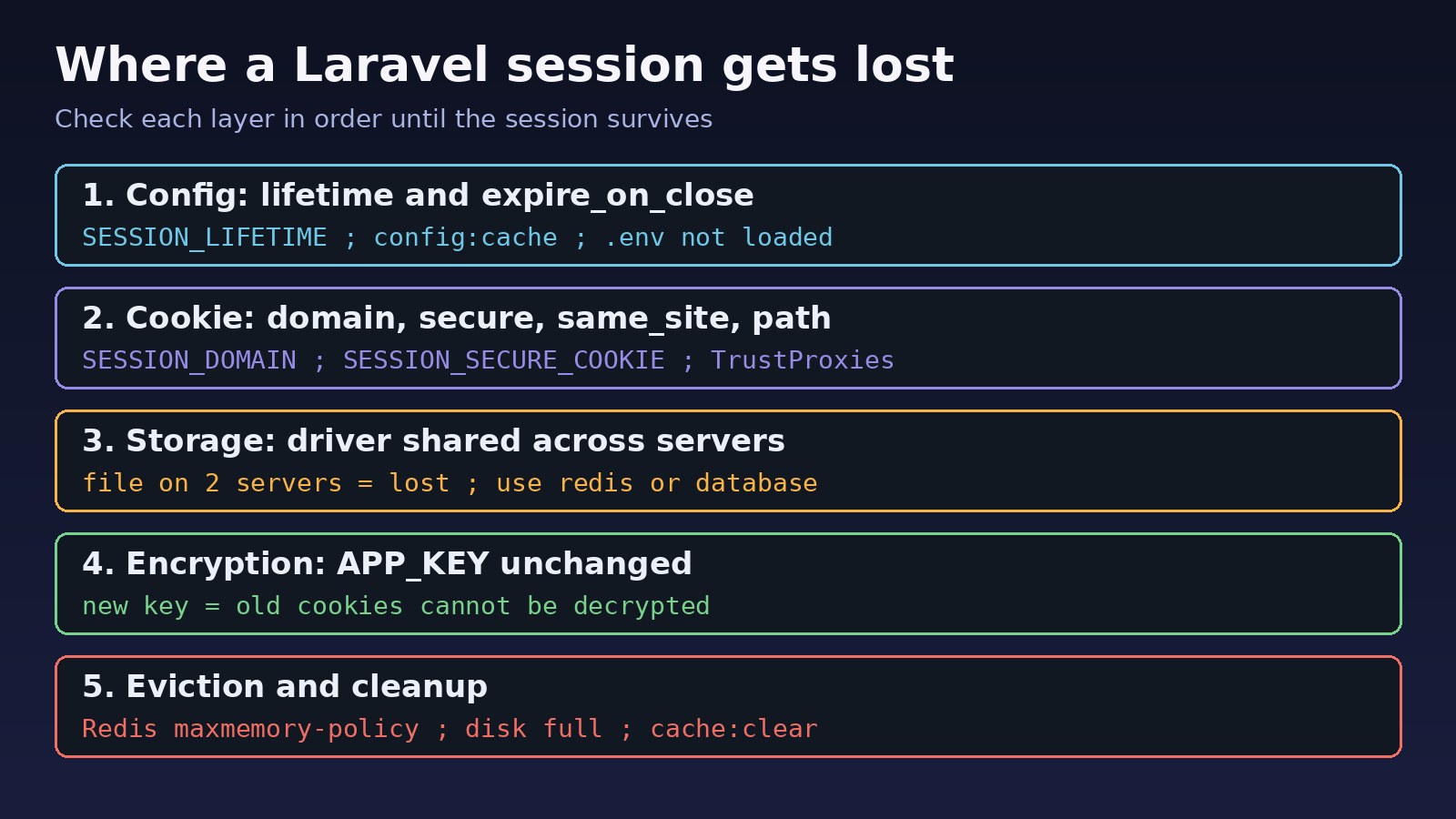
Your users log in, click around for a few minutes, and suddenly land back on the login page. Or everyone gets logged out after every deploy, or only when traffic goes through the load balancer. When a laravel session expired problem shows up like this, the cause is rarely the lifetime setting alone. A Laravel session survives only if four things all work: the config, the cookie, the session storage and the encryption key. This guide walks through each layer with real commands so you can find the one that is dropping your sessions and fix it for good.
Problem: Laravel Session Expired Too Early
Laravel stores session data on the server (file, database, Redis and so on) and gives the browser an encrypted cookie that holds the session ID. On every request, the StartSession middleware decrypts the cookie, looks up the session by ID and refreshes its expiry. If any step fails, Laravel quietly starts a brand new, empty session. To the user that looks like "my session expired" or "I got logged out", even though no timeout was reached.
This is different from the 419 error you get when a form posts with a stale CSRF token. If that is your symptom, start with How to Fix Laravel 419 Page Expired Error. This post focuses on sessions that disappear or expire sooner than expected.
Symptoms of a Login Session Issue
- Users are redirected to
/loginafter a few minutes even thoughSESSION_LIFETIMEis set to hours. - Everyone is logged out after each deployment or after running
php artisan cache:clear. - Login works locally but not in production, or works over HTTPS but not HTTP.
- Sessions are lost randomly when the app runs on two or more servers or containers.
- Flash messages and
old()input never appear after a redirect. - A new
laravel_sessioncookie value is set on every single response. - Forms fail with
419 Page Expiredbecause the session holding the CSRF token is gone.
Root Cause: Why Laravel Sessions Expire
Session lifetime in Laravel is an idle timeout
The lifetime value in config/session.php is in minutes and defaults to env('SESSION_LIFETIME', 120). It is an inactivity timeout: each request pushes the expiry forward. A user who leaves a tab open for longer than the lifetime will be logged out when they come back, which is expected behaviour. If expire_on_close is true, the cookie is a browser-session cookie and disappears when the browser closes.
Cached config ignores your .env change
If you ran php artisan config:cache, Laravel reads the cached file in bootstrap/cache/config.php and no longer reads .env at runtime. Changing SESSION_LIFETIME in .env does nothing until you rebuild the cache.
The browser rejects or does not send the cookie
The cookie is controlled by SESSION_DOMAIN, SESSION_SECURE_COOKIE, SESSION_SAME_SITE and path. A secure cookie is never sent over plain HTTP. A domain of app.example.com is not sent to www.example.com. A same_site value of strict drops the cookie on redirects back from payment gateways or SSO providers.
Session storage is not shared or not persistent
With the file driver, sessions live in storage/framework/sessions on one machine. Behind a load balancer, the next request may hit a server that has never seen that session. In Docker, a container rebuild wipes the folder unless it is on a volume. If PHP cannot write to that folder, sessions are never saved at all.
APP_KEY changed
The session cookie is encrypted with APP_KEY. If a deploy generates a new key, or different servers have different keys, old cookies cannot be decrypted and every user gets a fresh session.
Redis evicts or flushes session keys
If sessions and cache share the same Redis database, php artisan cache:clear flushes sessions too. If Redis hits maxmemory with an eviction policy like allkeys-lru, it can delete session keys under memory pressure.
Step-by-Step Solution
Step 1: Confirm the effective session lifetime
Do not trust .env; ask Laravel what it is actually using:
php artisan tinker
>>> config('session.lifetime')
=> 120
>>> config('session.driver')
=> "file"
>>> config('session.expire_on_close')
=> false
On Laravel 11 and later you can also run php artisan config:show session to print the whole session config. If the values are not what you set, rebuild the config cache:
# .env
SESSION_LIFETIME=480
SESSION_EXPIRE_ON_CLOSE=false

php artisan config:clear
php artisan config:cache
If users must stay signed in for days, do not set the lifetime to a huge number. Use the "remember me" option instead, which issues a long-lived remember cookie and logs the user back in when the session ends:
if (Auth::attempt($credentials, $request->boolean('remember'))) {
    $request->session()->regenerate();
    return redirect()->intended('/dashboard');
}
Step 2: Fix the session cookie settings
Open your browser's developer tools, go to Application (Chrome) or Storage (Firefox), then Cookies, and look at the laravel_session cookie (its name comes from SESSION_COOKIE or your APP_NAME). Check the Domain, Path, Expires, Secure and SameSite columns. Then align your config with how the site is really served:
# Production over HTTPS, shared across subdomains
SESSION_DOMAIN=.example.com
SESSION_SECURE_COOKIE=true
SESSION_SAME_SITE=lax

# Local development over http://localhost
SESSION_DOMAIN=null
SESSION_SECURE_COOKIE=false
Leave SESSION_DOMAIN unset (null) unless you really need the cookie on several subdomains. A wrong value is one of the most common reasons login appears to work and then the next request is anonymous. If you use Sanctum for a separate SPA, the SPA domain must also be listed in SANCTUM_STATEFUL_DOMAINS.
Step 3: Trust your proxy or load balancer
When Nginx, Cloudflare or a cloud load balancer terminates TLS and forwards plain HTTP to PHP, Laravel may think the request is insecure and build http:// redirect URLs. The browser then lands on HTTP, where the secure cookie is not sent. Tell Laravel to trust the proxy headers:
// bootstrap/app.php (Laravel 11+)
->withMiddleware(function (Middleware $middleware) {
    $middleware->trustProxies(at: '*');
})

// Laravel 10 and earlier: app/Http/Middleware/TrustProxies.php
protected $proxies = '*';
Make sure Nginx passes the right headers to PHP-FPM or your upstream:
proxy_set_header Host $host;
proxy_set_header X-Forwarded-For $proxy_add_x_forwarded_for;
proxy_set_header X-Forwarded-Proto $scheme;
Step 4: Use a shared, persistent session driver
For more than one server or any containerised setup, move off the file driver. The database driver is the default in new Laravel 11 apps; create its table if it does not exist:
# Laravel 11+
php artisan make:session-table
# Laravel 10 and earlier
php artisan session:table

php artisan migrate

# .env
SESSION_DRIVER=database
Or use Redis, ideally on its own connection so clearing the cache does not wipe sessions:
// config/database.php -> 'redis' section
'session' => [
    'url' => env('REDIS_URL'),
    'host' => env('REDIS_HOST', '127.0.0.1'),
    'password' => env('REDIS_PASSWORD'),
    'port' => env('REDIS_PORT', '6379'),
    'database' => env('REDIS_SESSION_DB', '2'),
],

# .env
SESSION_DRIVER=redis
SESSION_CONNECTION=session
If Laravel cannot reach Redis at all, sessions fail on every request; see How to Fix Redis Connection Refused Errors.
Step 5: Fix file driver permissions
If you must stay on the file driver on a single server, make sure PHP can write to the sessions folder and that it survives deploys:
ls -la storage/framework/sessions
sudo chown -R www-data:www-data storage bootstrap/cache
sudo chmod -R ug+rwX storage bootstrap/cache
df -h   # a full disk also stops new session files
For more on this, read How to Fix Laravel Storage Permission Denied Errors.
Step 6: Keep APP_KEY stable
Never run php artisan key:generate as part of a deploy script. Store APP_KEY in your secrets manager or shared .env, and make sure every server and container uses the same value. You can check quickly:
php artisan tinker --execute="echo substr(config('app.key'), 0, 12);"
# run on each server; the output must match
If you need to rotate the key, Laravel 11 supports APP_PREVIOUS_KEYS so existing cookies can still be decrypted during the transition.
Step 7: Stop Redis from evicting sessions
redis-cli CONFIG GET maxmemory
redis-cli CONFIG GET maxmemory-policy
redis-cli INFO stats | grep evicted_keys
If evicted_keys keeps growing, either give Redis more memory or use volatile-lru or noeviction for the instance that holds sessions. Session keys always carry a TTL, so a volatile-* policy will still remove them when needed, but only after expiring keys you do not care about. Many teams run a separate Redis database or instance for sessions.
Verification
Add a temporary debug route (remove it afterwards) to watch the session ID across requests:
// routes/web.php (temporary)
Route::get('/session-debug', function () {
    session()->increment('hits');
    return [
        'id' => session()->getId(),
        'hits' => session('hits'),
        'driver' => config('session.driver'),
        'lifetime' => config('session.lifetime'),
    ];
})->middleware('web');
Call it a few times with a cookie jar. The id must stay the same and hits must go up:
curl -s -c jar.txt -b jar.txt https://example.com/session-debug
curl -s -c jar.txt -b jar.txt https://example.com/session-debug
curl -s -c jar.txt -b jar.txt https://example.com/session-debug
If hits resets to 1, the session is not being stored or the cookie is not coming back. For the database driver, confirm rows are written and updated:
SELECT id, user_id, last_activity
FROM sessions
ORDER BY last_activity DESC
LIMIT 5;
Finally, log in through the browser, wait a few minutes, refresh, and repeat after a deploy. A fixed setup keeps you logged in through both.
Prevention
- Run
php artisan config:cacheon every deploy so.envchanges actually apply. - Use the
databaseorredissession driver for anything beyond a single server. - Give sessions their own Redis connection or database so
cache:clearnever logs users out. - Keep one
APP_KEYper environment and never regenerate it in CI. - Match
SESSION_SECURE_COOKIEandSESSION_DOMAINto each environment's real URL. - Configure trusted proxies whenever TLS ends at a load balancer or CDN.
- Offer "remember me" for long logins instead of very long session lifetimes.
- Monitor disk space and Redis
evicted_keys.
FAQs
Why does my laravel session expired message appear before SESSION_LIFETIME?
Usually because the session is lost, not timed out. Check for a cached config, a wrong cookie domain or secure flag, a non-shared file driver behind a load balancer, a changed APP_KEY, or Redis flushing or evicting the keys.
How do I increase session lifetime in Laravel?
Set SESSION_LIFETIME in minutes in .env, for example SESSION_LIFETIME=480 for eight hours, then run php artisan config:clear and php artisan config:cache. Confirm with config('session.lifetime') in Tinker.
Why are users logged out after every deploy?
Common causes are a regenerated APP_KEY, a file session folder that is replaced or not on a persistent volume, or a deploy step that runs cache:clear against a Redis database that also stores sessions.
Is SESSION_LIFETIME an absolute or idle timeout?
It is an idle timeout. Every request refreshes the expiry, so an active user stays logged in. If you need an absolute maximum session age, store the login time in the session and check it in a middleware.
How do I fix a login session issue behind a load balancer?
Use a shared driver such as redis or database, use the same APP_KEY on every node, configure trusted proxies, and make sure the load balancer forwards X-Forwarded-Proto.
Does PHP's session.gc_maxlifetime affect Laravel sessions?
No. Laravel uses its own session handler and does not use native PHP sessions, so session.gc_maxlifetime in php.ini does not control Laravel's lifetime. Laravel's own lifetime and lottery settings do.



Comments
Join the discussion. Replies load on demand, up to 5 levels.
0 threads
No comments yet
Be the first to start the conversation.