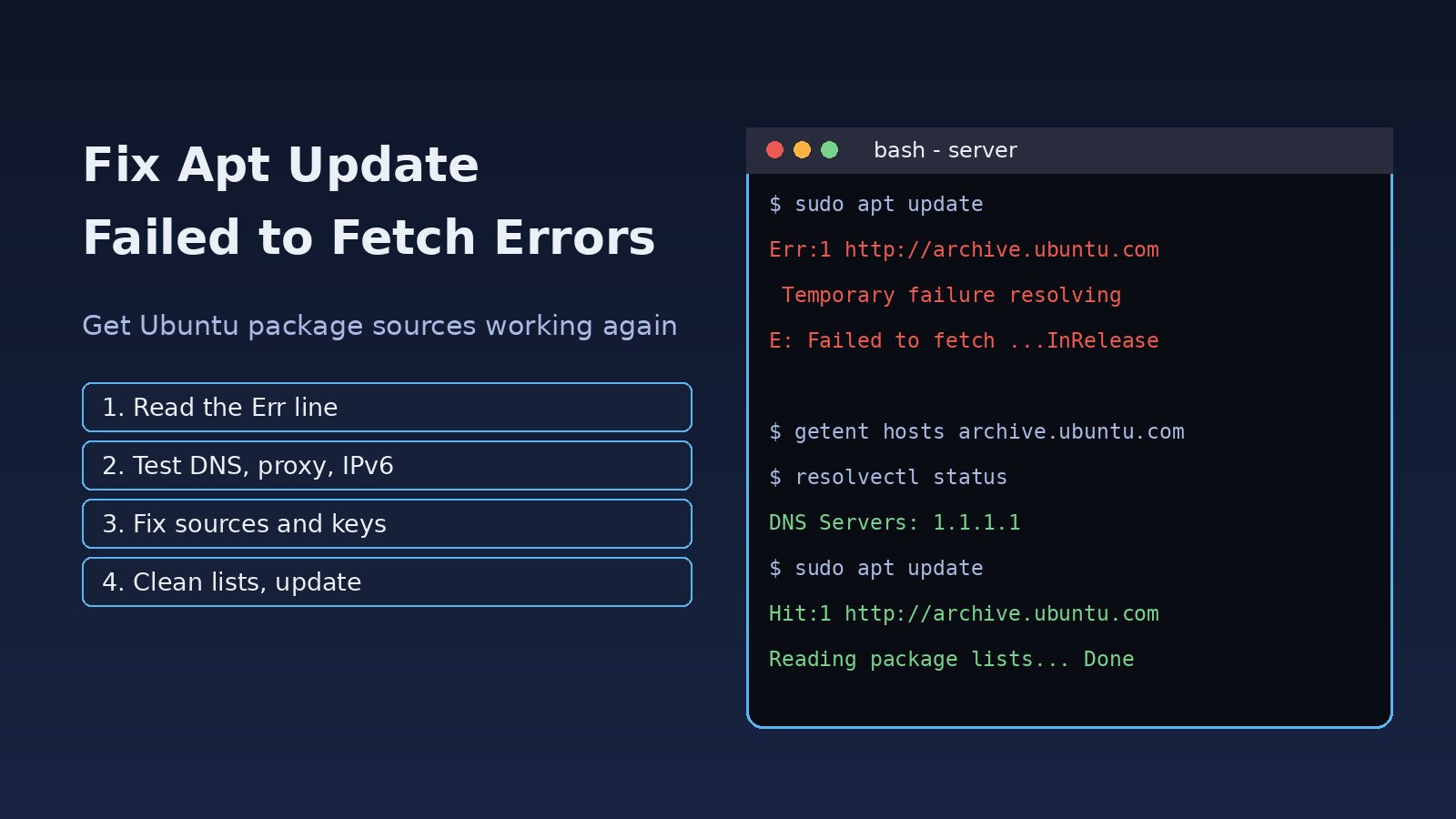
You run sudo apt update before installing PHP, Nginx or PostgreSQL, and instead of a clean package list you get a wall of Err: lines ending in E: Failed to fetch. The apt update failed to fetch error means apt could not download the index files from one or more repositories. The cause can be DNS, a firewall or proxy, IPv6 routing, a wrong clock, a broken mirror, a missing GPG key, or a release that has reached end of life. This guide shows how to read the error, pick the right fix, and confirm your Ubuntu package sources are healthy again.
Problem: Apt Update Failed to Fetch
Each line in /etc/apt/sources.list, /etc/apt/sources.list.d/*.list or, on Ubuntu 24.04, /etc/apt/sources.list.d/ubuntu.sources points to a repository. During apt update apt downloads the InRelease or Release file plus the package indexes for every source. If any download fails, apt prints an Err or W line and the final summary says some index files failed to download. On servers this breaks deployments, Docker builds and unattended security updates, so it is worth fixing properly instead of ignoring the warning.
Symptoms of an Ubuntu Package Repository Error
The text after the URL tells you which fix you need. The most common messages are:
Temporary failure resolving 'archive.ubuntu.com'orCould not resolve 'archive.ubuntu.com'(DNS)Could not connect to archive.ubuntu.com:80 (91.189.91.38), connection timed out(firewall, proxy or routing)Cannot initiate the connection to archive.ubuntu.com:80 (2620:...) - connect (101: Network is unreachable)(broken IPv6)404 Not FoundandE: The repository '... Release' does not have a Release file.(end-of-life release or dead PPA)W: GPG error: ... NO_PUBKEY 7EA0A9C3F273FCD8(missing signing key)Hash Sum mismatchorFile has unexpected size ... Mirror sync in progress?(stale cache or mirror)Release file for ... is not valid yet (invalid for another 5h 2min 30s)(system clock is wrong)
Root Cause
1. DNS cannot resolve the mirror
If systemd-resolved has no working upstream server, or /etc/resolv.conf points to a resolver that is down, apt cannot turn the mirror hostname into an IP address.
2. Network path blocked by firewall or proxy
Corporate networks and some cloud security groups block outbound port 80 or require an HTTP proxy. apt does not read the http_proxy variable when run through sudo unless it is configured for apt itself.
3. IPv6 resolves but does not route
Mirrors publish IPv6 addresses. If your server gets an IPv6 address but has no working IPv6 route, apt tries IPv6 first and fails or stalls.
4. Outdated or broken sources
Once an Ubuntu release reaches end of life its indexes move to old-releases.ubuntu.com, so the normal mirror returns 404. Abandoned PPAs and third-party repos that dropped your release cause the same error.
5. Missing GPG keys, stale lists or wrong time
A vendor key that was never installed, or that rotated, gives NO_PUBKEY. A partial download left in /var/lib/apt/lists gives a hash sum mismatch. A clock that is hours off makes valid Release files look expired or not yet valid.
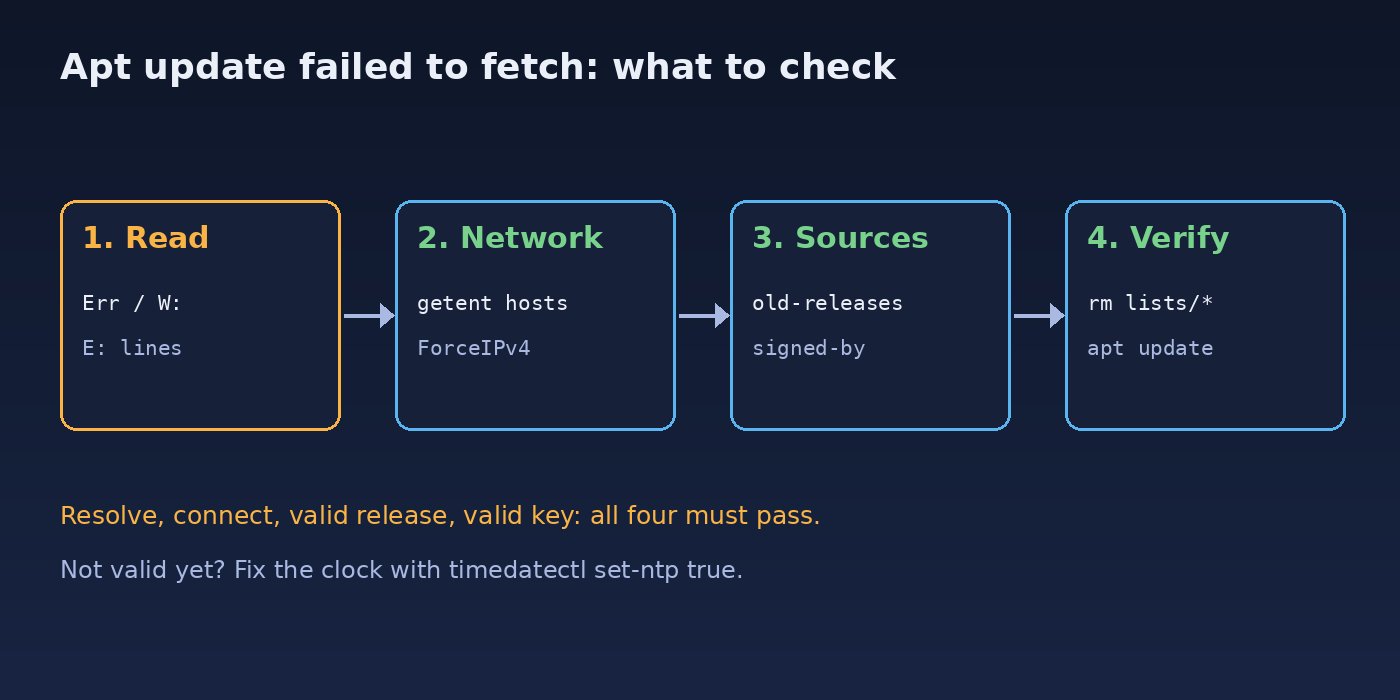
Step-by-Step Solution for Apt Update Failed to Fetch
Step 1: Read the exact error
Run the update again and keep only the failures so the reason is easy to see:
sudo apt update 2>&1 | grep -E '^(Err|W:|E:)'Note which repository fails. If only one third-party repo fails, the rest of the system is fine and you only need to fix that source.
Step 2: Test DNS and connectivity
getent hosts archive.ubuntu.com
resolvectl status | grep -A2 'DNS Servers'
curl -I http://archive.ubuntu.com/ubuntu/
ping -c 3 91.189.91.38
If getent returns nothing but pinging an IP works, it is a DNS problem. Set a working resolver for systemd-resolved and restart it. For a deeper walkthrough see Linux DNS troubleshooting.
sudo mkdir -p /etc/systemd/resolved.conf.d
printf '[Resolve]\nDNS=1.1.1.1 8.8.8.8\n' | sudo tee /etc/systemd/resolved.conf.d/dns.conf
sudo systemctl restart systemd-resolved
getent hosts archive.ubuntu.com
Step 3: Apt network fix for proxies and IPv6
If you must go through a proxy, configure it for apt directly:
echo 'Acquire::http::Proxy "http://proxy.example.local:3128/";' | sudo tee /etc/apt/apt.conf.d/95proxy
echo 'Acquire::https::Proxy "http://proxy.example.local:3128/";' | sudo tee -a /etc/apt/apt.conf.d/95proxy
If the error mentions an IPv6 address and Network is unreachable, test with IPv4 only, then make it permanent if that works:
sudo apt-get -o Acquire::ForceIPv4=true update
echo 'Acquire::ForceIPv4 "true";' | sudo tee /etc/apt/apt.conf.d/99force-ipv4
For timeouts with no proxy, check outbound rules: sudo ufw status verbose on the host and the security group or network ACL in your cloud console must allow outbound TCP 80 and 443.
Step 4: Fix the system clock
timedatectl
sudo timedatectl set-ntp true
sudo systemctl restart systemd-timesyncd
Wait until System clock synchronized: yes appears, then run sudo apt update again.
Step 5: Clear stale lists after a hash sum mismatch
sudo rm -rf /var/lib/apt/lists/*
sudo apt clean
sudo apt update
If the mismatch keeps coming back from the same country mirror, switch to the main mirror http://archive.ubuntu.com/ubuntu in your sources file. Also check free space: a full /var can leave truncated index files, which is covered in how to fix no space left on device in Ubuntu.
Step 6: Fix 404 errors from end-of-life releases and dead PPAs
lsb_release -a
grep -rhE '^(deb|URIs)' /etc/apt/sources.list /etc/apt/sources.list.d/ 2>/dev/null
If your release is no longer supported, the right long-term fix is upgrading to a supported LTS. To get packages working in the meantime, point the sources at the old-releases archive:
sudo cp /etc/apt/sources.list /etc/apt/sources.list.bak
sudo sed -i -E 's#http://([a-z]{2}\.)?archive\.ubuntu\.com|http://security\.ubuntu\.com#http://old-releases.ubuntu.com#g' /etc/apt/sources.list
sudo apt update
For a PPA or vendor repo that no longer publishes your release, remove or disable it:
sudo add-apt-repository --remove ppa:owner/name
# or disable a third-party file without deleting it
sudo mv /etc/apt/sources.list.d/vendor.list /etc/apt/sources.list.d/vendor.list.disabled
Step 7: Install a missing GPG key the modern way
apt-key is deprecated. Store the vendor key in /etc/apt/keyrings and reference it with signed-by. Example for the Docker repository:
sudo install -m 0755 -d /etc/apt/keyrings
curl -fsSL https://download.docker.com/linux/ubuntu/gpg | sudo gpg --dearmor -o /etc/apt/keyrings/docker.gpg
echo "deb [arch=$(dpkg --print-architecture) signed-by=/etc/apt/keyrings/docker.gpg] https://download.docker.com/linux/ubuntu $(. /etc/os-release && echo $VERSION_CODENAME) stable" | sudo tee /etc/apt/sources.list.d/docker.list
sudo apt update
Always download keys from the vendor's official documentation over HTTPS, never from a random keyserver link in a forum post.
Code and Commands: Fixing Apt Inside Docker Builds
The same error often appears in a Dockerfile as RUN apt-get update failing during docker build. Combine update and install in one layer so a cached, outdated index is never reused, and clean the lists afterwards:
FROM ubuntu:24.04
RUN apt-get update \
 && apt-get install -y --no-install-recommends ca-certificates curl \
 && rm -rf /var/lib/apt/lists/*
If builds fail on DNS while the host works, set resolvers for the Docker daemon in /etc/docker/daemon.json with {"dns": ["1.1.1.1", "8.8.8.8"]} and restart Docker. More build-time failures are covered in Docker build failed fixes.
To see exactly what apt is doing over the network, turn on debug output:
sudo apt-get update -o Debug::Acquire::http=true 2>&1 | lessVerification
sudo apt update
# Expect: "Reading package lists... Done" and no Err or W: lines
apt-cache policy | head -20
apt list --upgradable 2>/dev/null | head
A healthy run shows Hit: or Get: for every source and finishes with All packages are up to date or a count of upgradable packages. Then install a small package such as sudo apt install -y jq to prove downloads work end to end.
Prevention
- Stay on a supported Ubuntu LTS and plan upgrades before end of standard support.
- Keep NTP enabled with
timedatectl set-ntp trueon every server and VM template. - Use
signed-bykeyrings for third-party repos and remove PPAs you no longer need. - Monitor disk usage on
/varso index downloads never get truncated. - Document proxy and firewall requirements (outbound 80 and 443 to your mirrors) for new environments.
- Run
sudo apt updatein CI or a health check so repository errors surface before a deployment needs them.
FAQs
Why does apt update say failed to fetch but my internet works?
Browsing may use a proxy, IPv4 or a different DNS server than apt. Test with getent hosts archive.ubuntu.com and curl -I from the same server, then configure apt's proxy or force IPv4 as shown above.
How do I fix Temporary failure resolving archive.ubuntu.com?
It is a DNS failure. Add working DNS servers to systemd-resolved, restart it, and confirm the hostname resolves before running apt again.
Is it safe to delete /var/lib/apt/lists?
Yes. It only holds downloaded index files, which apt rebuilds on the next apt update. It does not remove installed packages.
How do I fix NO_PUBKEY errors without apt-key?
Download the vendor's key, convert it with gpg --dearmor into /etc/apt/keyrings, and add signed-by= to that repository line.
Can I ignore one failing repository?
apt still updates the other sources, but you will not get updates from the failing one and scripts that check the exit code may fail. Fix or disable that source instead of leaving it broken.



Comments
Join the discussion. Replies load on demand, up to 5 levels.
0 threads
No comments yet
Be the first to start the conversation.