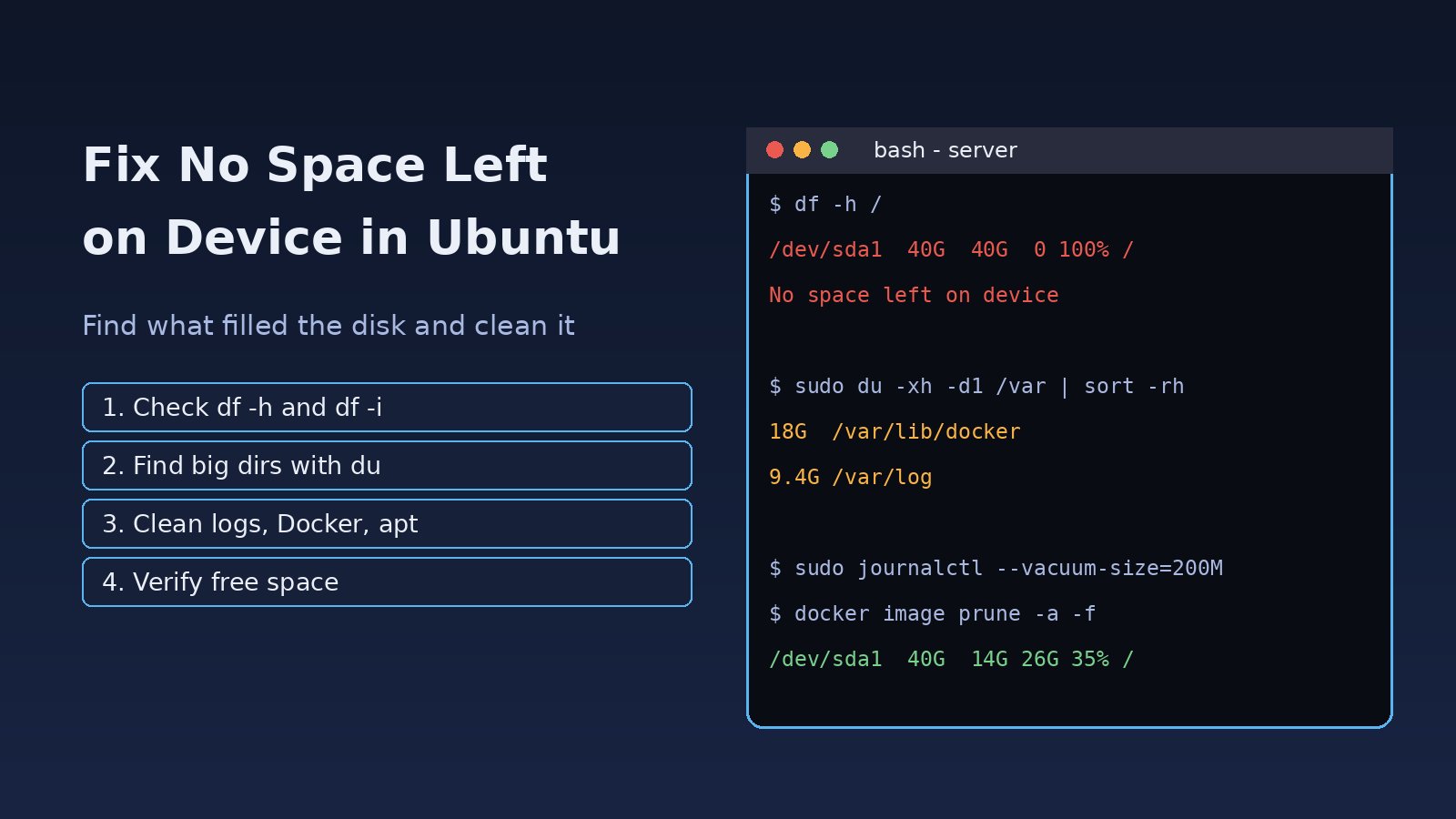
A deploy fails halfway, PostgreSQL refuses to write, Docker cannot pull an image, or even tab completion in the shell breaks. The ubuntu no space left on device error means a filesystem the process is writing to has no free blocks, or no free inodes, left. On a server running Nginx, Laravel, PostgreSQL, Redis and Docker the disk usually fills up quietly with logs, old images and caches until something crashes. This guide shows how to confirm what is full, find the biggest offenders, clear disk space on Ubuntu safely, and stop it from happening again.
Problem: Ubuntu No Space Left on Device
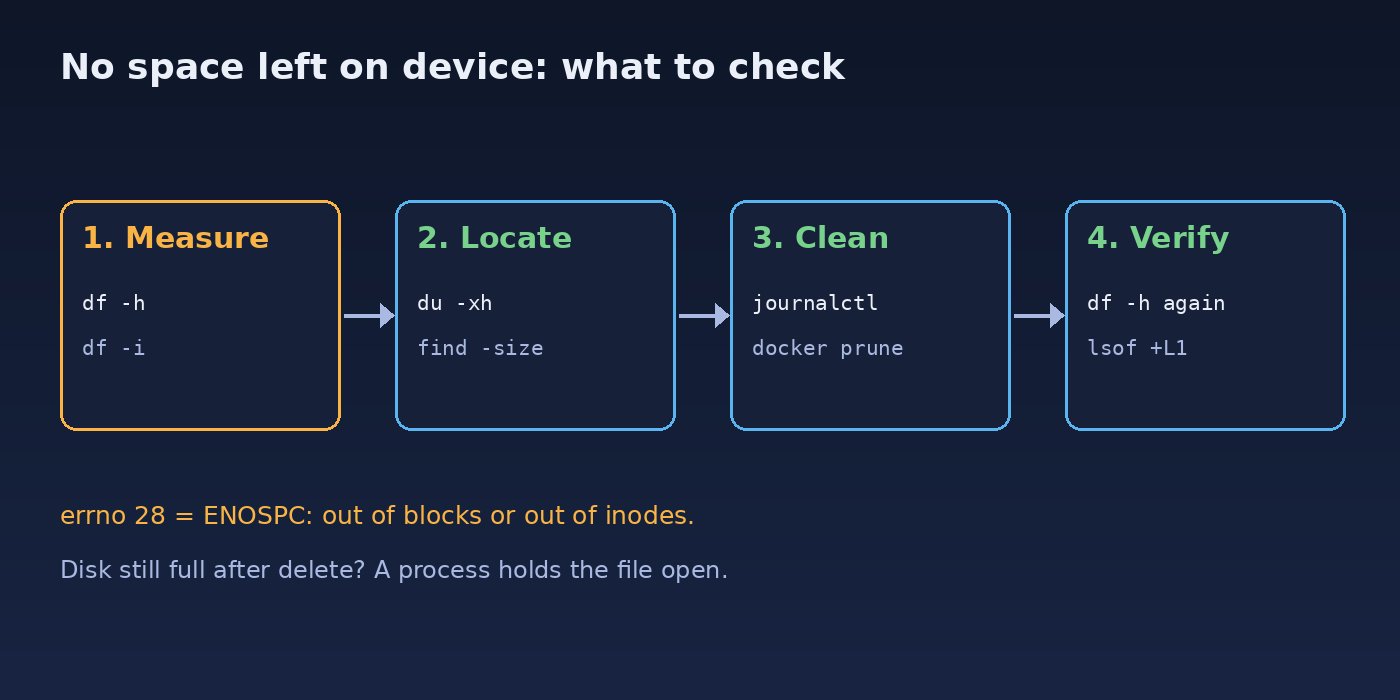
Linux returns the ENOSPC error (errno 28) when a write cannot be completed because the target filesystem is out of space. Every program reports it in its own words, but the root is the same: a partition such as /, /var, /boot or /tmp is at 100%, or it has run out of inodes even though df -h still shows free gigabytes. Fixing it is a matter of measuring first and deleting second, never the other way round.
Symptoms of a Linux Disk Full Error
- Shell or tools:
cannot create temp file for here-document: No space left on deviceorwrite error: No space left on device - apt:
E: You don't have enough free space in /var/cache/apt/archives/ordpkg: error processing archive ... No space left on device - PostgreSQL:
PANIC: could not write to file "pg_wal/xlogtemp.1234": No space left on device - Docker:
failed to register layer: ... no space left on device - Laravel:
file_put_contents(.../storage/framework/sessions/...): Failed to open stream: No space left on device - Nginx returning 500 errors because it cannot write temp files or logs, and MySQL or Redis failing to save
- Kernel updates failing because
/bootis full
Root Cause
1. Logs growing without limits
Application logs in storage/logs, Nginx access logs, and the systemd journal in /var/log/journal can reach many gigabytes when log rotation is missing or a bug floods them with errors.
2. Docker images, containers, volumes and build cache
Every build and pull leaves layers in /var/lib/docker. Stopped containers, dangling images and unused build cache are never removed automatically, and container logs written by the json-file driver have no size limit by default.
3. Package caches, old kernels and snaps
apt keeps downloaded .deb files, old kernels stay installed, and snap keeps previous revisions of every snap package.
4. Inode exhaustion
Millions of tiny files, typically PHP session files, cache fragments or node_modules trees, can consume every inode. The disk then reports no space left on device while df -h still shows free space.
5. Deleted files still held open
If you delete a large log that a process still has open, the space is not released until that process closes the file or restarts. du will not find it, but df still counts it.
Step-by-Step Solution to Clear Disk Space on Ubuntu
Step 1: Check which filesystem is full
df -h
# Filesystem      Size  Used Avail Use% Mounted on
# /dev/sda1        40G   40G     0 100% /
# /dev/sda15      105M  6.1M   99M   6% /boot/efi
Note the mount point at 100%. Then check inodes on the same filesystem:
df -i /
# Filesystem      Inodes   IUsed IFree IUse% Mounted on
# /dev/sda1      2621440 2621440     0  100% /
If IUse% is 100% while space is free, jump to Step 6.
Step 2: Find the largest directories
Use du and stay on one filesystem with -x so mounted volumes are not counted:
sudo du -xh --max-depth=1 / 2>/dev/null | sort -rh | head -15
sudo du -xh --max-depth=1 /var 2>/dev/null | sort -rh | head -15

# Find single files bigger than 500 MB
sudo find / -xdev -type f -size +500M -exec ls -lh {} \; 2>/dev/null
If the server has a desktop or you can install packages, ncdu gives an interactive view: sudo apt install ncdu and then sudo ncdu -x /. When the disk is completely full apt itself may fail, so free a little space first with the steps below.
Step 3: Clean the systemd journal and old logs
journalctl --disk-usage
sudo journalctl --vacuum-size=200M     # keep at most 200 MB of journal
sudo journalctl --vacuum-time=7d       # or keep only the last 7 days

# Old rotated logs
sudo find /var/log -type f -name "*.gz" -delete
sudo find /var/log -type f -name "*.[0-9]" -delete
For a log that is still being written, truncate it instead of deleting it, so the process keeps a valid file handle and the space is released immediately:
sudo truncate -s 0 /var/log/nginx/access.log
truncate -s 0 /var/www/app/storage/logs/laravel.log
Step 4: Clean Docker disk usage
docker system df

docker container prune -f        # stopped containers
docker image prune -a -f         # images not used by any container
docker builder prune -f          # build cache

# Volumes hold data: list first, prune only what you are sure about
docker volume ls -f dangling=true
docker volume prune -f
Never prune volumes on a server where a PostgreSQL or Redis container stores data in a named volume unless you have a backup. Docker-specific cases are covered in more depth in how to fix Docker no space left on device.
Step 5: Clean apt cache, old kernels and snaps
sudo apt clean
sudo apt autoremove --purge

# List installed kernels; the running one is shown by uname -r
uname -r
dpkg --list | grep linux-image

# Keep only the 2 most recent revisions of each snap
sudo snap set system refresh.retain=2
snap list --all | awk '/disabled/{print $1, $3}' |
  while read name rev; do sudo snap remove "$name" --revision="$rev"; done
If /boot is full, apt autoremove --purge normally removes old kernels. Do not remove the kernel that matches uname -r.
Step 6: Fix inode exhaustion
Find directories with the most files:
sudo find / -xdev -type f 2>/dev/null | cut -d/ -f2-4 | sort | uniq -c | sort -rn | head -15

# Common culprits
ls /var/lib/php/sessions | wc -l
ls /var/www/app/storage/framework/sessions | wc -l
Delete stale files by age, not by name pattern alone:
sudo find /var/lib/php/sessions -type f -mmin +1440 -delete
find /var/www/app/storage/framework/sessions -type f -mtime +2 -delete
php artisan cache:clear
php artisan view:clear
For a Laravel app with heavy traffic, moving sessions and cache to Redis removes thousands of small files from disk.
Step 7: Release space held by deleted files
sudo lsof -nP +L1 | grep -i deleted
# php-fpm8.3 2211 www-data 5w REG 8,1 9123456789 0 /var/www/app/storage/logs/laravel.log (deleted)

sudo systemctl restart php8.3-fpm
Restarting the process that holds the file frees the space right away. If you prefer not to restart, you can truncate the open descriptor with sudo truncate -s 0 /proc/PID/fd/FD.
Step 8: Check database growth
If /var/lib/postgresql is the largest directory, do not delete files inside it by hand. Check WAL, replication slots and table bloat as described in how to fix PostgreSQL disk full.
Verification
df -h /
df -i /
docker system df
journalctl --disk-usage
sudo systemctl --failed
Confirm that usage is well below 100%, that inode use has dropped, and that services which failed while the disk was full are running again. Restart anything listed by systemctl --failed, then test the app with a request and check that Nginx and Laravel can write logs again. If a service still will not start, look at its own error, for example the port conflict shown in how to fix address already in use on Linux.
Prevention
- Cap the journal permanently in
/etc/systemd/journald.confwithSystemMaxUse=500M, then runsudo systemctl restart systemd-journald. - Add a logrotate rule for application logs, or use Laravel's
dailylog channel with adayslimit. - Limit Docker container logs in
/etc/docker/daemon.json:{"log-driver":"json-file","log-opts":{"max-size":"10m","max-file":"3"}}, then restart Docker. - Run
docker image prune -a -fanddocker builder prune -fon a schedule on CI runners and build servers. - Monitor disk and inode usage and alert at 80%, using your monitoring stack or a simple cron job that checks
df. - Put fast-growing data such as databases, Docker data or uploads on a separate volume so a full volume cannot take down the root filesystem.
FAQs
Why does Ubuntu say no space left on device when df shows free space?
Usually the filesystem has run out of inodes. Check with df -i. It can also happen when a different mount point, such as /boot or /tmp, is the one that is full.
How do I clear disk space on Ubuntu safely?
Measure first with df -h and du, then clean in order of safety: journal vacuum, apt clean, autoremove, Docker prune of unused images and build cache, and truncating oversized logs. Leave database directories and Docker volumes alone unless you have a backup.
Is it safe to delete files in /var/log?
Rotated, compressed logs are safe to delete. For active logs, truncate them with truncate -s 0 instead of deleting, so the space is released immediately.
I deleted a huge file but the Linux disk is still full. Why?
A running process still has the file open. Find it with sudo lsof +L1 and restart that process.
Can a full disk corrupt my database?
PostgreSQL stops accepting writes when it cannot write WAL, and it is designed to recover after space is freed. Free space first, then restart the service and check its logs. Never delete files in the data directory to make room.



Comments
Join the discussion. Replies load on demand, up to 5 levels.
0 threads
No comments yet
Be the first to start the conversation.