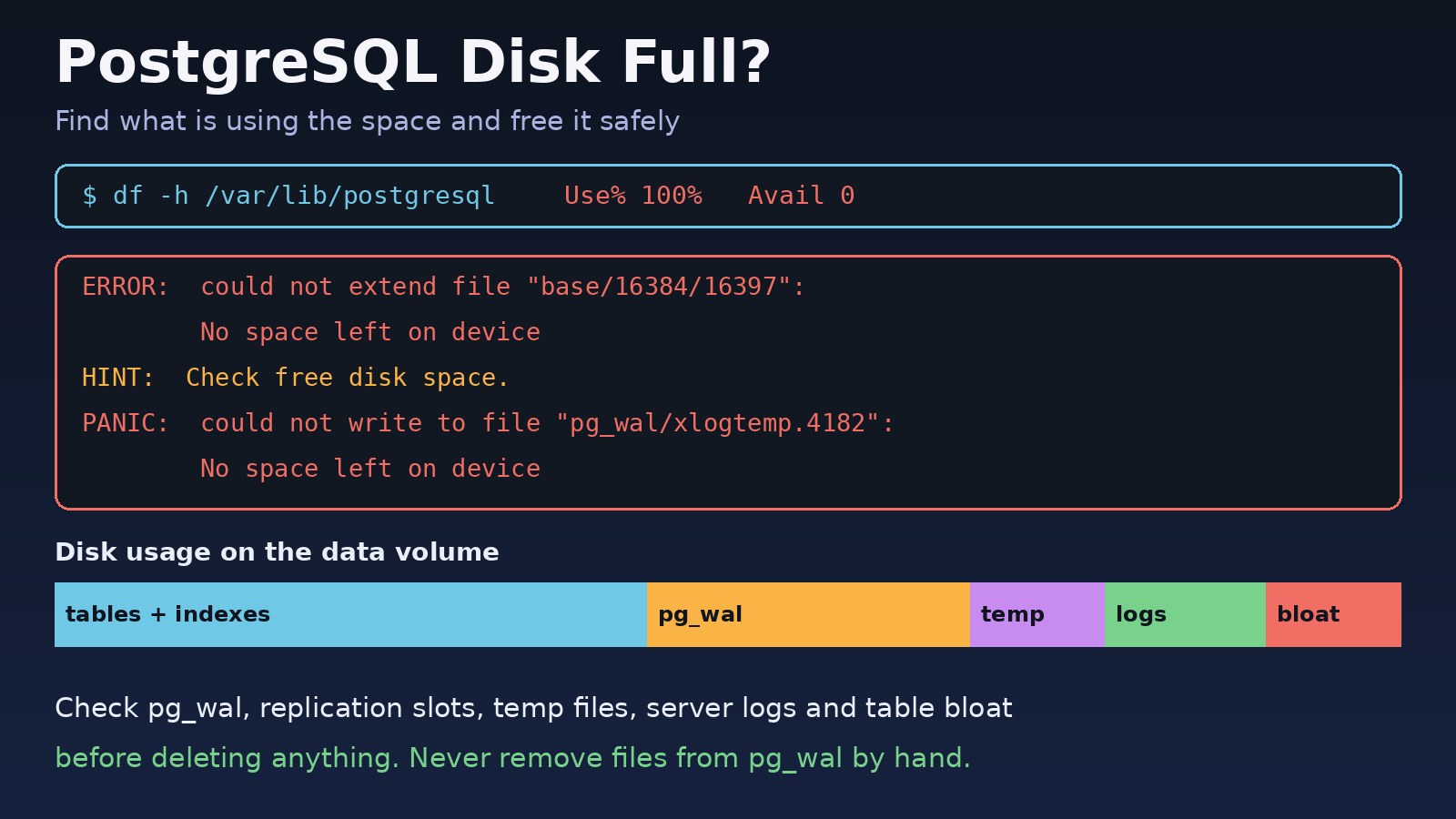
Your Laravel app suddenly returns 500 errors, queue workers stop, and the PostgreSQL log fills with No space left on device. A postgresql disk full situation is one of the most stressful database incidents, because the wrong quick fix (like deleting files from pg_wal) can corrupt the whole cluster. This guide shows how to confirm the problem, find exactly what is using the space, free it safely, and stop it from happening again.
The Problem: PostgreSQL Cannot Write to Disk
PostgreSQL needs free space for almost everything it does: new table and index pages, WAL (write-ahead log) segments, temporary files for large sorts, and its own log files. When the filesystem holding the data directory is full, writes fail. Depending on what failed, you get an error for a single query, or the whole server stops with a PANIC to protect your data.
The good news is that PostgreSQL is designed to survive this. If you free space the right way, the server recovers by itself, usually with no data loss.
Symptoms of a Full Database Disk
These are real messages PostgreSQL writes when it runs out of database disk space:
ERROR:  could not extend file "base/16384/16397": No space left on device
HINT:  Check free disk space.

ERROR:  could not write to file "base/pgsql_tmp/pgsql_tmp21345.3": No space left on device

PANIC:  could not write to file "pg_wal/xlogtemp.4182": No space left on device
LOG:  server process (PID 4182) was terminated by signal 6: Aborted
LOG:  terminating any other active server processes

FATAL: could not write lock file "postmaster.pid": No space left on deviceINSERTandUPDATEstatements fail whileSELECTstill works.- The PostgreSQL service is down and will not start, or it restarts in a loop.
- Laravel shows
SQLSTATE[53100]: Disk full(53100 is the PostgreSQL error code fordisk_full) or connection errors if the server crashed. df -hshows the data volume at or near 100%.
Root Cause: Why PostgreSQL Disk Full Errors Happen
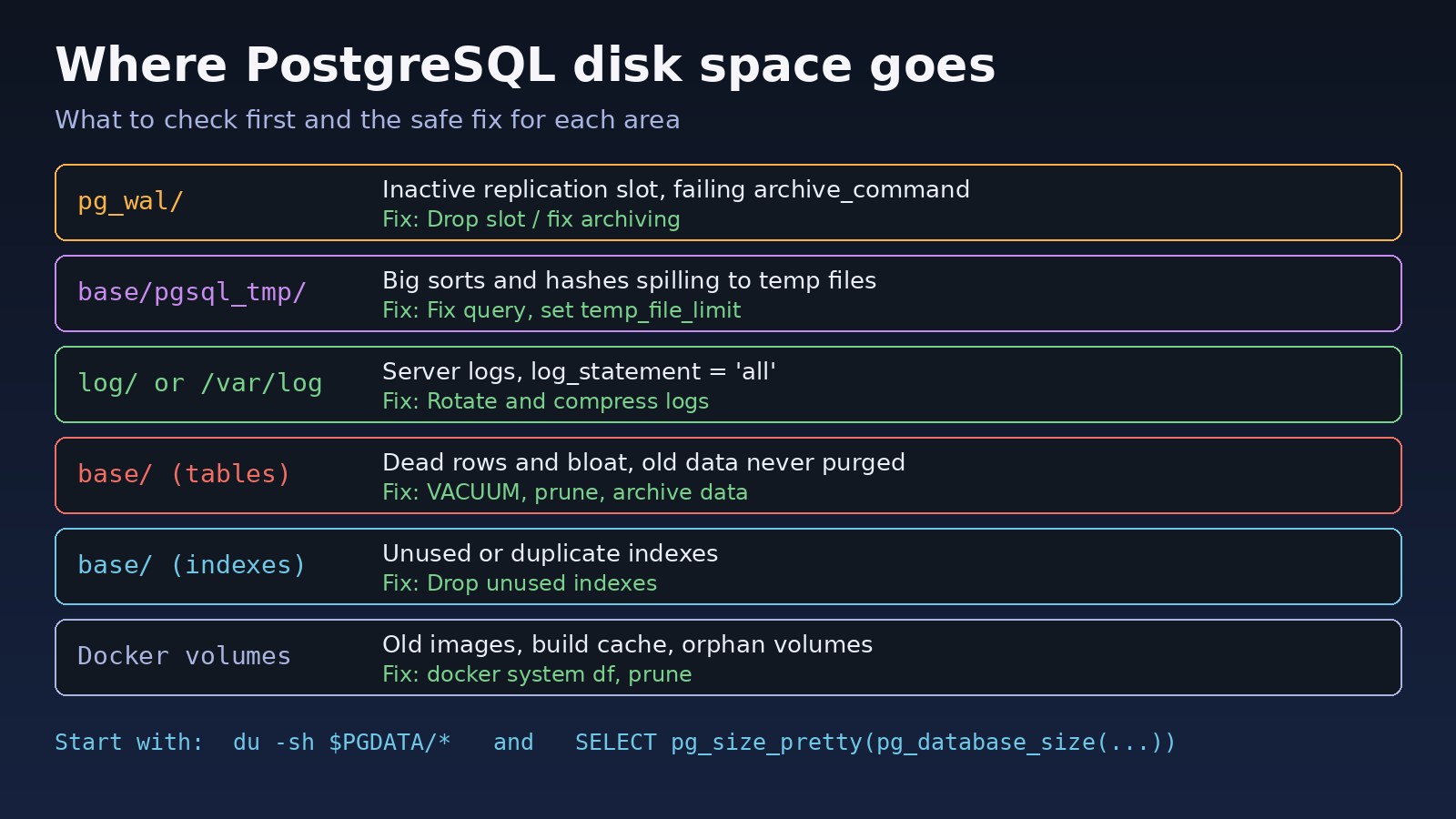
A disk rarely fills because of normal data growth alone. These are the usual causes:
- WAL piling up in
pg_wal. An inactive replication slot or a failingarchive_commandprevents old WAL segments from being removed. - Huge temporary files. A query with a big sort, hash join or
DISTINCTspills gigabytes intobase/pgsql_tmp. - Server logs.
log_statement = 'all'or a query error loop can write very large log files. - Table and index bloat. Dead rows from updates and deletes are not cleaned up because autovacuum is blocked by long or idle transactions.
- Data that is never purged. Audit logs,
jobs,failed_jobs, sessions, or Telescope tables in Laravel apps that grow forever. - Other things on the same disk. Docker images and container logs, backups written to the same volume, or system journal files.
Step-by-Step Solution
Step 1: Do not delete files inside the data directory
Never run rm on files in pg_wal, base or pg_xact. PostgreSQL needs those files for crash recovery. Deleting them is a very common way to turn a disk-full incident into a corrupted database. Free space outside the data directory first, then let PostgreSQL clean up its own files.
Step 2: Confirm which filesystem is full
df -h
df -i            # inodes can run out even when space is free

# find the data directory
sudo -u postgres psql -c "SHOW data_directory;"
# typical Ubuntu path: /var/lib/postgresql/16/main
Step 3: Find what is using database disk space
sudo du -sh /var/lib/postgresql/16/main/* | sort -h
sudo du -sh /var/log/postgresql
sudo journalctl --disk-usage
Look at the biggest directories. A large pg_wal points to WAL retention, a large base/pgsql_tmp points to temp files, and a large base means the tables and indexes themselves.
Step 4: Free emergency space outside PostgreSQL
If the server is down, you first need a little room so it can start. Safe things to remove:
# old rotated PostgreSQL logs (not the current one)
sudo find /var/log/postgresql -name "*.gz" -mtime +7 -delete

# shrink the systemd journal and the apt cache
sudo journalctl --vacuum-size=200M
sudo apt-get clean

# old backups that are already copied off the server
ls -lh /var/backups/
If the disk is a cloud volume, growing it is often the fastest and safest fix. After resizing in your cloud console, extend the partition and filesystem:
sudo growpart /dev/nvme0n1 1
sudo resize2fs /dev/nvme0n1p1     # ext4
# sudo xfs_growfs /                 # XFS
Then start PostgreSQL again with sudo systemctl start postgresql. After a PANIC, it runs crash recovery automatically. Watch the log until you see database system is ready to accept connections.
Step 5: Fix WAL retention
If pg_wal is the big directory, check replication slots and archiving:
SELECT slot_name, active, wal_status,
       pg_size_pretty(pg_wal_lsn_diff(pg_current_wal_lsn(), restart_lsn)) AS retained_wal
FROM pg_replication_slots;

SELECT archived_count, failed_count, last_failed_wal, last_failed_time
FROM pg_stat_archiver;
An inactive slot for a replica or CDC tool that no longer exists can be dropped, and PostgreSQL will remove the old WAL at the next checkpoint:
SELECT pg_drop_replication_slot('old_replica_slot');
CHECKPOINT;
Only drop a slot when you are sure nothing still needs it. The full process is covered in PostgreSQL WAL size increasing and how to fix it.
Step 6: Find the largest tables and indexes
To understand PostgreSQL storage usage inside the database, list database and relation sizes:
SELECT datname, pg_size_pretty(pg_database_size(datname)) AS size
FROM pg_database ORDER BY pg_database_size(datname) DESC;

SELECT n.nspname || '.' || c.relname AS relation,
       pg_size_pretty(pg_total_relation_size(c.oid)) AS total,
       pg_size_pretty(pg_relation_size(c.oid))       AS table_only,
       pg_size_pretty(pg_indexes_size(c.oid))        AS indexes
FROM pg_class c
JOIN pg_namespace n ON n.oid = c.relnamespace
WHERE c.relkind IN ('r', 'm')
  AND n.nspname NOT IN ('pg_catalog', 'information_schema')
ORDER BY pg_total_relation_size(c.oid) DESC
LIMIT 15;
Step 7: Reclaim space the right way
DELETEdoes not return space to the operating system. It only marks rows as dead.VACUUMmakes dead space reusable inside the table, which stops further growth, but usually does not shrink the file.VACUUM FULLrewrites the table and returns space to the OS, but it takes anACCESS EXCLUSIVElock and needs enough free space for a full copy of the table and its indexes. Do not run it on a nearly full disk.TRUNCATEandDROP TABLEfree space immediately. They are perfect for log-style tables you no longer need.
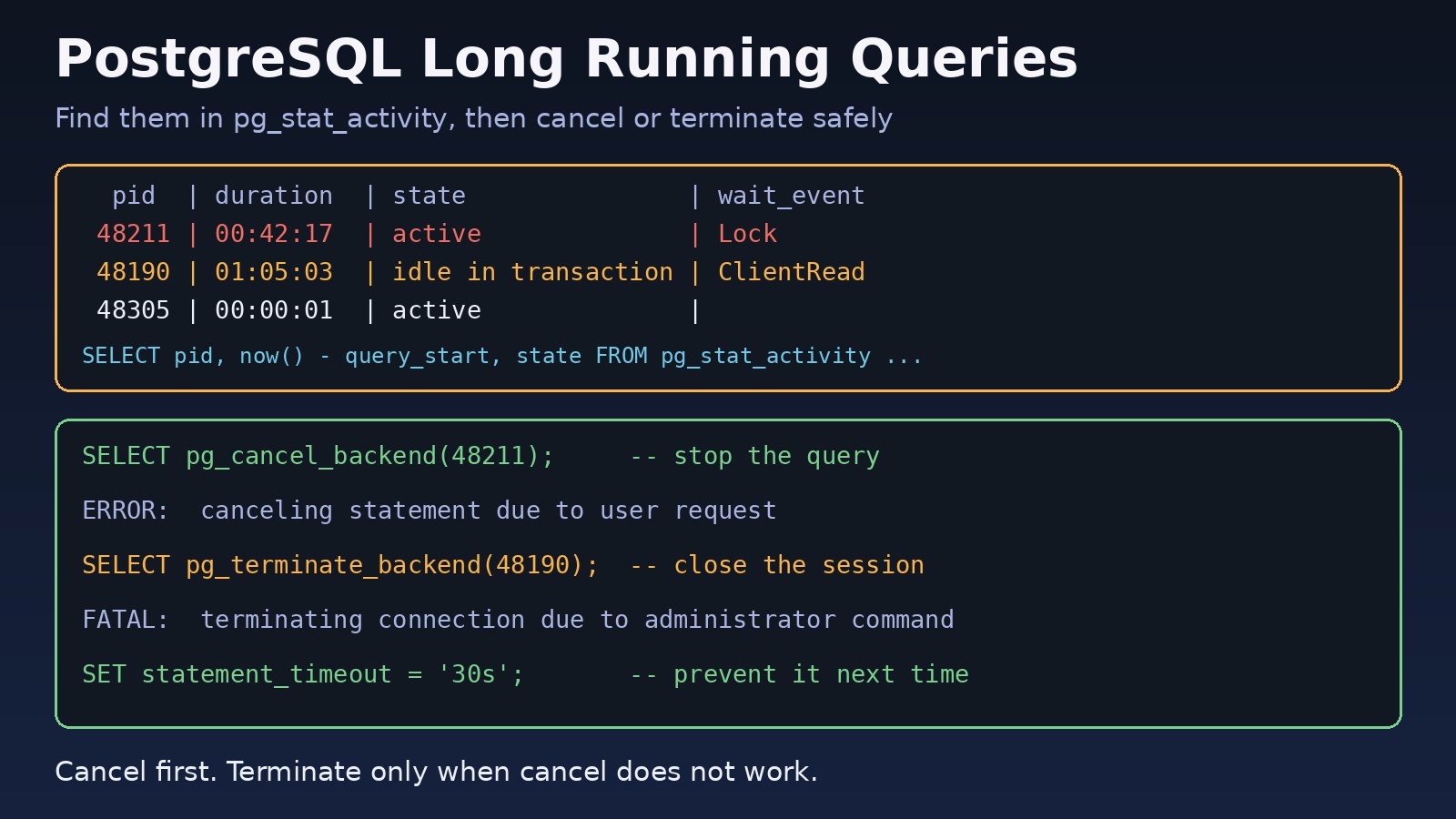
If autovacuum is not keeping up, check for sessions that block it. See how to find and terminate long-running PostgreSQL queries.
Code/Commands Examples
Check dead rows and autovacuum activity
SELECT relname, n_live_tup, n_dead_tup, last_autovacuum
FROM pg_stat_user_tables
ORDER BY n_dead_tup DESC
LIMIT 10;
Track temporary file usage
SELECT datname, temp_files, pg_size_pretty(temp_bytes) AS temp_size
FROM pg_stat_database ORDER BY temp_bytes DESC;

-- postgresql.conf
log_temp_files = '100MB'     # log every temp file larger than 100 MB
temp_file_limit = '20GB'     # cancel a query that exceeds this per process
Find indexes that are never used
SELECT schemaname, relname, indexrelname,
       pg_size_pretty(pg_relation_size(indexrelid)) AS size
FROM pg_stat_user_indexes
WHERE idx_scan = 0
ORDER BY pg_relation_size(indexrelid) DESC;
Check before dropping: indexes that enforce primary keys or unique constraints must stay, and statistics may have been reset recently.
Laravel: prune tables that grow forever
php artisan queue:prune-failed --hours=168
php artisan queue:prune-batches --hours=168
php artisan telescope:prune --hours=48
php artisan model:prune     # for models using the Prunable trait
Schedule these in routes/console.php or the console kernel so they run daily instead of only during an incident.
PostgreSQL in Docker
docker system df -v
docker exec -it postgres du -sh /var/lib/postgresql/data/*

# limit container log size in /etc/docker/daemon.json
{ "log-driver": "json-file", "log-opts": { "max-size": "50m", "max-file": "3" } }
If Docker itself fills the disk, follow Docker no space left on device: how to fix it. Never run docker volume prune without checking that your PostgreSQL data volume is in use, or you can lose the database.
Verification
df -hshows comfortable free space on the data volume.- The PostgreSQL log shows
database system is ready to accept connectionsand no newNo space left on deviceerrors. - A test write works:
CREATE TABLE disk_check(id int); DROP TABLE disk_check; pg_replication_slotsshows no inactive slot holding large amounts of WAL, andpg_stat_archivershows no new failures.- Your Laravel app, queue workers and scheduled jobs run normally again.
Prevention
- Alert on disk usage well before 100%, for example at 80% and 90%, using your monitoring tool or a simple cron job with
df. - Limit WAL retention with
max_slot_wal_keep_size(PostgreSQL 13+) so a dead slot cannot fill the disk. - Set
temp_file_limitso one runaway query cannot use all free space. - Rotate and compress logs, and avoid
log_statement = 'all'in production. - Keep autovacuum healthy by avoiding long and idle transactions, and set
idle_in_transaction_session_timeout. - Purge or archive old data on a schedule, and consider partitioning large time-based tables so old partitions can be dropped.
- Store backups on a different disk or in object storage, never only on the database volume.
- Keep a reserve file, for example
fallocate -l 2G /var/lib/postgresql/reserve.img, that you can delete to get instant breathing room in an emergency.
FAQs
Can I delete files in pg_wal to fix a postgresql disk full error?
No. PostgreSQL removes WAL segments itself once they are no longer needed. Deleting them by hand can make the database impossible to start or recover. Fix the reason WAL is retained, such as an inactive replication slot or failing archiving, then run CHECKPOINT.
Why didn't deleting rows free database disk space?
DELETE only marks rows as dead. VACUUM makes that space reusable for new rows in the same table, but the file usually stays the same size. To return space to the operating system, use TRUNCATE, drop old partitions, run VACUUM FULL during a maintenance window, or use an online tool such as pg_repack.
How do I check PostgreSQL storage usage per table?
Use pg_total_relation_size() for the table including indexes and TOAST data, pg_relation_size() for the table only, and pg_indexes_size() for its indexes. The query in Step 6 lists the largest relations.
Will PostgreSQL lose data when the disk is full?
Normally no. Committed transactions are protected by WAL. A PANIC stops the server so it does not write incomplete data. Once you free space and start it, crash recovery replays WAL. The real risk is manual deletion of files inside the data directory.
How much free disk space should a PostgreSQL server keep?
There is no single number. Keep enough for normal growth, WAL spikes during heavy writes, temporary files from large queries, and at least the size of your largest table if you ever need to rebuild it with VACUUM FULL or REINDEX.
Comments
Join the discussion. Replies load on demand, up to 5 levels.
0 threads
No comments yet
Be the first to start the conversation.