A query is slow, you add an index you think will help, and nothing changes. Guessing does not work well with databases. PostgreSQL EXPLAIN ANALYZE runs the query and shows the real execution plan: which scan PostgreSQL chose, how many rows each step returned, and where the time actually went. This guide explains how to read that output line by line, spot the common problems, and confirm that your fix worked.
The Problem: You Cannot Fix What You Cannot See
SQL says what you want, not how to get it. The PostgreSQL planner decides the how: sequential scan or index scan, nested loop or hash join, sort in memory or on disk. It picks the plan with the lowest estimated cost, based on table statistics. When those estimates are wrong, or a useful index is missing, the chosen plan can be very slow even though the SQL looks simple.
Plain EXPLAIN shows only the planner's estimates. EXPLAIN ANALYZE actually executes the query and adds real timings and row counts next to the estimates. That comparison is where most performance problems become obvious.
Symptoms That Call for EXPLAIN ANALYZE
- A page or API endpoint is slow and the database is the main suspect.
- A query is fast with one parameter value and slow with another.
- A new index was created but the query does not seem to use it.
- Queries show up in
pg_stat_statementsor in logs fromlog_min_duration_statementwith high durations. - Report or export queries that got slower as the tables grew.
Root Cause: How the Planner Gets It Wrong
- Stale or missing statistics. After a large import or delete, the planner may still think a table has far fewer or far more rows than it does.
- Missing or unusable indexes. The index does not exist, the column is wrapped in a function such as
lower(email), or the data types do not match. - Bad row estimates for joins. One wrong estimate early in the plan leads to the wrong join method later.
- Not enough memory for sorts and hashes. When
work_memis too small, sorts and hash joins spill to disk. - Too much data read.
SELECT *, noLIMIT, or filters that cannot use an index.
Step-by-Step Solution: How to Read a Query Execution Plan
Step 1: Run EXPLAIN ANALYZE with BUFFERS
Start with the most useful options. BUFFERS shows how many 8 kB pages were read from shared memory or from disk:
EXPLAIN (ANALYZE, BUFFERS)
SELECT id, total, created_at
FROM orders
WHERE customer_id = 42
ORDER BY created_at DESC;
Important: EXPLAIN ANALYZE really runs the statement. For INSERT, UPDATE or DELETE, wrap it in a transaction and roll back so no data changes:
BEGIN;
EXPLAIN (ANALYZE, BUFFERS)
UPDATE orders SET status = 'archived' WHERE created_at < now() - interval '2 years';
ROLLBACK;
Step 2: Read the plan from the inside out
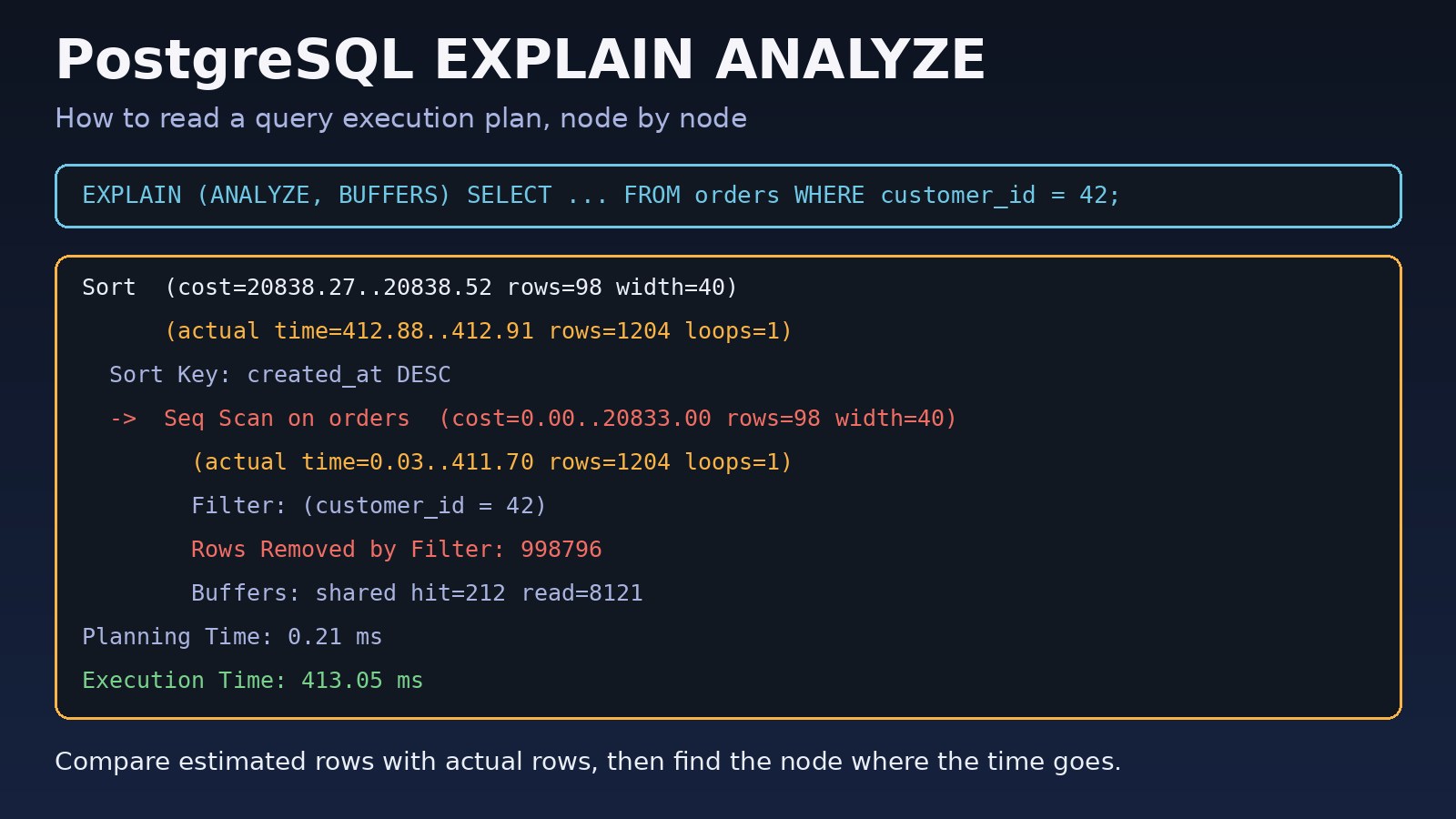
The output is a tree. Each line starting with -> is a node, and indentation shows which node feeds which. PostgreSQL executes the most indented nodes first and passes rows up to their parents. Here is an example plan:
Sort  (cost=20838.27..20838.52 rows=98 width=40) (actual time=412.88..412.91 rows=1204 loops=1)
  Sort Key: created_at DESC
  Sort Method: quicksort  Memory: 125kB
  Buffers: shared hit=212 read=8121
  ->  Seq Scan on orders  (cost=0.00..20833.00 rows=98 width=40) (actual time=0.03..411.70 rows=1204 loops=1)
        Filter: (customer_id = 42)
        Rows Removed by Filter: 998796
        Buffers: shared hit=212 read=8121
Planning Time: 0.21 ms
Execution Time: 413.05 ms
Read it bottom-up: a sequential scan reads the whole orders table, throws away almost a million rows, and passes 1,204 rows to the sort.
Step 3: Understand cost, rows, actual time and loops
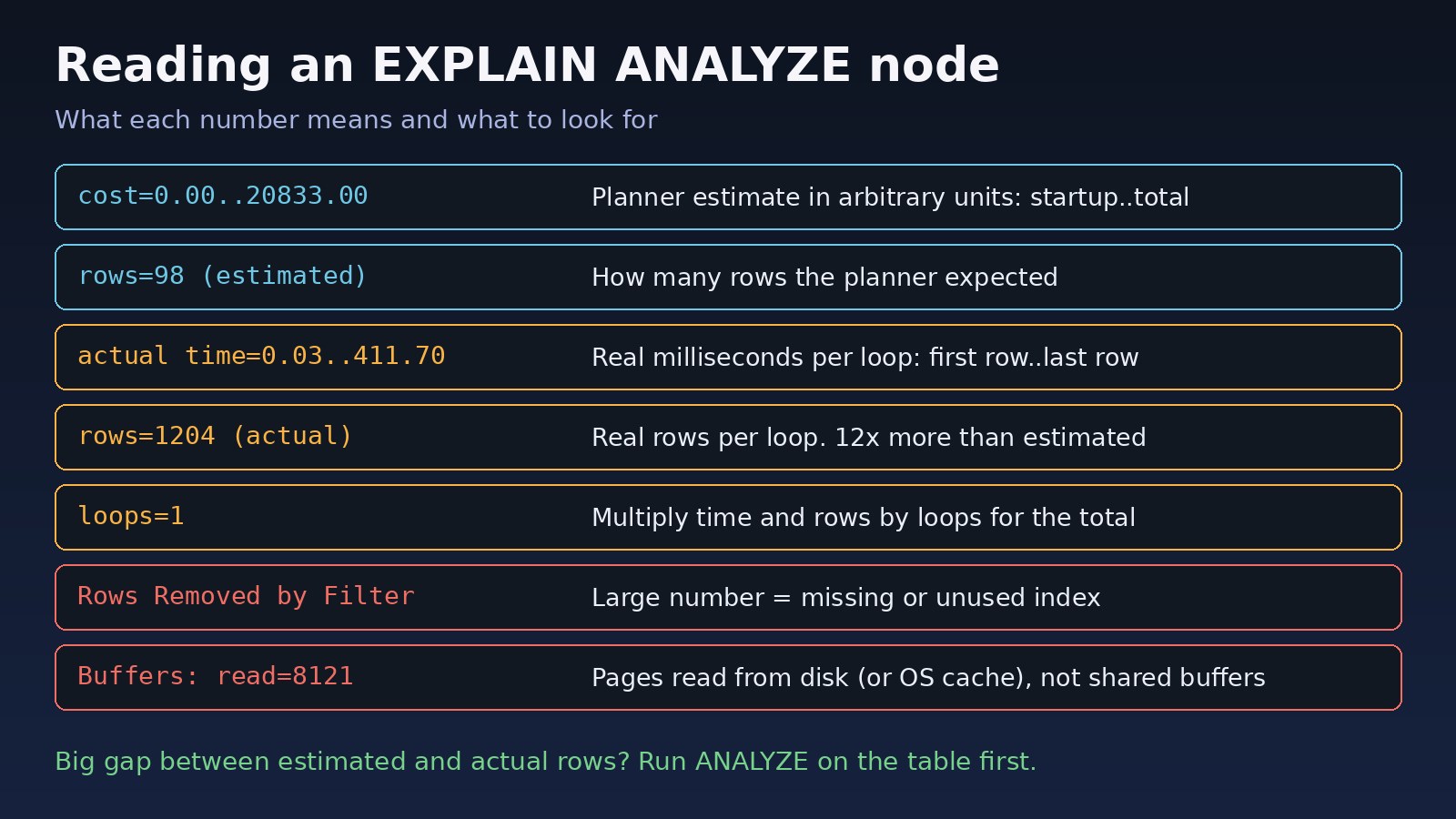
cost=0.00..20833.00is the planner's estimate in arbitrary units. The first number is the startup cost (before the first row), the second is the total cost. It is not milliseconds.rows=98inside the first parentheses is the estimated number of rows.actual time=0.03..411.70is real time in milliseconds, to the first row and to the last row, per loop.rows=1204in the second parentheses is the actual number of rows per loop.loops=1is how many times the node ran. For the inner side of a nested loop it can be thousands, so multiply time and rows by loops to get the real total.
Step 4: Compare estimated rows with actual rows
This is the single most useful check in query performance analysis. In the example the planner expected 98 rows and got 1,204. A gap of about 10 times or more on a node usually means the statistics are out of date or the planner cannot estimate the condition well. Refresh statistics and run the plan again:
ANALYZE orders;

-- check when the table was last analyzed
SELECT relname, last_analyze, last_autoanalyze, n_live_tup
FROM pg_stat_user_tables
WHERE relname = 'orders';
Step 5: Find the node where the time goes
A parent's actual time includes the time of its children. To find the expensive step, look for the node whose own time is large compared with its children. In the example, the sort finishes at 412.9 ms but the scan below it already took 411.7 ms, so the scan is the problem, not the sort.
Step 6: Recognize the common warning signs
Seq Scanwith a largeRows Removed by Filter: PostgreSQL read many rows just to throw them away. An index on the filter column usually helps. A sequential scan on a small table is normal and fine.Sort Method: external merge Disk: ...kB: the sort did not fit inwork_memand spilled to disk.Hashnode withBatchesgreater than 1: the hash table did not fit in memory either.Nested Loopwith a highloopscount on the inner side: fine for a few rows, slow when the outer side returns far more rows than estimated.Buffers: shared readmuch higher thanhit: data came from disk or the OS cache instead of PostgreSQL's shared buffers.Index Scanfollowed by a largeRows Removed by Filter: the index matches only part of the condition. A composite index may fit better.
Code/Commands Examples
Fix the sequential scan with an index
-- CONCURRENTLY avoids blocking writes on a busy table
CREATE INDEX CONCURRENTLY idx_orders_customer_created
    ON orders (customer_id, created_at DESC);

ANALYZE orders;
Run the same EXPLAIN (ANALYZE, BUFFERS) again. With the composite index, the plan should change to an Index Scan using idx_orders_customer_created on orders, the Sort node can disappear because the index already returns rows in order, and the buffer counts should drop sharply. The exact timing depends on your data and hardware, so measure it on your own system.
Check a sort that spills to disk
SET work_mem = '64MB';   -- this session only
EXPLAIN (ANALYZE, BUFFERS) SELECT ... ORDER BY ...;
RESET work_mem;
If the plan changes from external merge to quicksort, the sort needed more memory. Raise work_mem carefully: it applies per sort or hash operation, per connection, so a high global value can use a lot of RAM under load.
Get machine-readable output
EXPLAIN (ANALYZE, BUFFERS, FORMAT JSON) SELECT ...;

-- PostgreSQL 12+: show non-default planner settings
EXPLAIN (ANALYZE, BUFFERS, SETTINGS) SELECT ...;
JSON output is useful for plan visualizer tools and for saving plans to compare before and after a change.
Capture plans of slow queries automatically
The auto_explain module logs plans of queries slower than a threshold, which helps with queries you cannot easily reproduce:
# postgresql.conf
session_preload_libraries = 'auto_explain'
auto_explain.log_min_duration = '500ms'
auto_explain.log_analyze = on
auto_explain.log_buffers = on
Keep in mind that log_analyze adds timing overhead to every query it samples, so use a sensible threshold in production.
Laravel: see the SQL your code generates
To analyze a query built by Eloquent, get the SQL and bindings first, then run it through EXPLAIN in psql:
$query = Order::where('customer_id', 42)->orderByDesc('created_at');

dump($query->toSql(), $query->getBindings());

// Laravel 10+ shows the plan directly
dump($query->explain());
Note that the query builder's explain() runs plain EXPLAIN, so it shows estimates only. Use psql for real timings. For more Eloquent fixes, see how to optimize Laravel Eloquent for large databases.
Verification
- Run
EXPLAIN (ANALYZE, BUFFERS)before and after your change and save both outputs. - Confirm the plan uses the node you expected, for example an
Index Scaninstead of aSeq Scan. - Check that estimated and actual rows are now close on the important nodes.
- Compare
Execution Timeand buffer counts. Run each query a few times, because the first run may read from disk and later runs from cache. - Test with realistic parameter values, including the customer or tenant with the most data.
- Watch
pg_stat_statementsover the next days to confirm the average time dropped in production.
Prevention
- Keep statistics fresh. Make sure autovacuum and autoanalyze are running, and run
ANALYZEafter bulk imports. - Review plans for new queries before they reach production, using a database with production-like data volume.
- Index for your real filters and sort order, and remove indexes that are never used.
- Enable
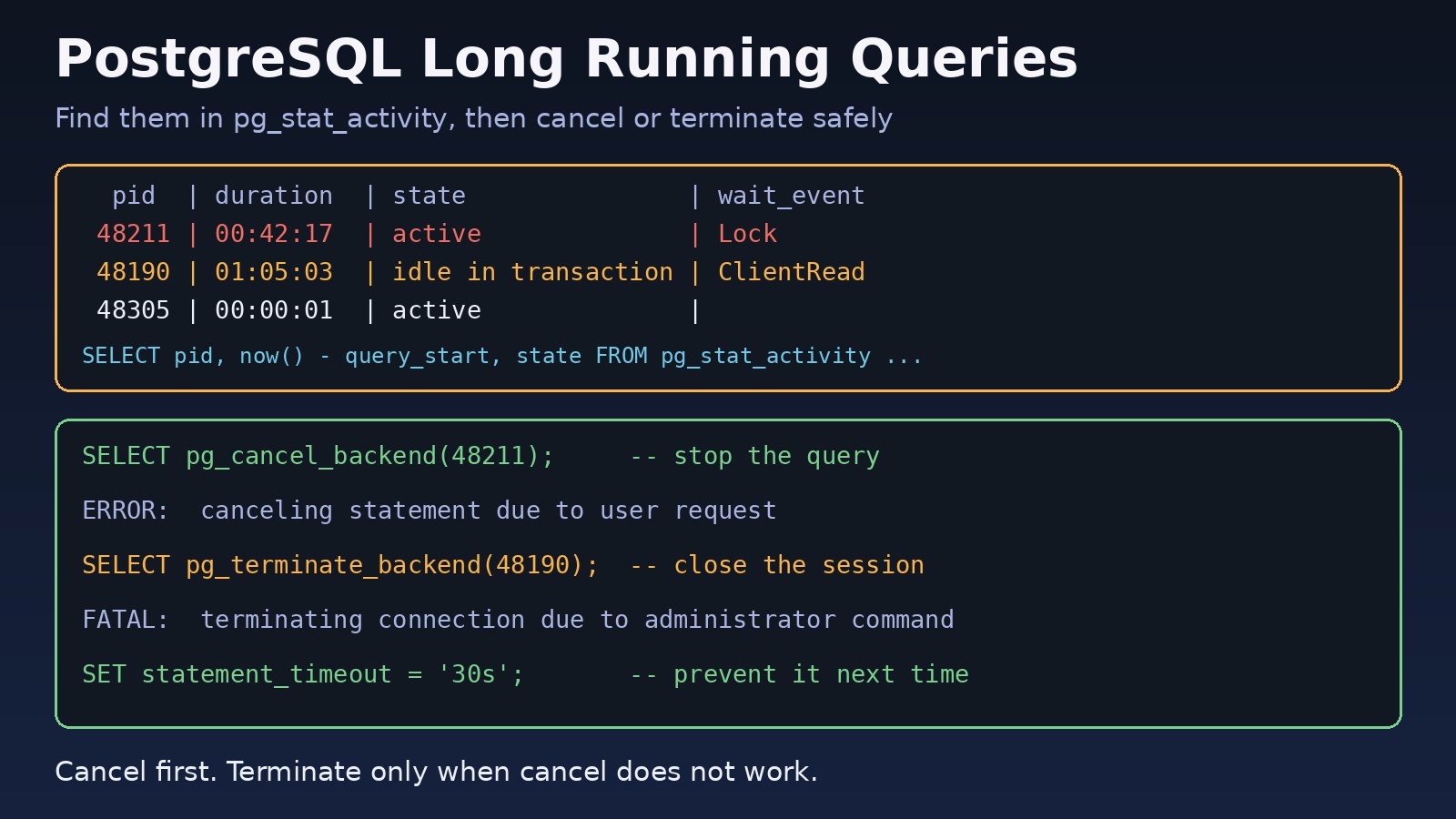
pg_stat_statementsandauto_explainso slow plans are visible without waiting for a user complaint. - Set timeouts so a bad plan cannot run forever. The guide on finding and terminating long-running PostgreSQL queries covers
statement_timeoutand safe cancellation. - For a broader workflow from slow query to fix, read how to optimize a slow PostgreSQL query step by step.
FAQs
What is the difference between EXPLAIN and EXPLAIN ANALYZE?
EXPLAIN shows the plan the planner would use, with estimated costs and rows, without running the query. EXPLAIN ANALYZE runs the query and adds actual times, actual rows and loop counts, so you can see whether the estimates were right.
Is it safe to run PostgreSQL EXPLAIN ANALYZE in production?
It runs the full query, so it costs as much as the query itself. For SELECT statements that is usually acceptable. For data-changing statements, always wrap it in BEGIN and ROLLBACK, and avoid running very heavy queries at peak times.
Why is actual time different from cost?
Cost is a unitless estimate the planner uses to compare plans. Actual time is measured in milliseconds. They are not meant to match; what matters is whether the relative estimates, especially row counts, are close to reality.
Why does PostgreSQL ignore my index?
Common reasons are that the query returns a large share of the table (a sequential scan is then cheaper), the column is wrapped in a function or cast, the data types do not match, the table is small, or the statistics are stale. The execution plan and the estimated versus actual rows usually show which one it is.
Why is EXPLAIN ANALYZE slower than the query alone?
Measuring time for every row of every node adds overhead, especially on systems with slow clock access. Use EXPLAIN (ANALYZE, TIMING OFF) to get actual row counts with less overhead when exact node timings are not needed.
Which tools help with query performance analysis?
Start with EXPLAIN (ANALYZE, BUFFERS), pg_stat_statements for the slowest queries on average, and auto_explain for capturing plans in production. JSON plan output can be pasted into a plan visualizer to make large plans easier to read.
Comments
Join the discussion. Replies load on demand, up to 5 levels.
0 threads
No comments yet
Be the first to start the conversation.