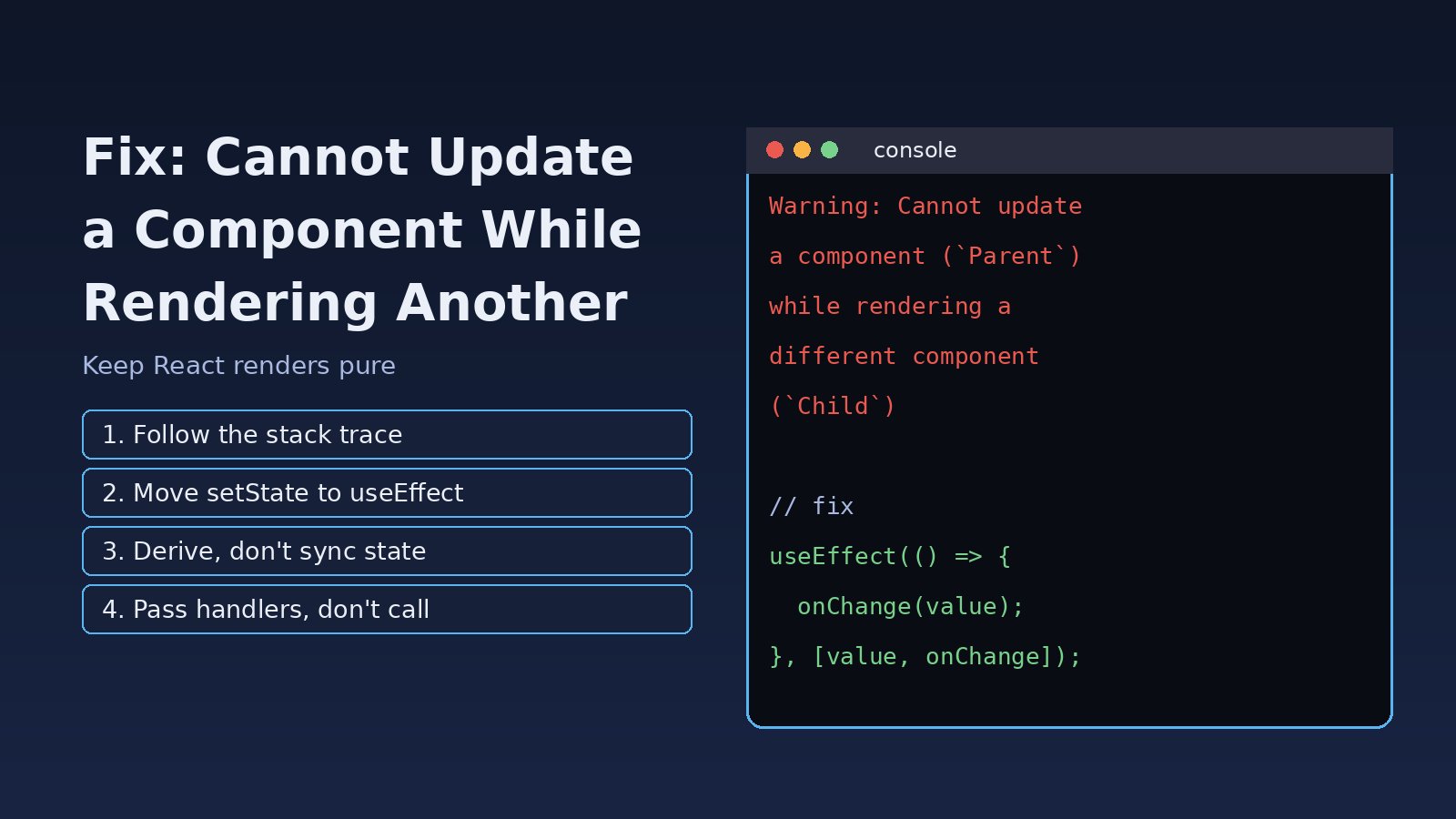
You open the browser console in development and see a red warning that starts with Warning: Cannot update a component while rendering a different component. If you are searching for cannot update a component while rendering, the short answer is this: some component is calling a state setter that belongs to another component while React is still rendering. React added this warning in version 16.13 because those updates break the render cycle and lead to bugs that are hard to trace. This guide shows how to find the exact line, why it happens, and the fixes that remove it for good in React and Next.js apps.
Problem: Cannot Update a Component While Rendering a Different Component
The full message usually looks like this:
Warning: Cannot update a component (`Parent`) while rendering a different component (`Child`).
To locate the bad setState() call inside `Child`, follow the stack trace as described in
https://reactjs.org/link/setstate-in-render
    at Child (Child.jsx:8:3)
    at Parent (Parent.jsx:14:5)
The first name in backticks is the component whose state is being changed. The second name is the component that was rendering when it happened. In other words, Child ran some code during render that called a setter owned by Parent. Rendering should be a pure calculation: given props and state, return JSX. Changing another component's state in the middle of that calculation is a side effect, so React warns you.
Symptoms
- The React state update warning appears in the console in development, often once per render, sometimes repeated many times.
- The UI flickers, shows a stale value for one frame, or renders twice when a page loads.
- A parent counter, form value or selected item updates "by itself" when a child mounts.
- In worse cases the update loops and you get
Too many re-rendersorMaximum update depth exceeded. - The warning appears after adding a Redux
dispatch, a Zustand or Context setter, or arouter.push()call inside a component body.
Root Cause of the React Render Cycle Warning
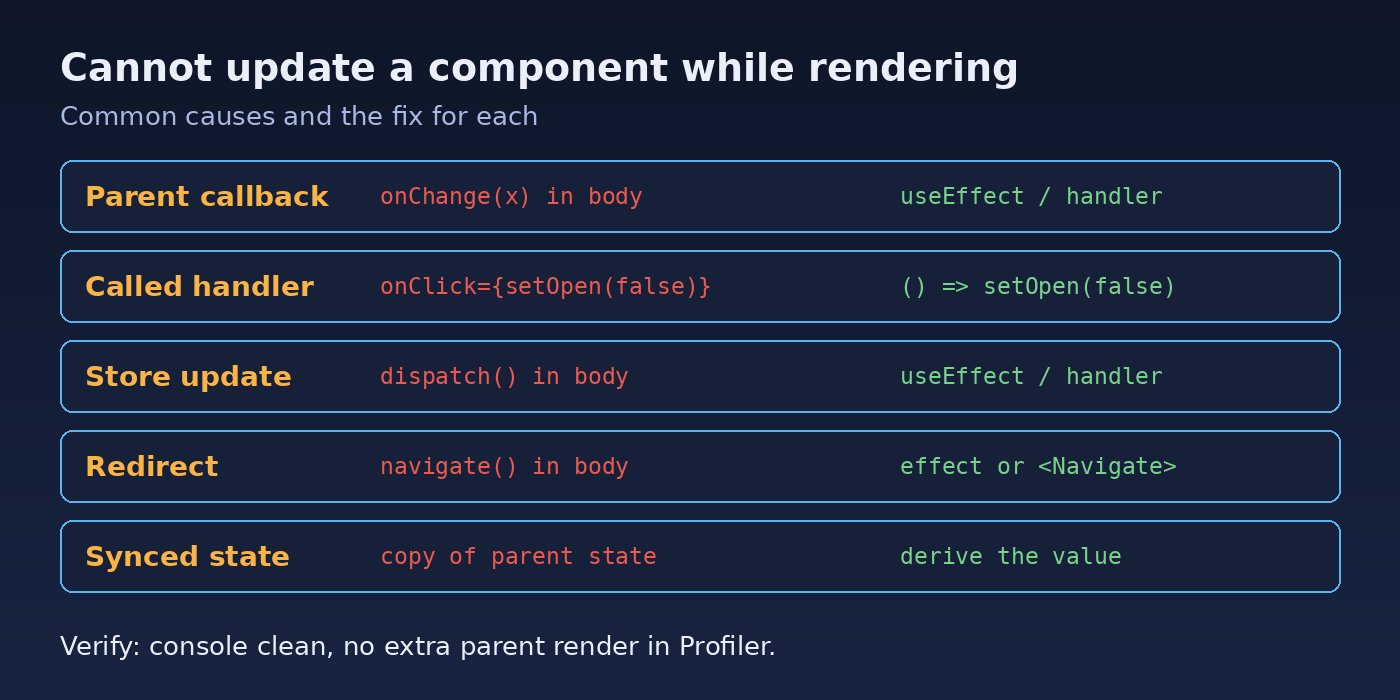
React renders in two phases. In the render phase it calls your component functions to work out what the UI should look like. In the commit phase it applies the result to the DOM and then runs effects. A state update triggered during the render phase of a different component asks React to change a tree it is in the middle of calculating. The common ways this happens are:
- Calling a parent callback in the component body. For example
props.onChange(value)orsetTotal(x)written directly inside the child function, not inside an event handler or effect. - Calling a handler instead of passing it. Writing
onClick={setOpen(false)}calls the setter during render. It should beonClick={() => setOpen(false)}. - Updating a global store during render. A Redux
dispatch(), Zustandset()or Context setter called in the body updates every subscribed component, including ones that are not the one rendering. - Side effects inside
useMemoor a state initializer. These run during render, so a setter called inside them has the same problem. - Navigation during render. Calling
navigate()(React Router) orrouter.push()(Next.js) in the component body updates router state while rendering.
Step-by-Step Solution
Step 1: Find the bad setState call from the stack trace
Expand the warning in Chrome or Firefox DevTools. The component stack shows the rendering component (the second name in the message). Click the top frame that points to your own code, not to react-dom. That line, or a function it calls, is where the setter runs during render. Search that component for:
- setter or callback calls outside a function body (
setX(,onChange(,dispatch(,navigate() - JSX props like
onClick={doSomething()}with parentheses - code inside
useMemo,useState(() => ...)or a custom hook that calls a setter
Step 2: Move parent updates into useEffect
If a child needs to tell its parent about a value it calculated, report it after the render is committed:
// Bad: updates Parent while Child is rendering
function Child({ items, onCountChange }) {
  const count = items.filter((i) => i.active).length;
  onCountChange(count); // warning
  return <span>{count} active</span>;
}

// Better: notify the parent after commit
import { useEffect } from "react";

function Child({ items, onCountChange }) {
  const count = items.filter((i) => i.active).length;

  useEffect(() => {
    onCountChange(count);
  }, [count, onCountChange]);

  return <span>{count} active</span>;
}
If onCountChange is an inline arrow in the parent, wrap it in useCallback so the effect does not run on every render. For more on getting dependencies right, see useEffect Infinite Loop in React: Causes and How to Fix It.
Step 3: Better still, derive the value instead of syncing it
Often the parent does not need its own copy of the state at all. If the parent already has the data, calculate the value there during render and pass it down. This removes the state, the effect and the warning:
function Parent({ items }) {
  const activeCount = items.filter((i) => i.active).length; // derived, no state
  return (
    <>
      <Header activeCount={activeCount} />
      <Child items={items} />
    </>
  );
}
Step 4: Fix event handler props that are called instead of passed
// Bad: setOpen runs during render
<button onClick={setOpen(false)}>Close</button>
<Modal onClose={handleClose()} />

// Good: pass a function
<button onClick={() => setOpen(false)}>Close</button>
<Modal onClose={handleClose} />
The same mistake inside a child often triggers a React Too Many Re-Renders error when the setter belongs to the same component.
Step 5: Move Redux, Zustand and Context updates out of render
// Bad
function ProductPage({ product }) {
  const dispatch = useDispatch();
  dispatch(setBreadcrumb(product.name)); // updates <Breadcrumb> while rendering
  return <ProductDetails product={product} />;
}

// Good
function ProductPage({ product }) {
  const dispatch = useDispatch();
  useEffect(() => {
    dispatch(setBreadcrumb(product.name));
  }, [dispatch, product.name]);
  return <ProductDetails product={product} />;
}
For user actions (button clicks, form submits), dispatch directly in the event handler instead of using an effect. Effects are for syncing with something after render; handlers are for reacting to what the user did.
Step 6: Redirect in an effect, not in the component body
// React Router
import { useEffect } from "react";
import { useNavigate, Navigate } from "react-router-dom";

function Dashboard({ user }) {
  const navigate = useNavigate();
  useEffect(() => {
    if (!user) navigate("/login");
  }, [user, navigate]);
  // or simply render: if (!user) return <Navigate to="/login" replace />;
  return <Main />;
}

// Next.js (pages router or client component)
const router = useRouter();
useEffect(() => {
  if (!session) router.push("/login");
}, [session, router]);
Step 7: Keep useMemo and state initializers pure
useMemo and useState(() => ...) run during render. Only compute and return values inside them. Move any setter calls into an effect or handler.
Code/Commands: Debugging the Render Cycle
Run the app in development mode so you get full warnings and component stacks:
# Vite / Create React App
npm run dev        # or: npm start

# Next.js
npm run dev

# Search the codebase for handlers that are called in JSX
grep -rnE "on[A-Z][a-zA-Z]+=\{[a-zA-Z_.]+\([^)]*\)\}" src/
Turn on the React Hooks lint rules so effect dependencies stay correct:
npm install --save-dev eslint-plugin-react-hooks

// .eslintrc.json
{
  "plugins": ["react-hooks"],
  "rules": {
    "react-hooks/rules-of-hooks": "error",
    "react-hooks/exhaustive-deps": "warn"
  }
}
Note: setting the state of the same component during its own render is a documented React pattern for adjusting state when a prop changes, as long as it is guarded by a condition. The warning is specifically about updating a different component.
Verification
- Reload the page with the console open and the filter set to show warnings. The
Cannot update a componentmessage should be gone. - Use React DevTools Profiler, record a page load, and confirm the parent no longer renders an extra time right after the child mounts.
- Click through the flows that used to trigger the warning (opening modals, changing filters, redirects) and watch the console.
- Run your test suite. Tools like React Testing Library print React warnings in test output, so a clean run is a good signal.
Prevention
- Treat render functions as pure: no setters, dispatches, navigation or API calls in the component body.
- Prefer derived values over copied state. If a value can be calculated from props or existing state, calculate it.
- Lift state up to the closest common parent instead of syncing it from a child.
- Use event handlers for user actions and effects only for syncing with external systems.
- Keep
eslint-plugin-react-hooksenabled in CI and review JSX props for called functions. - Check related warnings early; this one often appears together with React Maximum Update Depth Exceeded.
FAQs
What does "cannot update a component while rendering a different component" mean?
It means a component called a state setter that belongs to another component while it was rendering. React finishes rendering first and then applies updates, so updating another component mid-render breaks the render cycle and is flagged in development.
Is this React state update warning dangerous in production?
The message only shows in development, but the cause is still there in production. It can produce extra renders, flicker, inconsistent UI and, in some cases, infinite update loops. Fix it rather than hiding it.
How do I update parent state from a child in React?
Call the parent's callback from an event handler in the child (for example on click or on change), or from a useEffect if it must react to a value change. Better yet, keep the state in the parent and derive what you need there.
Why does this warning appear with Redux or Zustand?
Calling dispatch() or a store setter in the component body updates every component subscribed to the store while the current component is rendering. Move the call into a handler or useEffect.
Does React 18 or React 19 still show this warning?
Yes. The warning was added in React 16.13 and is still part of React's development checks. Strict Mode in React 18 and later also renders components twice in development, which can make render-phase side effects easier to notice.



Comments
Join the discussion. Replies load on demand, up to 5 levels.
0 threads
No comments yet
Be the first to start the conversation.