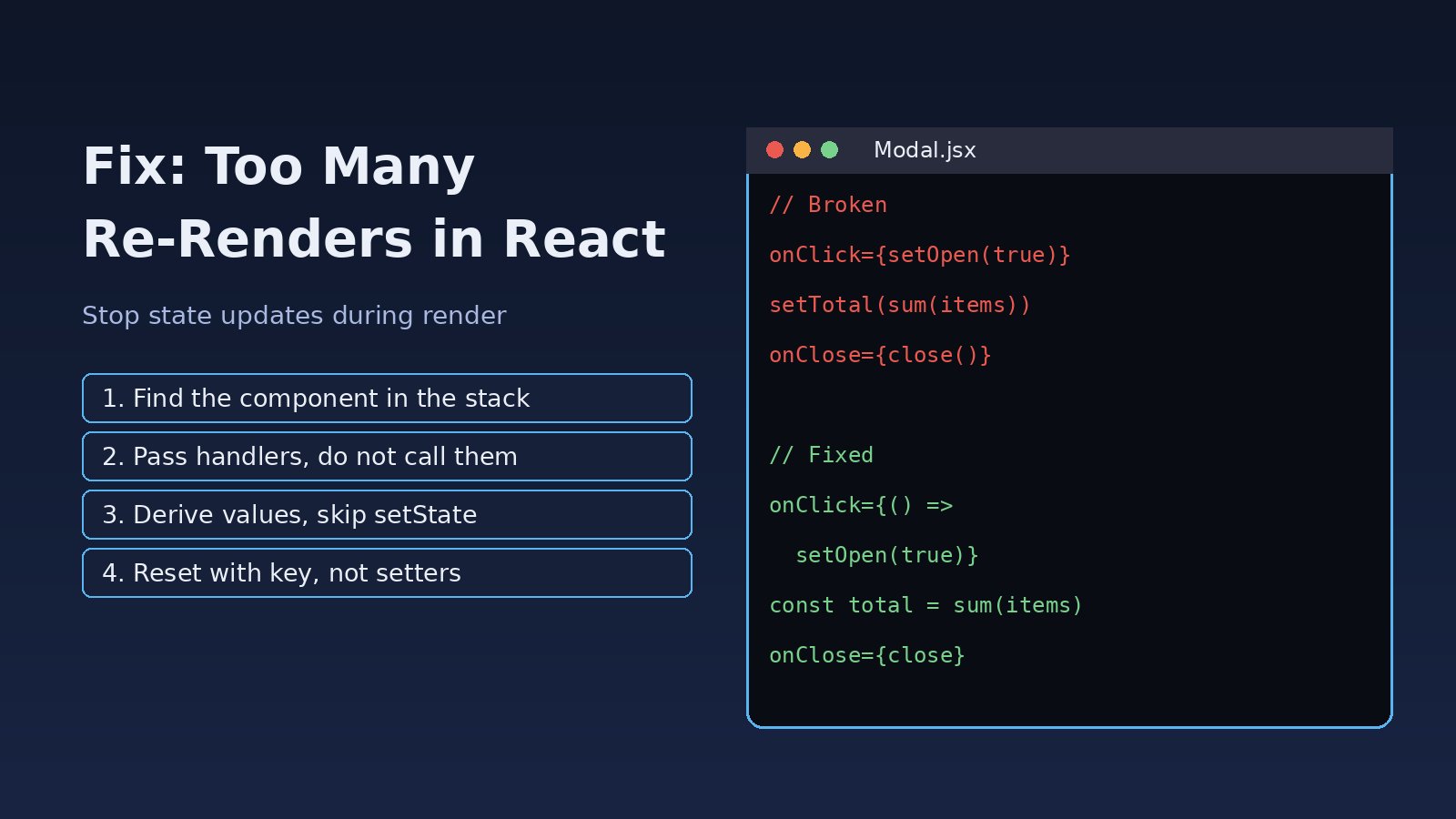
Your component crashes on the first render and the console shows Too many re-renders. React limits the number of renders to prevent an infinite loop. If you search for too many re renders react, you will find that the cause is almost always the same: a state setter is being called while React is still rendering the component, so every render schedules another render. This guide shows how to find the exact line, the common patterns that cause it in React and Next.js apps, and how to fix and prevent it.
Problem: Too Many Re-Renders in React
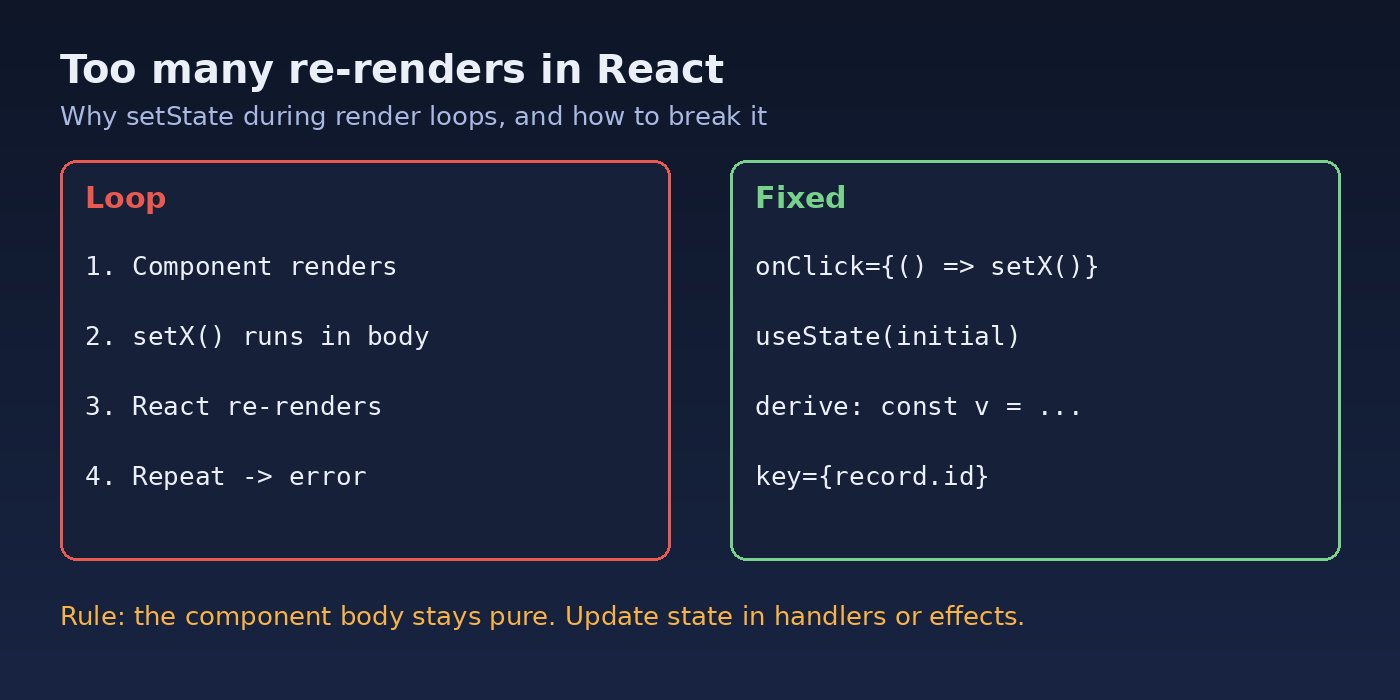
React renders a component by calling its function. If that function calls setState directly (not inside an event handler or an effect), React has to render the component again before it finishes the current render. That new render calls setState again, and so on. To stop the browser from locking up, React counts these nested render passes and throws once the limit is reached. The full error looks like this:
Uncaught Error: Too many re-renders. React limits the number of renders to prevent an infinite loop.
    at renderWithHooks (react-dom.development.js)
    at mountIndeterminateComponent (react-dom.development.js)
The above error occurred in the <Counter> component
In React 18 and 19 the message text is the same. In production builds you may only see a minified error such as Minified React error #301, which decodes to the same message.
Symptoms of Infinite Rendering
- The component never appears; you get a blank page or the Next.js error overlay right after mount.
- The error happens on the very first render, before you click anything.
- The component stack in the console points to one component, for example
The above error occurred in the <Modal> component. - Adding a
console.logat the top of the component prints the same output dozens of times before the crash.
This is different from Maximum update depth exceeded, which usually comes from useEffect or componentDidUpdate updating state in a loop after each commit. If that is your message, see How to Fix React Maximum Update Depth Exceeded and useEffect Infinite Loop in React.
Root Cause: A React State Update During Render
The rule is simple: the body of a component must be pure. It can read props and state and return JSX, but it must not trigger a React state update unconditionally. These are the patterns that break that rule most often.
1. Calling the handler instead of passing it
This is the number one cause. The parentheses call the function immediately during render instead of passing it to React to call later.
// Broken: setOpen(true) runs during render
<button onClick={setOpen(true)}>Open</button>

// Broken: handleDelete(id) runs during render
<button onClick={handleDelete(item.id)}>Delete</button>
2. setState directly in the component body
function Profile({ user }) {
  const [name, setName] = useState('');
  setName(user.name);           // runs on every render -> loop
  return <p>{name}</p>;
}
3. Syncing props to state without a condition
Developers often try to copy a prop into state when it changes. Doing it without a guard re-runs on every render.
function OrderForm({ order }) {
  const [form, setForm] = useState(order);
  setForm({ ...order });        // new object every time -> loop
}
4. Custom hooks that set state while rendering
A custom hook runs as part of the component render. If it calls a setter at its top level, the component that uses it loops too. Check every hook in the component stack, not only the component itself.
5. Passing a setter result as a prop
// Broken: onClose receives the return value of setVisible(false)
<Modal onClose={setVisible(false)} />
Step-by-Step Solution to Fix Too Many Re-Renders in React
Step 1: Find the component from the stack
Open the browser console and read the line The above error occurred in the <X> component. In Next.js, the error overlay shows the same component and often the exact source line. That component, or a hook it calls, contains the setter that runs during render.
Step 2: Search for setters outside handlers and effects
In that file, look for every call to a state setter (setSomething() and every dispatch(. For each one, ask: does this run while the function body executes? If the answer is yes, it is your bug. A quick search helps in larger codebases:
# Find onClick/onChange props that call a function instead of passing one
grep -rnE "on[A-Z][a-zA-Z]*=\{[a-zA-Z_.]+\([^)]*\)\}" src/

# Find setters used directly in JSX props
grep -rnE "=\{set[A-Z][a-zA-Z]*\(" src/
These regexes will also match valid code like onClick={handler()} where handler() returns a function, so review each hit.
Step 3: Wrap event handlers in arrow functions
// Fixed: React calls the arrow function on click
<button onClick={() => setOpen(true)}>Open</button>
<button onClick={() => handleDelete(item.id)}>Delete</button>
<Modal onClose={() => setVisible(false)} />

// Also fine: pass the function reference when it needs no arguments
<button onClick={handleSave}>Save</button>
Step 4: Initialise state instead of setting it in the body
If you only need a prop's value as the starting state, pass it to useState. Use a function initializer for expensive work so it runs only once.
function Profile({ user }) {
  const [name, setName] = useState(user.name);
  return <input value={name} onChange={e => setName(e.target.value)} />;
}

// Expensive initial value
const [rows, setRows] = useState(() => buildRows(props.data));
Step 5: Derive values instead of storing them
Many loops come from storing something in state that can be calculated from props or other state. Calculate it during render instead; no setter means no loop.
// Broken
const [total, setTotal] = useState(0);
setTotal(items.reduce((s, i) => s + i.price * i.qty, 0));

// Fixed: derived value
const total = items.reduce((s, i) => s + i.price * i.qty, 0);

// Fixed and memoised for large lists
const total = useMemo(
  () => items.reduce((s, i) => s + i.price * i.qty, 0),
  [items]
);
Step 6: Reset state when a prop changes with a key or a guard
When a form must reset whenever a different record is selected, the simplest fix is a key on the component, which makes React mount a fresh instance:
<OrderForm key={order.id} order={order} />If you really need to adjust state during render, React allows it only behind a condition that becomes false after one update:
function OrderForm({ order }) {
  const [form, setForm] = useState(order);
  const [prevId, setPrevId] = useState(order.id);

  if (order.id !== prevId) {   // runs once per id change, then stops
    setPrevId(order.id);
    setForm(order);
  }
  // ...
}
Step 7: Move side effects into useEffect or handlers
Data fetching, subscriptions and anything that talks to an API should not run in the render body. Put them in an event handler or in useEffect with a correct dependency array:
useEffect(() => {
  let ignore = false;
  fetch(`/api/orders/${orderId}`)
    .then(r => r.json())
    .then(data => { if (!ignore) setOrder(data); });
  return () => { ignore = true; };
}, [orderId]);
Be careful with dependencies here: an object or function created during render in the dependency array leads to the related Maximum update depth exceeded loop.
Code Examples: Before and After
Here is a typical ERP-style list with a delete button and a modal, first broken and then fixed.
// Broken
export default function InvoiceList({ invoices }) {
  const [selected, setSelected] = useState(null);
  const [count, setCount] = useState(0);
  setCount(invoices.length);                       // loop #1

  return (
    <>
      <p>{count} invoices</p>
      {invoices.map(inv => (
        <button key={inv.id} onClick={setSelected(inv)}>   {/* loop #2 */}
          {inv.number}
        </button>
      ))}
      {selected && <InvoiceModal onClose={setSelected(null)} />}  {/* loop #3 */}
    </>
  );
}// Fixed
export default function InvoiceList({ invoices }) {
const [selected, setSelected] = useState(null);
const count = invoices.length; // derived
return (
<>
<p>{count} invoices</p>
{invoices.map(inv => (
<button key={inv.id} onClick={() => setSelected(inv)}>
{inv.number}
</button>
))}
{selected && <InvoiceModal onClose={() => setSelected(null)} />}
</>
);
}The same applies to Redux or Zustand: onClick={dispatch(removeItem(id))} dispatches during render. Write onClick={() => dispatch(removeItem(id))}.
Verification
- Reload the page with the console open. The
Too many re-renderserror should be gone. - Add a temporary
console.count('InvoiceList render')at the top of the component. On mount you should see one or two renders (two is normal in development withStrictMode), not dozens. - Open React DevTools, enable "Highlight updates when components render" and click around. Only the components affected by your action should flash.
- Run a production build (
npm run build && npm startin Next.js) to confirm there is noMinified React error #301.
Prevention
- Enable the official ESLint plugin:
npm install -D eslint-plugin-react-hooksand thereact-hooks/rules-of-hooksandreact-hooks/exhaustive-depsrules. They catch many hook mistakes early. - Make "handlers get a function, not a call" a code review checklist item. Any
onX={fn(arg)}is suspicious. - Prefer derived values over duplicated state, and use a
keyto reset component state when the record changes. - Keep the component body pure: no fetches, no subscriptions and no unconditional setters.
- Add a simple render test with React Testing Library so a looping component fails in CI instead of in production:
import { render, screen } from '@testing-library/react';
import InvoiceList from './InvoiceList';

test('renders without an infinite loop', () => {
  render(<InvoiceList invoices={[{ id: 1, number: 'INV-1' }]} />);
  expect(screen.getByText('INV-1')).toBeInTheDocument();
});
For other common React render errors, see How to Fix React Objects Are Not Valid as a React Child.
FAQs
What does "too many re-renders" mean in React?
It means a component triggered a state update while it was rendering, which forced another render, which triggered the same update again. React stops the cycle and throws instead of freezing the page.
Why does onClick={setState(value)} cause infinite rendering?
The parentheses call setState(value) immediately during render and pass its return value (undefined) to onClick. Use onClick={() => setState(value)} so the update happens only on click.
Is too many re-renders the same as maximum update depth exceeded?
They are related but not the same. "Too many re-renders" comes from state updates during render. "Maximum update depth exceeded" usually comes from updates in useEffect, componentDidUpdate or ref callbacks that repeat after every commit.
Can I call setState in the component body at all?
Only behind a condition that becomes false after the update, such as comparing a prop with a stored previous value. In most cases a derived value, a key reset or an event handler is cleaner.
Does React StrictMode cause too many re-renders?
No. StrictMode renders components twice in development to expose side effects, but it does not create an infinite loop. If you see this error, there is a real React state update during render in your code.
How do I fix this in a custom hook?
Treat the hook like a component body: move setters into returned handlers or into useEffect, and compute derived values directly instead of storing them in state.



Comments
Join the discussion. Replies load on demand, up to 5 levels.
0 threads
No comments yet
Be the first to start the conversation.