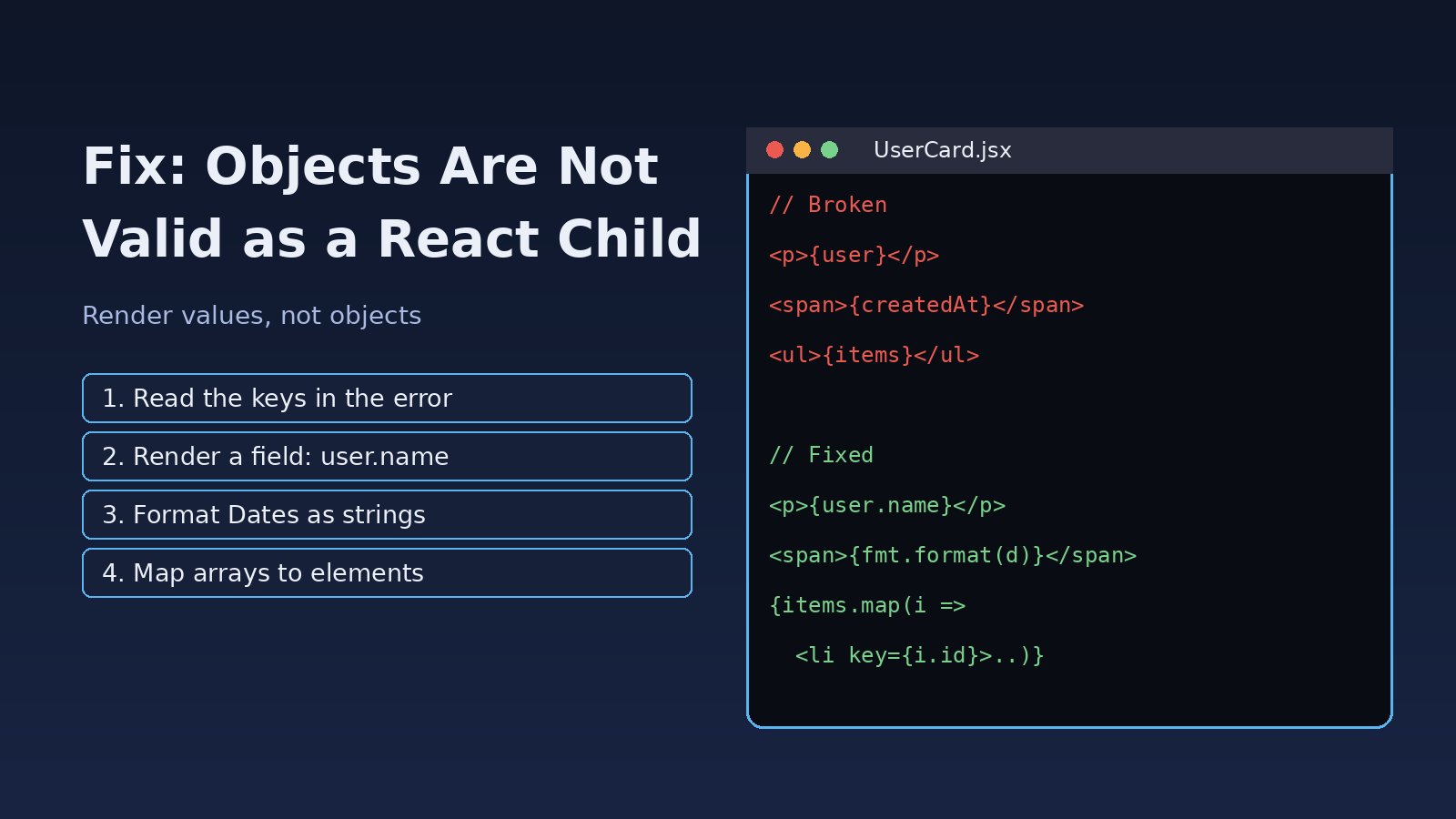
The page goes blank and the console shows a red error: objects are not valid as a react child. React is telling you that somewhere in your JSX you tried to render a plain JavaScript object, a Date, a Promise or some other value that React does not know how to turn into DOM. The fix is almost always small once you find the exact value. This guide walks through how to read the error, where it usually comes from in React and Next.js apps, and how to fix it for good.
Problem: Objects Are Not Valid as a React Child
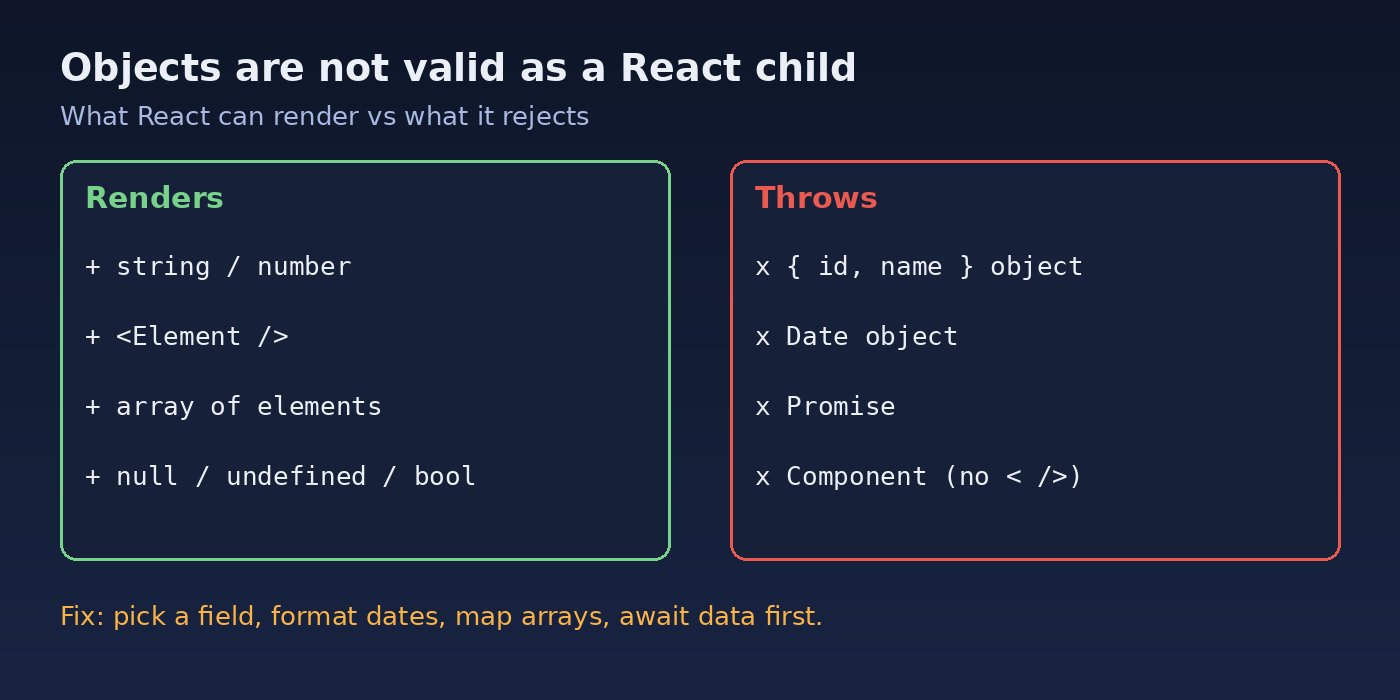
React can render strings, numbers, React elements, arrays of those, and null, undefined or booleans (which render nothing). Anything else in the children position of JSX makes React throw. The full message looks like this:
Uncaught Error: Objects are not valid as a React child (found: object with keys {id, name, email}).
If you meant to render a collection of children, use an array instead.
Other common variations of this React render object error:
found: [object Date]- you rendered aDateobject directly.found: [object Promise]- you rendered the result of anasyncfunction, or used an async component in a place that does not support it.found: object with keys {$$typeof, render}- you rendered a component reference (for example aforwardReformemocomponent) instead of<Component />.found: object with keys {message, code}- you rendered an error object from an API response.
Symptoms
- The component tree unmounts and you see a blank page or the Next.js error overlay.
- The error appears only for some records, for example when an API field is sometimes a string and sometimes an object.
- It starts after a backend change, such as a Laravel API resource that now returns
{"status": {"id": 2, "label": "Paid"}}instead of"status": "Paid". - In development, the console also prints a component stack such as
The above error occurred in the <OrderRow> component, which points to where the object was rendered.
Root Cause: Rendering a JSX Object Instead of a Value
Inside curly braces in JSX, React evaluates the expression and tries to render its result. These lines all look harmless but each one passes an object as a child:
// 1. Whole object instead of a field
<p>{user}</p>

// 2. Date object
<span>{order.createdAt}</span>   // createdAt is new Date(...)

// 3. Nested API field that became an object
<td>{invoice.status}</td>        // status = { id: 2, label: "Paid" }

// 4. Promise from an async function
<div>{fetchTotal()}</div>

// 5. Error object
<p className="error">{error}</p>

// 6. Double braces by mistake
<h1>{{ title }}</h1>              // creates an object { title }
Note the last one: {{ title }} is a very common typo for people coming from Vue, Blade or Handlebars. The inner braces create an object literal with a title key, so React sees an object.
Step-by-Step Solution
Step 1: Read the keys in the error message
The text after found: is your best clue. object with keys {id, name, email} tells you the exact shape of the object, so search your component for the variable that holds a user. Then open the component stack in the console (or the Next.js overlay) and go to the component named at the top.
Step 2: Log the value before rendering it
If you are not sure which expression is the problem, log the suspects just before the return:
console.log('status', typeof invoice.status, invoice.status);
console.log('createdAt', invoice.createdAt instanceof Date, invoice.createdAt);
Anything that prints object (and is not null or an array of elements) cannot go straight into JSX.
Step 3: Render a field, not the whole object
// Broken
<p>{user}</p>

// Fixed
<p>{user.name}</p>

// Nested API field
<td>{invoice.status?.label ?? '-'}</td>
Step 4: Format Date objects as strings
// Broken
<span>{order.createdAt}</span>

// Fixed
<span>{order.createdAt.toLocaleDateString('en-GB')}</span>

// Or with Intl for consistent output
const fmt = new Intl.DateTimeFormat('en-GB', { dateStyle: 'medium' });
<span>{fmt.format(new Date(order.createdAt))}</span>
In Next.js, format dates in a stable way (a fixed locale and time zone) so the server and browser produce the same text. Otherwise you can swap this error for a hydration mismatch.
Step 5: Map arrays of objects to elements
An array is fine only if every item is something React can render. An array of plain objects still fails, so map it to elements with a stable key:
// Broken: items is [{ id: 1, name: 'Pen' }, ...]
<ul>{items}</ul>

// Fixed
<ul>
  {items.map(item => (
    <li key={item.id}>{item.name}</li>
  ))}
</ul>
Step 6: Do not render Promises; load data first
In a client component, an async call returns a Promise. Store the result in state and render the state:
'use client';
import { useEffect, useState } from 'react';

export default function OrderTotal({ orderId }) {
  const [total, setTotal] = useState(null);

  useEffect(() => {
    let active = true;
    fetch(`/api/orders/${orderId}/total`)
      .then(r => r.json())
      .then(data => { if (active) setTotal(data.total); });
    return () => { active = false; };
  }, [orderId]);

  if (total === null) return <span>Loading...</span>;
  return <span>{total.toFixed(2)}</span>;
}
In the Next.js App Router, async components are supported only as Server Components. If you add 'use client' to a file whose component is async, or import an async Server Component into a client component, you can get found: [object Promise]. Keep data fetching in the server component and pass plain values down as props.
Step 7: Render error messages, not error objects
// Broken
{error && <p className="error">{error}</p>}

// Fixed
{error && <p className="error">{error.message ?? String(error)}</p>}

// Laravel validation errors: { errors: { email: ["The email field is required."] } }
{Object.entries(errors).map(([field, messages]) => (
  <p key={field}>{messages[0]}</p>
))}
Step 8: Render components as elements
Components wrapped in memo or forwardRef are objects, so putting the bare reference in JSX triggers this error. A plain function component gives the related warning Functions are not valid as a React child. The fix is the same: create an element.
import { Icon } from './Icon';

// Broken: passes the component object
<Button>{Icon}</Button>

// Fixed: create an element
<Button><Icon /></Button>

// When a prop holds a component
function Card({ icon: IconComponent }) {
  return <div>{IconComponent ? <IconComponent /> : null}</div>;
}
Step 9: Use JSON.stringify only for debugging
If you really need to see the whole object on screen while debugging, convert it to a string first:
<pre>{JSON.stringify(user, null, 2)}</pre>Do not ship this as a fix in production UI. It hides the real data shape problem and can leak fields you did not mean to show.
Code and Commands: Catch the Error Before Users Do
TypeScript prevents most cases at build time, because JSX children are typed as ReactNode and a plain object is not assignable to it. Give your API data real types:
type InvoiceStatus = { id: number; label: string };
type Invoice = { id: number; number: string; status: InvoiceStatus; createdAt: string };

function InvoiceRow({ invoice }: { invoice: Invoice }) {
  return (
    <tr>
      <td>{invoice.number}</td>
      {/* Type error: InvoiceStatus is not assignable to ReactNode */}
      {/* <td>{invoice.status}</td> */}
      <td>{invoice.status.label}</td>
    </tr>
  );
}
Run the type checker and the build in CI so the error fails the pipeline instead of the page:
npx tsc --noEmit
npm run build
If you are seeing related type errors like object is possibly undefined once you start typing API responses, see how to fix TypeScript object is possibly undefined.
Add an error boundary so one bad record does not blank the whole page:
'use client';
import { Component } from 'react';

export class RowBoundary extends Component {
  state = { hasError: false };
  static getDerivedStateFromError() { return { hasError: true }; }
  componentDidCatch(error, info) { console.error(error, info.componentStack); }
  render() {
    if (this.state.hasError) return <tr><td colSpan={4}>Could not display this row.</td></tr>;
    return this.props.children;
  }
}
In the Next.js App Router you can also add an error.js (or error.tsx) file in a route segment to show a fallback for that segment.
Verification
- Reload the page with the browser console open. The
Objects are not valid as a React childerror should be gone. - Test with the records that failed before, especially ones with nested or missing fields.
- Run
npx tsc --noEmitandnpm run build; both should finish without errors. - For Next.js, check the production build with
npm run build && npm start, because some cases (async components, date formatting) only show up there.
Prevention
- Type your API responses. A
ReactNodetype error at build time is much cheaper than a blank screen. - Agree on response shapes with the backend. When a Laravel resource changes a field from a string to an object, version it or update the frontend in the same release.
- Normalize data at the edge. Convert API data into display-ready values (strings, numbers, formatted dates) in one mapper function instead of in every component.
- Keep fetching out of JSX. Never call async functions inside JSX; load data in a Server Component, a data hook or a library such as React Query, then render the result.
- Use error boundaries around lists and widgets that render external data.
- Lint and review. Watch for
{{ }}double braces and component references used without angle brackets.
Other React runtime errors follow a similar find-the-exact-value approach. If your page freezes instead of crashing, read how to fix React maximum update depth exceeded, and for hook errors after a dependency upgrade see how to fix React invalid hook call.
FAQs
What does "objects are not valid as a react child" mean?
It means a JSX expression evaluated to a plain object, Date, Promise or similar value. React only renders strings, numbers, elements and arrays of those, so it throws instead of guessing how to display the object.
How do I fix the React render object error with an API response?
Render a specific field such as {data.user.name} instead of {data.user}, map arrays of objects to elements, and use optional chaining for fields that may be missing.
Why do I get "found: [object Promise]" in Next.js?
You are rendering the result of an async function, or using an async component inside a client component. Fetch data in a Server Component or inside useEffect and render the resolved value.
Can I render a JSX object if I convert it to a string?
Yes, JSON.stringify(obj) renders as text, which is useful for debugging. For real UI, pick and format the fields you want to show.
How do I render a Date in React?
Convert it to a string with toLocaleDateString(), toISOString() or Intl.DateTimeFormat. In server-rendered apps, use a fixed locale and time zone so the output matches on the server and client.
Does an array of objects cause this error?
Yes, if the array items are plain objects. An array is only valid when every item is renderable, so use items.map() to turn each object into an element with a unique key.



Comments
Join the discussion. Replies load on demand, up to 5 levels.
0 threads
No comments yet
Be the first to start the conversation.