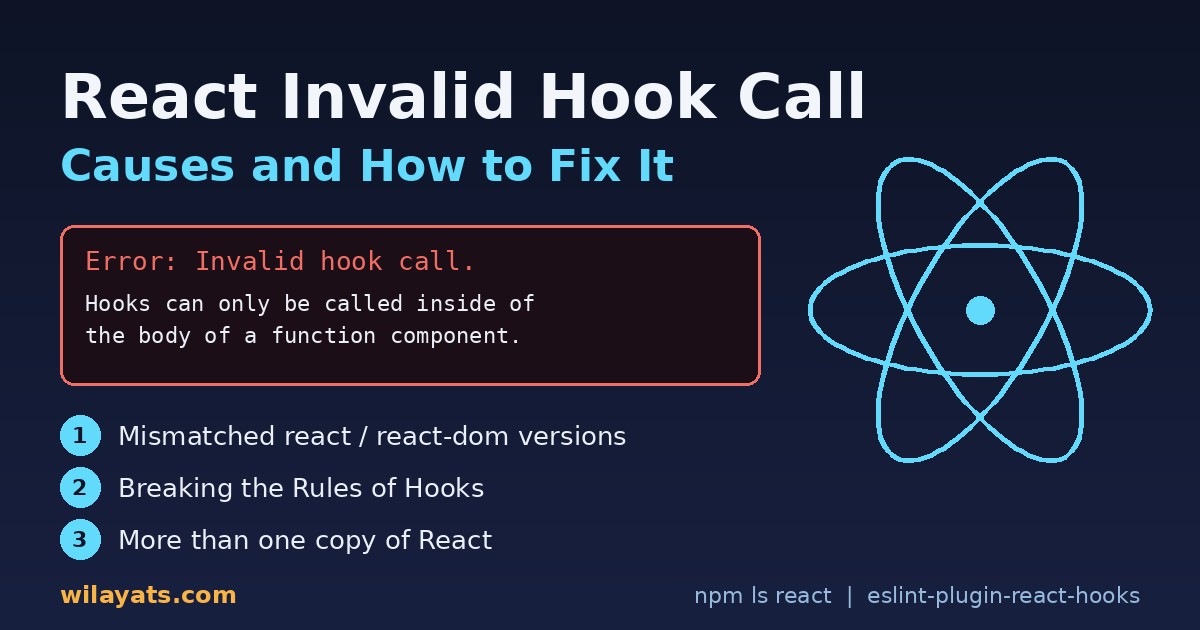
Few React errors are as confusing as this one. Your component looks fine, the hook is imported correctly, and yet the app crashes with "Invalid hook call". The good news: React itself tells you there are only three possible causes, and you can check all three in a few minutes. This guide shows the exact error, what each cause looks like in real code, and a step-by-step way to find which one is hitting you.
The exact error message
In the browser console you will see something like this:
Invalid hook call. Hooks can only be called inside of the body of a function component.
This could happen for one of the following reasons:
1. You might have mismatching versions of React and the renderer (such as React DOM)
2. You might be breaking the Rules of Hooks
3. You might have more than one copy of React in the same app
See https://react.dev/link/invalid-hook-call for tips about how to debug and fix this problem.
It is often followed by a second, more misleading error such as TypeError: Cannot read properties of null (reading 'useState'). That second error is a symptom, not the cause. Whenever you see null where React's hook dispatcher should be, think "invalid hook call" first.
Why React throws it
Hooks such as useState and useEffect only work while React is rendering a function component. During render, React sets up an internal "dispatcher" that records which hooks ran and in what order. If a hook runs when no component is rendering, or if it talks to a different copy of React than the one doing the rendering, there is no dispatcher, and React stops with this error.
Cause 1: mismatched react and react-dom versions
react and react-dom (or react-native, or a test renderer) must be on the same version. A partial upgrade, for example react@19 with react-dom@18, is a classic trigger. Check both:
npm ls react react-domIf they differ, align them in one command:
npm install react@latest react-dom@latestIf npm refuses because a package pins an older peer version, see how to fix npm ERESOLVE unable to resolve dependency tree before reaching for --force.
Cause 2: breaking the Rules of Hooks
The rules of hooks are short: call hooks only at the top level of a function component or a custom hook (a function whose name starts with use). Here are the common ways people break them.
Hooks in class components
// Wrong
class Profile extends React.Component {
  render() {
    const [name, setName] = useState(""); // Invalid hook call
    return <p>{name}</p>;
  }
}

// Right: convert to a function component
function Profile() {
  const [name, setName] = useState("");
  return <p>{name}</p>;
}
If you cannot convert the class yet, wrap the hook in a small function component and pass the value down as a prop.
Hooks in regular functions and event handlers
// Wrong: hook inside a click handler
function SaveButton() {
  function handleClick() {
    const [saving, setSaving] = useState(false); // Invalid hook call
    setSaving(true);
  }
  return <button onClick={handleClick}>Save</button>;
}

// Right: declare state at the top, update it in the handler
function SaveButton() {
  const [saving, setSaving] = useState(false);
  return <button disabled={saving} onClick={() => setSaving(true)}>Save</button>;
}
The same applies to helper functions like formatUser() or fetchData(). If a helper needs a hook, rename it to useFormattedUser() and call it from the top of a component, so it becomes a real custom hook.
Hooks in conditionals and loops
// Wrong
function Listing({ id }) {
  if (!id) return null;
  const [data, setData] = useState(null); // hook after an early return
  ...
}

// Right: hooks first, conditions after
function Listing({ id }) {
  const [data, setData] = useState(null);
  if (!id) return null;
  ...
}
Conditional and looped hooks do not always show "Invalid hook call". More often you get "Rendered more hooks than during the previous render" or state that jumps between components. The fix is the same: hooks must run in the same order on every render. For lists, move the hook into a child component and render one child per item. Also avoid calling hooks inside callbacks passed to useEffect, useMemo or useReducer; the useEffect infinite loop guide shows the right way to structure effect logic.
Components called as plain functions
// Risky: hooks inside Avatar now belong to the caller
{showAvatar && Avatar({ user })}

// Right: let React render it
{showAvatar && <Avatar user={user} />}
Calling a component like a function makes its hooks part of the parent, so they become conditional. If you call it outside rendering (in an effect, a timer or a promise callback), you get the invalid hook call error straight away.
Cause 3: more than one copy of React
This is the hardest cause to spot because your code is correct. Two copies of React mean a component imports hooks from copy A while react-dom renders with copy B. Common sources of duplicate React versions:
A component library that lists React in
dependenciesinstead ofpeerDependencies, so it installs its own copy.npm linkor a localfile:package, where the linked folder has its ownnode_modules/react.Monorepos where workspaces are not hoisted and each app or package resolves React separately.
Micro-frontends or widgets that bundle React and are loaded into a page that already has it.
Confirm it with:
npm ls react
# More than one version, or the same version listed under
# a nested node_modules path, means duplicates.
How to fix duplicate React
Libraries: move
reactandreact-domtopeerDependencies(anddevDependenciesfor local work), and mark them as external in your Rollup, Vite or tsup build.npm link: from the library folder, point its React at the app's copy:
npm link ../my-app/node_modules/react. Or skip linking and use workspaces.Force one version: add
"overrides"(npm) or"resolutions"(Yarn) forreactandreact-dom, then runnpm dedupe.Bundler: tell the bundler to always resolve one copy, as shown below.
// vite.config.js
export default defineConfig({
  resolve: { dedupe: ["react", "react-dom"] },
});

// webpack.config.js
const path = require("path");
module.exports = {
  resolve: {
    alias: {
      react: path.resolve(__dirname, "node_modules/react"),
      "react-dom": path.resolve(__dirname, "node_modules/react-dom"),
    },
  },
};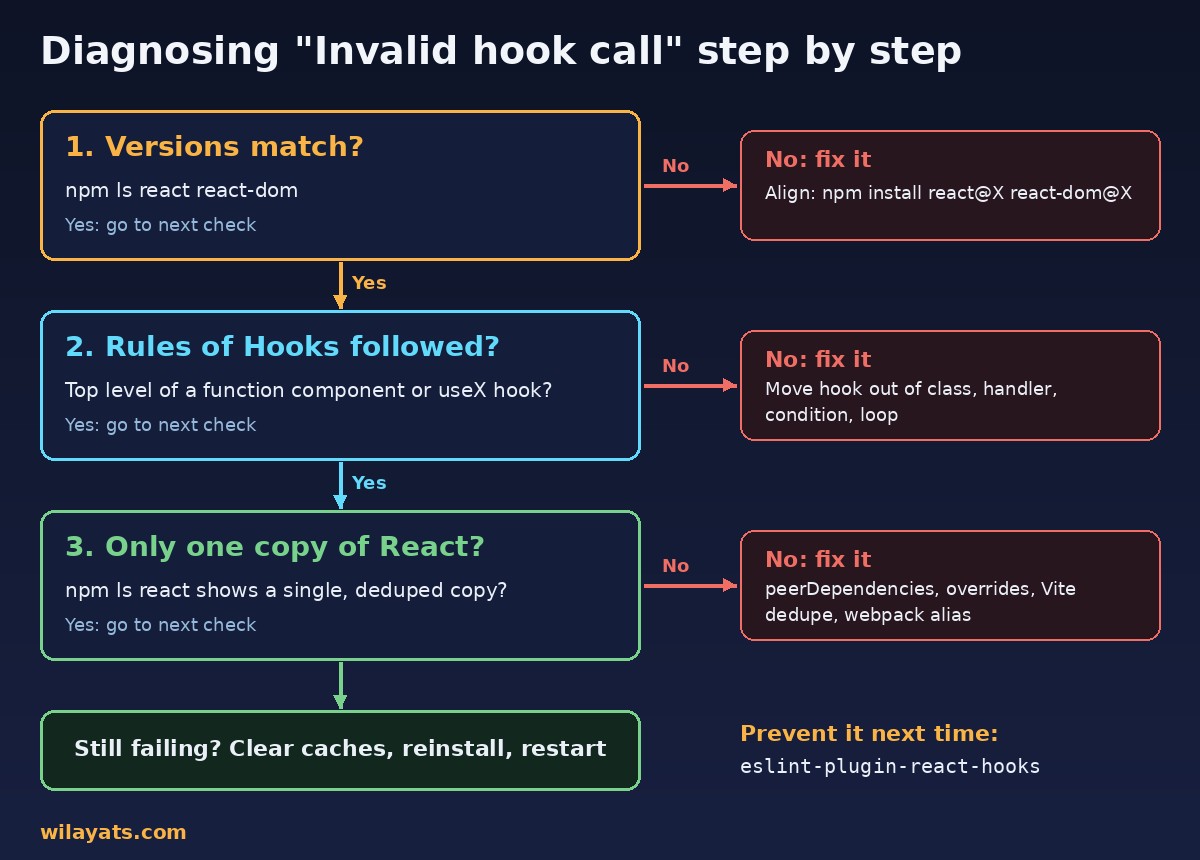
Step-by-step diagnosis
Read the stack trace. Find the first file from your own code. That is usually where the bad hook call lives.
Check versions. Run
npm ls react react-dom. Mismatched versions? Align them.Check the rules of hooks. Is the hook inside a class, a handler, a helper, a condition, a loop or a callback? Move it to the top level of a function component or custom hook.
Check for duplicate React. If the code looks correct, look for nested copies in
npm ls react. For a quick runtime check, temporarily addwindow.React1 = require("react")innode_modules/react-dom/index.jsandwindow.React2 = require("react")in your component file, then logwindow.React1 === window.React2.falsemeans two copies.Clear caches and reinstall. Delete
node_modulesand the lockfile only if you understand the impact, reinstall, and restart the dev server so bundler caches (for examplenode_modules/.vite) are rebuilt.
In Next.js, a duplicate React can also show up as strange server/client errors; if you see mismatches after fixing this, the Next.js hydration error guide is the next stop.
Prevention: let ESLint catch it
Install the official plugin, eslint-plugin-react-hooks. Its rules-of-hooks rule flags hooks in conditions, loops, classes and plain functions before you even run the app, and exhaustive-deps catches stale dependency arrays.
npm install -D eslint-plugin-react-hooks

// eslint.config.js (flat config)
import reactHooks from "eslint-plugin-react-hooks";
export default [
  {
    plugins: { "react-hooks": reactHooks },
    rules: {
      "react-hooks/rules-of-hooks": "error",
      "react-hooks/exhaustive-deps": "warn",
    },
  },
];
On my team we also keep a single React version across apps and shared packages, and we check npm ls react in CI for shared UI libraries. Clean hook structure also makes later work easier, such as the techniques in React performance optimization.
FAQ
Can I use hooks inside a class component?
No. Hooks only work in function components and custom hooks. Convert the class, or wrap the hook in a small function component.
Why does it happen only after installing a package?
The package probably brought its own copy of React. Run npm ls react and check whether it is listed as a dependency rather than a peer dependency.
Does a custom hook have to start with "use"?
Yes. React and ESLint rely on the use prefix to recognise hooks and apply the rules to them.
Conclusion
The React invalid hook call error always comes down to three things: mismatched versions, broken rules of hooks, or more than one copy of React. Check them in that order, use npm ls react as your first tool, and turn on eslint-plugin-react-hooks so the next mistake is caught in your editor instead of in production.



Comments
Join the discussion. Replies load on demand, up to 5 levels.
0 threads
No comments yet
Be the first to start the conversation.