The page freezes, the console fills with red, and React stops your app with a react maximum update depth exceeded error. It means a component is updating state, which causes a render, which updates state again, over and over. React cuts the loop off instead of letting the browser tab hang. This guide explains the exact messages, the patterns that cause the loop in function and class components, and how to fix each one for good.
The Problem: React Maximum Update Depth Exceeded
React lets a component update its state as often as it needs, but it watches for updates that schedule more updates without ever settling. When the number of nested updates passes an internal limit, React decides the component is in an infinite loop and stops it. In development you get a clear error or warning; in production the app can crash to a blank screen or an error boundary.
The bug is almost never in React itself. It is a state update that runs on every render, combined with something that makes every render look "new" to React.
Symptoms and Error Messages
You will see one of these messages, depending on where the loop happens:
Error: Maximum update depth exceeded. This can happen when a component repeatedly
calls setState inside componentWillUpdate or componentDidUpdate. React limits the
number of nested updates to prevent infinite loops.

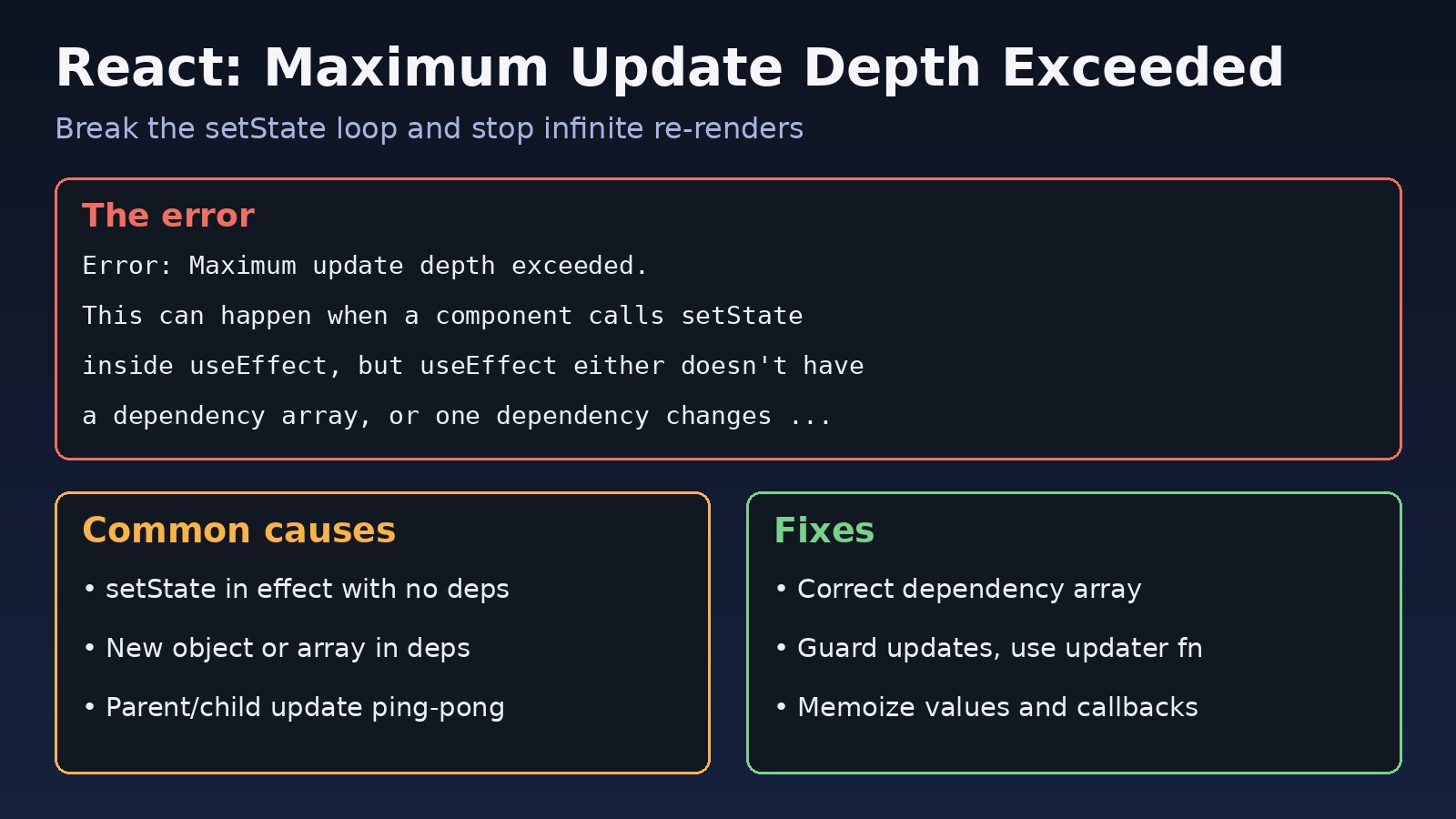
Warning: Maximum update depth exceeded. This can happen when a component calls
setState inside useEffect, but useEffect either doesn't have a dependency array,
or one of the dependencies changes on every render.- The Error version is thrown for synchronous loops, such as
setStateincomponentDidUpdate,useLayoutEffect, or a ref callback. It unmounts the tree unless an error boundary catches it. - The Warning version usually points to a
useEffectloop. The page may keep running but becomes slow, the CPU fan spins up, and network requests repeat endlessly. - A related message,
Too many re-renders. React limits the number of renders to prevent an infinite loop., means state is set directly during render. It has the same fix idea: stop updating state unconditionally. - With
useSyncExternalStoreor a store library you may first seeThe result of getSnapshot should be cached to avoid an infinite loop.
Root Cause: Why the React Infinite Render Happens
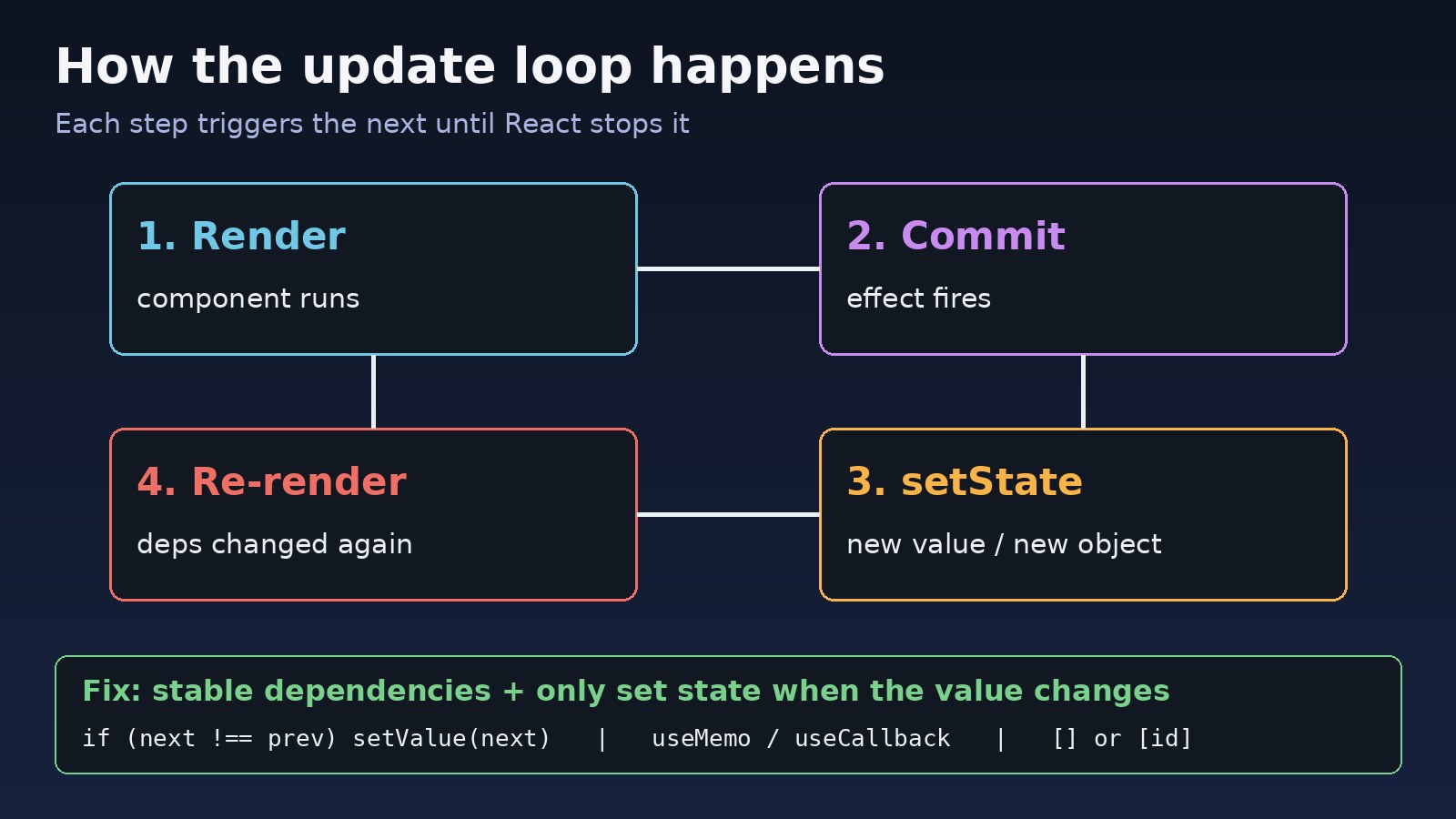
- setState in an effect with no dependency array. The effect runs after every render, sets state, causes a render, and runs again.
- Dependencies that change on every render. Objects, arrays and functions created inside the component are new on every render, so an effect that depends on them always re-runs. The useEffect infinite loop guide covers this in depth.
- Setting state to a new object with the same content.
setFilters({...filters})always creates a new reference, so React treats it as a change. - Calling a handler instead of passing it.
onClick={setOpen(true)}runs during render. UseonClick={() => setOpen(true)}. - Parent and child syncing each other. A child calls
onChangein an effect, the parent updates its state and passes a new prop, and the child's effect fires again. - Class components updating in componentDidUpdate without a condition.
- Store selectors that return new objects. A selector like
state => ({ a: state.a, b: state.b })returns a fresh object on every call, which some store versions treat as a change and loop on.
Step-by-Step Solution
Step 1: Find the component in the stack trace
Open the browser console and expand the error. The component stack shows which component is looping. In React DevTools, turn on "Highlight updates when components render" and watch which component flashes constantly. Then look in that component for every setState call, every effect and every callback passed to children.
Step 2: Fix the useEffect loop and dependency array
This is the most common cause. Here is the broken version:
function UserList() {
  const [users, setUsers] = useState([]);

  // Bug: no dependency array, so it runs after every render
  useEffect(() => {
    setUsers(users.filter(u => u.active));
  });

  return <List items={users} />;
}
Decide what the effect actually depends on. If it should run once, use an empty array. If it derives data from other state, you usually do not need an effect at all:
function UserList({ allUsers }) {
  // Derived data: compute during render, no state, no effect
  const activeUsers = useMemo(
    () => allUsers.filter(u => u.active),
    [allUsers]
  );
  return <List items={activeUsers} />;
}
Step 3: Stabilize object, array and function dependencies
If an effect must depend on an object or callback, make the reference stable with useMemo and useCallback, or depend on primitive values instead:
// Bug: options is a new object every render, so the effect always re-runs
const options = { page, pageSize: 20 };
useEffect(() => { fetchRows(options).then(setRows); }, [options]);

// Fix 1: depend on primitives
useEffect(() => {
  fetchRows({ page, pageSize: 20 }).then(setRows);
}, [page]);

// Fix 2: memoize the object
const stableOptions = useMemo(() => ({ page, pageSize: 20 }), [page]);
useEffect(() => { fetchRows(stableOptions).then(setRows); }, [stableOptions]);
Keep the react-hooks/exhaustive-deps ESLint rule on. Silencing it often hides the real problem instead of fixing it.
Step 4: Only update state when the value really changes
Guard updates so the loop has an exit, and use the updater function so you do not need the current state as a dependency:
useEffect(() => {
  const next = computeTotal(items);
  // Functional update + guard: no 'total' dependency, no loop
  setTotal(prev => (prev === next ? prev : next));
}, [items]);
Returning the same value (prev) lets React skip the re-render. For objects, compare the fields you care about before creating a new object.
Step 5: Fix event handlers called during render
// Bug: setOpen runs during render
<button onClick={setOpen(true)}>Open</button>

// Fix: pass a function
<button onClick={() => setOpen(true)}>Open</button>
Step 6: Break parent and child update loops
When a child reports its value to the parent in an effect, and the parent passes a new prop back, they can trigger each other forever. Prefer a controlled component: the parent owns the state and the child calls onChange only from user events, not from an effect.
// Child: report changes from the event, not from useEffect
function SearchBox({ value, onChange }) {
  return <input value={value} onChange={e => onChange(e.target.value)} />;
}

// Parent: memoize the callback if children depend on it
const handleChange = useCallback(v => setQuery(v), []);
Step 7: Add a condition in componentDidUpdate
For class components, always compare with the previous props or state:
componentDidUpdate(prevProps) {
  if (prevProps.userId !== this.props.userId) {
    this.setState({ loading: true });
    this.loadUser(this.props.userId);
  }
}
Code/Commands Examples
Return stable values from store selectors
// Zustand: select primitives, or use useShallow for objects
import { useShallow } from 'zustand/react/shallow';

const { name, email } = useUserStore(
  useShallow(state => ({ name: state.name, email: state.email }))
);

// Redux: memoize derived selectors with createSelector
import { createSelector } from '@reduxjs/toolkit';
const selectActive = createSelector(
  [state => state.users],
  users => users.filter(u => u.active)
);
Cache the snapshot in useSyncExternalStore
// Bug: getSnapshot returns a new object every time
const snap = useSyncExternalStore(subscribe, () => ({ ...store.state }));

// Fix: return the same reference until the store actually changes
const snap = useSyncExternalStore(subscribe, () => store.state);
Turn on lint rules that catch loops early
npm install --save-dev eslint-plugin-react-hooks

// .eslintrc.json
{
  "plugins": ["react-hooks"],
  "rules": {
    "react-hooks/rules-of-hooks": "error",
    "react-hooks/exhaustive-deps": "warn"
  }
}
If you also see hook-order errors while refactoring, the guide on React invalid hook call explains the Rules of Hooks.
Verification
- Reload the page with the console open. The maximum update depth error or warning should no longer appear.
- In React DevTools Profiler, record a few seconds of idle time. The component should not keep committing renders when nothing changes.
- In the browser Network tab, check that API calls made from effects run once per real change, not continuously.
- Run your tests. A React Testing Library test that renders the component and waits a moment will fail with the same error if the loop is still there.
Prevention
- Derive data during render instead of copying props into state with an effect.
- Keep dependencies primitive or memoized, and never ignore
exhaustive-depswarnings without a reason. - Always guard state updates in effects,
componentDidUpdateand ref callbacks. - Use the functional updater (
setX(prev => ...)) when the new state depends on the old one. - Keep data flow one-way: parents own shared state, children report user events.
- Profile regularly. Unnecessary renders that do not loop yet still hurt speed, as covered in React performance optimization.
FAQs
What does react maximum update depth exceeded mean?
It means a component keeps scheduling state updates that cause more updates, without ever reaching a stable state. React stops the loop to protect the browser and reports it as an error or warning.
How do I fix a useEffect loop that causes this error?
Add a correct dependency array, make object and function dependencies stable with useMemo or useCallback, and only call setState when the value actually changes. Often the best fix is to remove the effect and compute the value during render.
What is the difference between "Too many re-renders" and "Maximum update depth exceeded"?
"Too many re-renders" happens when state is set directly during render, for example onClick={setOpen(true)}. "Maximum update depth exceeded" happens when updates are triggered after render, in effects, lifecycle methods or callbacks. Both come from an unconditional state update.
Why does a React infinite render happen only in production or only in development?
Development builds add checks and, in Strict Mode, run effects twice on mount, which can make a loop appear sooner. Production builds skip those checks, so a slow loop may show as high CPU or repeated API calls instead of a clear message.
Can React.memo fix this error?
Not by itself. React.memo skips re-rendering a child when its props are unchanged, but if the loop comes from an effect or a new object passed as a prop, you still need stable values and guarded updates.
Does this error happen in Next.js too?
Yes. Next.js uses React, so client components show the same error with the same causes. Server components cannot use state or effects, so the loop is always in a client component.
Comments
Join the discussion. Replies load on demand, up to 5 levels.
0 threads
No comments yet
Be the first to start the conversation.