Your PostgreSQL tables keep growing even though the row count barely changes, queries get slower, and someone suggests running VACUUM FULL on production. Before you do, it helps to understand postgresql vacuum vs vacuum full: both clean up dead rows, but one is routine background maintenance and the other rewrites the table while blocking every query on it. This guide explains the difference, how autovacuum fits in, and how to fix PostgreSQL table bloat safely.
The Problem: PostgreSQL Table Bloat
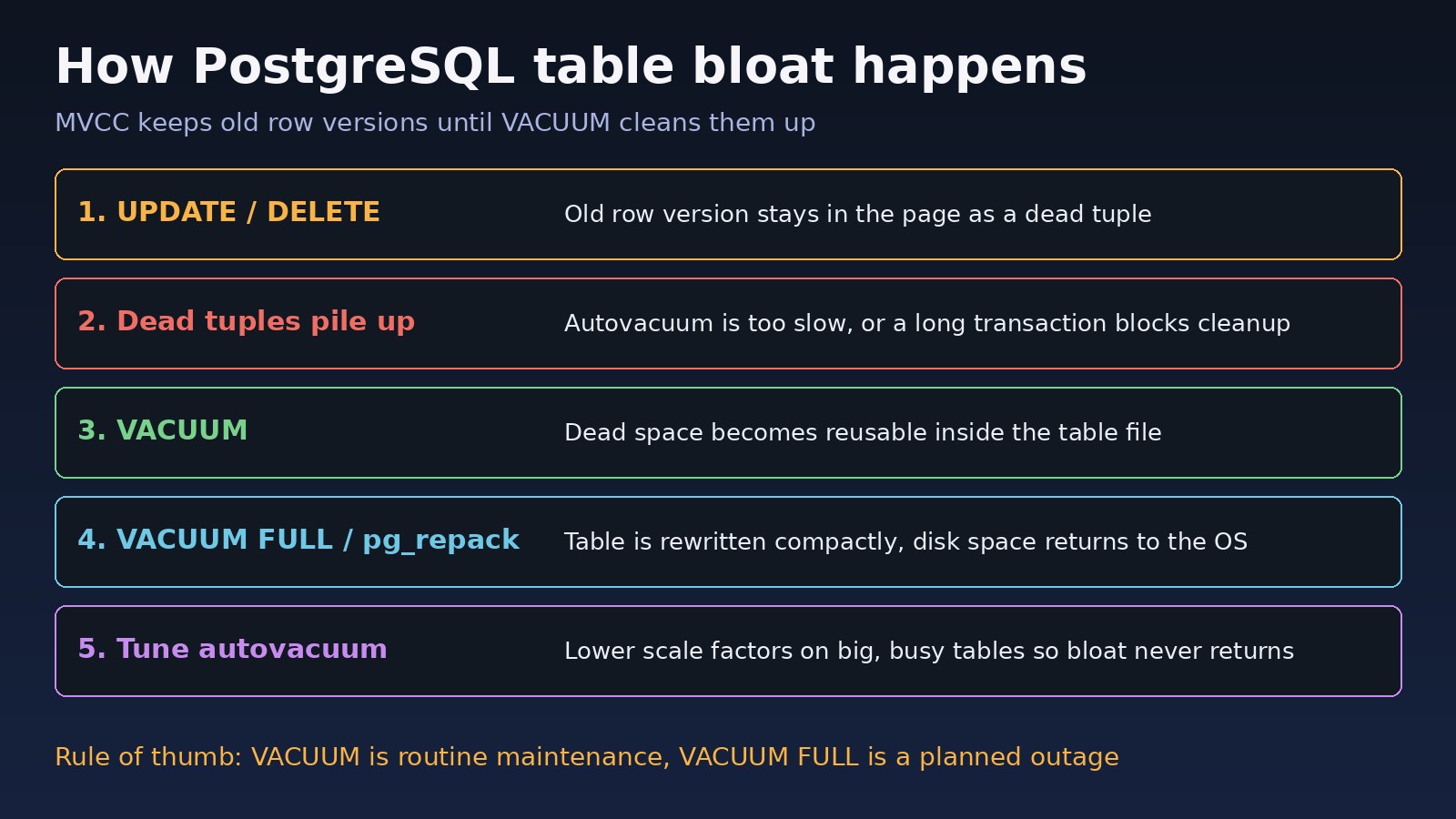
PostgreSQL uses MVCC (multi-version concurrency control). An UPDATE does not overwrite a row in place. It writes a new row version and marks the old one as dead. A DELETE also only marks rows as dead. Those dead tuples stay in the table and its indexes until VACUUM removes them.
If cleanup falls behind, tables and indexes fill up with dead space. That is table bloat. It wastes disk, makes sequential scans read more pages, and pushes useful data out of memory. Busy tables such as jobs, sessions, orders or ERP stock movement tables are the usual victims.
Symptoms of Bloat and Vacuum Problems
- A table's size on disk keeps growing while
SELECT count(*)stays roughly the same. pg_stat_user_tablesshows a largen_dead_tupcompared withn_live_tup.last_autovacuumis empty or days old on a table that is updated all the time.VACUUM VERBOSEreports many rows that are dead but not yet removable.- Queries that used to be fast now read far more buffers in
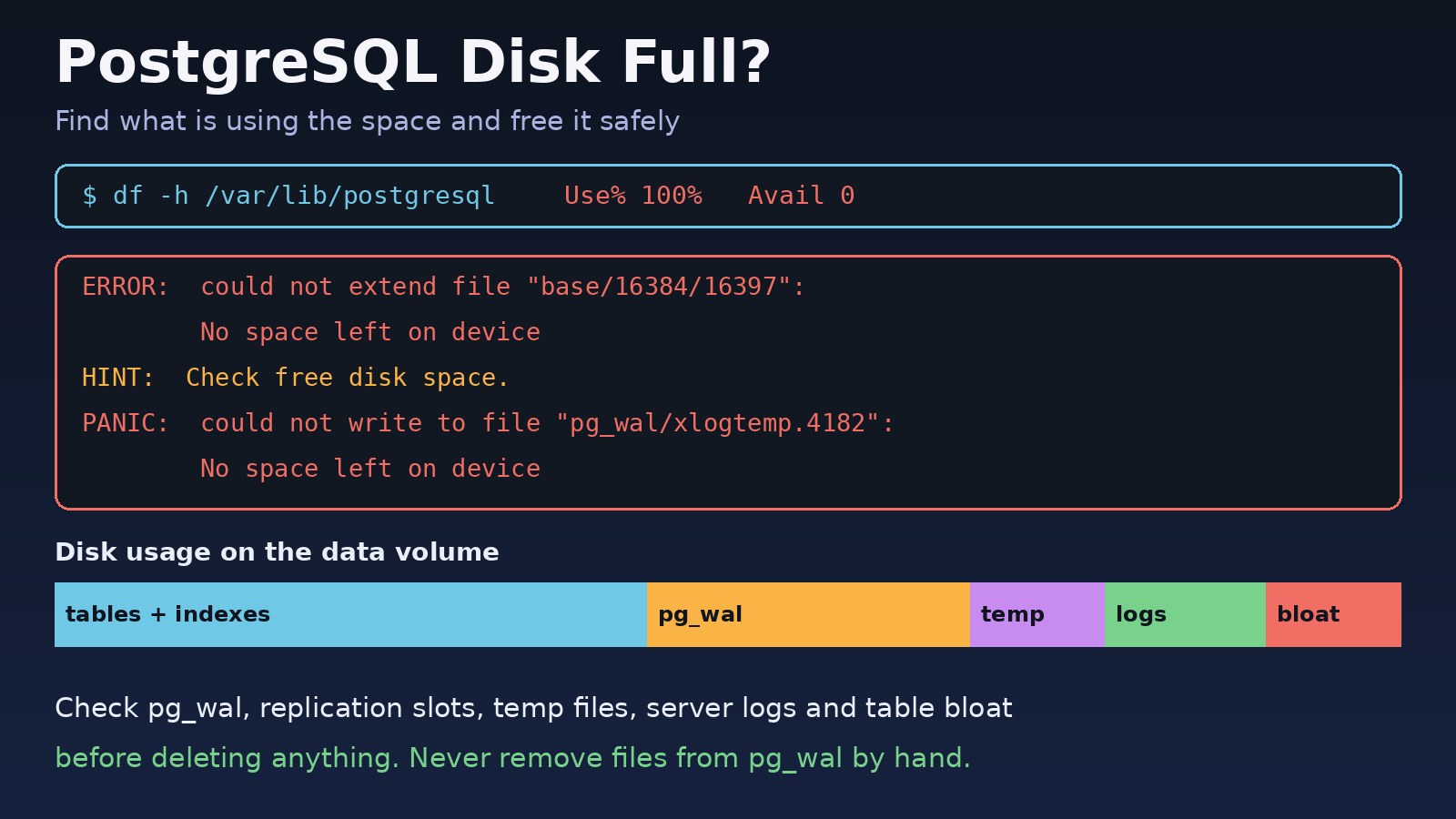
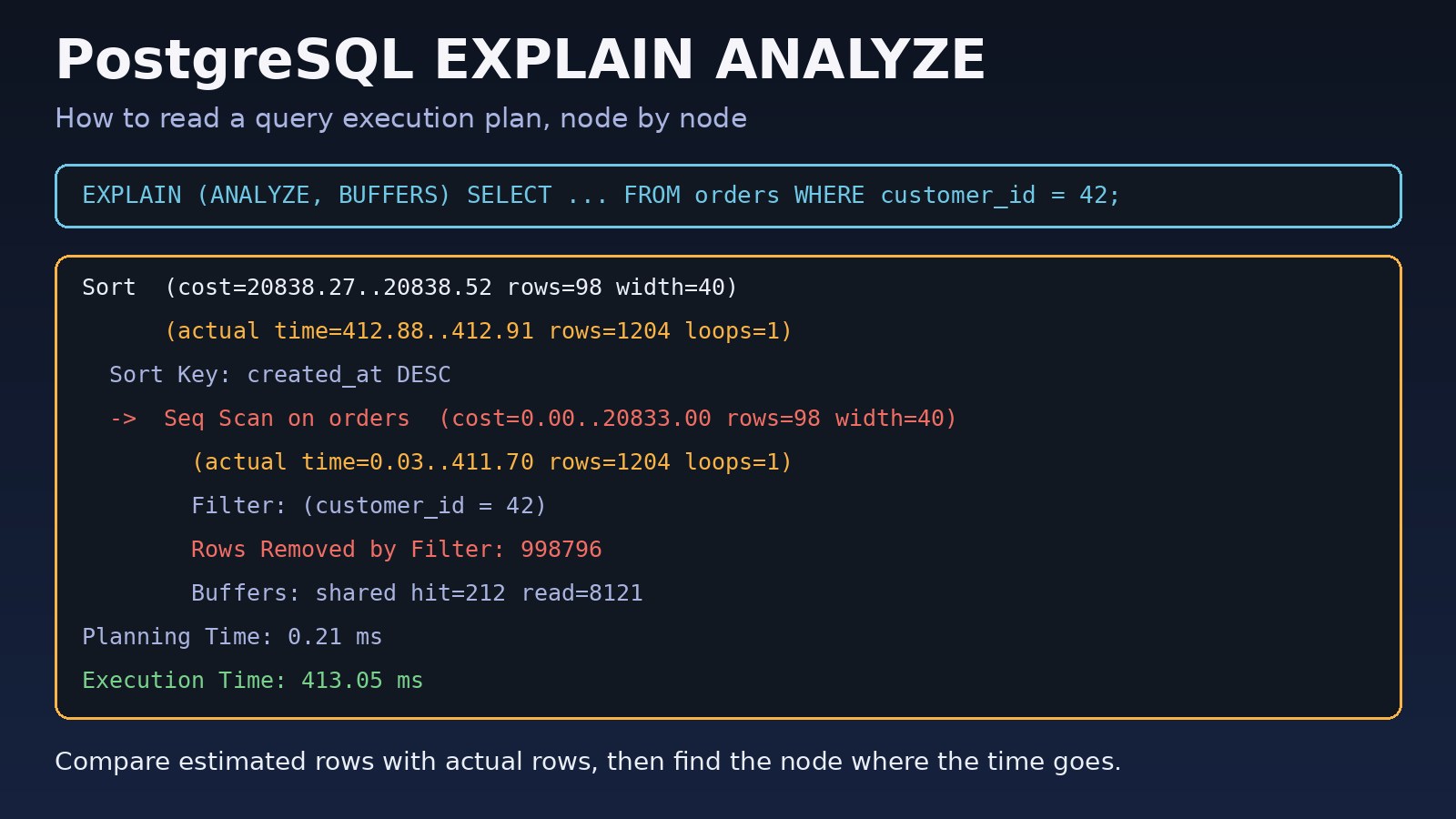
EXPLAIN (ANALYZE, BUFFERS). - The server is running low on disk space. See PostgreSQL disk full: how to fix disk space problems if it is already critical.
- In the worst case, logs warn that a database
must be vacuumed within N transactions, which is transaction ID wraparound protection.
Root Cause: Why Dead Rows Are Not Cleaned Up
Bloat usually comes from one of these causes:
- Autovacuum is too conservative for big tables. By default a table is vacuumed when dead tuples exceed
autovacuum_vacuum_threshold(50) plusautovacuum_vacuum_scale_factor(0.2) times the table size. On a 50 million row table that means about 10 million dead rows before autovacuum even starts. - Long-running or idle transactions. VACUUM cannot remove row versions that an open transaction might still need. A session left
idle in transactionfor hours holds back cleanup for the whole database. - Abandoned replication slots or forgotten prepared transactions, which hold an old transaction horizon in the same way.
- Autovacuum throttling. The cost limit settings slow autovacuum down to protect I/O, so on a write-heavy server it may never catch up.
- Bulk deletes or mass updates, such as purging old logs, which create millions of dead rows at once.
PostgreSQL VACUUM vs VACUUM FULL: The Real Difference
Plain VACUUM
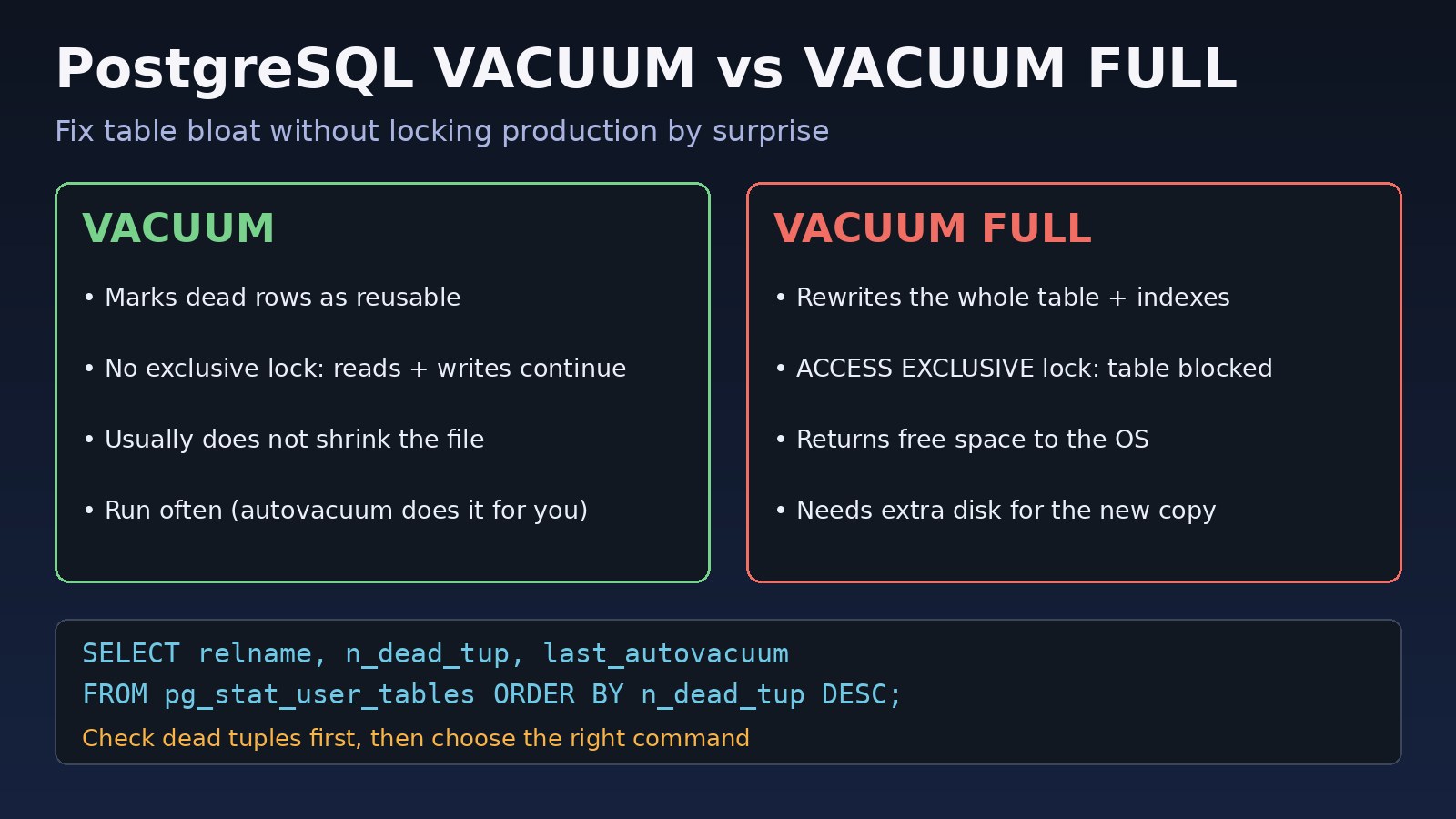
- Removes dead tuples and marks their space as reusable for future inserts and updates in the same table.
- Takes a
SHARE UPDATE EXCLUSIVElock, so normal reads and writes keep working while it runs. - Usually does not give space back to the operating system. It can only truncate empty pages at the very end of the table.
- Updates the visibility map, which makes index-only scans more effective, and freezes old transaction IDs to prevent wraparound.
- This is what autovacuum runs in the background.
VACUUM FULL
- Writes a completely new, compact copy of the table and rebuilds all its indexes, then drops the old files.
- Takes an
ACCESS EXCLUSIVElock for the whole run, so everySELECT,INSERT,UPDATEandDELETEon that table waits. - Returns the freed space to the operating system.
- Needs enough free disk for the new copy of the table and its indexes while the old one still exists.
- Should be a planned maintenance task, not a routine fix.
In short: plain VACUUM keeps bloat from growing, and VACUUM FULL shrinks a table that is already bloated, at the cost of downtime for that table.
Step-by-Step Solution
Step 1: Find tables with dead tuples
SELECT relname,
       n_live_tup,
       n_dead_tup,
       round(100.0 * n_dead_tup / NULLIF(n_live_tup + n_dead_tup, 0), 1) AS dead_pct,
       last_vacuum,
       last_autovacuum,
       pg_size_pretty(pg_total_relation_size(relid)) AS total_size
FROM pg_stat_user_tables
ORDER BY n_dead_tup DESC
LIMIT 15;
These counters are estimates, but they quickly show which tables need attention. For an exact measurement on a specific table, use the pgstattuple extension:
CREATE EXTENSION IF NOT EXISTS pgstattuple;

SELECT table_len, dead_tuple_percent, free_percent
FROM pgstattuple('public.orders');
pgstattuple reads the whole table, so run it off-peak on large tables, or use pgstattuple_approx() for a faster estimate.
Step 2: Remove whatever is blocking cleanup
If VACUUM runs but dead rows stay, something is holding back the transaction horizon. Check old transactions first:
SELECT pid, usename, state, xact_start, now() - xact_start AS xact_age, left(query, 80) AS query
FROM pg_stat_activity
WHERE backend_xmin IS NOT NULL
ORDER BY xact_start
LIMIT 10;

-- replication slots that may be holding old rows
SELECT slot_name, active, xmin, catalog_xmin FROM pg_replication_slots;

-- forgotten prepared transactions
SELECT gid, prepared, owner FROM pg_prepared_xacts;
Fix the application code that leaves transactions open, and end stuck sessions with SELECT pg_terminate_backend(pid); only after confirming what they are. The guides on PostgreSQL idle in transaction and finding long-running PostgreSQL queries cover this in detail. Drop a replication slot only if you are sure nothing uses it.
Step 3: Run a plain VACUUM first
VACUUM (VERBOSE, ANALYZE) public.orders;This is safe during business hours. In the VERBOSE output, check how many tuples were removed and how many are dead but not yet removable. If the second number is high, go back to Step 2. After a plain VACUUM, the table may stay the same size on disk, but new rows will reuse the freed space, so it stops growing.
Step 4: Use VACUUM FULL only when you must shrink the table
Use it when a table is heavily bloated, you need the disk space back, and you can afford to lock the table. Check free disk space first, then run it in a maintenance window:
-- protect the app from waiting forever on the lock
SET lock_timeout = '5s';

VACUUM (FULL, VERBOSE, ANALYZE) public.orders;

RESET lock_timeout;
With lock_timeout set, the command fails fast with ERROR: canceling statement due to lock timeout instead of queuing behind a long transaction while blocking every new query behind it.
Step 5: Consider pg_repack for zero-downtime shrinking
The pg_repack extension rebuilds a table online and only needs a short exclusive lock at the start and end. The table needs a primary key or a unique index on non-null columns.
# install the extension package for your PostgreSQL version first, then:
psql -d mydb -c "CREATE EXTENSION IF NOT EXISTS pg_repack;"
pg_repack -d mydb -t public.orders
Step 6: Tune autovacuum so bloat does not return
For large, busy tables, trigger autovacuum based on a smaller share of the table:
ALTER TABLE public.orders SET (
    autovacuum_vacuum_scale_factor = 0.02,
    autovacuum_vacuum_threshold    = 1000,
    autovacuum_analyze_scale_factor = 0.01
);
Server-wide settings live in postgresql.conf. Common adjustments on modern hardware are raising autovacuum_vacuum_cost_limit (for example to 1000 or more) and autovacuum_max_workers. Change them gradually and watch I/O, then reload with SELECT pg_reload_conf();. Note that autovacuum_max_workers needs a restart.
Code/Commands Examples
Check autovacuum settings
SELECT name, setting, unit
FROM pg_settings
WHERE name LIKE 'autovacuum%'
ORDER BY name;
See autovacuum running right now
SELECT pid, datname, relid::regclass AS table_name, phase,
       heap_blks_total, heap_blks_scanned, heap_blks_vacuumed
FROM pg_stat_progress_vacuum;
Vacuum and analyze a whole database from the shell
vacuumdb --dbname=mydb --analyze --verbose --jobs=4Avoid vacuumdb --full on a live database, because it runs VACUUM FULL on every table.
Laravel: running VACUUM from an Artisan command
// VACUUM cannot run inside a transaction block,
// so call it directly, not inside DB::transaction()
DB::statement('VACUUM (ANALYZE) orders');
If you wrap it in DB::transaction(), PostgreSQL returns ERROR: VACUUM cannot run inside a transaction block. In most cases you should let autovacuum handle this instead of scheduling manual vacuums from the app.
Verification
- Re-run the
pg_stat_user_tablesquery:n_dead_tupshould drop andlast_vacuumorlast_autovacuumshould be recent. - After VACUUM FULL or pg_repack, compare
pg_size_pretty(pg_total_relation_size('public.orders'))with the size before. pgstattupleshould show a lowdead_tuple_percent.- Check
df -hon the data directory to confirm disk space was returned to the OS. - Compare
EXPLAIN (ANALYZE, BUFFERS)for a common query: it should read fewer buffers.
Prevention
- Never disable autovacuum, globally or per table. Tune it instead.
- Set per-table autovacuum thresholds on large, frequently updated tables.
- Keep transactions short and set
idle_in_transaction_session_timeoutso stuck sessions cannot block cleanup. - Monitor
n_dead_tup, table sizes and transaction ID age withSELECT datname, age(datfrozenxid) FROM pg_database;. - Remove unused replication slots and check for prepared transactions.
- Purge big tables in batches, or use table partitioning so old data can be dropped with
DROP TABLEorDETACH PARTITIONinstead of massDELETE.
FAQs
What is the main difference in postgresql vacuum vs vacuum full?
Plain VACUUM marks dead row space as reusable and runs alongside normal traffic. VACUUM FULL rewrites the table into a new file, returns space to the operating system, and locks the table completely while it runs.
Does VACUUM FULL lock the table?
Yes. It takes an ACCESS EXCLUSIVE lock, which blocks reads and writes on that table until it finishes. Use a maintenance window or pg_repack for large production tables.
Is autovacuum enough, or should I run VACUUM manually?
For most tables, a well-tuned autovacuum is enough. Manual VACUUM ANALYZE is useful after large bulk deletes or data loads, and when you are investigating a specific bloated table.
How do I check PostgreSQL table bloat?
Start with n_dead_tup in pg_stat_user_tables for a quick view, then use the pgstattuple extension on a specific table for exact dead tuple and free space percentages.
Why does my table not shrink after VACUUM?
Plain VACUUM only makes space reusable inside the table. It returns space to the OS only when the empty pages are at the end of the file. To shrink a table, use VACUUM FULL or pg_repack.
Does VACUUM FULL need extra disk space?
Yes. It builds a new copy of the table and its indexes before removing the old files, so you need roughly enough free space for the compacted table plus its indexes.
Comments
Join the discussion. Replies load on demand, up to 5 levels.
0 threads
No comments yet
Be the first to start the conversation.