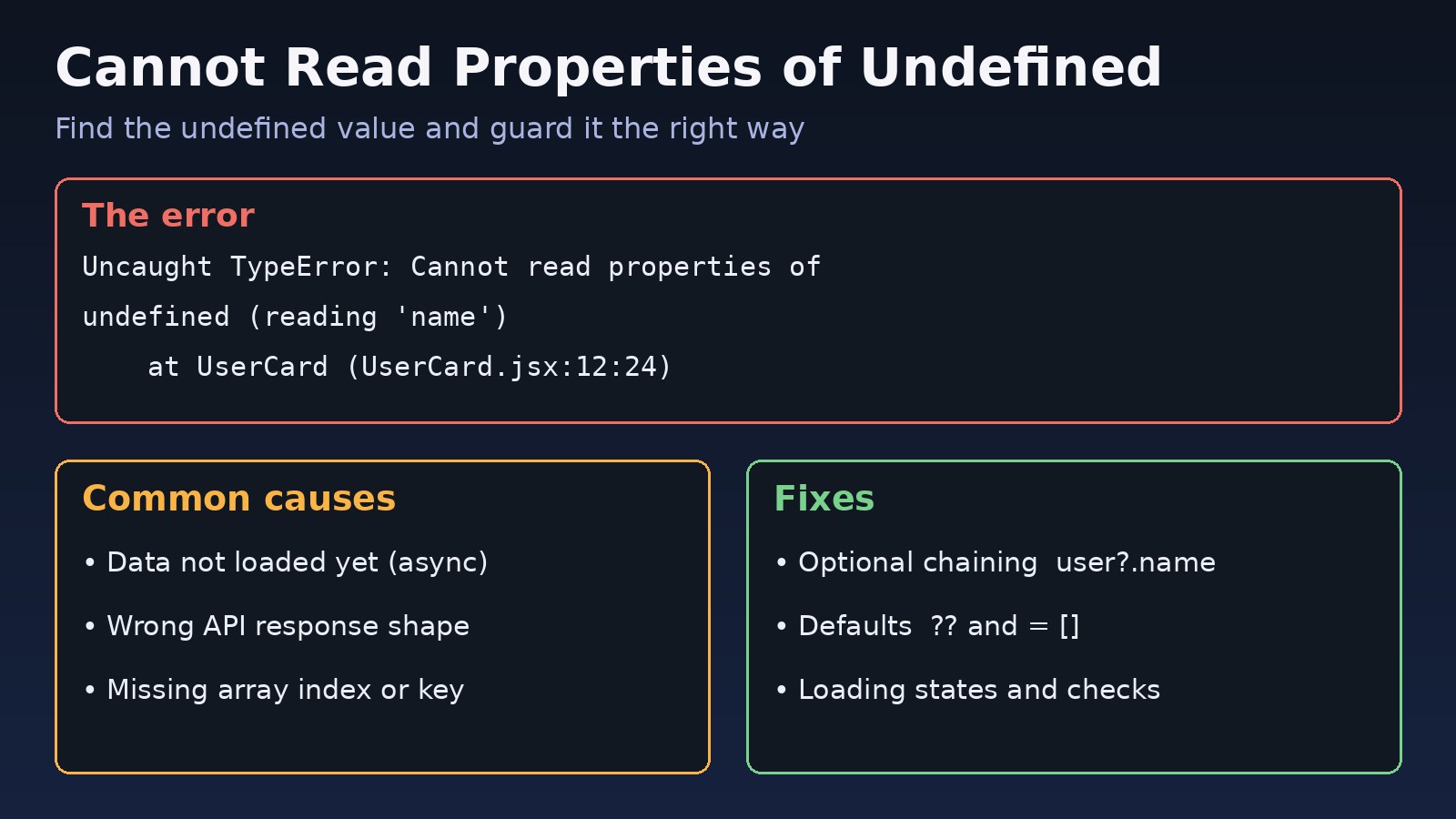
Few JavaScript errors are as common as cannot read properties of undefined. Your page goes blank, a button stops working, or a Node.js process crashes, and the console shows a TypeError pointing at a line that looks perfectly fine. The good news is that this error always means the same thing: you tried to read a property from a value that is undefined. This guide shows how to read the message, find where the undefined value comes from, and fix it properly in plain JavaScript, React, Next.js and Node.js.
The Problem: Cannot Read Properties of Undefined
In JavaScript, you can read properties from objects, arrays, strings and numbers. You cannot read properties from undefined or null, because they have none. When code like user.name runs while user is undefined, the engine throws a TypeError and stops the current function.
The bug is rarely on the line where the error appears. That line is where the missing value was finally used. The real cause is usually earlier: data that has not loaded yet, an API response with a different shape than expected, a wrong array index, or a misspelled key.
Symptoms and Error Messages
Modern Chrome, Edge and Node.js versions print the property you tried to read:
Uncaught TypeError: Cannot read properties of undefined (reading 'name')
    at UserCard (UserCard.jsx:12:24)

TypeError: Cannot read properties of undefined (reading 'map')
    at OrdersTable (OrdersTable.tsx:31:18)

TypeError: Cannot read properties of null (reading 'addEventListener')
    at main.js:4:10
Other browsers and older engines use different wording for the same problem:
TypeError: undefined is not an object (evaluating 'user.name')    // Safari
TypeError: user is undefined                                       // Firefox
TypeError: Cannot read property 'name' of undefined // older Chrome / Node.js- In a React app the whole component tree may unmount and show a blank screen, or an error boundary appears.
- In Next.js you may see the error in the browser overlay during development, or a server error page if it happens during server rendering.
- In Node.js an uncaught error in a request handler can crash the process or return a 500 response.
- The error may appear only sometimes, for example on slow networks or for one specific record in the database.
Root Cause: Why This JavaScript TypeError Happens
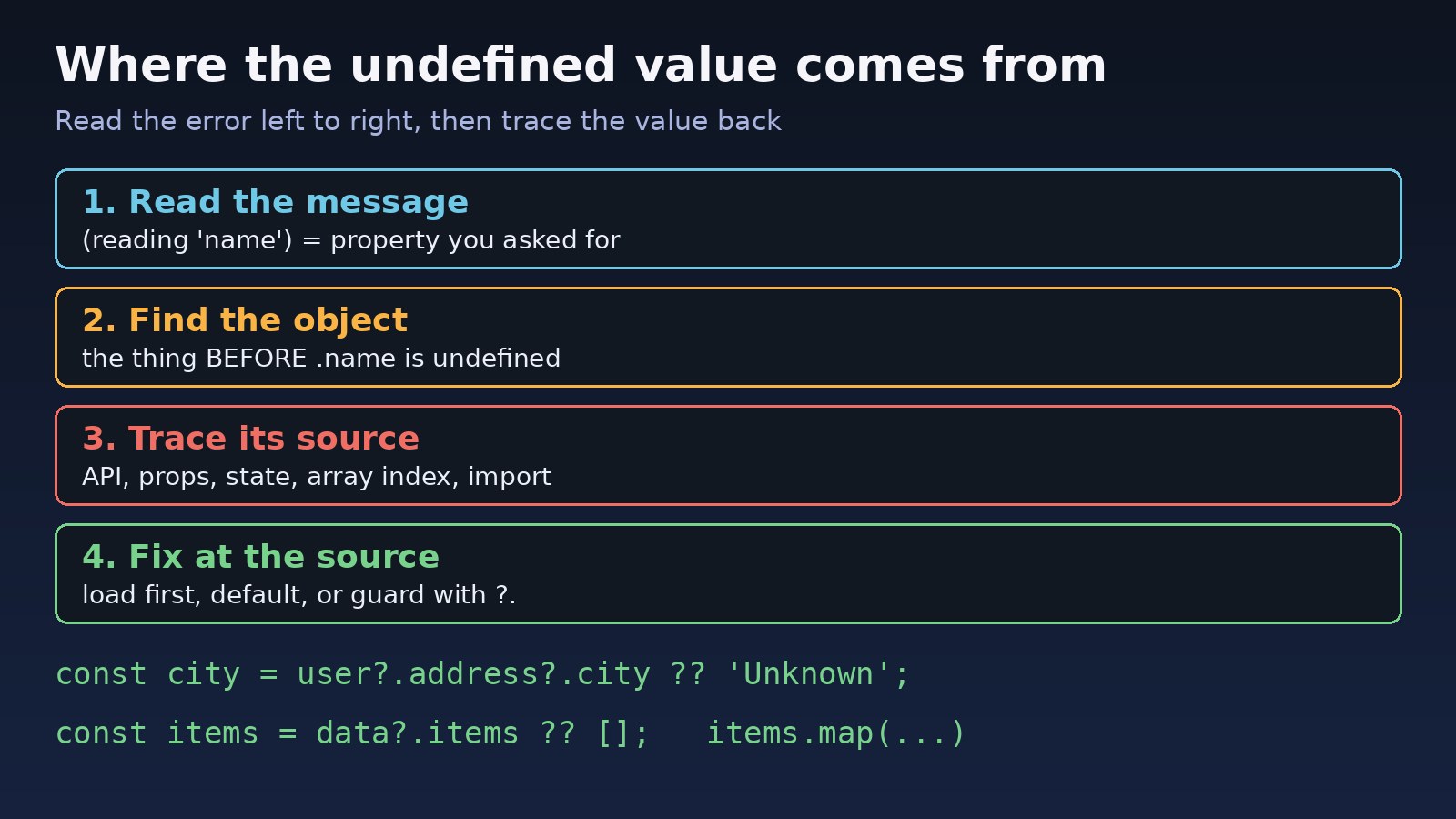
Read the message carefully. In Cannot read properties of undefined (reading 'name'), the word in brackets is the property you asked for. The value before .name is the one that is undefined. So in order.customer.name, it is order.customer that is missing, not name.
The most common reasons are:
- Async data is not loaded yet. A component renders before the fetch finishes, so the state is still
undefinedor an empty object. - The API response shape is different. You expected
response.data.itemsbut the API returnsresponse.items, or wraps it indata.dataas Laravel API resources often do. - Array index out of range.
rows[0].idfails whenrowsis empty, andfind()returnsundefinedwhen nothing matches. - Misspelled or wrong-case keys.
user.firstNameversususer.first_namefrom a snake_case backend. - Missing function arguments or props. A function is called without an argument, or a parent forgets to pass a prop.
- Wrong
thisbinding. A class method passed as a callback loses itsthis, sothis.stateis undefined. - Import and export mismatch. Importing a default export with braces, or the reverse, gives you
undefined. - DOM element not found.
document.querySelector()returnsnullwhen the script runs before the element exists, which gives thenullversion of this error.
Step-by-Step Solution
Step 1: Find the exact line and the undefined value
Click the file link in the stack trace to open the line in DevTools. Set a breakpoint there, or add a log just before it:
console.log('order:', order);
console.log('customer:', order?.customer);
debugger; // pauses here when DevTools is open
Check each part of the property chain from left to right until you find the first one that is undefined. That is the value you need to fix.
Step 2: Wait for async data before using it
This is the most common cause in React and Next.js. The broken version reads data before it exists:
function UserCard() {
  const [user, setUser] = useState();

  useEffect(() => {
    fetch('/api/user').then(r => r.json()).then(setUser);
  }, []);

  // First render: user is undefined, so this throws
  return <h2>{user.name}</h2>;
}
Handle the loading state explicitly and give state a sensible starting value:
function UserCard() {
  const [user, setUser] = useState(null);
  const [error, setError] = useState(null);

  useEffect(() => {
    fetch('/api/user')
      .then(r => {
        if (!r.ok) throw new Error(`HTTP ${r.status}`);
        return r.json();
      })
      .then(setUser)
      .catch(setError);
  }, []);

  if (error) return <p>Could not load user.</p>;
  if (!user) return <p>Loading...</p>;
  return <h2>{user.name}</h2>;
}
For lists, start with an empty array so .map() always works: useState([]). If you are fixing effects that keep re-running while loading data, see the useEffect infinite loop guide.
Step 3: Use optional chaining and default values
Optional chaining (?.) stops and returns undefined instead of throwing when a value is null or undefined. The nullish coalescing operator (??) then supplies a default:
// Throws if customer or address is missing
const city = order.customer.address.city;

// Safe: returns 'Unknown' if any part is null or undefined
const city = order?.customer?.address?.city ?? 'Unknown';

// Arrays and function calls too
const firstId = rows?.[0]?.id;
const total = cart?.getTotal?.() ?? 0;

// Default parameters and destructuring defaults
function formatUser({ name = 'Guest', roles = [] } = {}) {
  return `${name} (${roles.join(', ')})`;
}
Use optional chaining where a value is genuinely optional. Do not sprinkle ?. everywhere to hide bugs: if a value must always exist, a silent undefined just moves the failure somewhere harder to debug. In those cases fix the source or throw a clear error.
Step 4: Check the real API response shape
Open the browser Network tab, click the request and look at the Response. Compare it with how your code reads it:
// Laravel API resource collection returns { data: [...], links: {...}, meta: {...} }
const res = await fetch('/api/orders');
const json = await res.json();

// Wrong: json.orders is undefined
json.orders.map(o => o.id);

// Right
const orders = json.data ?? [];
orders.map(o => o.id);

// Axios wraps the body in response.data
const { data } = await axios.get('/api/orders');
const list = data.data ?? [];
If the request fails because of CORS or authentication, the body may be an error object instead of your data. The CORS error between React and Laravel guide covers that case.
Step 5: Guard array access and find() results
const user = users.find(u => u.id === selectedId);

// Throws when no user matches
console.log(user.email);

// Handle the not-found case
if (!user) {
  console.warn(`User ${selectedId} not found`);
  return null;
}
console.log(user.email);
Step 6: Fix this binding and imports
// Class method loses 'this' when passed as a callback
button.addEventListener('click', this.handleClick);       // this is undefined inside
button.addEventListener('click', () => this.handleClick()); // fixed
// or bind once in the constructor: this.handleClick = this.handleClick.bind(this);

// Import mismatch
export default function api() {}      // api.js
import { api } from './api';          // undefined: wrong, it is a default export
import api from './api';              // correct
Step 7: Wait for the DOM before selecting elements
// Script in <head> runs before the button exists, so el is null
const el = document.querySelector('#save');
el.addEventListener('click', save);

// Fix: run after the DOM is parsed
document.addEventListener('DOMContentLoaded', () => {
  document.querySelector('#save')?.addEventListener('click', save);
});
// or load the script with <script src="main.js" defer></script>
In Next.js, code that touches window or document during server rendering fails for a related reason. See Next.js window is not defined for that fix.
Code/Commands Examples
Validate API data at the boundary with TypeScript and Zod
Turn on strict null checks so TypeScript warns you before the code runs:
// tsconfig.json
{
  "compilerOptions": {
    "strict": true,
    "strictNullChecks": true,
    "noUncheckedIndexedAccess": true
  }
}
noUncheckedIndexedAccess makes rows[0] typed as possibly undefined, which catches the empty-array case. TypeScript cannot check data that arrives at runtime, so validate API responses too:
npm install zod

import { z } from 'zod';

const Order = z.object({
  id: z.number(),
  customer: z.object({ name: z.string() }).nullable(),
});
const OrdersResponse = z.object({ data: z.array(Order) });

const parsed = OrdersResponse.safeParse(await res.json());
if (!parsed.success) {
  console.error(parsed.error.issues);
  throw new Error('Unexpected orders response');
}
const orders = parsed.data.data;
Catch the error in Node.js handlers
app.get('/orders/:id', async (req, res, next) => {
  try {
    const order = await db.order.findUnique({ where: { id: Number(req.params.id) } });
    if (!order) return res.status(404).json({ message: 'Order not found' });
    res.json({ customer: order.customer?.name ?? null });
  } catch (err) {
    next(err); // let the error middleware log it instead of crashing
  }
});
Add an error boundary in React
An error boundary will not fix the bug, but it stops one broken widget from blanking the entire page while you track it down. In Next.js App Router, an error.tsx file in a route folder does the same job.
// app/dashboard/error.tsx (Next.js App Router)
'use client';
export default function Error({ error, reset }) {
  return (
    <div>
      <p>Something went wrong: {error.message}</p>
      <button onClick={() => reset()}>Try again</button>
    </div>
  );
}
Verification
- Reload the page with DevTools open and repeat the action that failed. The TypeError should no longer appear in the console.
- Test the edge cases that caused it: slow network (DevTools Network throttling to "Slow 3G"), an empty list, a record with missing optional fields, and a failed API request.
- Run
npx tsc --noEmitto confirm there are no new strict null check errors. - Add a unit test that passes
undefined,nulland an empty array to the function or component and checks that it handles them. - Check your error monitoring or server logs after deploying to confirm the error count drops.
Prevention
- Initialize state with the right type:
[]for lists,nullfor single objects, and render a loading state. - Validate external data from APIs, local storage and query strings before using it.
- Enable TypeScript strict mode and
noUncheckedIndexedAccessin new projects. - Use optional chaining for truly optional data, and throw clear errors for data that must exist.
- Keep API contracts documented between your backend (Laravel, Node.js) and frontend so field names and wrappers match.
- Lint your code with ESLint and rules like
@typescript-eslint/no-unnecessary-conditionto spot risky access.
FAQs
What does cannot read properties of undefined mean?
It means your code tried to read a property, such as .name or .map, from a value that is undefined. The property named in brackets is what you asked for; the value before it is the one that is missing.
How do I fix cannot read properties of undefined reading 'map'?
The array you are mapping over is undefined. Initialize it as an empty array, check that the API returns the array where you expect it, and use (items ?? []).map(...) while data is loading.
Does optional chaining fix this JavaScript TypeError?
Optional chaining prevents the crash by returning undefined instead of throwing. It is the right fix when the value is genuinely optional. If the value should always exist, fix why it is missing instead of hiding it.
What is the difference between undefined and null in this error?
Both have no properties, so both throw. You get "of undefined" when a variable or property was never set, and "of null" when something explicitly returned null, such as document.querySelector() finding no element.
Why does the error only happen on the first render in React?
On the first render, data fetched in useEffect has not arrived yet, so state still holds its initial value. Give state a safe initial value and render a loading state until the data is ready.
Which JavaScript versions support optional chaining?
Optional chaining and nullish coalescing are part of ES2020. They work in all current major browsers and in Node.js 14 and later. Older targets need a transpiler such as Babel or TypeScript.
Comments
Join the discussion. Replies load on demand, up to 5 levels.
0 threads
No comments yet
Be the first to start the conversation.