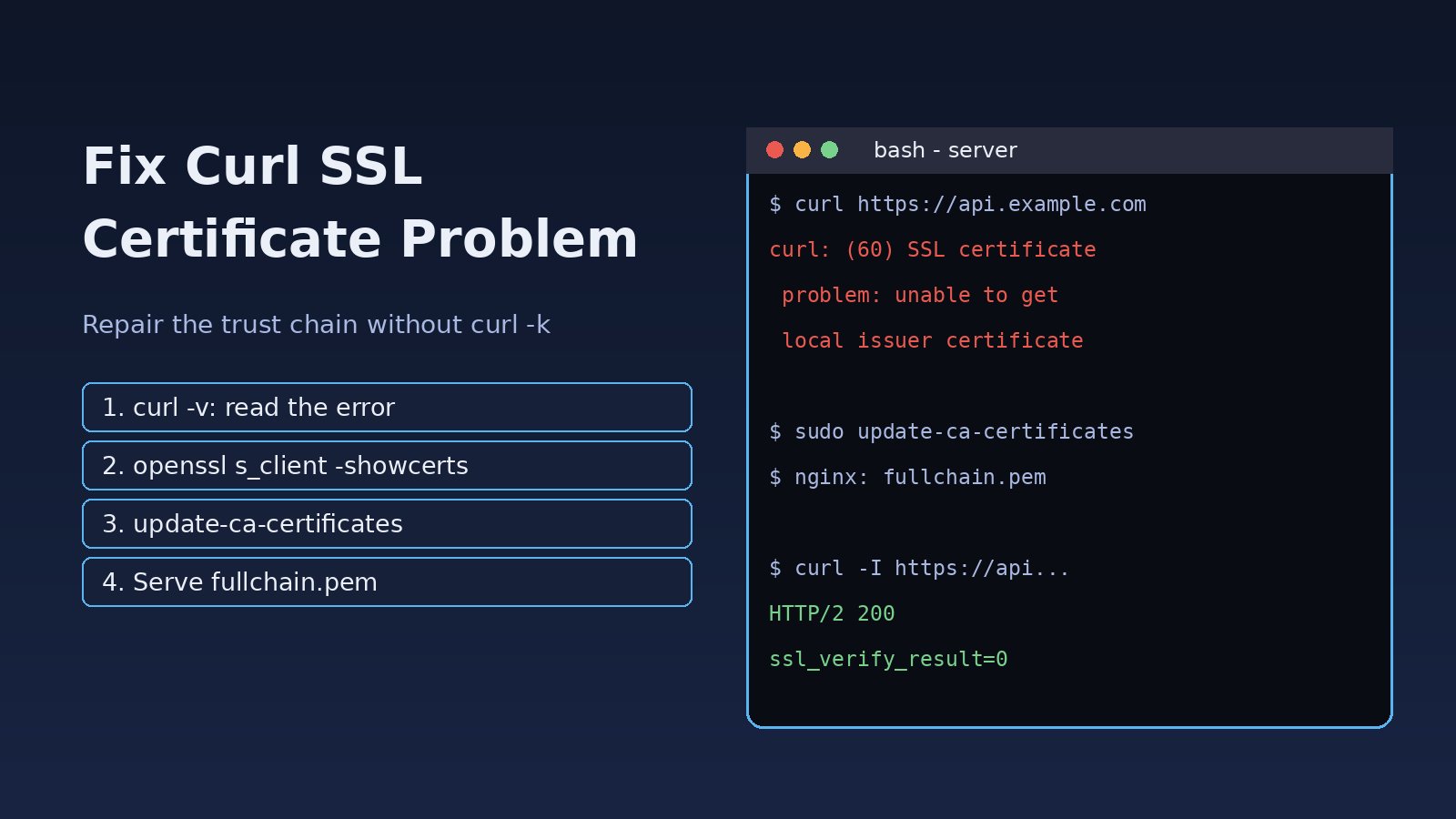
You run a simple request against an API or a download URL and instead of a response you get curl: (60) SSL certificate problem: unable to get local issuer certificate. The same URL may open fine in your browser, which makes the error even more confusing. A curl SSL certificate problem means curl could not build a trusted chain from the server's certificate to a CA certificate it trusts, or the certificate does not match the host or is expired. This guide explains why it happens on Linux servers, Docker containers, CI runners and PHP/Laravel apps, and how to fix it properly without turning off verification.
Problem: Curl SSL Certificate Problem Explained
When curl connects over HTTPS, it performs a TLS handshake. The server sends its leaf certificate and (it should) any intermediate certificates. curl then checks three things:
- Trust chain: the chain must end at a root CA that exists in curl's CA bundle (for example
/etc/ssl/certs/ca-certificates.crton Ubuntu/Debian). - Validity period: no certificate in the chain may be expired or not yet valid.
- Hostname: the certificate's Subject Alternative Name (SAN) must match the host you requested.
If any of these checks fails, curl stops with exit code 60 (peer certificate cannot be authenticated) or exit code 77 (problem reading the CA cert file). The fix depends on which check failed, so the first job is to read the exact message.
Symptoms of a Curl Certificate Verify Failed Error
These are the messages you are most likely to see:
curl: (60) SSL certificate problem: unable to get local issuer certificate
curl: (60) SSL certificate problem: self-signed certificate in certificate chain
curl: (60) SSL certificate problem: certificate has expired
curl: (60) SSL: no alternative certificate subject name matches target host name 'api.example.com'
curl: (77) error setting certificate verify locations: CAfile: /etc/ssl/certs/ca-certificates.crt CApath: none
In application code, the same problem shows up with different wording:
- PHP / Laravel HTTP client (Guzzle):
cURL error 60: SSL certificate problem: unable to get local issuer certificate - Composer:
curl error 60 while downloading https://repo.packagist.org/packages.json - Node.js:
UNABLE_TO_GET_ISSUER_CERT_LOCALLYorunable to verify the first certificate - Git over HTTPS:
server certificate verification failed. CAfile: /etc/ssl/certs/ca-certificates.crt
Often the browser works while curl fails. Browsers cache intermediate certificates and can fetch missing ones, while curl only trusts what the server sends plus its own CA bundle.
Root Cause: Why Curl Cannot Verify the Certificate
1. The server does not send the intermediate certificate
This is the most common cause of "unable to get local issuer certificate" for public sites. Nginx or Apache is configured with only the leaf certificate (cert.pem) instead of the full chain (fullchain.pem). Browsers often hide this problem; curl does not.
2. Outdated or missing CA certificate bundle
Minimal Docker images (Alpine, slim Debian, distroless) frequently ship without the ca-certificates package, and old servers may have a bundle that does not include newer root CAs. This produces a CA certificate error even for perfectly configured sites.
3. Self-signed or private CA certificates
Internal APIs, staging servers, Kubernetes services and corporate tools often use certificates signed by an internal CA. curl does not trust that CA until you add it.
4. TLS-intercepting proxy or antivirus
Corporate proxies and some security products decrypt HTTPS and re-sign traffic with their own CA. If that CA is not in the server's or container's trust store, every HTTPS call fails with "self-signed certificate in certificate chain".
5. Expired certificate or wrong system clock
An expired certificate (for example a failed Let's Encrypt renewal) or a server clock that is far off will both fail the validity check.
6. Hostname mismatch
Calling a server by IP address, an internal alias, or a domain that is not in the certificate's SAN list fails the hostname check.
Step-by-Step Solution to Fix the Curl SSL Certificate Problem
Step 1: Get the full error with verbose output
curl -v https://api.example.com/health 2>&1 | grep -iE 'ssl|tls|certificate|issuer|subject|expire'Look at the subject, issuer, expire date and the final error line. They usually point straight at the cause.
Step 2: Inspect the certificate chain the server sends
openssl s_client -connect api.example.com:443 -servername api.example.com -showcerts </dev/nullCount the certificates under Certificate chain. If you see only one (depth 0) for a public CA certificate, the intermediate is missing. Also check the line Verify return code: 0 (ok) means OpenSSL trusts the chain, while 20 (unable to get local issuer certificate) or 21 (unable to verify the first certificate) confirms a chain problem.
To check expiry and hostnames quickly:
echo | openssl s_client -connect api.example.com:443 -servername api.example.com 2>/dev/null \
  | openssl x509 -noout -dates -subject -issuer -ext subjectAltName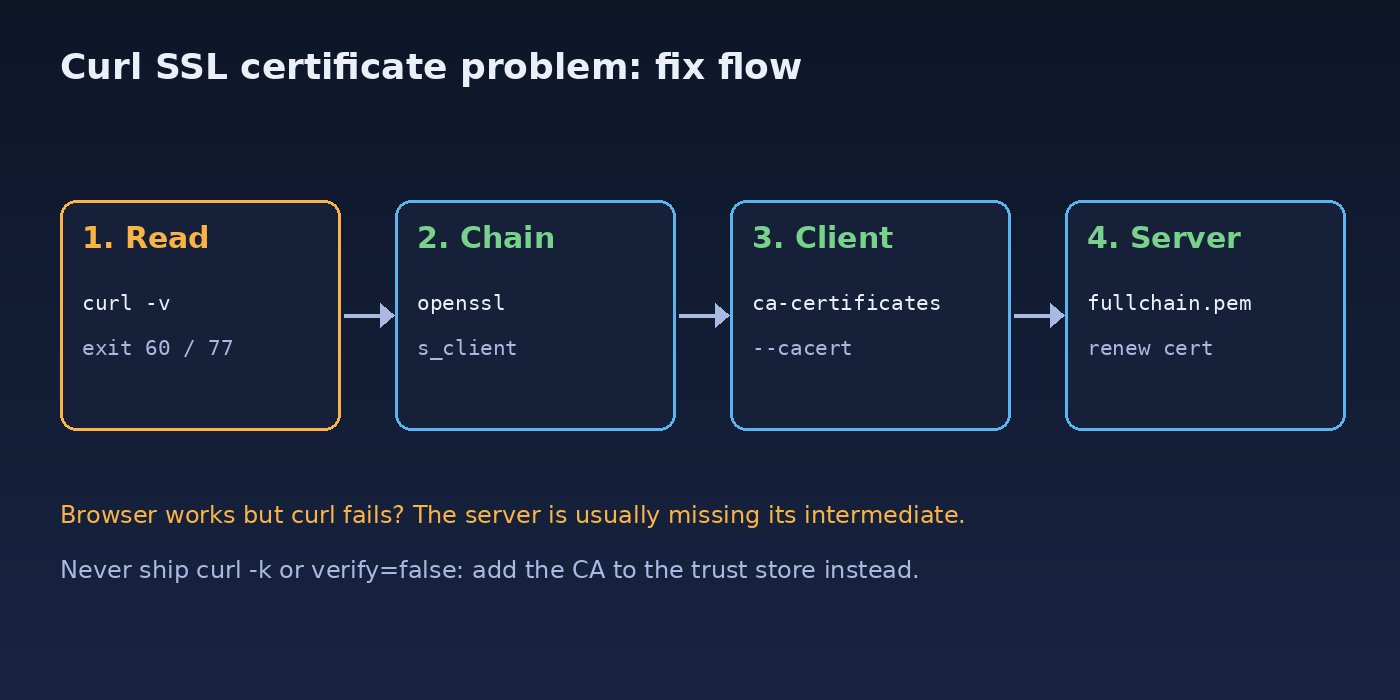
Step 3: Fix the server if the chain is incomplete
If you control the server, serve the full chain. With Nginx and Let's Encrypt (Certbot), point to fullchain.pem, not cert.pem:
server {
    listen 443 ssl;
    server_name api.example.com;

    ssl_certificate     /etc/letsencrypt/live/api.example.com/fullchain.pem;
    ssl_certificate_key /etc/letsencrypt/live/api.example.com/privkey.pem;
}sudo nginx -t && sudo systemctl reload nginxFor a commercial certificate, concatenate the leaf and the intermediate(s) in order: cat domain.crt intermediate.crt > fullchain.crt. If the certificate has expired, renew it first; see how to fix Certbot renewal failed errors.
Step 4: Update the CA certificate bundle on the client
On Ubuntu or Debian:
sudo apt update
sudo apt install --reinstall -y ca-certificates
sudo update-ca-certificates
On RHEL, Rocky, AlmaLinux or Fedora:
sudo dnf reinstall -y ca-certificates
sudo update-ca-trust
In Docker images, install the package in the Dockerfile:
# Debian / Ubuntu based images
RUN apt-get update && apt-get install -y --no-install-recommends ca-certificates \
    && rm -rf /var/lib/apt/lists/*

# Alpine based images
RUN apk add --no-cache ca-certificates
Step 5: Trust a private or corporate CA certificate
For an internal CA or a TLS-inspecting proxy, get the CA certificate (PEM format) from your security or infrastructure team and add it to the system trust store:
# Ubuntu / Debian (file must end in .crt)
sudo cp company-root-ca.crt /usr/local/share/ca-certificates/
sudo update-ca-certificates

# RHEL / Fedora
sudo cp company-root-ca.crt /etc/pki/ca-trust/source/anchors/
sudo update-ca-trust
If you only need it for one command or one app, point curl at the CA file instead of changing the whole system:
curl --cacert /path/to/company-root-ca.crt https://internal-api.local/health

# or for every curl call in the current shell
export CURL_CA_BUNDLE=/path/to/company-root-ca.crt
Step 6: Fix the system clock
If the certificate looks valid but curl says it is expired or not yet valid, check the clock:
timedatectl status
sudo timedatectl set-ntp true
Step 7: Fix the hostname mismatch
Call the service using a name that appears in the certificate's SAN list. If you must connect to a specific IP (for example to test a new server before DNS changes), keep the correct hostname and use --resolve:
curl --resolve api.example.com:443:203.0.113.10 https://api.example.com/healthIf the name itself does not resolve correctly, check Linux DNS troubleshooting first.
Fixing the CA Certificate Error in PHP, Laravel and Composer
PHP's cURL extension uses the CA bundle configured in php.ini. If you see cURL error 60 in Laravel's HTTP client or Guzzle, check where PHP looks for certificates:
php -r 'print_r(openssl_get_cert_locations());'
php -i | grep -iE 'curl.cainfo|openssl.cafile'
On Linux, the system bundle is usually correct once ca-certificates is updated. If PHP points to an old or missing file, set it explicitly in the php.ini used by PHP-FPM and the CLI:
curl.cainfo = /etc/ssl/certs/ca-certificates.crt
openssl.cafile = /etc/ssl/certs/ca-certificates.crtsudo systemctl restart php8.3-fpm # match your PHP versionFor an internal API that uses a private CA, pass the CA file to the Laravel HTTP client rather than disabling verification:
use Illuminate\Support\Facades\Http;

$response = Http::withOptions([
    'verify' => storage_path('certs/company-root-ca.crt'),
])->get('https://internal-api.local/orders');
Composer uses the same PHP settings. You can also run composer diagnose, which reports whether it can reach Packagist over HTTPS.
Fixing Curl Certificate Verify Failed in Node.js and Git
Node.js has its own built-in CA list. To add a private CA without disabling TLS checks, use NODE_EXTRA_CA_CERTS:
export NODE_EXTRA_CA_CERTS=/path/to/company-root-ca.crt
node server.js
For Git over HTTPS, point it at the CA file for a specific host:
git config --global http.https://git.internal.local/.sslCAInfo /path/to/company-root-ca.crtWhy You Should Not Use curl -k in Production
curl -k (--insecure), 'verify' => false in Guzzle, NODE_TLS_REJECT_UNAUTHORIZED=0 and git config http.sslVerify false all make the error disappear by skipping certificate verification. That means anyone who can intercept the traffic can read or change it, including API keys and payment or customer data. Use -k only for a quick local test to confirm that certificate verification is the only problem, then fix the trust chain properly.
Verification
After the fix, confirm verification passes without any insecure flags:
curl -sS -o /dev/null -w '%{http_code} ssl_verify=%{ssl_verify_result}\n' https://api.example.com/health
# expected: 200 ssl_verify=0

openssl s_client -connect api.example.com:443 -servername api.example.com </dev/null 2>/dev/null \
  | grep 'Verify return code'
# expected: Verify return code: 0 (ok)
Then test from the same place the application runs: inside the Docker container (docker exec -it app curl -v https://...), from the PHP-FPM user, or from the CI runner. A fix on the host does not help a container that has its own trust store. If the container still cannot connect at all, see how to fix Docker connection refused errors.
Prevention
- Always configure web servers with the full chain (
fullchain.pem) and test new certificates withopenssl s_clientbefore going live. - Automate certificate renewal and alert on certificates that expire within 14 days.
- Install
ca-certificatesin every Docker base image and rebuild images regularly so the bundle stays current. - Keep NTP enabled on all servers so the clock never drifts.
- Distribute internal CA certificates through configuration management or the image build, not by disabling verification in code.
- Search your codebase for
-k,--insecure,verify => falseandNODE_TLS_REJECT_UNAUTHORIZEDduring code review.
FAQs
What does "curl: (60) SSL certificate problem: unable to get local issuer certificate" mean?
curl could not find the certificate that issued the server's certificate. Either the server is not sending its intermediate certificate, or the root CA is missing from the client's CA bundle.
Why does the site open in the browser but curl gives a certificate verify failed error?
Browsers cache intermediate certificates and can download missing ones, and they use their own trust store. curl relies only on what the server sends and the system or configured CA bundle, so an incomplete chain fails in curl first.
How do I fix a CA certificate error inside a Docker container?
Install the ca-certificates package in the Dockerfile, copy any internal CA into the image's trust store and run update-ca-certificates during the build, then rebuild and redeploy the image.
Is it safe to use curl -k to fix the SSL certificate problem?
No. It hides the error by disabling verification, which exposes the connection to man-in-the-middle attacks. Use it only for a short local test, never in scripts, cron jobs or application code.
How do I fix cURL error 60 in Laravel?
Update the system ca-certificates package, make sure curl.cainfo and openssl.cafile in php.ini point to a valid bundle, restart PHP-FPM, and for private APIs pass the CA file with Http::withOptions(['verify' => $path]).
What is the difference between curl exit code 60 and 77?
Exit code 60 means the server's certificate could not be verified. Exit code 77 means curl could not read the CA certificate file or directory it was told to use, usually because the path is wrong or the bundle is missing.



Comments
Join the discussion. Replies load on demand, up to 5 levels.
0 threads
No comments yet
Be the first to start the conversation.