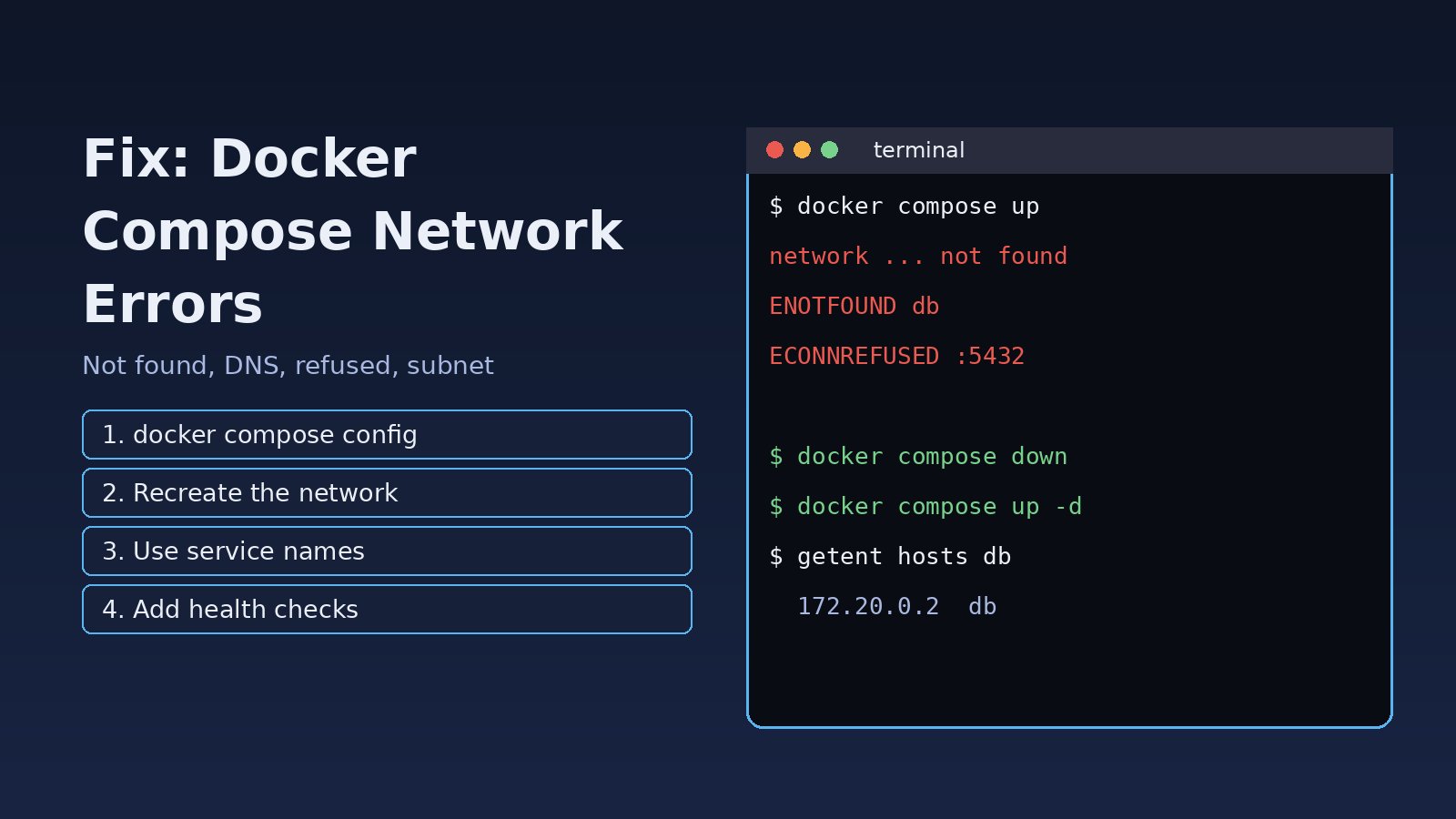
Your stack worked yesterday, but today docker compose up fails, or the containers start and the app cannot reach the database. A docker compose network error usually shows up in one of four ways: the network cannot be found or created, a service cannot resolve another service by name, the connection is refused even though the name resolves, or the subnet clashes with another network. The fix depends on which one you have, so this guide walks through each case with the exact error messages, the commands to diagnose it and the changes that make it stop coming back. The examples use Laravel, Node.js, PostgreSQL and Redis, but the same steps apply to any Compose project.
Problem: Docker Compose Network Error
Docker Compose creates a bridge network for every project, named <project>_default, and attaches every service to it. Each service is reachable from the others by its service name through Docker's embedded DNS server at 127.0.0.11. When that network is missing, misconfigured, or when the app uses the wrong host name, things break in ways that look unrelated at first.
Symptoms
These are the messages people usually search for. Find the one closest to yours:
Network not found or not created
Error response from daemon: network 3f9c2a1b7d0e... not found

network backend declared as external, but could not be found

service "app" refers to undefined network frontend: invalid compose project
Container DNS fails (service name does not resolve)
Error: getaddrinfo ENOTFOUND db

SQLSTATE[HY000] [2002] php_network_getaddresses: getaddrinfo for mysql failed: Name or service not known

could not translate host name "db" to address: Name or service not known
Docker compose connection refused
Error: connect ECONNREFUSED 127.0.0.1:5432

Error: connect ECONNREFUSED 172.20.0.3:6379

SQLSTATE[08006] [7] connection to server at "db" (172.20.0.2), port 5432 failed: Connection refused
Subnet or address pool conflict
Error response from daemon: Pool overlaps with other one on this address space

could not find an available, non-overlapping IPv4 address pool among the defaults to assign to the network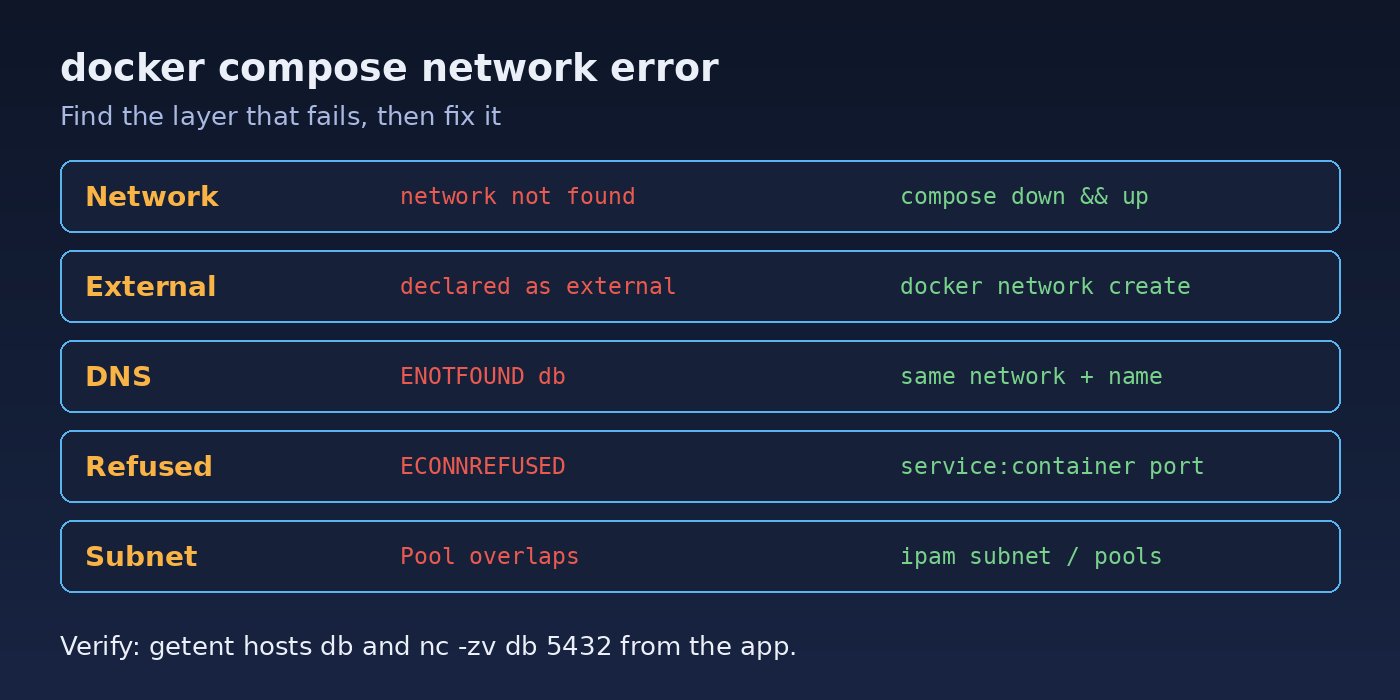
Root Cause
Almost every Compose networking failure comes from one of these causes:
- Stale containers pointing at a deleted network. Someone ran
docker network pruneordocker network rmwhile containers still referenced the old network ID, sodocker startordocker compose startfails with "network ... not found". - External network does not exist. A network marked
external: truemust be created outside Compose first. Compose will not create it for you. - Typo or undefined network name. A service lists a network under
networks:that is not declared in the top-levelnetworks:block. - Services on different networks. Two services only see each other if they share at least one network. Two separate Compose projects do not share a network by default.
- Using localhost inside a container. Inside a container,
localhostand127.0.0.1mean that container, not the database container and not your host machine. - The target is not ready or not listening.
depends_ononly waits for the container to start, not for PostgreSQL or Redis to accept connections. A server bound only to127.0.0.1inside its own container also refuses outside connections. - Subnet overlap. Docker's default pools can collide with a VPN, office LAN or a large number of old networks left on the host.
Step-by-Step Solution
Step 1: Validate the Compose file
Start by letting Compose parse the file. It catches undefined networks and indentation mistakes before anything runs:
docker compose config --quiet && echo "compose file OK"
docker compose config | sed -n '/^networks:/,$p'
If you see refers to undefined network, add the network to the top-level networks: block or fix the spelling in the service.
Step 2: Recreate the project network
For "network ... not found", the quickest safe fix is to recreate the containers so they attach to a fresh network. Named volumes are kept, so your database data is not lost:
docker compose down          # removes containers and the project network, keeps named volumes
docker compose up -d --force-recreate
docker network ls | grep "$(basename "$PWD")"
Do not add -v to docker compose down unless you really want to delete the volumes. If a single container still holds the old network ID, remove it with docker compose rm -f <service> and bring it up again. Leftover orphan containers from renamed services can be cleaned with docker compose up -d --remove-orphans.
Step 3: Create a missing external network
When two projects share a network, one side declares it as external. Create it once on the host:
docker network create shared_backend
docker network inspect shared_backend --format '{{.Name}} {{range .IPAM.Config}}{{.Subnet}}{{end}}'# docker-compose.yml
services:
app:
image: my-laravel-app
networks:
- default
- shared_backend
networks:
shared_backend:
external: trueStep 4: Fix container DNS and service names
The host name your app uses must be the service name (or an alias) from the Compose file, and both services must share a network. Check it from inside the app container:
docker compose ps
docker compose exec app getent hosts db       # should print an IP like 172.20.0.2
docker compose exec app cat /etc/resolv.conf  # should show nameserver 127.0.0.11
docker network inspect myproject_default --format '{{range .Containers}}{{.Name}} {{.IPv4Address}}{{"\n"}}{{end}}'
If getent returns nothing, the services are not on the same network or the name is wrong. Note that embedded DNS works on user-defined networks, which Compose always creates; it does not work for containers attached only to the legacy default bridge network. For Laravel, the .env should point at the service name:
DB_HOST=db
DB_PORT=5432
REDIS_HOST=redis
Step 5: Fix docker compose connection refused
If the name resolves but the connection is refused, three checks cover most cases. First, never use localhost to reach another container; use the service name. Second, connect to the container port, not the published host port. With ports: "5433:5432", other containers still use db:5432. Third, make sure the server listens on all interfaces and is actually ready:
docker compose logs --tail=50 db
docker compose exec db sh -c "ss -ltnp 2>/dev/null || netstat -ltnp"   # look for 0.0.0.0:5432, not 127.0.0.1:5432
docker compose exec app sh -c "nc -zv db 5432"
Then make startup order wait for readiness with a health check instead of a plain depends_on:
services:
  db:
    image: postgres:16
    environment:
      POSTGRES_PASSWORD: secret
    healthcheck:
      test: ["CMD-SHELL", "pg_isready -U postgres"]
      interval: 5s
      timeout: 3s
      retries: 10
  redis:
    image: redis:7
    healthcheck:
      test: ["CMD", "redis-cli", "ping"]
      interval: 5s
      retries: 10
  app:
    build: .
    depends_on:
      db:
        condition: service_healthy
      redis:
        condition: service_healthy
If you need to reach a service running on the host itself (not in Compose), use host.docker.internal. On Linux add extra_hosts: ["host.docker.internal:host-gateway"] to the service. The full walkthrough for that case is in How to Fix Connection Refused Errors in Docker.
Step 6: Resolve subnet and address pool conflicts
List networks and their subnets, remove unused ones, and if needed pin your project to a free range:
docker network ls
docker network inspect $(docker network ls -q) --format '{{.Name}} {{range .IPAM.Config}}{{.Subnet}}{{end}}'
docker network prune        # removes only networks not used by any container
ip route # check which ranges your VPN or LAN already usesnetworks:
default:
ipam:
config:
- subnet: 10.50.0.0/24For a permanent host-wide fix, set default address pools in /etc/docker/daemon.json and restart Docker:
{
  "default-address-pools": [
    { "base": "10.200.0.0/16", "size": 24 }
  ]
}sudo systemctl restart dockerRestarting the daemon stops running containers unless they have a restart policy, so do it in a maintenance window on servers.
Verification
After the fix, confirm each layer works:
docker compose ps                                # all services Up / healthy
docker compose exec app getent hosts db redis    # both names resolve
docker compose exec app sh -c "nc -zv db 5432 && nc -zv redis 6379"
docker compose exec app php artisan migrate:status   # Laravel: DB reachable
docker compose exec app php artisan tinker --execute="echo Illuminate\Support\Facades\Redis::ping();"
For a Node.js service, a quick check is docker compose exec app node -e "require('dns').lookup('db',console.log)". If all of these pass and the app still fails, the problem is in application config (credentials, database name), not the network.
Prevention
- Always use service names, never
localhost, for container-to-container traffic, and keep them in.envfiles. - Add health checks to databases, caches and queues, and use
depends_onwithcondition: service_healthy. - Use
docker compose downanduprather than pruning networks while containers are stopped but still defined. - Create shared external networks in a setup script or README so every developer and server has them.
- Pick subnets that do not clash with your VPN and office LAN, and set
default-address-poolson long-lived servers. - Run
docker compose config --quietin CI so broken network definitions fail before deployment.
If the stack fails because a port is taken rather than the network, see How to Fix Docker Port Already Allocated, and if a service keeps crashing after a network error, read Why Docker Containers Keep Restarting.
FAQs
Why does docker compose say network not found after a restart?
The containers still reference the ID of a network that was deleted, often by docker network prune. Run docker compose down and docker compose up -d --force-recreate to attach them to a new network.
Why does container DNS not resolve my service name?
Both containers must share a user-defined network and you must use the exact service name or alias. Check with docker compose exec app getent hosts db and docker network inspect.
Why do I get docker compose connection refused when the database container is running?
Usually the app connects to localhost, uses the published host port instead of the container port, or connects before the database is ready. Use the service name, the container port and a health check.
How do two Docker Compose projects talk to each other?
Create a network with docker network create, declare it as external: true in both Compose files and attach the services that need to talk to it.
Is docker network prune safe?
It only removes networks with no containers attached, but stopped containers defined in Compose can lose their network. Prefer docker compose down first, then prune.



Comments
Join the discussion. Replies load on demand, up to 5 levels.
0 threads
No comments yet
Be the first to start the conversation.