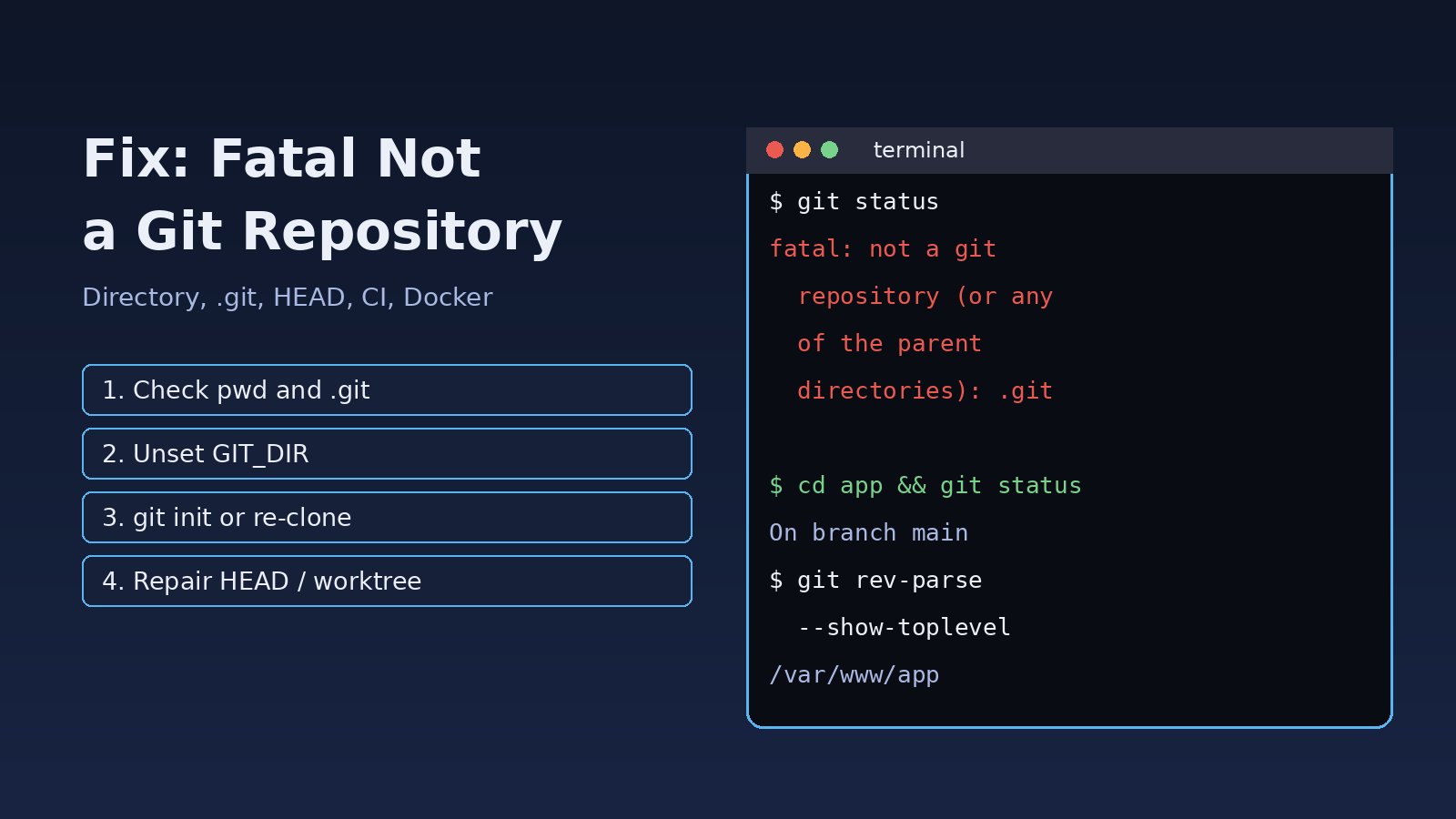
You run git status, git pull or a deploy script and Git stops with fatal: not a git repository (or any of the parent directories): .git. The fatal not a git repository error means Git searched the current folder and every parent folder and could not find a valid repository. Most of the time you are simply in the wrong directory, but the same message also appears when the .git folder was never copied, when HEAD is corrupted, when a submodule or worktree was moved, or when a Docker build or CI job runs without the repository metadata. This guide shows how to find which case you have and fix it without losing work.
Problem: Fatal Not a Git Repository
Every Git command except a few (such as git init, git clone and git --version) needs a repository. Git looks for a .git directory (or a .git file that points somewhere else) starting in the current directory and walking up toward the root. If it finds nothing valid, it prints the fatal error and exits with status 128, which also breaks any script or pipeline that called it.
Symptoms
The message comes in a few variants. The exact wording tells you a lot about the cause:
$ git status
fatal: not a git repository (or any of the parent directories): .git

$ git pull
fatal: not a git repository (or any parent up to mount point /mnt)
Stopping at filesystem boundary (GIT_DISCOVERY_ACROSS_FILESYSTEM not set).

$ git log
fatal: not a git repository: /home/deploy/app/.git/worktrees/feature-x

$ cd vendor/lib && git status
fatal: not a git repository: ../../.git/modules/vendor/lib
You may also see it indirectly: a Laravel or Node.js build step that runs git rev-parse HEAD to stamp a version, a composer install on a package from source, or a GitHub Actions step that fails with exit code 128.
Root Cause
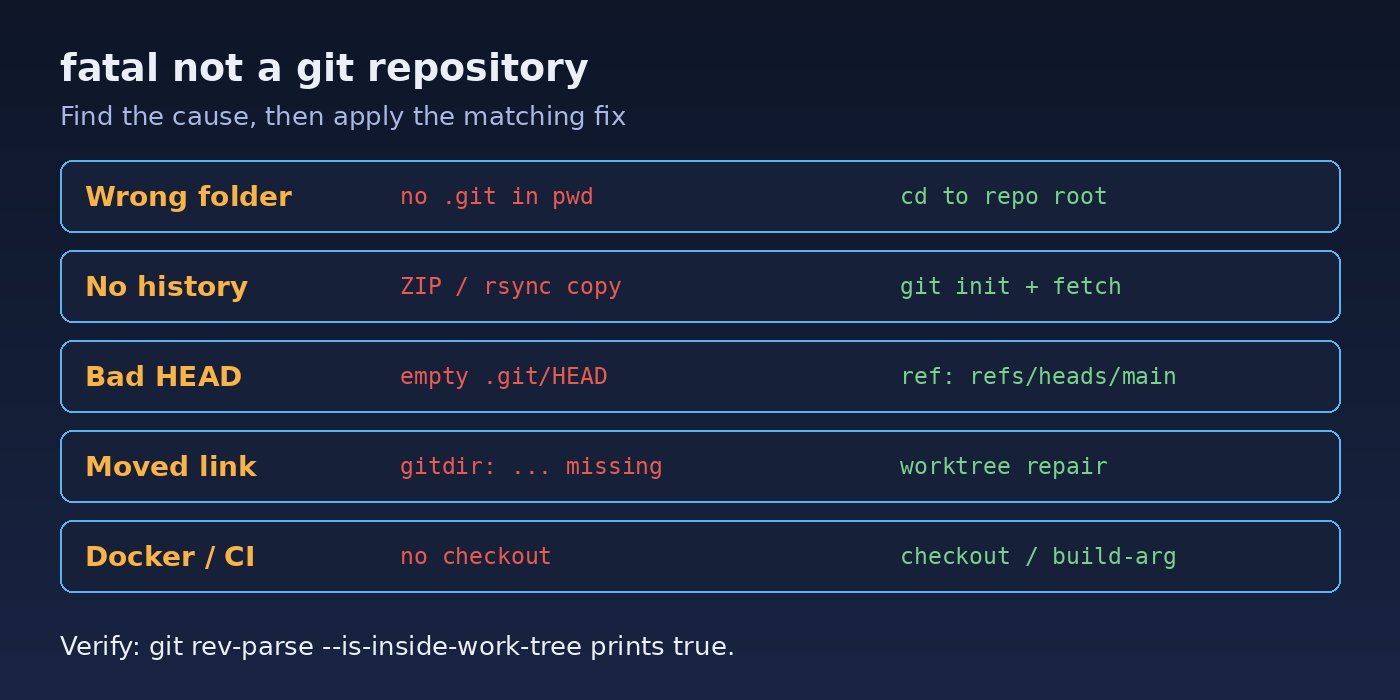
These are the common reasons Git cannot find a repository:
- Wrong working directory. You opened a terminal in your home folder, a parent folder, or a sibling project instead of the repository root.
- The project was never a Git repository. It was downloaded as a ZIP, copied with
scporrsyncwithout the hidden.gitfolder, or created from a template. - Damaged
.gitmetadata. If.git/HEADis empty or invalid, orobjectsorrefsis missing, Git no longer recognises the folder as a repository. This happens after disk-full errors, crashes or bad sync tools. - Broken pointer in a
.gitfile. Submodules and worktrees use a small.gitfile containinggitdir: .... Moving or deleting the main repository or the worktree leaves that path pointing nowhere. - Environment variables. A stale
GIT_DIRorGIT_WORK_TREEoverrides discovery and sends Git to the wrong place. - Filesystem boundary. On a mounted volume Git stops searching at the mount point unless
GIT_DISCOVERY_ACROSS_FILESYSTEM=1is set. - Docker and CI. The
.gitfolder is excluded by.dockerignore, or the CI job never checked out the code, so Git commands inside the build have nothing to read.
Step-by-Step Solution
Step 1: Confirm where you are
Start with the simplest check. Print the current path and look for a .git entry:
pwd
ls -la
ls -la .git 2>/dev/null || echo "no .git here"

# find the nearest repository below the current folder
find . -maxdepth 3 -name .git -not -path '*/node_modules/*'
If the repository is in a subfolder, cd into it and run the command again. On Windows, use dir /a in Command Prompt or Get-ChildItem -Force in PowerShell, because .git is hidden.
Step 2: Check environment variables
env | grep '^GIT_'
unset GIT_DIR GIT_WORK_TREE
If GIT_DIR was exported in a shell profile or a deploy script, remove it there too. For repositories on a mounted disk that you open from a parent folder, either cd into the repository or set export GIT_DISCOVERY_ACROSS_FILESYSTEM=1.
Step 3: Git init or re-clone when the project has no .git folder
If the code was copied without its history and you have a remote, the cleanest fix is a fresh clone. If you need to keep local changes in the copied folder, attach it to the remote instead of copying files around:
cd /var/www/app
git init
git remote add origin [email protected]:your-org/app.git
git fetch origin
# point the new repo at the remote branch without touching your files
git reset --mixed origin/main
git branch --set-upstream-to=origin/main
git status   # your local edits now show as modified files
For a brand-new project with no remote, git init followed by git add . and git commit -m "Initial commit" is all you need. If the repo uses a different default branch, replace main with it.
Step 4: Repair a damaged HEAD
When .git exists but Git still reports the git repository error, inspect HEAD:
cat .git/HEAD
# healthy output looks like:
# ref: refs/heads/main

ls .git        # should contain HEAD, config, objects, refs
If HEAD is empty or contains garbage, back up the folder first (cp -a .git ../git-backup) and write a valid reference, then check the repository:
echo 'ref: refs/heads/main' > .git/HEAD
git fsck --full
git log --oneline -5
If objects or refs is gone, the metadata is too damaged to trust. Clone again into a new folder and copy over any uncommitted files.
Step 5: Fix submodules and worktrees
Read the pointer file and see whether its target exists:
cat vendor/lib/.git
# gitdir: ../../.git/modules/vendor/lib

# from the main repository root:
git submodule sync --recursive
git submodule update --init --recursive

# for worktrees that were moved or deleted:
git worktree repair
git worktree prune
git worktree repair (Git 2.29+) rewrites the links after you move a worktree or the main repository. git worktree prune removes records for worktrees that no longer exist.
Step 6: Fix Docker builds and CI pipelines
In GitHub Actions, make sure the job checks out the code before any Git command runs, and fetch history if a step needs tags or older commits:
steps:
  - uses: actions/checkout@v4
    with:
      fetch-depth: 0
  - run: git describe --tags --always
In Docker, avoid running Git inside the image. Pass the commit as a build argument instead of removing .git from .dockerignore, which would bloat the build context:
# Dockerfile
ARG GIT_SHA=unknown
ENV APP_VERSION=$GIT_SHA

# build command
docker build --build-arg GIT_SHA=$(git rev-parse --short HEAD) -t app .
If you also see fatal: detected dubious ownership in repository on a server, that is a different check: the folder belongs to another user. Fix ownership with chown or trust the path with git config --global --add safe.directory /var/www/app. Related Git problems are covered in how to fix Git detached HEAD state and how to fix the Git pull divergent branches error.
Verification
Run these commands from the project folder. They should print paths and a branch name instead of the fatal error:
git rev-parse --is-inside-work-tree   # true
git rev-parse --show-toplevel         # /var/www/app
git rev-parse --git-dir               # .git
git status
git remote -v
Then run the script, deploy or pipeline that failed originally and confirm it exits with status 0.
Prevention
- Deploy with
git cloneorgit pull, or with a CI artifact that does not need Git, instead of copying folders by hand. - In scripts, guard Git calls:
git rev-parse --is-inside-work-tree >/dev/null 2>&1 || { echo "not a repo"; exit 1; }. - Use
cd "$(dirname "$0")"or absolute paths in cron jobs and deploy scripts so they always run from the repository root. - Do not sync
.gitfolders through Dropbox, OneDrive or similar tools; push to a remote instead. - Use
git worktree moveandgit worktree removerather than moving worktree folders manually. - Pass version information into Docker builds as build arguments, and always add
actions/checkoutas the first step in CI jobs. If authentication breaks next, see how to fix Git authentication failed on GitHub.
FAQs
What does fatal not a git repository mean?
Git could not find a valid .git directory in the current folder or any parent folder, so it does not know which repository the command should act on.
How do I fix the Git repository error after downloading a ZIP?
A ZIP download has no history. Clone the repository instead, or run git init, add the remote, git fetch and git reset --mixed origin/main to connect the folder to it.
Will git init delete my files?
No. git init only creates an empty .git folder. Running it inside an existing repository is also safe; it reinitialises without deleting history.
Why does the error appear only inside Docker?
The .git folder is usually excluded by .dockerignore. Pass the commit hash as a build argument instead of running Git in the image.
Why does GitHub Actions say not a git repository?
The job ran a Git command before actions/checkout, or in a different working directory. Add the checkout step first and check the working-directory setting.
What is the difference between this error and dubious ownership?
Not a git repository means no repository was found. Dubious ownership means Git found one but refused to use it because another user owns it; fix it with chown or safe.directory.



Comments
Join the discussion. Replies load on demand, up to 5 levels.
0 threads
No comments yet
Be the first to start the conversation.