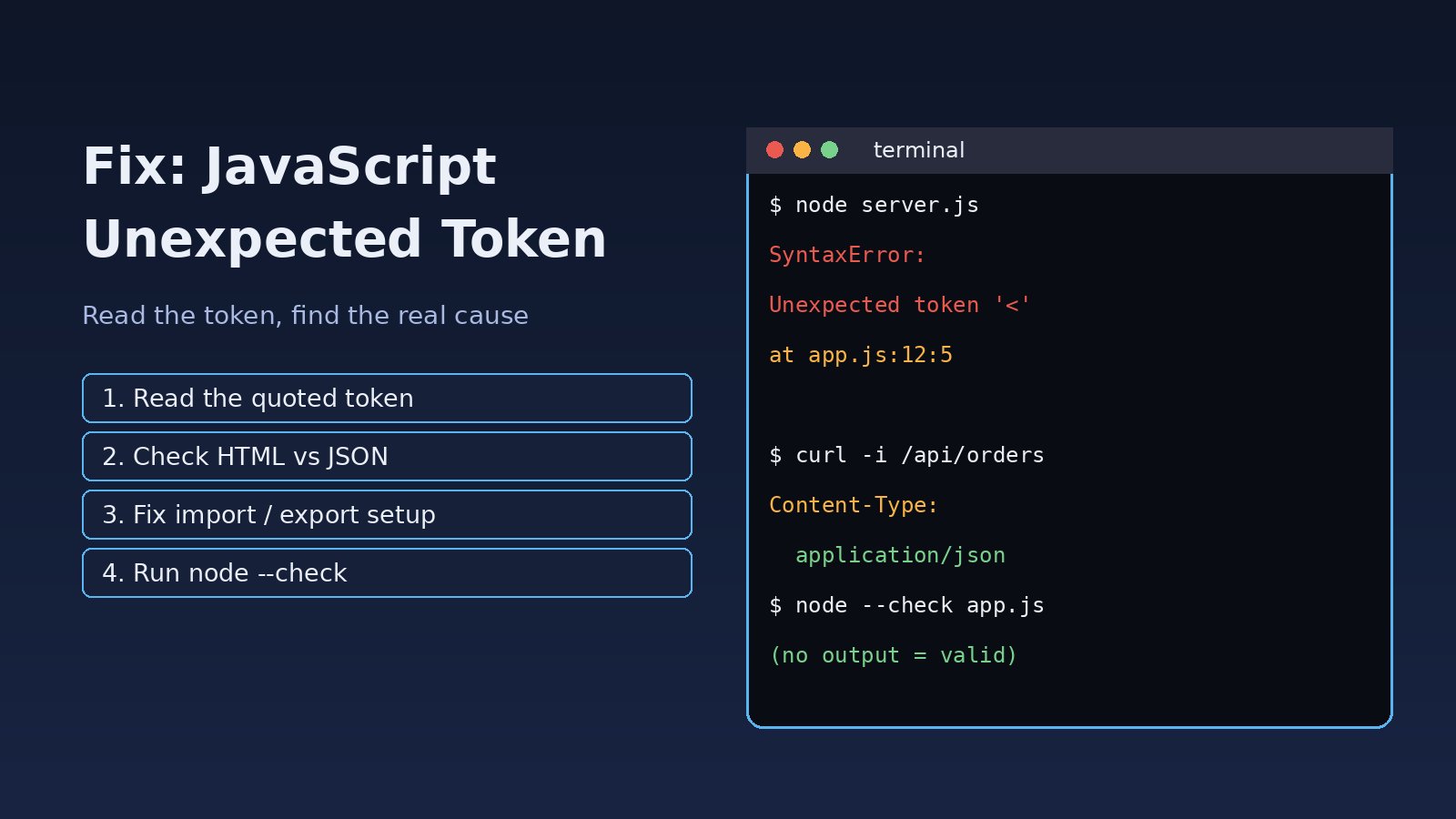
Your page goes blank, a build stops, or Node.js refuses to start, and the console shows SyntaxError: Unexpected token. If you are searching for javascript unexpected token, the key thing to know is that the JavaScript engine is telling you exactly one thing: while parsing, it reached a character it did not expect at that position. The token in quotes ('<', 'export', '}', '.') is the biggest clue. This guide explains how to read the message, fix the most common causes (HTML returned instead of JSON or JavaScript, ES module mix-ups, JSX that is not compiled, old runtimes and plain typos) and keep the error out of production.
Problem: JavaScript Unexpected Token Error
JavaScript is parsed before it runs. If the parser finds something that breaks the grammar, the whole file (or the whole JSON.parse call) fails with a SyntaxError. Because nothing in that file runs, the result is often a blank screen or a crashed process rather than a partly working page. Typical messages look like this:
Uncaught SyntaxError: Unexpected token '<'
SyntaxError: Unexpected token '<', "<!DOCTYPE "... is not valid JSON
SyntaxError: Unexpected token 'export'
SyntaxError: Cannot use import statement outside a module
SyntaxError: Unexpected end of JSON input
SyntaxError: Unexpected identifier 'name'
SyntaxError: missing ) after argument list
Firefox words the same problems differently, for example SyntaxError: expected expression, got '<' or JSON.parse: unexpected character at line 1 column 1 of the JSON data. The causes and fixes are the same.
Symptoms
- A React, Next.js or plain JavaScript app shows a white screen and the browser console shows
Uncaught SyntaxError: Unexpected token '<'pointing at a.jsfile. - A
fetch()call fails withUnexpected token '<', "<!DOCTYPE "... is not valid JSONwhen you callresponse.json(). - Node.js crashes on start with
SyntaxError: Unexpected token 'export'orCannot use import statement outside a module. - Jest or another test runner fails inside
node_moduleswith an unexpected token error, even though the app itself builds. - Code works on your machine but fails on a server or older browser with
Unexpected token '.'orUnexpected token '?'. - An editor or linter shows
Parsing error: Unexpected tokenon a line that looks fine.
Root Cause
Every unexpected token error comes down to one of these situations:
- The content is not JavaScript or JSON at all. The server returned an HTML page (a 404 page, a login page, an Nginx error or your SPA's
index.html) where a script or JSON response was expected. HTML starts with<, so the parser fails on the first character. - Module system mismatch. ES module syntax (
import/export) is loaded as CommonJS, or a CommonJS file is loaded where ESM is expected. - Syntax that needs compiling was not compiled. JSX, TypeScript types or other non-standard syntax reached the runtime without passing through Babel, SWC, esbuild or
tsc. - The runtime is too old. Newer syntax such as optional chaining (
?.), nullish coalescing (??) or class fields is not supported by an old Node.js version or browser. - A real syntax error. A missing comma, bracket, quote or parenthesis, a reserved word used as a name, or a stray character from copy and paste. This is where the unexpected identifier message usually comes from.
- Invalid or empty JSON. Trailing commas, single quotes, comments,
undefined, or an empty response body passed toJSON.parse.
Step-by-Step Solution
Step 1: Read the token, the file and the line
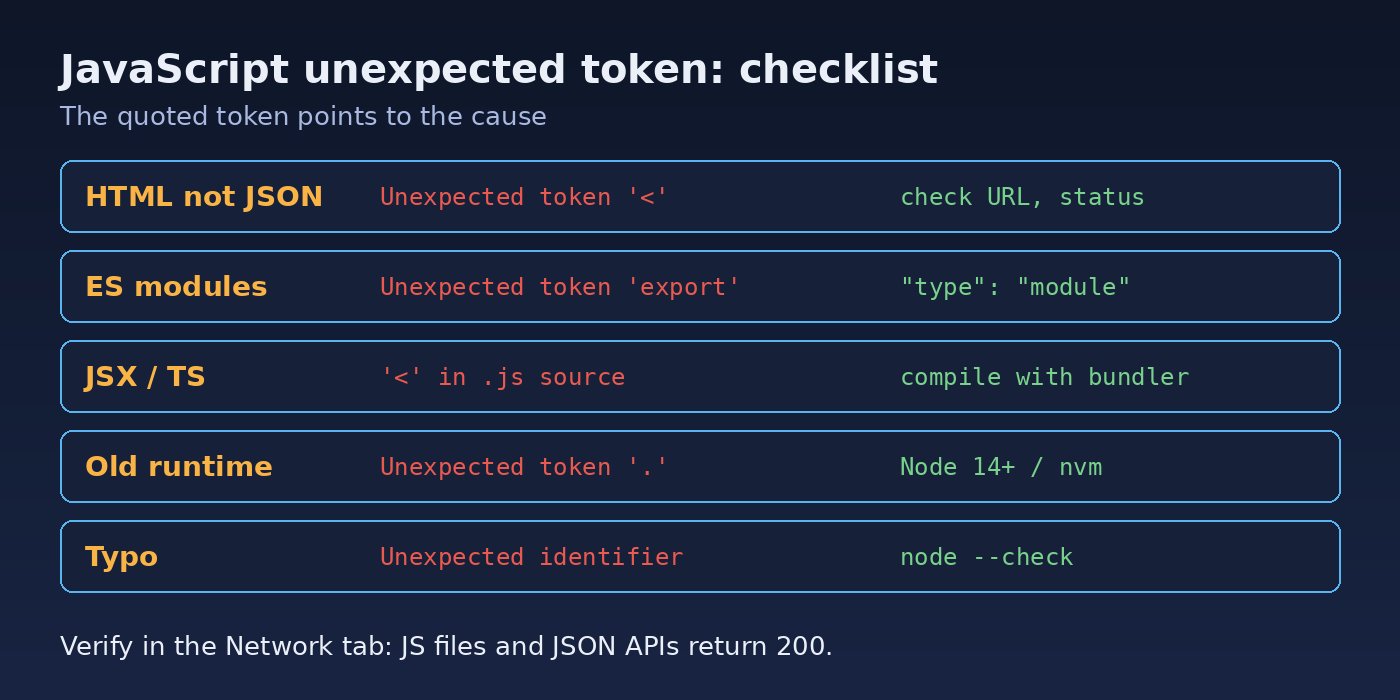
Click the file link next to the error in the browser console, or read the stack trace in the terminal. Note three things: which token is quoted, which file it is in, and whether that file is your source code, a built bundle, a JSON response or something in node_modules. The token usually tells you which of the causes above you are dealing with:
'<'almost always means HTML arrived instead of JavaScript or JSON.'export'or'import'means a module system mismatch.'<'inside your own.jssource on a JSX line means JSX is not being compiled.'.'or'?'after a variable usually means an old runtime.'}',')'or an identifier means a typo near (often just before) that line.
Step 2: Fix "Unexpected token '<'" in a fetch or JSON response
Do not call response.json() blindly. Check the status and content type first, and log the raw text when it is not JSON:
async function getJson(url, options = {}) {
  const res = await fetch(url, {
    ...options,
    headers: { Accept: 'application/json', ...(options.headers || {}) },
  });
  const type = res.headers.get('content-type') || '';
  if (!res.ok || !type.includes('application/json')) {
    const text = await res.text();
    throw new Error(`Expected JSON from ${url}, got ${res.status} ${type}: ${text.slice(0, 200)}`);
  }
  return res.json();
}
The logged text will show what really came back. Common findings and fixes:
- 404 HTML page: the URL is wrong. Check for a missing
/apiprefix, a relative URL that resolves against the current page, or a wrong base URL in your environment variables. - Login page or redirect: the session or token expired. Laravel, for example, redirects unauthenticated web requests to the login page; send
Accept: application/jsonso it returns a 401 JSON response instead. - Nginx 502/504 HTML page: the backend is down or timing out, so fix the upstream first.
- Your SPA's index.html: a catch-all rule such as
try_files $uri /index.htmlis answering API requests. Route/apito the backend before the fallback.
You can confirm from the command line what the endpoint returns:
curl -i -H 'Accept: application/json' https://example.com/api/orders
# Look at the status line and Content-Type header.
# HTTP/1.1 200 OK + Content-Type: application/json  -> good
# HTTP/1.1 404 + Content-Type: text/html             -> wrong URL or routing
Step 3: Fix "Unexpected token '<'" for a script file
If the error points at a .js file such as main.8f3a1c.js, open that URL directly in the browser. If you see HTML, the server could not find the file and returned a fallback page. This happens after a deployment that removed old hashed bundles, when the app is served from a sub-path but built for /, or when the static files directory is wrong. Fix the base path (for example homepage in Create React App, base in Vite, basePath in Next.js), redeploy all assets together, and make sure the web server serves files from the build folder before any SPA fallback:
location /assets/ {
    try_files $uri =404;   # never return index.html for a missing JS file
}

location / {
    try_files $uri $uri/ /index.html;
}
Step 4: Fix "Unexpected token 'export'" and "Cannot use import statement outside a module"
Node.js treats .js files as CommonJS unless told otherwise. Pick one module system and configure it consistently:
// Option A: use ES modules for the whole package (package.json)
{
  "type": "module"
}

// Option B: keep CommonJS and use require/module.exports
const express = require('express');
module.exports = { start };

// Option C: rename individual files
// server.mjs -> always ES module, server.cjs -> always CommonJS
In the browser, a script that uses import must be loaded as a module:
<script type="module" src="/js/app.js"></script>If the failure is inside node_modules during Jest tests, the package ships ES modules and Jest is not transforming it. Allow that package to be transformed:
// jest.config.js
module.exports = {
  transformIgnorePatterns: ['/node_modules/(?!(some-esm-package|another-esm-package)/)'],
};
Step 5: Make sure JSX and TypeScript are compiled
An error like Unexpected token '<' on a line such as return <App /> means JSX reached a runtime that does not understand it. Run the file through your bundler instead of directly with node, check that the file extension is one your build tool compiles (.jsx/.tsx for Vite), and confirm that a Babel or SWC preset for React is configured. The same applies to TypeScript: node app.ts on older Node.js versions fails on type annotations with an unexpected token or similar syntax error, so compile with tsc or run it with a tool such as tsx.
Step 6: Check the Node.js or browser version
node -v
# Optional chaining (?.) and nullish coalescing (??) need Node.js 14+

nvm install --lts
nvm use --lts
Use the same Node.js version locally, in CI, in Docker and on the server. For old browsers, set a browserslist target so your build tool transpiles modern syntax.
Step 7: Find the real syntax error (unexpected identifier)
For syntax error JavaScript problems in your own code, the reported line is where the parser gave up, not always where the mistake is. Look at the line before it. Common culprits:
// Missing comma between object properties -> Unexpected identifier 'price'
const item = {
  name: 'Router'
  price: 120
};

// Missing closing parenthesis -> missing ) after argument list
console.log('Total:', total;

// Reserved word as a variable name -> Unexpected token 'class'
const class = 'premium';

// Smart quotes pasted from a document -> Invalid or unexpected token
const status = "active";
Let tools find it for you instead of reading line by line:
node --check src/server.js     # parse only, reports the exact position
npx eslint src/                # reports parsing errors with file:line:col
npx prettier --check src/      # fails on files that cannot be parsed
Step 8: Fix invalid or empty JSON
JSON is stricter than JavaScript: no trailing commas, no comments, double quotes only. Validate a file before your app reads it, and guard against empty bodies (which give Unexpected end of JSON input):
node -e "JSON.parse(require('fs').readFileSync('config.json','utf8'))"
python3 -m json.tool config.json > /dev/null && echo "valid JSON"

// Safe parse in application code
function safeParse(text, fallback = null) {
  if (!text || !text.trim()) return fallback;
  try { return JSON.parse(text); } catch (e) { console.error('Bad JSON:', text.slice(0, 200)); return fallback; }
}
If the error moves on to a different runtime error after the syntax is fixed, such as reading a property of a missing value, see How to Fix Cannot Read Properties of Undefined in JavaScript.
Verification
- Run
node --checkornpx eslint .and confirm there are no parsing errors. - Open the browser DevTools Network tab, reload, and check that every
.jsfile returns 200 with a JavaScript content type, and every API call returnsapplication/json. - Run
curl -iagainst the failing API endpoint and confirm the status and content type. - Rebuild the app and run the test suite; Jest should no longer fail inside
node_modules. - Deploy and do a hard reload (Ctrl+Shift+R) to rule out cached old bundles.
For build-time failures in Next.js projects that show this error under a "Failed to compile" banner, also read How to Fix Next.js Failed to Compile, and for missing import paths see How to Fix Next.js Module Not Found Errors.
Prevention
- Run ESLint and Prettier in your editor and in a pre-commit hook so syntax errors never reach a commit.
- Use one module system per package and set
"type"inpackage.jsondeliberately. - Pin the Node.js version with
.nvmrcor theenginesfield and match it in Docker and CI. - Wrap API calls in a helper that checks
res.okand the content type before parsing JSON. - Make API routes return JSON errors (401, 404, 500) instead of HTML pages, and never let the SPA fallback answer
/apior missing asset requests. - Deploy hashed assets atomically and keep the previous build's files for a while so open tabs do not request deleted bundles.
FAQs
What does Unexpected token '<' mean in JavaScript?
It means the parser received something starting with <, which is almost always an HTML page, where it expected JavaScript or JSON. Check the failing URL in the Network tab; you will usually find a 404 page, a login redirect or your index.html.
How do I fix an unexpected identifier error?
An unexpected identifier means a name appeared where the grammar did not allow it, most often because of a missing comma, operator or closing bracket on the line before. Run node --check or ESLint to get the exact position, then look just before it.
Why do I get a syntax error in JavaScript only on the server?
The server is probably running an older Node.js version, using a different module setting, or serving a different (stale or missing) build. Compare node -v and the deployed files with your local setup.
Why does JSON.parse throw Unexpected token?
The string is not valid JSON. It may be HTML, an empty string, or JSON with trailing commas, single quotes or comments. Log the first characters of the string to see which.
Can a browser extension or cache cause an unexpected token error?
A cached old index.html that references deleted bundles can, because the missing files return HTML. A hard reload or clearing the site data fixes it for that user; atomic deployments and correct cache headers fix it for everyone.



Comments
Join the discussion. Replies load on demand, up to 5 levels.
0 threads
No comments yet
Be the first to start the conversation.