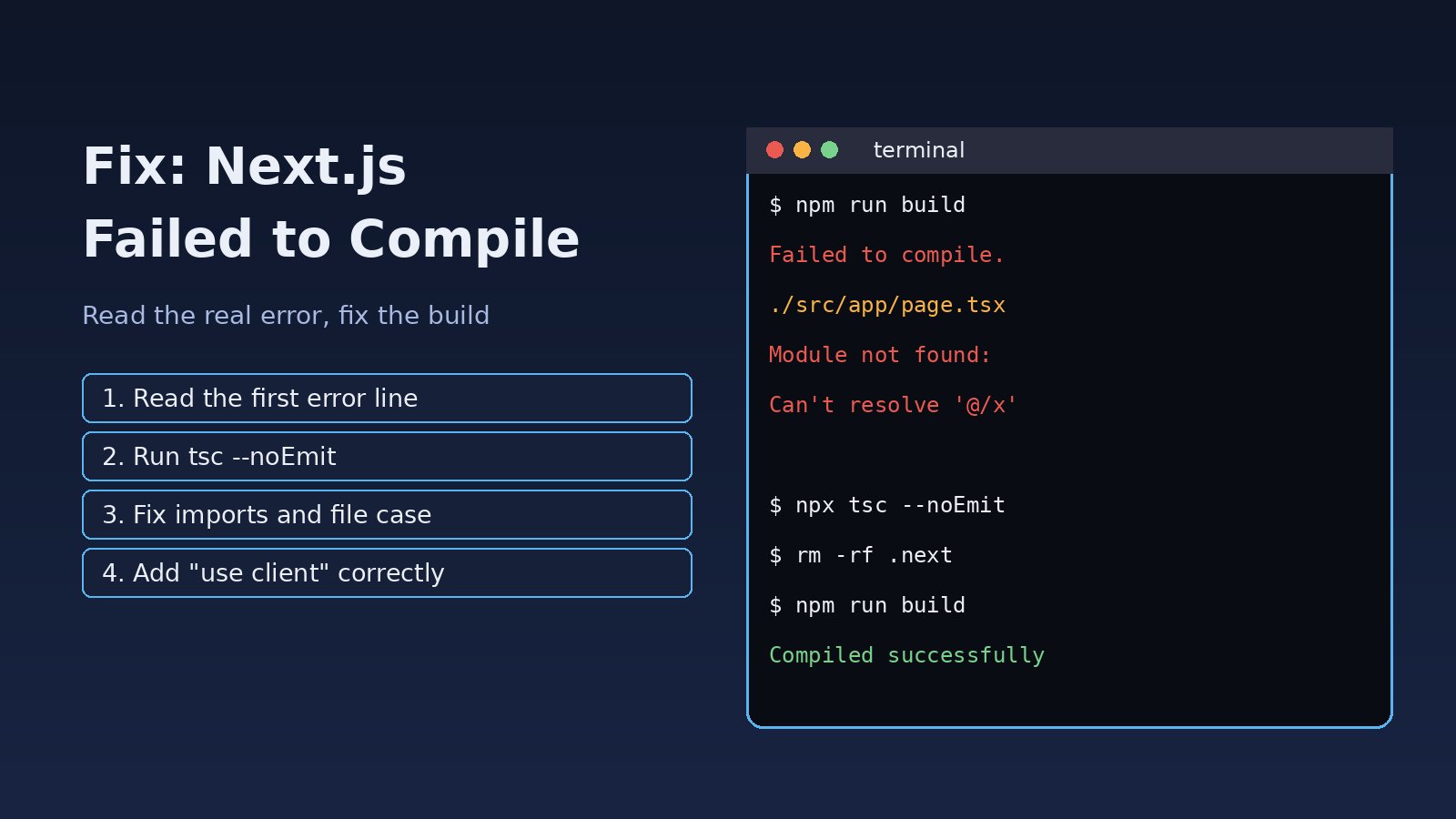
You run npm run build or save a file in development and Next.js stops with a red overlay or a terminal message that just says Failed to compile. If you are searching for nextjs failed to compile, the good news is that the message is never the whole story: Next.js always prints the file, line and real error underneath it. This guide shows how to read that output, fix the most common causes of a Next build error (TypeScript, imports, Server and Client Component mistakes, syntax and config problems) and stop it from breaking your deployments again.
Problem: Next.js Failed to Compile
"Failed to compile" is a wrapper message. The compiler (webpack or Turbopack, plus the TypeScript checker) hit an error it cannot recover from, so Next.js refuses to produce a build. In the terminal a production build usually looks like this:
$ npm run build

> next build

   Creating an optimized production build ...
Failed to compile.

./src/app/dashboard/page.tsx
Module not found: Can't resolve '@/components/StatsCard'

> Build failed because of webpack errors
Or, when the bundle compiles but the type check fails:
   Linting and checking validity of types  ...Failed to compile.

./src/app/invoices/[id]/page.tsx:18:22
Type error: Property 'total' does not exist on type 'Invoice'.

  16 |   const invoice = await getInvoice(params.id);
  17 |   return (
> 18 |     <p>{invoice.total}</p>
     |                 ^
  19 |   );
Symptoms of a Next Build Error
next devshows a full-screen "Failed to compile" overlay and the page does not load.next buildworks on your laptop but fails in CI, Docker or Vercel.- The build fails at "Linting and checking validity of types" even though the app runs fine in development.
- The exit code is non-zero, so your pipeline stops and the old version stays deployed.
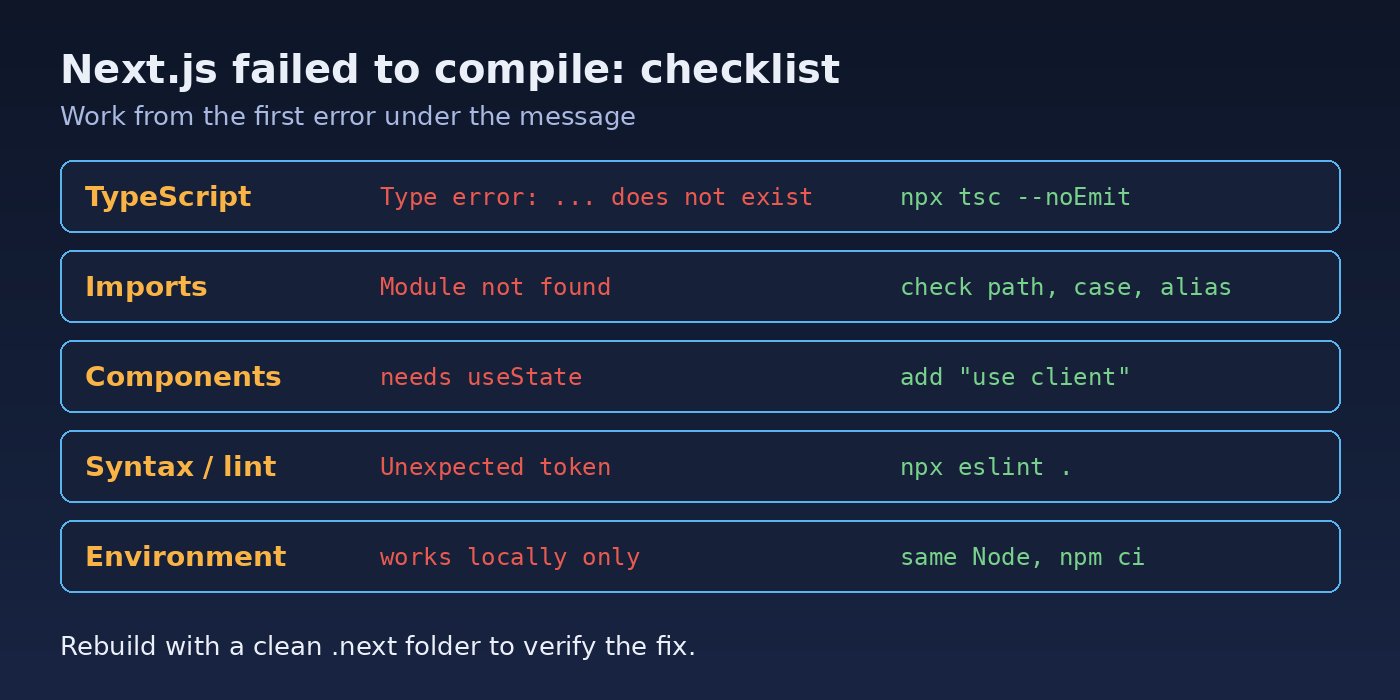
The fastest fix always starts with the lines directly below "Failed to compile". Everything else in this guide is about recognising what those lines mean.
Root Cause: Why Next.js Fails to Compile
1. A Next.js TypeScript error
During next build, Next.js runs a full TypeScript check. In development the editor and the dev server are more forgiving, so type errors often only appear at build time. Typical messages are Type error: Property 'x' does not exist on type, Object is possibly 'undefined' and wrong page props types.
2. Module not found or wrong import path
A typo in a path, a file renamed with different letter case, a missing package in package.json or a broken @/ alias in tsconfig.json. Case problems are classic: macOS and Windows ignore case, Linux build servers do not, so ./Components/Header works locally and fails in CI.
3. Server and Client Component mistakes (App Router)
Using hooks such as useState or useEffect in a file without "use client", or importing server-only code (database clients, fs) into a Client Component, produces compile errors like this:
You're importing a component that needs useState. This React hook only works
in a Client Component. To fix, mark the file (or its parent) with the
"use client" directive.
4. Syntax errors
An unclosed JSX tag, a stray brace, or JSX in a .js file processed by a custom config produces messages such as Syntax Error, Expected '}', got '<eof>' or Unexpected token.
5. Lint errors and config problems
In Next.js versions that run ESLint during next build, an ESLint error (not a warning) fails the build. Invalid options in next.config.js, an outdated plugin, or a Node.js version older than the one your Next.js release requires can also stop compilation.
Step-by-Step Solution to Fix Next.js Failed to Compile
Step 1: Reproduce the build locally with clean caches
Do not debug through the CI log if you can avoid it. Run the same command the server runs, after clearing the build cache:
node -v                 # compare with CI and the Next.js docs requirement
rm -rf .next node_modules/.cache
npm ci                  # install exactly what package-lock.json says
npm run build
If the build passes locally but fails on the server, the difference is in the environment: Node version, file name case, missing environment variables or a different lock file.
Step 2: Read the first error, not the last
Scroll to the first file path under "Failed to compile". Later errors are often side effects of the first one. Note the file, the line and column (for example page.tsx:18:22) and the error type.
Step 3: Fix a Next.js TypeScript error
Run the TypeScript compiler on its own. It is faster than a full build and lists every error at once:
npx tsc --noEmitThen fix the types properly instead of silencing them. For the example above, the API returns amount, not total, so the type and the component need to agree:
// types/invoice.ts
export type Invoice = {
  id: string;
  number: string;
  amount: number;
  paidAt?: string | null;
};

// app/invoices/[id]/page.tsx
<p>{invoice.amount.toFixed(2)}</p>
<p>{invoice.paidAt ?? 'Unpaid'}</p>
If the error is Object is possibly 'undefined', see How to Fix TypeScript Object Is Possibly Undefined for safe patterns.
Step 4: Fix imports and path aliases
Check that the file exists with the exact case, and that your alias matches the folder layout:
// tsconfig.json
{
  "compilerOptions": {
    "baseUrl": ".",
    "paths": {
      "@/*": ["./src/*"]
    }
  }
}# find case mismatches: list the real file name
ls src/components | grep -i statscard
# rename with git so the case change is committed
git mv src/components/statsCard.tsx src/components/StatsCard.tsx
# a missing package
npm install date-fnsA detailed walkthrough of import failures is in How to Fix Next.js Module Not Found Errors.
Step 5: Fix Server and Client Component boundaries
Add "use client" to the top of any component that uses state, effects, event handlers or browser APIs, and keep server-only code out of it:
"use client";

import { useState } from "react";

export default function FilterBar({ onChange }: { onChange: (q: string) => void }) {
  const [query, setQuery] = useState("");
  return (
    <input
      value={query}
      onChange={(e) => { setQuery(e.target.value); onChange(e.target.value); }}
    />
  );
}
To make sure database code never ends up in a client bundle, install the server-only package and import it at the top of server modules. If one is imported into a Client Component, the build fails with a clear message instead of leaking code.
npm install server-only

// lib/db.ts
import "server-only";
import { Pool } from "pg";
export const pool = new Pool({ connectionString: process.env.DATABASE_URL });
Step 6: Fix lint and config errors
Run the linter separately so you see every rule violation, then fix the code. Validate next.config.js after upgrades, because renamed or removed options can break compilation.
npx eslint . --ext .ts,.tsx
npx next info          # prints Next.js, React and Node versions for debugging
Next.js offers escape hatches such as typescript.ignoreBuildErrors in next.config.js. Use them only as a short emergency measure to ship a hotfix: they hide real bugs that will then fail at runtime in production.
// next.config.js - emergency only, remove after the fix
module.exports = {
  typescript: { ignoreBuildErrors: true },
};
Verification
- Run
npx tsc --noEmitand confirm it exits with no errors. - Run
rm -rf .next && npm run build. You should see "Compiled successfully" and the route summary table at the end. - Start the production server with
npm startand open the pages that failed before. - Push and confirm the CI or Docker build passes on Linux, which catches file name case problems.
Prevention
- Run
npx tsc --noEmitand the linter in a pre-commit hook or as the first CI step, so type errors fail fast. - Pin the Node.js version in
.nvmrcor theenginesfield and use the same version locally, in Docker and in CI. - Always commit
package-lock.jsonand usenpm cion servers. - Use consistent file naming (for example PascalCase for components) and rename files with
git mv. - Keep
"use client"components small and leaf-level, and protect server modules withserver-only. - Upgrade Next.js one major version at a time and read the upgrade guide for removed config options.
If the build compiles but the app breaks after deployment because of configuration, see Next.js Environment Variables Not Working.
FAQs
Why does Next.js say failed to compile only in production build?
next build runs a full TypeScript check and production optimisations that next dev does not run in the same way. Type errors and some import problems therefore only appear at build time. Run npx tsc --noEmit locally to catch them earlier.
How do I fix a Next.js TypeScript error during build?
Open the file and line shown under "Type error", correct the type or the code so they match, and rerun npx tsc --noEmit. Avoid any and ignoreBuildErrors as permanent fixes.
Why does my Next build error happen on Vercel or Docker but not locally?
The usual reasons are a different Node.js version, file name case differences on Linux, missing environment variables at build time, or dependencies that differ because the lock file was not committed.
Does clearing the .next folder fix failed to compile?
Sometimes, when the cache is stale after switching branches or upgrading Next.js. Delete .next and rebuild. If the same error comes back, it is a real code or config problem.
Can ESLint errors make Next.js fail to compile?
Yes, in Next.js versions that run ESLint during next build, lint errors fail the build while warnings do not. Fix the reported rule violations or adjust the rule deliberately in your ESLint config.



Comments
Join the discussion. Replies load on demand, up to 5 levels.
0 threads
No comments yet
Be the first to start the conversation.