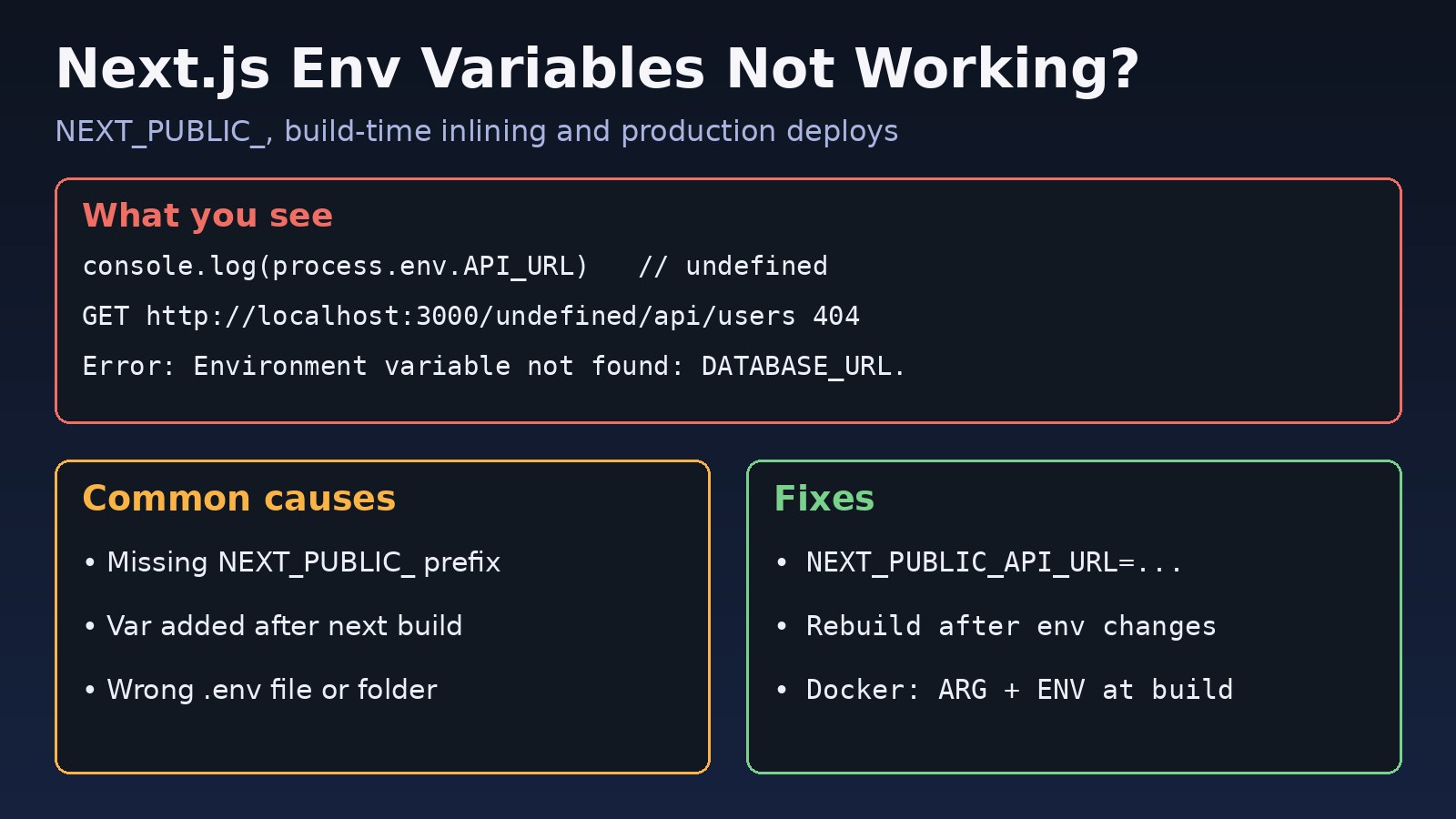
Few things are more frustrating than nextjs env variables not working: the value is right there in your .env file, yet process.env.API_URL prints undefined in the browser, or everything works on your laptop and breaks after deployment. In almost every case the cause is one of a few rules about how Next.js loads, exposes and inlines environment variables. This guide walks through those rules, the real symptoms, and a step-by-step fix for local development, Docker, Vercel and plain Linux servers.
The Problem: Next.js Env Variables Not Working
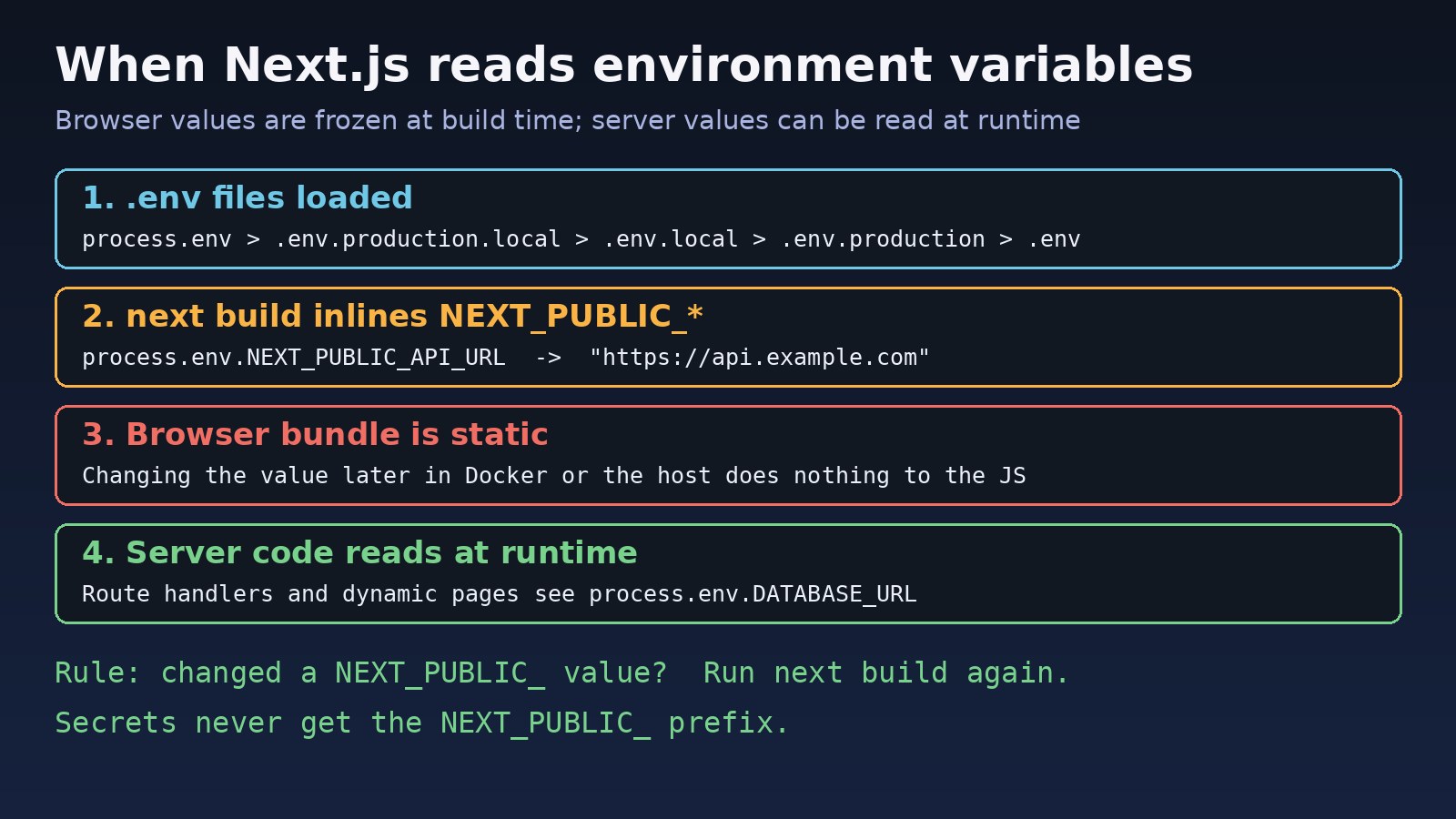
Next.js has two kinds of environment variables. Server-only variables, such as DATABASE_URL or REDIS_URL, are available to server code: Route Handlers, Server Components, Server Actions, getServerSideProps and API routes. Public variables, which must start with NEXT_PUBLIC_, are also sent to the browser. They are not read at runtime in the browser; instead next build replaces every process.env.NEXT_PUBLIC_... reference with the literal value.
That build-time replacement is the reason so many production setups break. A team builds a Docker image once, then passes different values with docker run -e, and the browser keeps using the value (or undefined) that existed when the image was built.
Symptoms
You are probably dealing with an environment variable problem if you see any of these:
// Browser console
console.log(process.env.API_URL)   // undefined

// Network tab: the base URL was undefined at build time
GET http://localhost:3000/undefined/api/users 404 (Not Found)

// Prisma on the server
Error: Environment variable not found: DATABASE_URL.

// Your own startup check
Error: Missing environment variable: STRIPE_SECRET_KEY- A variable works in Server Components but is
undefinedin a'use client'component. - The value is correct in
next devbut wrong or empty afternext build && next start. - You changed a value in the Vercel dashboard, Docker Compose file or server environment, and the site still uses the old one.
- The dev server does not list your file in its startup output, for example
- Environments: .env.localis missing. - Tests under Jest ignore values from
.env.local.
Root Cause: How Next.js Loads and Inlines Variables
These are the causes behind nearly every report:
- Missing
NEXT_PUBLIC_prefix. Without it, the variable is never added to the client bundle, so client components seeundefined. This is intentional and keeps secrets off the browser. - Build-time inlining.
NEXT_PUBLIC_values are baked in bynext build. Setting them only at container start or after the build has no effect on browser code. - Dynamic lookups are not inlined.
process.env[name]andconst { NEXT_PUBLIC_API_URL } = process.envare not replaced. Only the full, literalprocess.env.NEXT_PUBLIC_API_URLexpression is. - Wrong file or wrong folder. Next.js reads
.env*files from the project root (the folder withpackage.json), not fromsrc/, and in a monorepo from the app's own folder. - Load order surprises. Next.js checks, in order: real
process.env,.env.$(NODE_ENV).local,.env.local,.env.$(NODE_ENV), then.env. The first match wins, so an exported shell variable overrides every file, and.env.localis skipped whenNODE_ENV=test. - Static rendering. A page rendered at build time reads server variables during the build, so later changes are not seen until the next build or revalidation.
Step-by-Step Solution
Step 1: Confirm which .env files Next.js loaded
Start the dev server and read the first lines of output. Recent versions print the files they loaded:
$ npm run dev
   ▲ Next.js 15.x
   - Local:        http://localhost:3000
   - Environments: .env.local, .env
If your file is not listed, check that it sits next to package.json, that its name is exact (.env.local, not env.local or .env.local.txt), and that you are running the command from the right folder. If you edited next.config.js or a variable used inside it, stop and restart the dev server.
Step 2: Use the NEXT_PUBLIC prefix for browser values
Any value a client component needs must be prefixed. Keep secrets without the prefix so they stay on the server:
# .env.local
NEXT_PUBLIC_API_URL=https://api.example.com   # sent to the browser
DATABASE_URL=postgresql://app:secret@db:5432/erp  # server only
REDIS_URL=redis://redis:6379 # server only'use client';
export function ApiStatus() {
// Works: full literal expression, inlined at build time
const apiUrl = process.env.NEXT_PUBLIC_API_URL;
// Does NOT work in the browser: dynamic lookup and destructuring
// const apiUrl = process.env['NEXT_PUBLIC_' + 'API_URL'];
// const { NEXT_PUBLIC_API_URL } = process.env;
return <p>API: {apiUrl}</p>;
}Never prefix a database password, API secret or JWT key with NEXT_PUBLIC_. Anyone can read it in the downloaded JavaScript.
Step 3: Rebuild after changing NEXT_PUBLIC values
Because public values are inlined, every change needs a new build. On a Linux server with PM2 or systemd:
export NEXT_PUBLIC_API_URL=https://api.example.com
rm -rf .next
npm run build
pm2 restart my-next-app   # or: sudo systemctl restart my-next-app
You can check what was inlined by searching the build output:
grep -r "api.example.com" .next/static | head -n 3Step 4: Fix environment variables in production Docker builds
This is the most common production failure. Values passed with docker run -e or the environment: key in Docker Compose exist only at runtime. Public variables must be available while npm run build runs, so pass them as build arguments:
# Dockerfile (builder stage)
FROM node:20-alpine AS builder
WORKDIR /app
COPY package*.json ./
RUN npm ci
COPY . .

ARG NEXT_PUBLIC_API_URL
ENV NEXT_PUBLIC_API_URL=$NEXT_PUBLIC_API_URL
RUN npm run builddocker build --build-arg NEXT_PUBLIC_API_URL=https://api.example.com -t my-next-app .
docker run -p 3000:3000 -e DATABASE_URL=postgresql://app:secret@db:5432/erp my-next-appIn Docker Compose, put public values under build.args and server secrets under environment. Also check .dockerignore: if it excludes .env*, which is usually wise, the build cannot read those files and only build arguments will work.
Step 5: Set variables per environment on Vercel or your CI
On Vercel, each variable is scoped to Production, Preview and Development. A variable added only to Development will be missing in production. After adding or changing a variable, start a new deployment, because existing deployments keep the values they were built with. In GitHub Actions or GitLab CI, make sure the variables are set in the job that runs next build, not only in the deploy job.
Step 6: Read server variables at runtime, not at build time
If a server value must change without a rebuild, make sure the code that reads it runs per request. In the App Router, a Route Handler or a dynamic page reads process.env on each request:
// app/api/config/route.ts
import { NextResponse } from 'next/server';

export const dynamic = 'force-dynamic';

export function GET() {
  return NextResponse.json({ apiUrl: process.env.API_URL });
}
For browser settings that must change per environment without rebuilding, a common pattern is to read a server-only variable in a Server Component and pass it as a prop to a client component, or to fetch it from a small config endpoint like the one above. In the Pages Router, getServerSideProps also runs at request time.
Step 7: Check syntax and variable expansion in .env files
# Good
NEXT_PUBLIC_SITE_NAME="My ERP Portal"
DB_HOST=localhost
DATABASE_URL=postgresql://app:secret@$DB_HOST:5432/erp

# Problems
API_URL = https://api.example.com   # spaces around = can break parsing
PASSWORD=pa$word                    # $word is expanded; use pa\$word
Next.js expands $VARIABLE references inside .env files, so a literal dollar sign in a password must be escaped with a backslash. Also make sure the file uses LF line endings if it was edited on Windows.
Step 8: Load variables in Jest and scripts
Standalone scripts and test runners do not load .env files automatically. Use the same loader Next.js uses:
// jest.setup.js or scripts/seed.js
const { loadEnvConfig } = require('@next/env');
loadEnvConfig(process.cwd());
Remember that .env.local is ignored when NODE_ENV=test; put test values in .env.test.
Code and Commands: Validate Variables at Startup
Fail fast with a clear message instead of chasing undefined later. Import this module from your server code:
// lib/env.ts
const required = ['DATABASE_URL', 'REDIS_URL'] as const;

for (const name of required) {
  if (!process.env[name]) {
    throw new Error(`Missing environment variable: ${name}`);
  }
}

export const env = {
  databaseUrl: process.env.DATABASE_URL as string,
  redisUrl: process.env.REDIS_URL as string,
  // Public values must use the literal form so they are inlined
  apiUrl: process.env.NEXT_PUBLIC_API_URL ?? '',
};
Useful commands while debugging:
# What does the running container actually have?
docker exec -it my-next-app printenv | grep -E 'NEXT_PUBLIC|DATABASE_URL'

# What does a systemd service receive?
sudo systemctl show my-next-app --property=Environment

# Is a shell variable overriding your .env file?
env | grep NEXT_PUBLIC
If your build is also failing on imports rather than configuration, see the Next.js module not found guide.
Verification
- Run
npm run build && npm startlocally with production values and open the page in a private window. - In the browser Network tab, confirm requests go to the real API URL, not
/undefined/.... - Search
.next/staticfor your public value and confirm no secret values appear there. - Call your config or health endpoint and check that server values come back as expected.
- After a deploy, hard-refresh the browser. If users still load old bundles, the Next.js ChunkLoadError guide covers stale asset problems.
Prevention
- Commit a
.env.examplelisting every variable name with dummy values, and keep real.env*.localfiles in.gitignore. - Validate at startup with a module like
lib/env.ts, so missing values fail the build or boot, not a customer request. - Document which values are build-time. Every
NEXT_PUBLIC_variable needs a rebuild to change. - Keep secrets server-side. Review new
NEXT_PUBLIC_names in code review. - Use one build per environment for public values, or move environment-specific browser settings to a runtime config endpoint.
- Guard browser-only code separately; reading
windowduring server rendering is a different error, explained in the Next.js window is not defined guide.
FAQs
Why is my NEXT_PUBLIC variable undefined in production?
It was not set when next build ran. Public variables are inlined during the build, so set them in the build environment (Docker --build-arg, CI job variables or Vercel project settings) and rebuild.
Do I need to restart the dev server after editing .env.local?
Recent Next.js versions reload .env files during next dev, but restarting is the safest check, and it is required if you changed next.config.js.
Can I change environment variables in production without rebuilding?
For server-only variables read at request time, yes: update the value and restart the process. For NEXT_PUBLIC_ variables, no; you must rebuild, or serve the value from a runtime config endpoint.
Why does process.env work in a Server Component but not in a client component?
Server Components run on the server, where all of process.env exists. Client components only receive variables with the NEXT_PUBLIC_ prefix.
Which .env file wins in Next.js?
Real environment variables win first, then .env.production.local or .env.development.local, then .env.local, then .env.production or .env.development, and finally .env.



Comments
Join the discussion. Replies load on demand, up to 5 levels.
0 threads
No comments yet
Be the first to start the conversation.