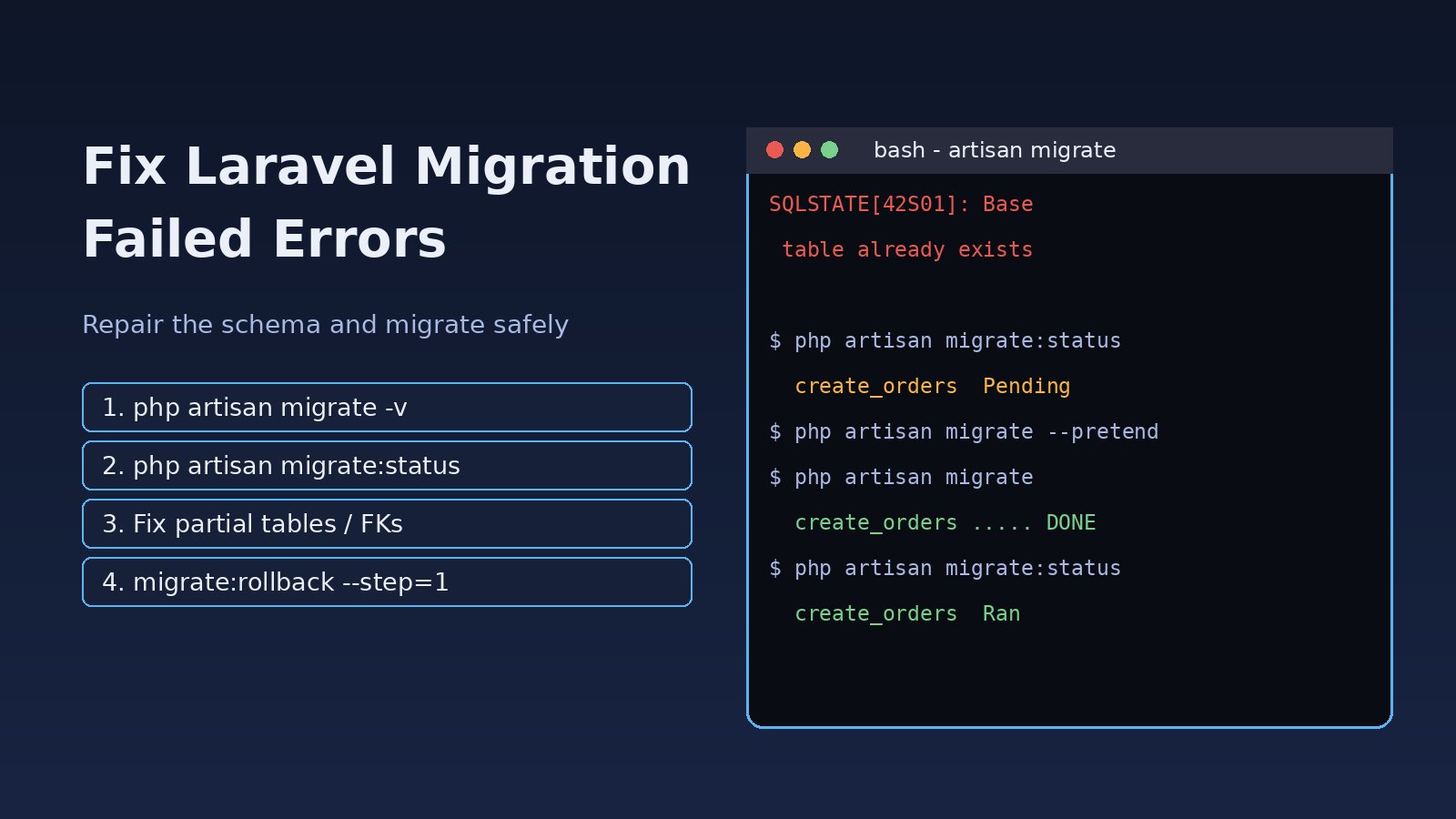
You run php artisan migrate during a deploy and it stops halfway with a red SQLSTATE error. Now some tables exist, the migrations table is out of sync and the next run fails again with "table already exists". A Laravel migration failed error is almost always one of a handful of causes: an object that already exists, a bad foreign key, a column type the database rejects, a missing Doctrine package, or a migration that ran partly on MySQL, which cannot roll back schema changes inside a transaction. This guide shows how to read the error, repair the database state safely and make migrations predictable in every environment.
Problem: Why a Laravel Migration Failed
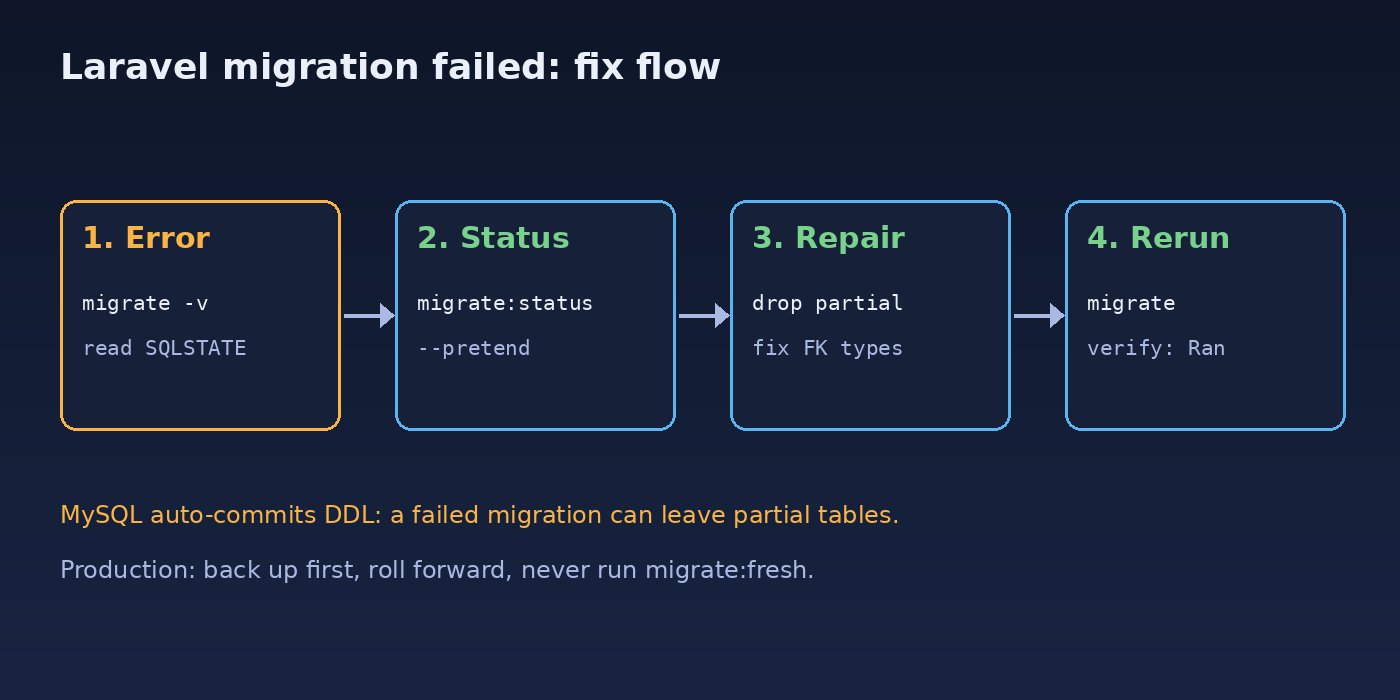
Laravel keeps track of which migration files have run in the migrations table, with a batch number for each php artisan migrate call. When a migration throws an exception, Laravel stops and does not record that file. On PostgreSQL and SQLite, DDL statements can run inside a transaction, so a failed migration usually leaves nothing behind. On MySQL and MariaDB, each CREATE TABLE or ALTER TABLE commits immediately. If your up() method creates a table and then fails while adding an index, the table stays but the migration is not marked as run. That mismatch between the real schema and the migrations table is what makes a failed Laravel database migration so frustrating.
Symptoms
These are the messages developers see most often:
SQLSTATE[42S01]: Base table or view already exists: 1050 Table 'orders' already exists

SQLSTATE[42S21]: Column already exists: 1060 Duplicate column name 'status'

SQLSTATE[HY000]: General error: 1005 Can't create table `shop`.`order_items`
(errno: 150 "Foreign key constraint is incorrectly formed")

SQLSTATE[42000]: Syntax error or access violation: 1071 Specified key was too long;
max key length is 767 bytes

SQLSTATE[23000]: Integrity constraint violation: 1452 Cannot add or update a child row:
a foreign key constraint fails

SQLSTATE[42P07]: Duplicate table: 7 ERROR:  relation "orders" already exists

SQLSTATE[42883]: Undefined function ... (PostgreSQL, wrong column type cast)
Other signs of the same problem:
php artisan migrate:statusshows a migration asPendingeven though its table exists.php artisan migrate:rollbackfails becausedown()drops something that was never created.- Migrations work on your laptop with SQLite but fail on the MySQL or PostgreSQL server.
- The deploy pipeline hangs on "Do you really wish to run this command?" because production needs
--force.
Root Cause of Failed Laravel Database Migrations
- Partial migration on MySQL. DDL is auto-committed, so a failure in the middle of
up()leaves half the changes in place. - Objects that already exist. A table was created by hand, imported from a dump, or created by a migration that was renamed or edited after it ran.
- Foreign key mismatch (errno 150). The child column type differs from the parent key (for example
unsignedIntegervsbigIncrements), the parent table does not exist yet because of file order, or the parent column has no index. - Existing data breaks the new constraint. Adding a
unique(), a non-null column without a default, or a foreign key fails when current rows violate it. - Index length limits. Older MySQL versions or
utf8mb4with the COMPACT row format limit index keys to 767 bytes. - Changing columns without support. On Laravel 10 and older,
->change()andrenameColumn()need thedoctrine/dbalpackage; Laravel 11 handles them natively but requires you to repeat every column attribute you want to keep. - Wrong environment or connection. Artisan reads a cached config or another
.envfile and migrates the wrong database. Connection errors are covered in our guide to fixing Laravel SQLSTATE connection refused.
Step-by-Step Solution
1. Read the full error and find the failing migration
Run the command again with verbose output. Laravel prints the migration file name before running it, so the last name shown is the one that failed. The SQL in the exception tells you the exact statement.
php artisan migrate -v
php artisan migrate:status
tail -n 50 storage/logs/laravel.log
Preview the SQL without running it. This is the safest way to see what a migration will do on production:
php artisan migrate --pretend2. Confirm you are migrating the right database
php artisan config:clear
php artisan env
php artisan db:show            # Laravel 9.21+ shows connection, database and tables
php artisan migrate --database=mysql --pretend
3. Repair a partially applied migration
Compare the real schema with what the failing migration creates. If the table was created but the index or foreign key failed, you have two clean options.
Option A, local or staging: drop the leftover objects and run again.
php artisan tinker
>>> Schema::dropIfExists('order_items');
>>> exit

php artisan migrate
Option B, production with data: never drop real tables. Finish the missing part manually or write a new migration that only adds what is missing, then mark the original as run only if the schema now matches it exactly:
-- check what exists
SHOW CREATE TABLE order_items;          -- MySQL
\d order_items                          -- PostgreSQL (psql)

-- record the migration as run (same batch as the last one + 1)
INSERT INTO migrations (migration, batch)
VALUES ('2026_11_10_120000_create_order_items_table',
        (SELECT b FROM (SELECT MAX(batch) + 1 AS b FROM migrations) t));
Take a database backup before any manual change, for example mysqldump --single-transaction shop > before-fix.sql or pg_dump -Fc shop > before-fix.dump.
4. Fix foreign key errors (errno 150)
Make the child column match the parent key exactly, and make sure the parent table migration has an earlier timestamp.
Schema::create('order_items', function (Blueprint $table) {
    $table->id();
    // matches $table->id() (BIGINT UNSIGNED) on orders
    $table->foreignId('order_id')->constrained()->cascadeOnDelete();
    $table->string('sku', 64);
    $table->unsignedInteger('qty');
    $table->timestamps();
});
If existing rows point to parents that no longer exist, find them before adding the constraint:
SELECT oi.id, oi.order_id
FROM order_items oi
LEFT JOIN orders o ON o.id = oi.order_id
WHERE o.id IS NULL;
5. Fix "Specified key was too long"
Upgrade to MySQL 5.7.7+ or MariaDB 10.2.2+ with the DYNAMIC row format, or set a default string length in AppServiceProvider:
use Illuminate\Support\Facades\Schema;

public function boot(): void
{
    Schema::defaultStringLength(191);
}
6. Make changes that are safe for existing data
Add new columns as nullable or with a default, backfill, then tighten the constraint in a second migration:
// migration 1
Schema::table('orders', function (Blueprint $table) {
    $table->string('status', 20)->nullable()->after('total');
});
DB::table('orders')->whereNull('status')->update(['status' => 'pending']);

// migration 2 (Laravel 11+, or Laravel 10 with doctrine/dbal)
Schema::table('orders', function (Blueprint $table) {
    $table->string('status', 20)->default('pending')->nullable(false)->change();
});
For a new unique index, remove duplicates first. On PostgreSQL, sequence problems after imports are another common cause of insert failures, covered in fixing PostgreSQL auto-increment sequence errors.
7. Write guarded, reversible migrations
Guards prevent "already exists" failures when a schema drifted, and a correct down() makes migration rollback reliable:
public function up(): void
{
    if (! Schema::hasTable('invoices')) {
        Schema::create('invoices', function (Blueprint $table) {
            $table->id();
            $table->foreignId('customer_id')->constrained();
            $table->decimal('amount', 12, 2);
            $table->timestamps();
        });
    }

    if (! Schema::hasColumn('customers', 'tax_id')) {
        Schema::table('customers', function (Blueprint $table) {
            $table->string('tax_id', 32)->nullable();
        });
    }
}

public function down(): void
{
    Schema::table('customers', function (Blueprint $table) {
        $table->dropColumn('tax_id');
    });
    Schema::dropIfExists('invoices');
}
Migration Rollback Commands Explained
php artisan migrate:rollback              # undo the last batch
php artisan migrate:rollback --step=1     # undo only the last migration
php artisan migrate:reset                 # undo all migrations
php artisan migrate:refresh --seed        # reset + migrate + seed (destroys data)
php artisan migrate:fresh                 # DROP all tables + migrate (destroys data)
php artisan migrate --force               # required in production (APP_ENV=production)
Use migrate:fresh and migrate:refresh only on local or test databases. On production, roll forward with a new corrective migration instead of rolling back.
Verification
php artisan migrate:status          # every file should show "Ran"
php artisan migrate --pretend       # should print "Nothing to migrate"
php artisan db:table order_items    # columns, indexes and foreign keys
php artisan test
Also open the pages and jobs that use the changed tables and check storage/logs/laravel.log for new QueryException entries.
Prevention
- Never edit a migration that already ran in a shared environment; create a new one.
- Run the test suite against the same database engine as production (MySQL or PostgreSQL in Docker), not only SQLite.
- Run
php artisan migrate --pretendin CI and review the SQL before production deploys. - Keep each migration small: one table or one change, so a failure leaves little to clean up.
- Back up the database before every deploy that includes migrations.
- Add columns as nullable first, backfill, then enforce constraints in a later migration.
- Use
php artisan schema:dumpon older projects to squash many migration files into one schema file. If autoloading breaks after moving files, see how to fix Laravel class not found.
FAQs
How do I rerun a single failed migration in Laravel?
Fix the cause, clean up any partial objects, then run php artisan migrate. Laravel runs only pending files. To rerun the last one that did run, use php artisan migrate:rollback --step=1 and migrate again.
Why does migration rollback fail with "table doesn't exist"?
The down() method tries to drop something that was never created, usually after a partial run. Use Schema::dropIfExists() and check Schema::hasColumn() before dropping columns.
Are Laravel database migrations wrapped in a transaction?
On PostgreSQL and SQLite, Laravel can run each migration in a transaction. On MySQL and MariaDB, schema statements auto-commit, so a failed migration can leave partial changes.
How do I fix "Base table or view already exists"?
On a local database, drop the table and rerun. On production, confirm the table matches the migration and insert the migration name into the migrations table, or add a Schema::hasTable() guard.
Do I still need doctrine/dbal to change columns?
Only on Laravel 10 and older. Laravel 11 changes columns natively, but you must restate every modifier (nullable, default, length) you want to keep.
Is it safe to run migrate:fresh in production?
No. It drops every table and all data. Use corrective forward migrations on production.



Comments
Join the discussion. Replies load on demand, up to 5 levels.
0 threads
No comments yet
Be the first to start the conversation.