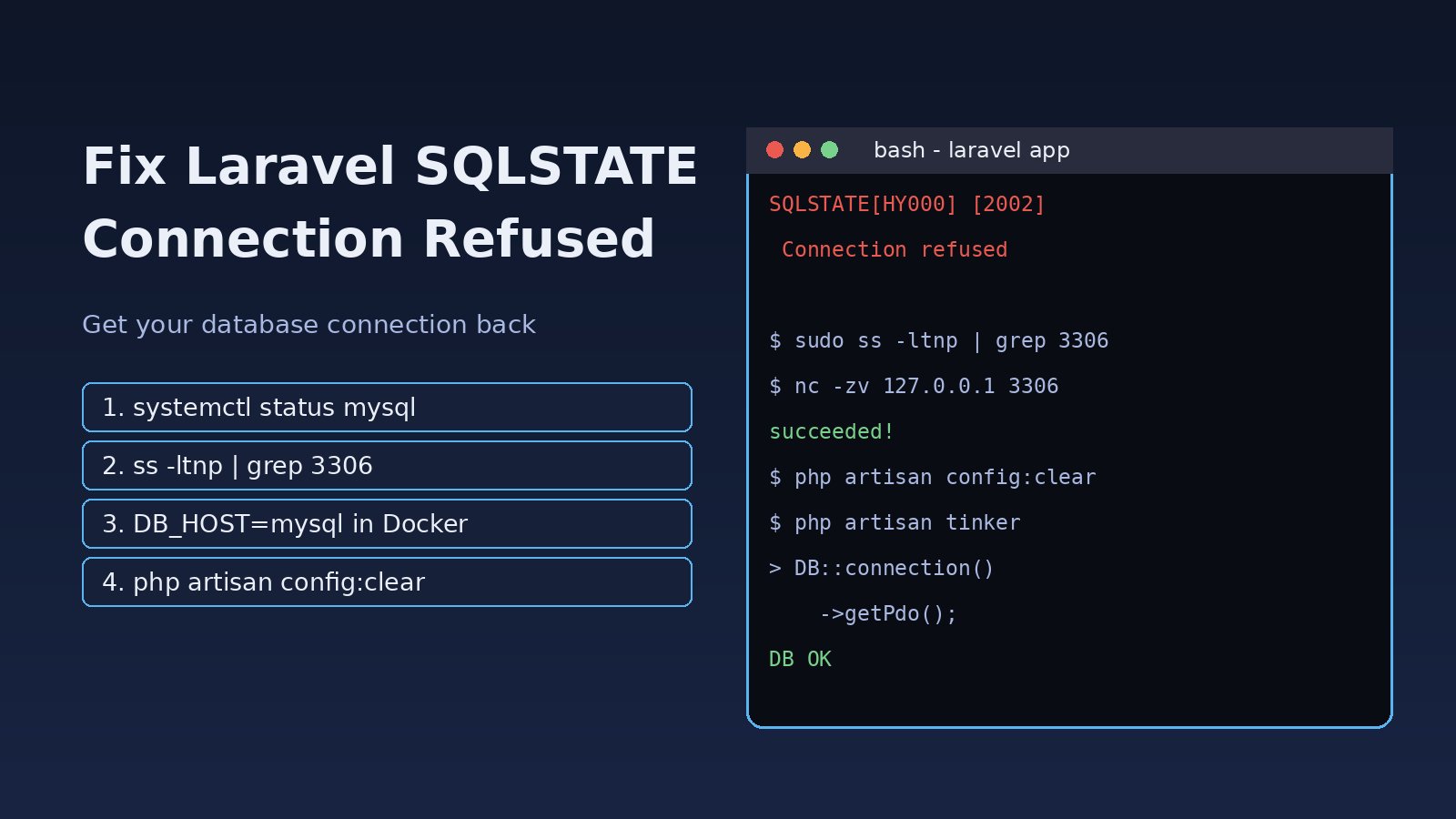
You run php artisan migrate, open a page or start a queue worker, and Laravel fails with SQLSTATE[HY000] [2002] Connection refused. The Laravel SQLSTATE connection refused error means PHP tried to open a TCP connection to your database server and nothing accepted it on that host and port. Your SQL and your models are fine; the problem sits between Laravel's database connection settings and the database service. This guide walks through the real causes, from a stopped MySQL or PostgreSQL service to a wrong DB_HOST inside Docker and a stale config cache, with commands you can run right away.
Problem: What Laravel SQLSTATE Connection Refused Means
Laravel uses PDO to connect to the database defined in config/database.php, which reads DB_CONNECTION, DB_HOST, DB_PORT, DB_DATABASE, DB_USERNAME and DB_PASSWORD from .env. PDO resolves the host, opens a socket to the port and only then sends credentials. "Connection refused" is an operating-system level answer: the target machine was reached, but no process was listening on that port, or a firewall actively rejected the packet. That is why changing your password never fixes this error. Wrong credentials produce a different message (Access denied for user on MySQL or password authentication failed on PostgreSQL).
Symptoms
Depending on your driver and Laravel version, the message looks like one of these:
SQLSTATE[HY000] [2002] Connection refused
(Connection: mysql, SQL: select * from `users` where `id` = 1 limit 1)

SQLSTATE[08006] [7] connection to server at "127.0.0.1", port 5432 failed:
Connection refused
    Is the server running on that host and accepting TCP/IP connections?

SQLSTATE[HY000] [2002] No such file or directory

SQLSTATE[HY000] [2002] php_network_getaddresses: getaddrinfo for mysql failed:
Name or service not known
Common patterns and what they suggest:
- It fails for every request and every Artisan command: the database service is down or on another port.
- It works on the host but fails inside a Docker container:
DB_HOST=127.0.0.1points at the container itself. - You edited
.envbut the error still shows the old host: the Laravel config cache is stale. - It fails only right after
docker compose upand then starts working: the database container was still initializing. - It works locally but fails from the app server to a remote database:
bind-address,listen_addressesor a firewall is blocking it.
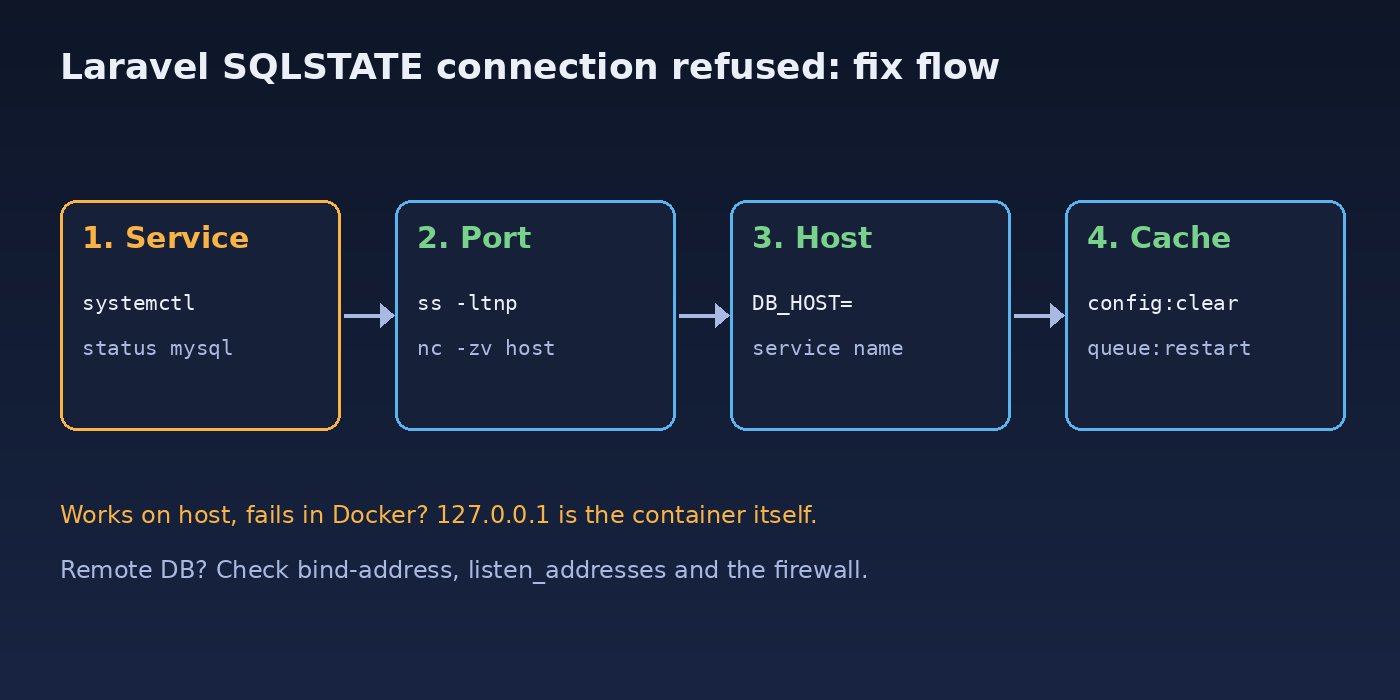
Root Cause of SQLSTATE 2002 Errors
- The database server is not running. MySQL, MariaDB or PostgreSQL crashed, failed to start after a reboot or ran out of disk space.
- Wrong host or port.
DB_PORT=3306while PostgreSQL listens on 5432, or a custom port such as 3307 used by a second MySQL instance. - 127.0.0.1 inside Docker. In a container,
127.0.0.1is the container's own loopback interface, not the host or the database container. - localhost versus 127.0.0.1. With the MySQL driver,
localhostmakes PDO use a Unix socket file, which givesNo such file or directoryif the socket path is different or missing. - Stale config cache. After
php artisan config:cache, Laravel readsbootstrap/cache/config.phpand ignores.envchanges. - Server only listens locally. MySQL's
bind-address = 127.0.0.1or PostgreSQL'slisten_addresses = 'localhost'refuses connections from other machines. - Firewall or security group.
ufw,iptablesor a cloud security group rejects the port.
Step-by-Step Solution
Step 1: Confirm which database connection Laravel is using
Do not trust what you think is in .env; ask Laravel what it actually loaded:
php artisan tinker --execute="dump(config('database.default'), config('database.connections.'.config('database.default')));"

php artisan about   # shows whether config is cached
Check the host, port and driver values. If they do not match your .env, jump to Step 4.
Step 2: Check that the database service is running
# MySQL / MariaDB
sudo systemctl status mysql        # or mariadb
sudo systemctl start mysql
sudo journalctl -u mysql -n 50 --no-pager

# PostgreSQL
sudo systemctl status postgresql
sudo systemctl start postgresql
pg_lsclusters                      # Debian/Ubuntu
If the service refuses to start, read the log. A full disk is a frequent reason; df -h will show it.
Step 3: Check the port the database is listening on
sudo ss -ltnp | grep -E '3306|5432'

# test the exact host and port from the app server
nc -zv 127.0.0.1 3306
nc -zv db.internal.example 5432
You want to see LISTEN on the port in DB_PORT. If ss shows 127.0.0.1:3306 only, the server accepts local connections only (see Step 6). If nc says Connection refused, Laravel will fail too, so fix this layer first.
Step 4: Fix .env and clear the Laravel config cache
# .env (MySQL on the same server)
DB_CONNECTION=mysql
DB_HOST=127.0.0.1
DB_PORT=3306
DB_DATABASE=erp
DB_USERNAME=erp_user
DB_PASSWORD=secret

# .env (PostgreSQL)
DB_CONNECTION=pgsql
DB_HOST=127.0.0.1
DB_PORT=5432php artisan config:clear
php artisan cache:clear
# in production, rebuild after the fix
php artisan config:cache
# restart long-running processes so they pick up new config
php artisan queue:restart
sudo systemctl restart php8.3-fpm # match your PHP versionIf you use DB_HOST=localhost with MySQL and see No such file or directory, switch to 127.0.0.1 to force TCP, or set DB_SOCKET to the real socket path from mysql -e "SHOW VARIABLES LIKE 'socket';".
Step 5: Use the service name for the Laravel database connection in Docker
Inside Docker Compose, containers reach each other by service name. If your compose file has a service called mysql, set DB_HOST=mysql, not 127.0.0.1. Laravel Sail uses exactly this setup.
services:
  app:
    build: .
    environment:
      DB_HOST: mysql
      DB_PORT: 3306
    depends_on:
      mysql:
        condition: service_healthy
  mysql:
    image: mysql:8.0
    environment:
      MYSQL_DATABASE: erp
      MYSQL_USER: erp_user
      MYSQL_PASSWORD: secret
      MYSQL_ROOT_PASSWORD: rootsecret
    healthcheck:
      test: ["CMD", "mysqladmin", "ping", "-h", "127.0.0.1"]
      interval: 5s
      retries: 20
The service_healthy condition stops the app from running migrations while MySQL is still initializing, which removes the "fails once, then works" problem. Remember that DB_PORT must be the container port (3306), not the host port you mapped with ports:. When Laravel runs on the host and only the database runs in Docker, use 127.0.0.1 and the published host port. The Docker connection refused guide covers container networking in more depth.
Step 6: Allow remote connections on the database server
For a database on another machine, it must listen on a reachable interface:
# MySQL: /etc/mysql/mysql.conf.d/mysqld.cnf
[mysqld]
bind-address = 0.0.0.0     # or the private IP only

# PostgreSQL: /etc/postgresql/16/main/postgresql.conf
listen_addresses = '*'

# PostgreSQL: /etc/postgresql/16/main/pg_hba.conf
host  erp  erp_user  10.0.0.0/24  scram-sha-256

sudo systemctl restart mysql      # or postgresql
Then open the port only to your app server, never to the whole internet:
sudo ufw allow from 10.0.0.12 to any port 3306 proto tcp
sudo ufw status numbered
On AWS, Azure or another cloud, also allow the port in the security group or network rule for the database host. If PostgreSQL now answers but rejects the login, see PostgreSQL peer authentication failed.
Code Examples: Test the Connection From PHP
A quick standalone script tells you whether the problem is Laravel config or the network:
<?php
// test-db.php — run with: php test-db.php
try {
    $pdo = new PDO('mysql:host=127.0.0.1;port=3306;dbname=erp', 'erp_user', 'secret', [
        PDO::ATTR_TIMEOUT => 5,
    ]);
    echo "Connected: " . $pdo->getAttribute(PDO::ATTR_SERVER_VERSION) . PHP_EOL;
} catch (PDOException $e) {
    echo "Failed: " . $e->getMessage() . PHP_EOL;
}
If this script connects but Laravel does not, the cause is in Laravel's config (cache, wrong connection name, environment file). If both fail, it is the server, port or network. Delete the script when you finish, because it contains credentials.
Verification
php artisan tinker --execute="DB::connection()->getPdo(); echo 'DB OK';"
php artisan migrate:status
php artisan db:monitor --databases=mysql
All three should run without a SQLSTATE exception. Then reload the failing page, check storage/logs/laravel.log for new errors and confirm queue workers process jobs again.
Prevention
- Enable the database service at boot:
sudo systemctl enable mysqlorpostgresql. - Run
php artisan config:cacheonly in your deploy script after.envis final, and restart PHP-FPM and queue workers afterwards. - Use health checks and
depends_on: condition: service_healthyin Docker Compose. - Monitor disk space on database servers so the service does not stop on a full disk.
- Keep connection counts in check with pooling; running out of slots gives a different but related outage, explained in PostgreSQL too many connections.
- Document each environment's
DB_HOSTand port so local, Docker and production settings are not mixed up.
FAQs
Why does Laravel say connection refused when MySQL is running?
Laravel is usually connecting to a different host or port than you expect: a cached config, 127.0.0.1 inside a Docker container, or MySQL listening on another port. Check with config('database.connections.mysql') in Tinker and ss -ltnp.
What is the difference between SQLSTATE 2002 and 1045?
SQLSTATE 2002 means the connection could not be opened at all (refused, no socket, unknown host). Error 1045 means the server answered but rejected the username or password.
Should DB_HOST be localhost or 127.0.0.1 in Laravel?
With MySQL, localhost uses a Unix socket and 127.0.0.1 uses TCP. Use 127.0.0.1 unless you deliberately configure DB_SOCKET.
How do I fix the Laravel database connection in Docker?
Set DB_HOST to the database service name from your compose file, use the container port, and add a health check so the app waits for the database.
Why do my .env changes not fix the error?
The config is cached. Run php artisan config:clear, then restart PHP-FPM, Octane and queue workers so they reload settings.
Is "could not find driver" the same problem?
No. That means the PHP extension (pdo_mysql or pdo_pgsql) is not installed or enabled. Check with php -m | grep -i pdo and install the matching package.



Comments
Join the discussion. Replies load on demand, up to 5 levels.
0 threads
No comments yet
Be the first to start the conversation.