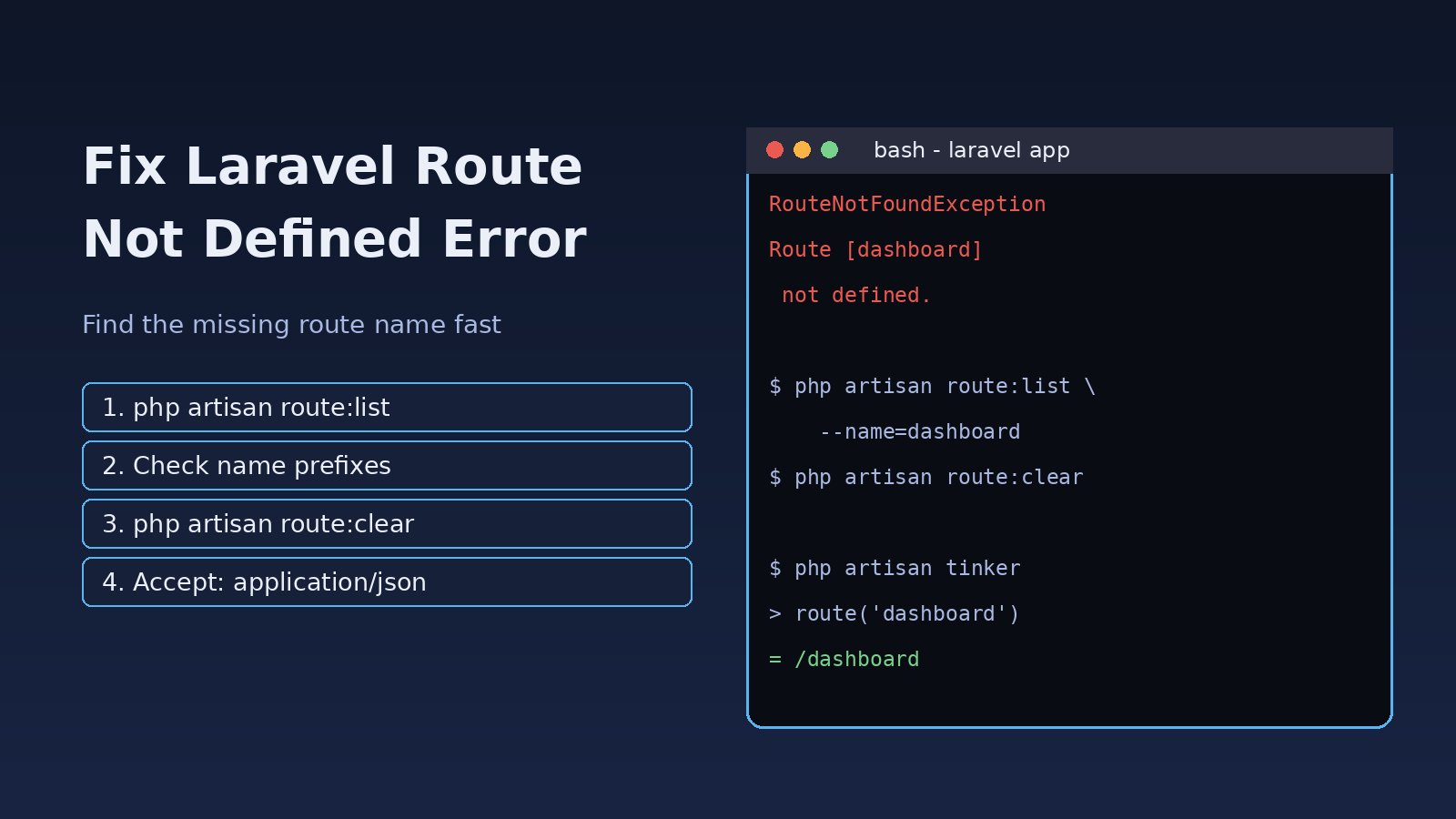
You click a link, submit a form or hit an API endpoint and Laravel stops with Route [dashboard] not defined. The page that rendered fine yesterday now throws a 500 error. The Laravel route not defined error means a call to route('dashboard'), redirect()->route() or to_route() asked for a named route that Laravel's router does not know about. The fix is usually quick once you know where to look: a missing route name, a group name prefix, a stale Laravel route cache or the special case of Route [login] not defined on API requests.
Problem: What Laravel Route Not Defined Means
In Laravel, a route can have a URL and an optional name. Helpers like route() do not look up URLs; they look up names. When you write:
<a href="{{ route('dashboard') }}">Dashboard</a>Laravel searches its route collection for a route named exactly dashboard. If none exists, the URL generator throws Symfony\Component\Routing\Exception\RouteNotFoundException. It does not matter that a route with the URL /dashboard exists; if it has no name, or a different name, the lookup fails. So this is almost always a route name missing problem, not a broken URL.
Symptoms
You will see one of these in the browser, in storage/logs/laravel.log or in test output:
Symfony\Component\Routing\Exception\RouteNotFoundException
Route [dashboard] not defined.

Route [login] not defined.

Route [admin.users.index] not defined.
Typical patterns that point to the cause:
- The error appears only in production, right after a deploy. This points to the Laravel route cache.
- The error mentions
loginand you are calling an API from Postman, a mobile app or a React frontend. This is the auth redirect case. - The error appears after you moved routes into a
Route::prefix()orRoute::name()group. - The error appears in a Blade view, a mail template or a notification that builds a link with
route().
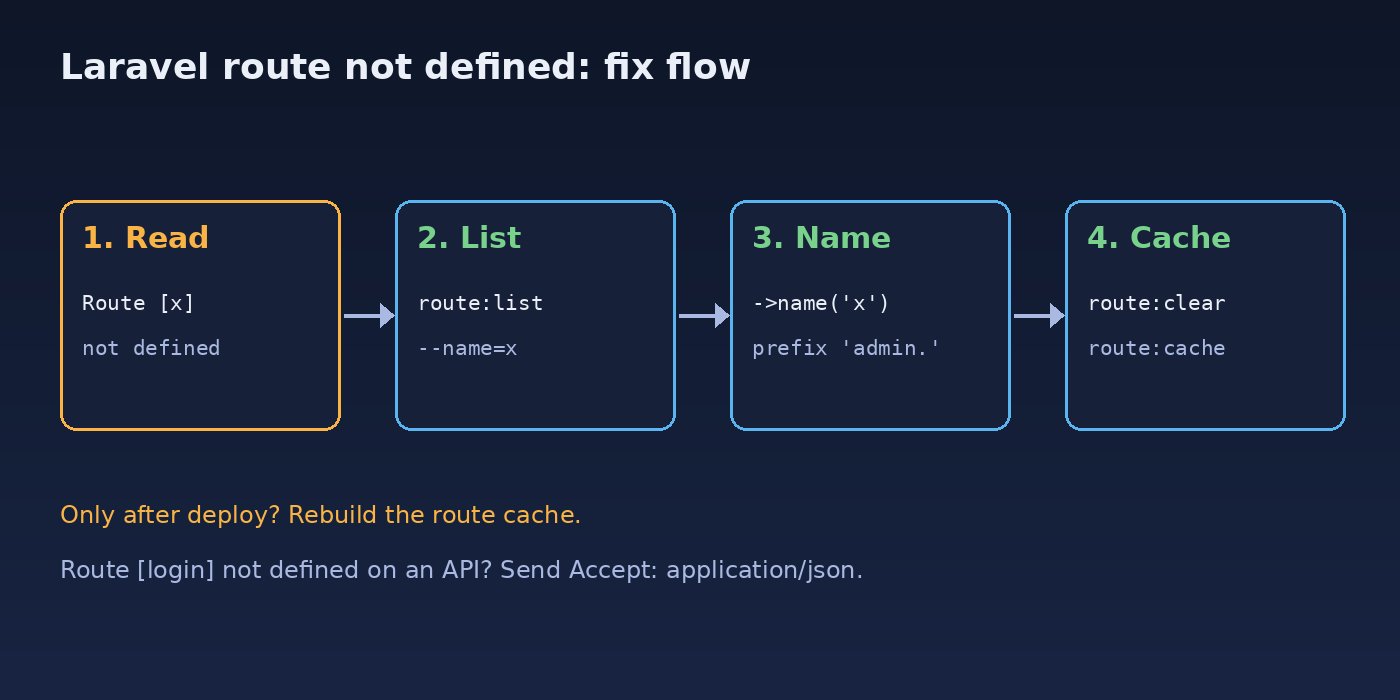
Root Cause of the Route Name Missing Error
There are six common reasons Laravel cannot find a named route:
- No name on the route.
Route::get('/dashboard', ...)without->name('dashboard'). - Typo or wrong case. Route names are case-sensitive:
Dashboardanddashboardare different. - Group name prefix. Inside
Route::name('admin.')the routeusers.indexis reallyadmin.users.index. - Stale route cache. After
php artisan route:cache, Laravel readsbootstrap/cache/routes-v7.phpand ignores changes in your route files until you rebuild it. - Route file not loaded. A new file such as
routes/admin.phpwas never registered, or a package service provider that defines routes is not loaded. - Auth middleware redirect. When an unauthenticated request hits
authmiddleware and does not expect JSON, Laravel redirects to the route namedlogin. API-only apps often have no such route, so you getRoute [login] not defined.
Step-by-Step Solution
Step 1: Read the exact route name in the error
Copy the name inside the square brackets. Then search your code for where it is used, because the error is raised at the call site, not where the route is declared:
grep -rn "route('dashboard'" app resources routes
grep -rn "to_route('dashboard'" app
Step 2: List the routes Laravel actually knows
php artisan route:list shows every registered route with its name. Filter it to save time:
php artisan route:list --name=dashboard
php artisan route:list --path=admin
php artisan route:list --except-vendor
If the route appears with a different name (for example admin.dashboard), update the call site. If it does not appear at all, the route is not being registered.
Step 3: Add or fix the route name
// routes/web.php
use App\Http\Controllers\DashboardController;

Route::get('/dashboard', [DashboardController::class, 'index'])
    ->middleware('auth')
    ->name('dashboard');
For resource controllers, Laravel generates names for you: posts.index, posts.create, posts.store, posts.show, posts.edit, posts.update and posts.destroy. If you used ->only(['index', 'show']), then route('posts.create') will fail because that route was never created.
Step 4: Check group name prefixes
Name prefixes are concatenated exactly as written, so remember the trailing dot:
Route::prefix('admin')->name('admin.')->middleware('auth')->group(function () {
    Route::get('/users', [UserController::class, 'index'])->name('users.index');
});

// Correct:
route('admin.users.index');

// Fails with Route [users.index] not defined:
route('users.index');
Without the dot, name('admin') produces adminusers.index, which is a common source of confusion.
Step 5: Clear and rebuild the Laravel route cache
If route:list shows the route but the app still says it is not defined, the running app is probably reading an old cache. Clear it, then rebuild only if you cache routes in production:
php artisan route:clear
php artisan optimize:clear

# production, after the fix is deployed
php artisan route:cache
php artisan route:list --name=dashboard
If route:cache fails with Unable to prepare route [...] for serialization. Another route has already been assigned name [...], two routes share the same name. Rename one of them; duplicate names also make route() return the wrong URL even without caching.
Step 6: Make sure the route file is loaded
In Laravel 11 and later, route files are registered in bootstrap/app.php. Extra files can be added with the then callback:
// bootstrap/app.php (Laravel 11+)
->withRouting(
    web: __DIR__.'/../routes/web.php',
    api: __DIR__.'/../routes/api.php',
    commands: __DIR__.'/../routes/console.php',
    health: '/up',
    then: function () {
        Route::middleware('web')
            ->prefix('admin')
            ->name('admin.')
            ->group(base_path('routes/admin.php'));
    },
)
In Laravel 10 and earlier, routes are loaded in app/Providers/RouteServiceProvider.php. Note that in Laravel 11 routes/api.php does not exist by default; run php artisan install:api to create and register it. If the route comes from a package, confirm the package's service provider is discovered with php artisan package:discover.
Step 7: Fix Route [login] not defined on API requests
This is the most searched variant. The auth middleware returns a 401 JSON response only when the request expects JSON. Otherwise it redirects to the route named login. Fix it from the client side by sending the right header:
curl -H "Accept: application/json" \
     -H "Authorization: Bearer YOUR_TOKEN" \
     https://example.com/api/user

// axios / fetch in React or Next.js
axios.get('/api/user', { headers: { Accept: 'application/json' } });
Or tell Laravel to render JSON for every API request on the server side. In Laravel 11+:
// bootstrap/app.php
->withExceptions(function (Exceptions $exceptions) {
    $exceptions->shouldRenderJsonWhen(function (Request $request, Throwable $e) {
        return $request->is('api/*') || $request->expectsJson();
    });
})
In Laravel 10 and earlier, a common approach is a small middleware on the api group that sets $request->headers->set('Accept', 'application/json') before authentication runs. If your app has a real login page, the simplest fix is to give it the name: Route::get('/login', ...)->name('login');. Using the wrong guard, such as auth instead of auth:sanctum on API routes, can trigger the same redirect.
Code and Commands Reference
Safer alternatives when a route may not exist, for example in shared layouts or optional modules:
use Illuminate\Support\Facades\Route;

// Blade
@if (Route::has('register'))
    <a href="{{ route('register') }}">Register</a>
@endif

// PHP
$url = Route::has('reports.index') ? route('reports.index') : url('/');

// Check the current route name
request()->routeIs('admin.*');
Quick diagnostic sequence you can paste on any server:
php artisan --version
php artisan route:list --name=login
ls -la bootstrap/cache/
php artisan route:clear && php artisan config:clear
tail -n 50 storage/logs/laravel.log
If the stack trace points to a controller that cannot be resolved instead of a route name, you are dealing with a different problem; see how to fix Laravel target class does not exist. If it points to a missing class, the Laravel class not found guide covers autoloading.
Verification
Confirm the route name resolves to a URL with Tinker, then request it:
php artisan tinker --execute="echo route('dashboard');"
# expected: https://your-app.test/dashboard

curl -I https://your-app.test/dashboard
curl -s -H "Accept: application/json" https://your-app.test/api/user
# expected for guests: {"message":"Unauthenticated."} with HTTP 401
Reload the page that failed and check that no new RouteNotFoundException appears in storage/logs/laravel.log. Run your test suite as well, because route() calls in emails and notifications only fail when that code path runs.
Prevention
- Name every route you link to, and use dot notation consistently:
module.resource.action. - Always end group name prefixes with a dot:
name('admin.'). - Put
php artisan route:cachein your deploy script after the code is in place, never before, and runphp artisan route:clearin local development. - Add a feature test that renders key pages and calls
route()for important names, so CI catches renamed routes. - For API clients, always send
Accept: application/json. - Keep route files organised by module. A clear Laravel project structure makes it easy to see which file registers which names.
FAQs
Why is my route not defined when route:list shows it?
The running app is reading an old Laravel route cache, or PHP-FPM, Octane or a queue worker still has old code loaded. Run php artisan route:clear, then restart PHP-FPM or run php artisan octane:reload and php artisan queue:restart.
How do I fix Route [login] not defined in a Laravel API?
Send Accept: application/json with the request so the auth middleware returns 401 JSON, or change the guest redirect so API requests are not redirected to a login route.
Does php artisan route:cache cause route not defined errors?
Only when the cache is stale. Once cached, new or renamed routes are ignored until you run route:cache again or route:clear.
Are Laravel route names case-sensitive?
Yes. route('Dashboard') will not find a route named dashboard.
What is the difference between route not defined and 404 Not Found?
Route [x] not defined happens while generating a URL from a route name. A 404 happens when a visitor requests a URL that no route matches. The first is a code error; the second is a request that has no matching route.
How do I check if a route name exists before using it?
Use Route::has('name') in PHP or Blade. It returns true only when a route with that exact name is registered.



Comments
Join the discussion. Replies load on demand, up to 5 levels.
0 threads
No comments yet
Be the first to start the conversation.