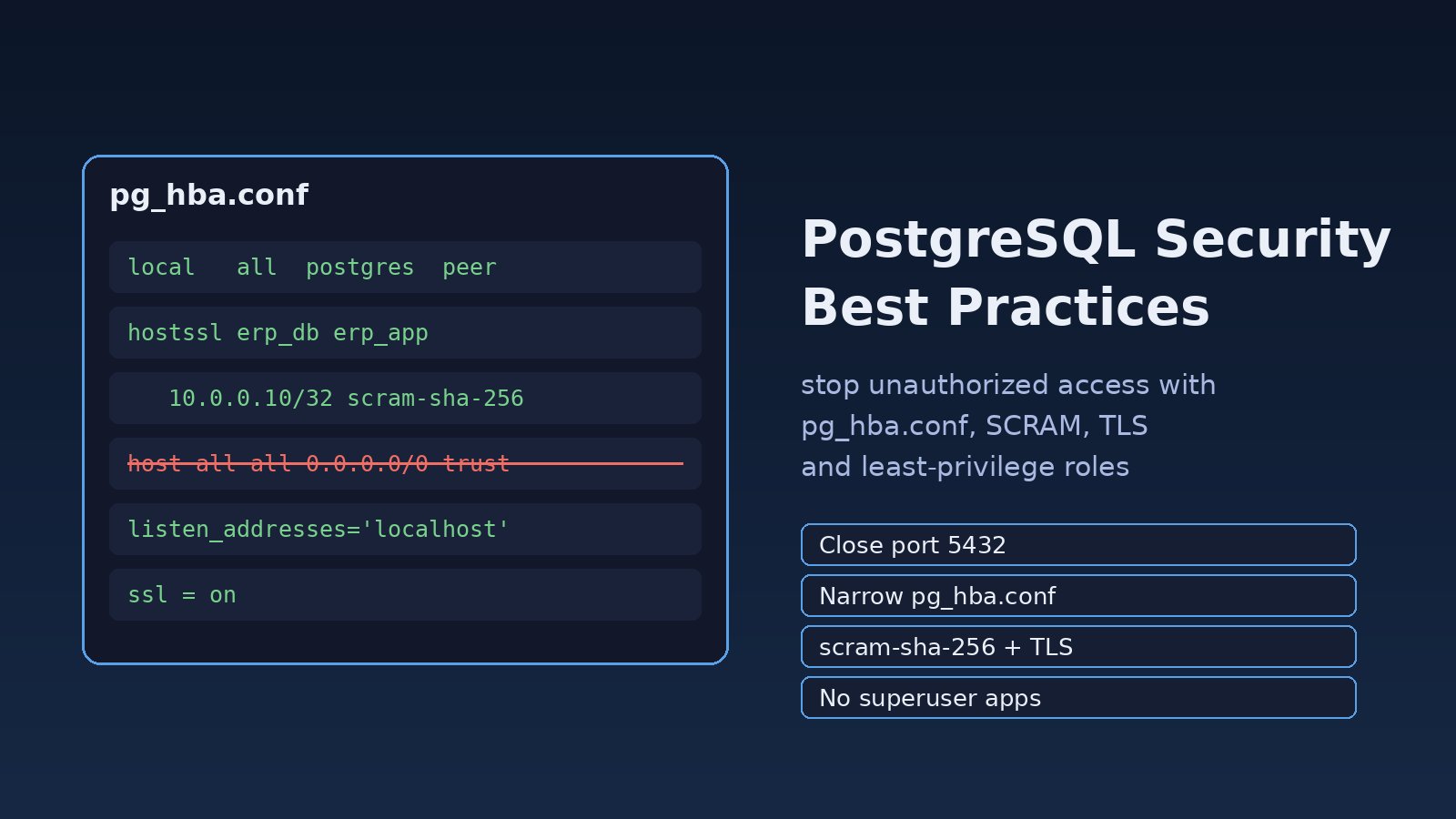
A PostgreSQL server that answers on port 5432 to the whole internet, with a trust line in pg_hba.conf and an application that connects as postgres, is one scan away from a data leak. Following postgresql security best practices means closing the network, locking down pg_hba.conf, using SCRAM passwords and TLS, and giving each application role only the privileges it needs. This guide walks through each step with real commands for Ubuntu servers running Laravel, Node.js or ERP workloads.
Problem: PostgreSQL Is Reachable and Trusts Too Much
Default packages are fairly safe: on Ubuntu, PostgreSQL listens on localhost only. The trouble starts when someone needs remote access in a hurry. They set listen_addresses = '*', add host all all 0.0.0.0/0 md5 (or worse, trust) to pg_hba.conf, open port 5432 in the cloud firewall and move on. The app then connects as the superuser because "it just works".
From that point, anyone who finds the port can try passwords, and anyone who gets the app's credentials can drop tables, read every schema and run COPY ... TO PROGRAM, which superusers can use to execute shell commands on the server.
Symptoms of Weak PostgreSQL Access Control
ss -tlnp | grep 5432shows0.0.0.0:5432on a server that only the app host should reach.- The log is full of lines such as
FATAL: password authentication failed for user "postgres"andFATAL: no pg_hba.conf entry for host "203.0.113.50", user "admin", database "postgres", no encryptionfrom IPs you do not know. pg_hba.confcontainstrustfor host connections, orall all 0.0.0.0/0.- Your
.envfile hasDB_USERNAME=postgres. SHOW password_encryption;returnsmd5, and old roles still have MD5 password hashes.SHOW ssl;returnsoffwhile the app connects over a network.- Every developer and reporting tool shares one login, so the logs cannot tell you who ran what.
Root Cause: Network, Authentication and Privileges All Left Open
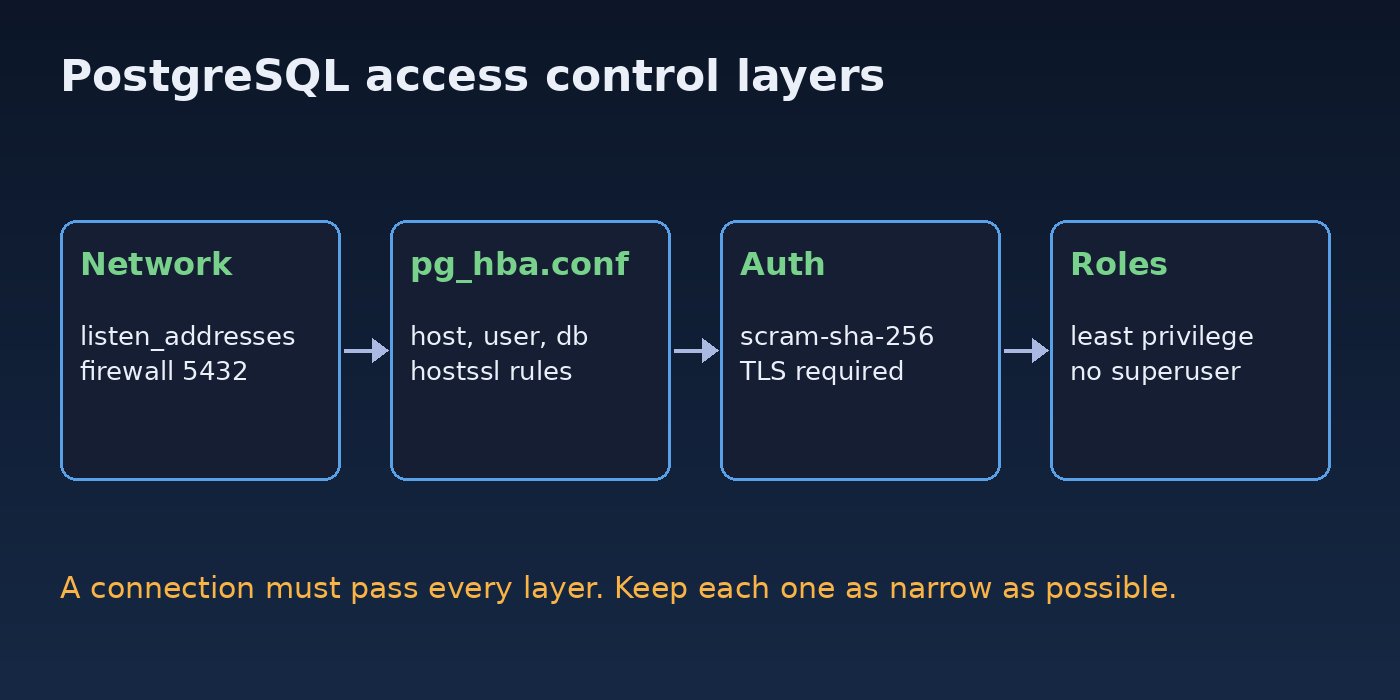
PostgreSQL decides access in three layers. First, the server must be listening on an address the client can reach (listen_addresses plus your firewall). Second, pg_hba.conf decides which host, user and database may connect and which authentication method they must pass. Third, roles and grants decide what the session can do once connected. Unauthorized access almost always comes from one or more of these layers being wider than needed, and from applications running with superuser rights so that a single leaked password exposes everything.
PostgreSQL Security Best Practices: Step-by-Step Solution
Step 1: Find out what is exposed right now
Start by checking where PostgreSQL listens and which config files it actually uses:
sudo ss -tlnp | grep 5432
sudo -u postgres psql -c "SHOW listen_addresses;"
sudo -u postgres psql -c "SHOW hba_file;"
sudo -u postgres psql -c "SHOW config_file;"
sudo -u postgres psql -c "SELECT rolname, rolsuper, rolcreaterole, rolcreatedb FROM pg_roles WHERE rolcanlogin;"
The last query lists every role that can log in and which ones are superusers. On most systems only postgres should have rolsuper = t.
Step 2: Limit listen_addresses and the firewall
If the app runs on the same server, keep PostgreSQL on localhost. If the app runs on another host, listen only on the private interface. In postgresql.conf:
# same host only
listen_addresses = 'localhost'

# or: private network interface only
listen_addresses = 'localhost,10.0.0.5'
Changing listen_addresses needs a restart: sudo systemctl restart postgresql. Then restrict port 5432 to the app server with the host firewall, and do the same in your cloud security group:
sudo ufw allow from 10.0.0.10 to any port 5432 proto tcp
sudo ufw deny 5432/tcp
sudo ufw status numbered
UFW checks rules in order, so the specific allow must come before the general deny. Never expose 5432 to 0.0.0.0/0. Developers who need access should come in over a VPN or an SSH tunnel such as ssh -L 5433:localhost:5432 user@db-server.
Step 3: Lock down pg_hba.conf
Each pg_hba.conf line is TYPE DATABASE USER ADDRESS METHOD, and PostgreSQL uses the first line that matches. Put narrow rules first and never use trust for network connections. A tight example for a Laravel ERP:
# TYPE   DATABASE   USER          ADDRESS          METHOD
local    all        postgres                       peer
local    all        all                            scram-sha-256
hostssl  erp_db     erp_app       10.0.0.10/32     scram-sha-256
hostssl  erp_db     erp_readonly  10.0.0.20/32     scram-sha-256
host     all        all           127.0.0.1/32     scram-sha-256
host     all        all           ::1/128          scram-sha-256
# everything else is rejected because no line matches
hostssl only matches TLS connections, so a client without encryption cannot use that line. Reload and check for syntax errors without restarting:
sudo -u postgres psql -c "SELECT pg_reload_conf();"
sudo -u postgres psql -c "SELECT line_number, type, database, user_name, address, auth_method, error FROM pg_hba_file_rules;"
Any row with a value in error means that line was not loaded. If local logins break after this change, see how to fix PostgreSQL peer authentication failed.
Step 4: Switch passwords to SCRAM-SHA-256
SCRAM-SHA-256 is the default from PostgreSQL 14 and is stronger than MD5. Make sure new passwords are stored with it, then reset each login role's password so its hash is upgraded:
-- postgresql.conf: password_encryption = 'scram-sha-256'
SHOW password_encryption;

-- find roles still using MD5 hashes (superuser only)
SELECT rolname FROM pg_authid WHERE rolpassword LIKE 'md5%';

-- in psql, \password prompts and sends only the hash
\password erp_app
Change the method in pg_hba.conf from md5 to scram-sha-256 only after all roles have SCRAM hashes, or those roles will fail to log in.
Step 5: Require TLS for remote connections
Turn on SSL in postgresql.conf with a certificate the server can read:
ssl = on
ssl_cert_file = '/etc/postgresql/ssl/server.crt'
ssl_key_file  = '/etc/postgresql/ssl/server.key'
ssl_min_protocol_version = 'TLSv1.2'
The key file must be owned by postgres with mode 0600. On the client side, set sslmode=verify-full (or at least require). In Laravel that is 'sslmode' => 'require' in the pgsql connection in config/database.php.
Step 6: Use least-privilege roles for PostgreSQL access control
Create a separate owner role for migrations, an app role for normal traffic and a read-only role for reports. None of them should be superusers:
CREATE ROLE erp_owner NOLOGIN;
CREATE ROLE erp_app LOGIN PASSWORD 'change-me' CONNECTION LIMIT 50;
CREATE ROLE erp_readonly LOGIN PASSWORD 'change-me-too';

ALTER DATABASE erp_db OWNER TO erp_owner;
REVOKE ALL ON DATABASE erp_db FROM PUBLIC;
GRANT CONNECT ON DATABASE erp_db TO erp_app, erp_readonly;

\c erp_db
REVOKE CREATE ON SCHEMA public FROM PUBLIC;
GRANT USAGE ON SCHEMA public TO erp_app, erp_readonly;
GRANT SELECT, INSERT, UPDATE, DELETE ON ALL TABLES IN SCHEMA public TO erp_app;
GRANT USAGE, SELECT ON ALL SEQUENCES IN SCHEMA public TO erp_app;
GRANT SELECT ON ALL TABLES IN SCHEMA public TO erp_readonly;

ALTER DEFAULT PRIVILEGES FOR ROLE erp_owner IN SCHEMA public
  GRANT SELECT, INSERT, UPDATE, DELETE ON TABLES TO erp_app;
ALTER DEFAULT PRIVILEGES FOR ROLE erp_owner IN SCHEMA public
  GRANT SELECT ON TABLES TO erp_readonly;
Replace the example passwords with long random ones (openssl rand -base64 32). CONNECTION LIMIT also stops one role from using every slot, which helps with PostgreSQL too many connections errors. For multi-tenant tables, add row-level security so a query can only see its own tenant's rows.
Step 7: Turn on logging you can audit
log_connections = on
log_disconnections = on
log_line_prefix = '%m [%p] %q%u@%d from %h '
log_statement = 'ddl'
This records who connected, from where, and any schema changes. Pair it with fail2ban or your log monitoring to alert on repeated password authentication failed lines.
Verification: Test That Unauthorized Access Fails
# from a host that should NOT have access: expect a timeout or refusal
psql "host=db.example.com user=postgres dbname=postgres"

# from the app host without TLS: expect "no pg_hba.conf entry ... no encryption"
psql "host=10.0.0.5 user=erp_app dbname=erp_db sslmode=disable"

# with TLS: should connect
psql "host=10.0.0.5 user=erp_app dbname=erp_db sslmode=require"
Then confirm the session is encrypted and the app role cannot do admin work:
SELECT ssl, version FROM pg_stat_ssl WHERE pid = pg_backend_pid();
SET ROLE erp_app;
DROP TABLE users;          -- expect: ERROR:  must be owner of table users
CREATE TABLE test (id int); -- expect: ERROR:  permission denied for schema public
Finally, run nmap -p 5432 your-public-ip from outside your network. The port should show as filtered or closed.
Prevention: Keep PostgreSQL Secure Over Time
- Keep PostgreSQL on a supported major version and apply minor updates with
sudo apt update && sudo apt upgrade. - Review
pg_hba_file_rulesand superuser roles after every change and on a regular schedule. - Store database credentials in a secrets manager or a protected
.env, never in Git. - Give each service and each person their own role so logs show who did what.
- Put a pooler such as PgBouncer on the private network and keep it behind the same firewall rules.
- Encrypt backups and restrict who can read them; a dump is a full copy of your data.
- Rotate passwords when staff leave or a server is rebuilt.
FAQs
What are the most important postgresql security best practices?
Do not expose port 5432 publicly, keep pg_hba.conf narrow with no trust for network hosts, use scram-sha-256, require TLS for remote clients, and run applications as non-superuser roles with only the grants they need.
How do I secure pg_hba.conf?
List specific databases, users and /32 addresses instead of all and 0.0.0.0/0, use hostssl for remote lines, put narrow rules first, and check pg_hba_file_rules for errors after pg_reload_conf().
Is MD5 authentication still safe in PostgreSQL?
MD5 is deprecated in recent PostgreSQL releases. Move to SCRAM-SHA-256 by setting password_encryption and resetting each role's password before changing the method in pg_hba.conf.
What is the difference between pg_hba.conf and GRANT for PostgreSQL access control?
pg_hba.conf controls who may connect and how they authenticate. GRANT and REVOKE control what a connected role may read or change. You need both: a strict pg_hba.conf does not help if the app connects as a superuser.
Should my Laravel app connect as the postgres user?
No. Create a dedicated role that owns nothing and has only SELECT, INSERT, UPDATE and DELETE on the app's tables. Run migrations with a separate owner role during deployment.



Comments
Join the discussion. Replies load on demand, up to 5 levels.
0 threads
No comments yet
Be the first to start the conversation.