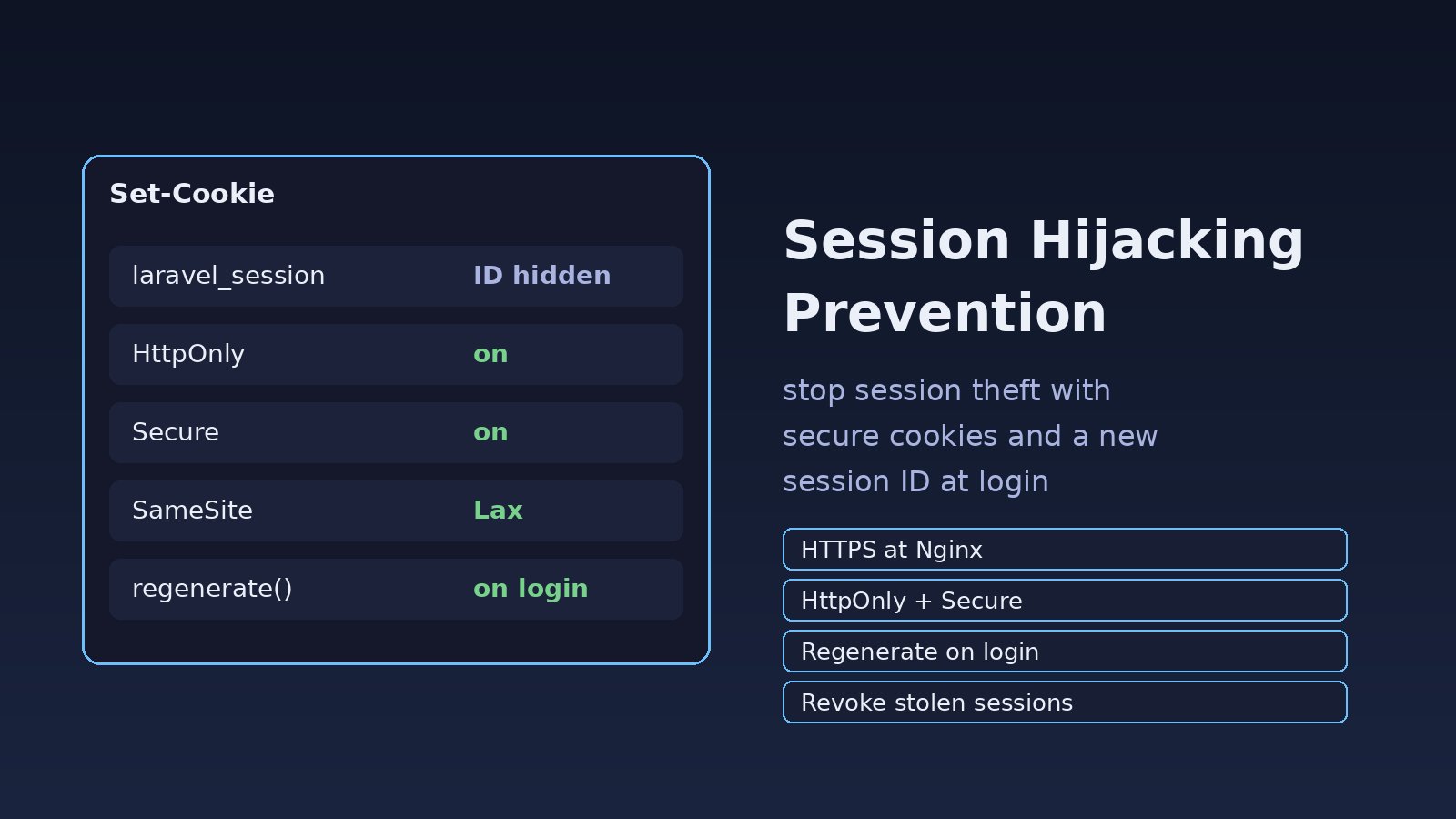
A colleague works from a cafe, stays logged into your Laravel ERP, and later finds purchase orders they never created. They never shared a password. Someone copied the session cookie from open Wi-Fi, from JavaScript that could read document.cookie, or from a session ID that never changed at login. Session hijacking prevention means making that cookie hard to steal, useless if it still carries an old ID after login, and easy to revoke. This guide covers the controls in Laravel, Express, Nginx and Redis-backed sessions.
Problem: A Stolen Session Cookie Is a Full Login
After login, your app no longer checks the password on every request. It checks a session ID in a cookie, or a bearer token. Anyone who presents that value is treated as the user for as long as the session lives.
Attackers get session IDs by reading a cookie with XSS when it is not HttpOnly, sniffing it on plain HTTP, fixing the ID before the victim logs in, or pulling a token out of localStorage in a React or Next.js SPA. Rate limits stop guessing; they do not help once a valid session is stolen. You often notice later, when you detect suspicious login activity or the user reports actions they did not take.
Symptoms That Point to a Hijacked Session
- The same account has two active sessions from different cities or devices at the same time.
- Orders or permission updates the user did not make, while they still appear logged in.
- After a password change the old session still works.
- In Chrome DevTools under Application, Cookies, the session cookie has no
HttpOnly, noSecure, orSameSite=Nonewithout a reason. - In the browser console,
document.cookieprints yourlaravel_sessionorconnect.sidvalue. - The session ID in the cookie does not change when you log in (session fixation).
- Chrome logs:
This Set-Cookie was blocked because it had the "Secure" attribute but was not received over a secure connection.
Root Cause: Gaps in Session Security
Session security fails when the cookie can travel over HTTP, when JavaScript can read it, when login reuses the anonymous session ID, or when you cannot delete a user's sessions. Storing a Sanctum token in localStorage has the same gap: any script on the page can send that token elsewhere.
CSRF is different. The victim's browser sends the cookie automatically because they are already logged in. In hijacking, the attacker copies the cookie or token and presents it from their own client. SameSite cookies and CSRF tokens stop CSRF; they do not stop someone who pasted laravel_session into another browser.
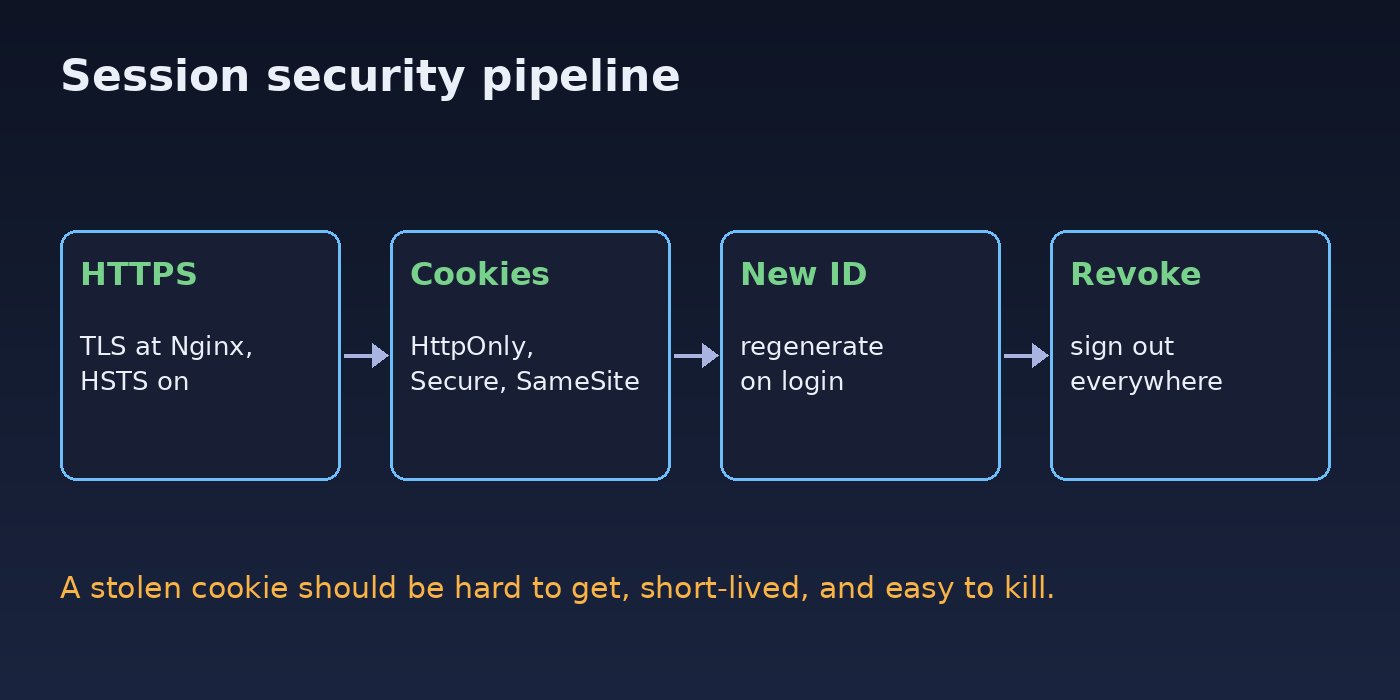
Session Hijacking Prevention: Step-by-Step Solution
Step 1: Terminate TLS at Nginx and force HTTPS
If the cookie ever crosses the network without TLS, anyone on that path can read it. Redirect HTTP to HTTPS at Nginx and send HSTS so browsers stop trying HTTP after the first visit:
server {
    listen 80;
    server_name app.example.com;
    return 301 https://$host$request_uri;
}

server {
    listen 443 ssl http2;
    server_name app.example.com;
    add_header Strict-Transport-Security "max-age=31536000; includeSubDomains" always;

    location / {
        proxy_set_header Host              $host;
        proxy_set_header X-Forwarded-Proto $scheme;
        proxy_pass http://127.0.0.1:8000;
    }
}
Laravel and Express only treat the request as HTTPS if Nginx forwards X-Forwarded-Proto and you trust that proxy. In Docker the app often receives plain HTTP from Nginx, so a SESSION_SECURE_COOKIE of null omits the Secure flag. In Laravel 11 and later:
// bootstrap/app.php
->withMiddleware(function (Middleware $middleware) {
    $middleware->trustProxies(at: ['10.0.0.0/8', '127.0.0.1']);
})
Only list addresses you control. Trusting * on a host that is reachable directly lets a client spoof X-Forwarded-Proto.
Step 2: Configure secure cookies in Laravel
Set the flags in .env so they match config/session.php:
SESSION_DRIVER=redis
SESSION_LIFETIME=120
SESSION_ENCRYPT=true
SESSION_PATH=/
SESSION_DOMAIN=null
SESSION_SECURE_COOKIE=true
SESSION_HTTP_ONLY=true
SESSION_SAME_SITE=lax- HttpOnly stops script from reading the cookie with
document.cookie. XSS can still call your API as the user, but cannot copy the value to another machine. - Secure sends the cookie only on HTTPS.
- SameSite=Lax keeps the cookie off most cross-site POST requests. Use
strictif users never arrive via an external link, andnoneonly when you need cross-site cookies (Secure is then required). - SESSION_ENCRYPT encrypts the payload. A stolen encrypted cookie still decrypts on your server, so it does not replace the flags above.
If SESSION_SECURE_COOKIE=true but the browser talks HTTP, Chrome refuses the cookie and the user looks logged out. That surprise sits with other Laravel session expired problems. Use HTTPS locally, or set the flag only in production. Also set session.use_only_cookies=1 and session.use_strict_mode=1 in php.ini so PHP will not accept a session ID from the query string.
Step 3: Set the same cookie flags in Express
const session = require('express-session');
const RedisStore = require('connect-redis').default;

app.set('trust proxy', 1);
app.use(session({
  name: 'sid',
  store: new RedisStore({ client: redis }),
  secret: process.env.SESSION_SECRET,
  resave: false,
  saveUninitialized: false,
  cookie: {
    httpOnly: true,
    secure: true,
    sameSite: 'lax',
    maxAge: 1000 * 60 * 120,
  },
}));
saveUninitialized: false avoids issuing a session cookie to every anonymous visitor, which shrinks the fixation window and keeps Redis smaller.
Step 4: Regenerate the session ID at login
In a fixation attack, the attacker plants an anonymous session ID and waits for the victim to log in with it. Laravel's session guard calls $session->migrate(true) inside Auth::attempt() and Auth::login(). Custom login code that only writes user data onto the current session skips that step, so regenerate after a successful password check:
if (! Auth::attempt($request->only('email', 'password'))) {
    abort(401, 'Invalid credentials');
}
$request->session()->regenerate();
return redirect()->intended('/dashboard');
Do the same in Express. Do not assign req.session.userId on the pre-login session:
app.post('/login', async (req, res, next) => {
  const user = await verifyUser(req.body.email, req.body.password);
  if (!user) return res.status(401).json({ message: 'Invalid credentials' });
  req.session.regenerate((err) => {
    if (err) return next(err);
    req.session.userId = user.id;
    req.session.save((err) => err ? next(err) : res.redirect('/dashboard'));
  });
});
Regenerate again after a password reset, an email change, or any privilege change such as admin impersonation in an ERP.
Step 5: Keep tokens out of JavaScript-readable storage
Laravel Sanctum can use cookies for a first-party SPA or issue API tokens for mobile apps. Cookie auth is the better fit for a Next.js or React frontend on your own domain, because the session cookie can be HttpOnly. A token in localStorage can be read by XSS and replayed with an Authorization header.
await fetch('/login', {
  method: 'POST',
  credentials: 'include',
  headers: {
    'Content-Type': 'application/json',
    'X-XSRF-TOKEN': getCookie('XSRF-TOKEN'),
    'Accept': 'application/json',
  },
  body: JSON.stringify({ email, password }),
});
A 401 Unauthenticated after this change is usually a missing credentials: 'include', a SESSION_DOMAIN that does not match the SPA host, or SameSite blocking a cross-site call. See common Laravel Sanctum authentication problems. On mobile, store the token in platform secure storage and bind each token to a device name so you can revoke one at a time.
Step 6: Expire and revoke sessions
Keep SESSION_LIFETIME short for admin and finance roles (30 or 60 idle minutes) and require the password again before payout, role or email changes. On logout, invalidate the session and rotate the CSRF token:
public function destroy(Request $request)
{
    Auth::guard('web')->logout();
    $request->session()->invalidate();
    $request->session()->regenerateToken();
    return redirect('/');
}
To sign the user out of every other browser, use Auth::logoutOtherDevices($password) with the AuthenticateSession middleware, which compares each session's stored password hash with the database. Other sessions then die after a password change. Add a "sign out everywhere" action on the security page. With the database session driver you can also delete rows directly:
php artisan session:table && php artisan migrate

DELETE FROM sessions WHERE user_id = 42;
Redis sessions are harder to query by user. A user_sessions table of user_id, session ID, IP and user agent lets you list devices and delete the matching Redis key. For Sanctum, $user->currentAccessToken()->delete() revokes one device and $user->tokens()->delete() revokes all of them.
Step 7: Treat XSS as a session problem
HttpOnly stops script from reading the cookie, not from calling your API as the logged-in user. Escape output, avoid assigning untrusted HTML in React, and set a Content-Security-Policy that disables unsafe-inline where you can. Stored XSS in a comment or ERP note is a common start for session riding.
Verification
After a login, inspect the response headers:
curl -sI -c /tmp/cj -b /tmp/cj -X POST https://app.example.com/login \
  -H 'Content-Type: application/x-www-form-urlencoded' \
  --data '[email protected]&password=secret' \
  | grep -i set-cookie
You want set-cookie: laravel_session=...; path=/; secure; httponly; samesite=lax, not only set-cookie: laravel_session=eyJpdiI6...; path=/.
- Confirm
secure,httponlyand a SameSite value are present. - On your origin, run
document.cookie. The session cookie name must not appear. A readable XSRF token may still show. - Compare the session ID in DevTools before and after login. They must differ.
- In a test environment, request the site over HTTP. The session cookie must not be sent, and Nginx should redirect to HTTPS.
- Use "sign out everywhere", then replay the old cookie with
curl -b laravel_session=OLD. The app should reject it with a login redirect or401.
Prevention: Keep Session Security in Place
- Set cookie flags in production config and fail CI if
SESSION_SECURE_COOKIEis false there. - Give staff accounts a shorter idle timeout, and require recent authentication before changing roles, bank details or 2FA.
- Offer two-factor authentication so a stolen password alone cannot mint a fresh session.
- Never log cookie values,
Authorizationheaders or raw session IDs. - Rotate
APP_KEYandSESSION_SECRETonly with a planned logout of existing sessions.
FAQs
How does session hijacking prevention differ from CSRF protection?
CSRF tricks the victim's browser into sending a request they did not mean to send; the cookie never leaves their browser. Hijacking copies the cookie or token and reuses it elsewhere. SameSite and CSRF tokens address the first case. Secure cookies, HttpOnly, ID regeneration and revocation address the second.
Do secure cookies stop every kind of session theft?
No. They stop the browser from sending the cookie over HTTP, and HttpOnly stops script from reading it. They do not stop malware, an unlocked shared laptop, or XSS that calls your API as the user. Combine the flags with HTTPS, XSS defenses, short lifetimes and a revoke path.
Why is session security weaker if I store JWTs in localStorage?
localStorage is readable by any JavaScript on the page, so XSS can send the token away in one request. An HttpOnly cookie is not readable that way. Prefer cookie-based sessions or Sanctum's SPA cookie flow for a first-party web app.
How do I revoke a session after I suspect theft?
Change the password, call Auth::logoutOtherDevices() with AuthenticateSession enabled or delete their sessions rows, and run $user->tokens()->delete() for Sanctum. Then ask them to sign in again on a trusted device.
Does regenerating the session ID break the remember-me cookie?
No. Laravel stores the remember-me token in a separate cookie from laravel_session. Regenerating the session ID at login does not remove it. Recycle remember-me tokens on password change the same way you recycle sessions.



Comments
Join the discussion. Replies load on demand, up to 5 levels.
0 threads
No comments yet
Be the first to start the conversation.