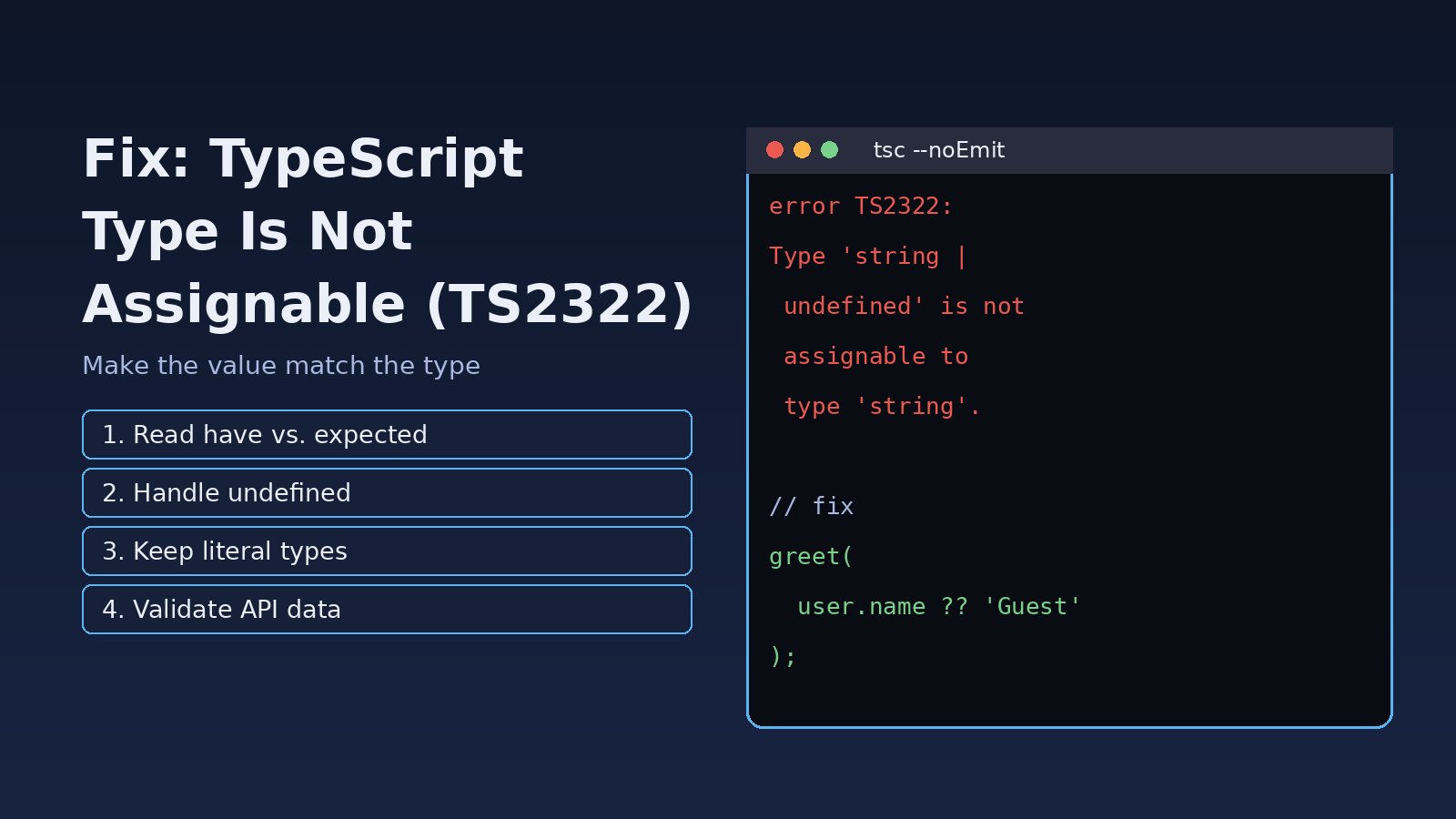
Your build stops, or VS Code draws a red line under a variable, with a message like Type 'string' is not assignable to type 'number'. If you are searching for typescript type is not assignable, you are looking at error TS2322: TypeScript found a value whose type does not match the type expected at that spot. The fix is almost never to silence the compiler. It is to make the value and the expected type agree, either by fixing the data, narrowing the type, or correcting the declaration. This guide walks through how to read the message, the most common causes in React, Next.js and Node.js projects, and the exact fixes for each.
Problem: TypeScript Type Is Not Assignable (TS2322)
The compiler output usually looks like this:
src/components/UserCard.tsx:12:5 - error TS2322: Type 'string | undefined' is not assignable to type 'string'.
  Type 'undefined' is not assignable to type 'string'.

12     name: user.name,
       ~~~~

Found 1 error in src/components/UserCard.tsx:12
Read it from top to bottom. The first line names the type you have (string | undefined) and the type that is required (string). The indented lines below explain which part of the type does not fit. In long messages about objects, the last indented line is usually the real problem, for example a single property with the wrong type.
Related messages share the same root idea: TS2345: Argument of type 'X' is not assignable to parameter of type 'Y' is the same check applied to a function argument, and TS2741: Property 'id' is missing in type ... appears when an object lacks a required property.
Symptoms
npm run build,tscornext buildfails witherror TS2322.- The editor underlines an assignment, a return statement, or a JSX prop.
- Code that ran fine in plain JavaScript fails after converting a file to
.tsor.tsx. - The error appears after turning on
"strict": trueorstrictNullChecks. - A React component reports that a prop type is not assignable to
IntrinsicAttributes & Props.
Root Cause of the TypeScript Type Mismatch
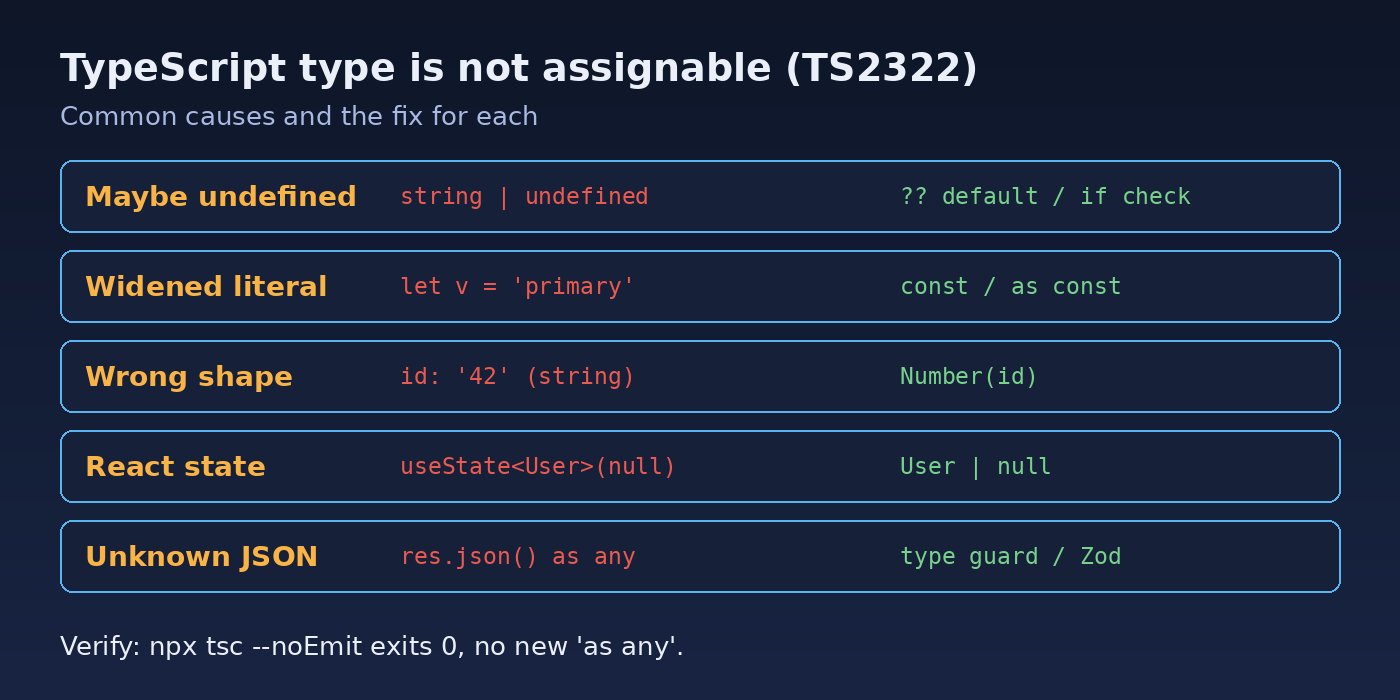
TypeScript checks that every value fits the type of the place it goes into: a variable annotation, a function parameter, a return type, an object property, or a component prop. A TypeScript type mismatch happens when the value can be something that the target does not allow. The usual causes are:
- Possibly undefined or null values. Optional properties,
Array.find(),Map.get()and environment variables all returnT | undefined. - Literal types widened to string. A variable declared with
letor inside an object becomesstring, which does not fit a union like'primary' | 'secondary'. - Wrong data shape. An API response, form value or JSON object has a different type than the interface expects, for example a numeric id that arrives as a string.
- Incorrect function or prop types. A callback has the wrong signature, or a React prop is typed differently from what the parent passes.
- Too-wide declarations. Values typed as
unknown,{}or a broad union are assigned to something more specific without narrowing.
Step-by-Step Solution
Step 1: Find the exact property that does not match
Run the compiler without emitting files so you see every error with its location:
npx tsc --noEmit --prettyGo to the reported line, hover over the value in your editor to see its inferred type, then hover over the target to see the expected type. The difference between the two is what you need to fix.
Step 2: Fix "undefined is not assignable to type string"
This is the most common form of TS2322. Decide what should happen when the value is missing, then express that in code:
interface User { name?: string }
function greet(name: string) { return `Hi ${name}`; }

const user: User = await getUser();

// Error: Type 'string | undefined' is not assignable to type 'string'
greet(user.name);

// Fix 1: provide a default
greet(user.name ?? "Guest");

// Fix 2: narrow with a check
if (user.name) {
  greet(user.name); // string here
}

// Fix 3: change the target if undefined is valid
function greetOptional(name?: string) { return `Hi ${name ?? "Guest"}`; }
Avoid the non-null assertion (user.name!) unless you are certain the value exists. It hides the error but not the bug. For more on this pattern, see How to Fix TypeScript Object Is Possibly Undefined.
Step 3: Keep literal types from widening
type Variant = "primary" | "secondary";
function Button(props: { variant: Variant }) { /* ... */ }

// Error: Type 'string' is not assignable to type 'Variant'
let v = "primary";
<Button variant={v} />;

// Fix 1: annotate the variable
const v1: Variant = "primary";

// Fix 2: use const (literal type is kept)
const v2 = "primary";

// Fix 3: for objects and arrays, use 'as const' or 'satisfies'
const config = { variant: "primary" } as const;
const theme = { variant: "secondary" } satisfies { variant: Variant };
The satisfies operator (TypeScript 4.9+) checks that a value matches a type while keeping its precise inferred type, which makes it a safer choice than as.
Step 4: Fix the data shape instead of casting
When data comes from an API or form, convert it to the expected type at the boundary:
interface Order { id: number; total: number }

// Error: Type 'string' is not assignable to type 'number'
const order: Order = { id: params.id, total: form.total };

// Fix: convert explicitly
const order2: Order = {
  id: Number(params.id),
  total: parseFloat(form.total),
};

// Validate unknown JSON before trusting it
function isOrder(x: unknown): x is Order {
  return typeof x === "object" && x !== null &&
    typeof (x as Order).id === "number" &&
    typeof (x as Order).total === "number";
}

const data: unknown = await res.json();
if (isOrder(data)) {
  const o: Order = data; // OK after narrowing
}
Libraries such as Zod can generate both the runtime check and the TypeScript type from a single schema, which keeps them in sync.
Step 5: Fix React prop and state types
// Error: Type 'null' is not assignable to type 'User'
const [user, setUser] = useState<User>(null);

// Fix: include null in the state type
const [user2, setUser2] = useState<User | null>(null);

// Error: Type '(id: string) => void' is not assignable to type '() => void'
interface RowProps { onSelect: () => void }
<Row onSelect={(id: string) => select(id)} />;

// Fix: make the prop type match how it is called
interface RowProps2 { onSelect: (id: string) => void }

// Children: ReactNode accepts strings, numbers, elements, null
interface CardProps { children: React.ReactNode }
Rendering a plain object as a child is a runtime error even when the types allow it, so also check Objects Are Not Valid as a React Child if you change children types.
Step 6: Narrow unions and unknown before assigning
type Result = { ok: true; data: string } | { ok: false; error: string };

function show(r: Result) {
  // Error: Type 'string | undefined' ... if you access r.data directly
  if (r.ok) {
    const text: string = r.data; // narrowed by the 'ok' discriminant
  } else {
    console.error(r.error);
  }
}

// catch variables are 'unknown' under strict mode
try { /* ... */ } catch (err) {
  const message: string = err instanceof Error ? err.message : String(err);
}
Step 7: Use type assertions only as a last resort
value as Type tells the compiler to trust you. It is reasonable for things TypeScript cannot know, like document.getElementById("app") as HTMLDivElement, but it is not a fix for wrong data. Never use as any or // @ts-ignore to get a build passing; you lose the check that caught the bug.
Code/Commands: Checking Types in Your Project
# Type-check the whole project without building
npx tsc --noEmit

# Watch mode while you fix errors
npx tsc --noEmit --watch

# Show which tsconfig settings are active
npx tsc --showConfig

# Next.js runs the same check during build
npm run build
A typical strict tsconfig.json for React and Next.js apps:
{
  "compilerOptions": {
    "strict": true,
    "noUncheckedIndexedAccess": true,
    "exactOptionalPropertyTypes": false,
    "skipLibCheck": true
  }
}
If the error only shows up during next build, the steps in How to Fix Next.js Failed to Compile help separate type errors from module and syntax errors.
Verification
- Run
npx tsc --noEmitand confirm it exits with no errors (exit code 0). - Run
npm run buildto make sure the framework build also passes. - Search the diff for new
as any,!or@ts-ignoreand confirm none were added just to silence TS2322. - Test the path where the value can be missing or in a different format, for example an empty API field, to confirm your default or validation works at runtime.
Prevention
- Enable
"strict": truefrom the start of a project so type mismatches show up early. - Type API responses as
unknownand validate them at the boundary instead of trustingany. - Prefer
satisfiesandas constoverasfor configuration objects. - Share types between backend and frontend, or generate them from your API schema, so shapes stay in sync.
- Run
tsc --noEmitin CI and as a pre-commit check. - Ban
@ts-ignorewith ESLint (@typescript-eslint/ban-ts-comment) and prefer@ts-expect-errorwith a comment when truly needed.
FAQs
What does TS2322 mean in TypeScript?
TS2322 is the error code for "Type 'X' is not assignable to type 'Y'". It means a value is being placed somewhere whose declared type does not accept it, such as a variable, return value, property or prop.
How do I fix "Type 'string | undefined' is not assignable to type 'string'"?
Handle the undefined case: give a default with ??, narrow it with an if check, or make the target type optional if missing values are valid. Use the non-null assertion ! only when you can guarantee the value exists.
Why is "string" not assignable to my union type?
TypeScript widens literals stored with let or in mutable objects to string. Annotate the variable with the union type, declare it with const, or use as const or satisfies on the object.
What is the difference between TS2322 and TS2345?
Both are TypeScript type mismatch errors. TS2322 is reported for assignments, returns and properties; TS2345 is reported when an argument passed to a function does not match the parameter type. The fixes are the same.
Should I use "as any" to fix a type is not assignable error?
No. as any turns off type checking for that value, so the real mismatch can still crash at runtime. Fix the data or the type, and keep assertions for cases where you know more than the compiler, such as DOM element types.



Comments
Join the discussion. Replies load on demand, up to 5 levels.
0 threads
No comments yet
Be the first to start the conversation.